
Guides
Should you show a first-down line on football replay shots?
A sports broadcast graphics package first down line belongs on replay only when it matches the recorded play. Check alignment, routing, and fallback.
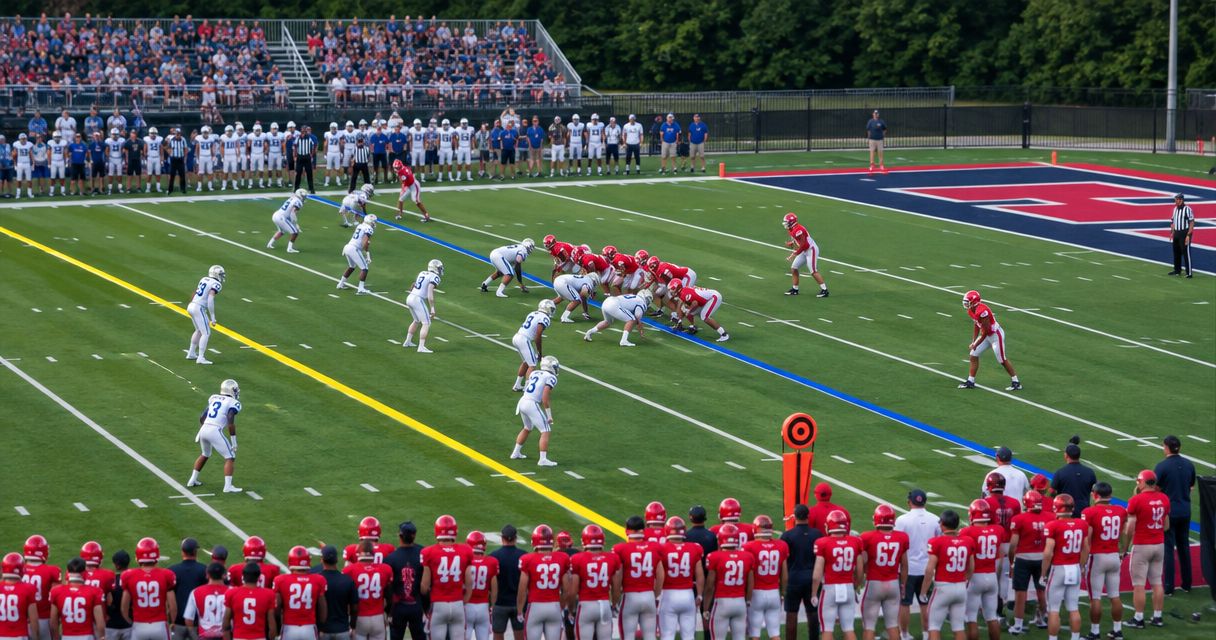
Yes—show a first-down line on football replay shots when it represents the replayed play and stays correctly aligned with that camera view. Keep it off when the replay uses an unverified angle, carries the next play’s line position, or makes the graphic look like an official ruling.
TL;DR
- Show a first-down line on replay only after checking the recorded play, camera view, and alignment.
- For a sports broadcast graphics package first down line, replay accuracy matters more than visual consistency.
- PayneXR provides Windows football graphics; plan replay routing separately from live on-field overlays.
- Use a clean replay when the crew cannot verify the line before taking the shot.
Should you show a first-down line on football replay shots?
Show the line when it explains the play accurately; remove it when its position or meaning is uncertain. A first-down line provides a visual reference for the line to gain—the field position the offense needs to reach for a new first down. It does not establish the official spot.
Choose the replay treatment by what your recording contains, not by whether the live broadcast showed a line. A replay with graphics already recorded into the picture needs different handling from a clean recording that receives graphics during playback.
| Replay treatment | Best for | Main benefit | Main limitation | Recommendation |
|---|---|---|---|---|
| Keep a verified recorded line | Replays from the same recorded camera view | Preserves the reference viewers saw during the play | A recorded mistake stays in the picture | Use after checking placement |
| Add a line during replay playback | Workflows with a separately verified replay graphics path | Allows a clean recording to receive a field reference | Requires the correct play position and camera alignment | Use only after rehearsal |
| Show replay without an on-field line | Unverified angles or crews without a replay graphics operator | Avoids displaying an incorrect field reference | Viewers must use field markings and commentary | Choose whenever verification fails |
Start with correct live placement. The guide to placing scrimmage and first-down lines before a play covers the upstream task that determines whether a recorded overlay is useful later.
Make these 3 checks before taking replay
- Check the play. Confirm that the graphic represents the down being replayed, not the next live down. Identify the original line to gain before sending the shot to air.
- Check the view. Watch the actual replay angle, including its pan, zoom, crop, and any slow-motion treatment. A line placed for a wide sideline camera does not establish correct placement for another camera.
- Check the picture. Confirm that the line sits on the intended field position throughout the selected clip. If it slides, crosses the wrong yard marking, or obscures the action, take the clean version.
These are release checks, not a request to rebuild a graphic while the director waits. Establish who can approve the line and who can remove it before the game starts. For your 2026 replay checklist, make a failed check an instruction to use the clean shot.
Why this matters
A replay invites viewers to examine details. A misplaced field reference becomes especially distracting when the announcer is discussing whether a runner reached the line to gain.
On-field graphics and clean video each serve a purpose. The graphic explains field position; the clean picture leaves the action unobstructed and avoids presenting an uncertain reference as settled fact.
Do not trade accuracy for a consistent look. A broadcast can show a first-down line during live action and omit it from replay without losing its visual identity. Tell commentators which treatment is available so they do not refer to a line viewers cannot see.
Recorded line: keep it only when the original placement was correct
A recorded line is part of the video image. Turning off the live graphics output does not remove a line already embedded in a replay recording.
This treatment suits a straightforward replay of the same camera shot. You preserve the field reference without asking an operator to recreate it during playback, but you also preserve any original placement error.
Watch the selected clip before taking it. Check the start and end as well as the moment of contact, because the camera can change framing during the play.
Best for: a verified replay from the original camera view. Skip the recorded graphic when the original line was wrong or visually unstable; use a separate clean recording if your production has one.
Keep the recording source explicit in your 2026 production notes. Labeling a source merely as replay does not tell the operator whether it contains on-field graphics.
Playback overlay: treat replay as its own graphics job
Adding a line during playback requires the overlay to match the replayed play and its camera view. Do not leave the current live line active simply because the replay passes through the same graphics stage.
The practical advantage is separation: you retain a clean recording and decide later whether a graphic helps explain it. The drawback is additional coordination between the replay operator, graphics operator, and director.
Best for: a production with a rehearsed replay graphics path and a person responsible for checking it. Do not assume that software used for live overlays automatically handles recorded clips, alternate angles, or slow-motion playback in the same way.
PayneXR is Windows football broadcast graphics software for teams that need virtual first-down lines, scrimmage lines, logos, and sponsor graphics. Evaluate the replay workflow separately from those stated live-overlay functions; a live graphics requirement and a replay graphics requirement are not interchangeable.
Clean replay: choose clarity over an unchecked line
A clean replay contains no on-field overlay. It still lets viewers follow the runner, ball, defenders, and field markings while commentary explains the relevant field position.
Its strength is operational simplicity. Its limitation is that viewers lose the continuous visual reference supplied by a correctly placed line.
Best for: alternate angles, uncertain placement, and crews that cannot verify replay graphics before air. This is also the right fallback when removing a questionable graphic takes longer than selecting a clean source.
Clean does not mean unfinished. It is a deliberate editorial choice when the replay’s main purpose is to show a catch, tackle, boundary, or other detail that the first-down line does not clarify.
Why the right replay treatment varies
The decision depends on the shot and your production path, not just the graphics package. Use these factors during preparation:
- Recording source. Determine whether replay records clean camera video or an output with graphics already embedded. That decides what you can remove later.
- Camera angle. Verify each selected angle independently. A correct line in the main view does not validate a reverse or end-zone view.
- Camera movement. Review the complete pan and zoom used in the clip. A correct opening frame is not enough.
- Play state. Preserve the line to gain for the recorded play. Do not substitute a position prepared for the next down.
- Operator responsibility. Assign the final check to a named role. An unassigned check is not a dependable safeguard.
- Replay purpose. Include the line when it explains field position; omit it when it adds clutter without answering the editorial question.
Use the same criteria for school football, independent streams, and television. Staffing changes how you perform the checks, not whether accuracy matters.
Where should graphics sit in the replay signal path?
Map the connections before deciding which replay treatment to use. A signal path is the route video takes from the camera through recording, graphics, switching, and delivery.
Start by labeling Camera source, Replay recording, Graphics stage, and Program output on your routing plan. Program output means the finished picture sent to viewers. Place each label where that function actually occurs; the order depends on your production design.
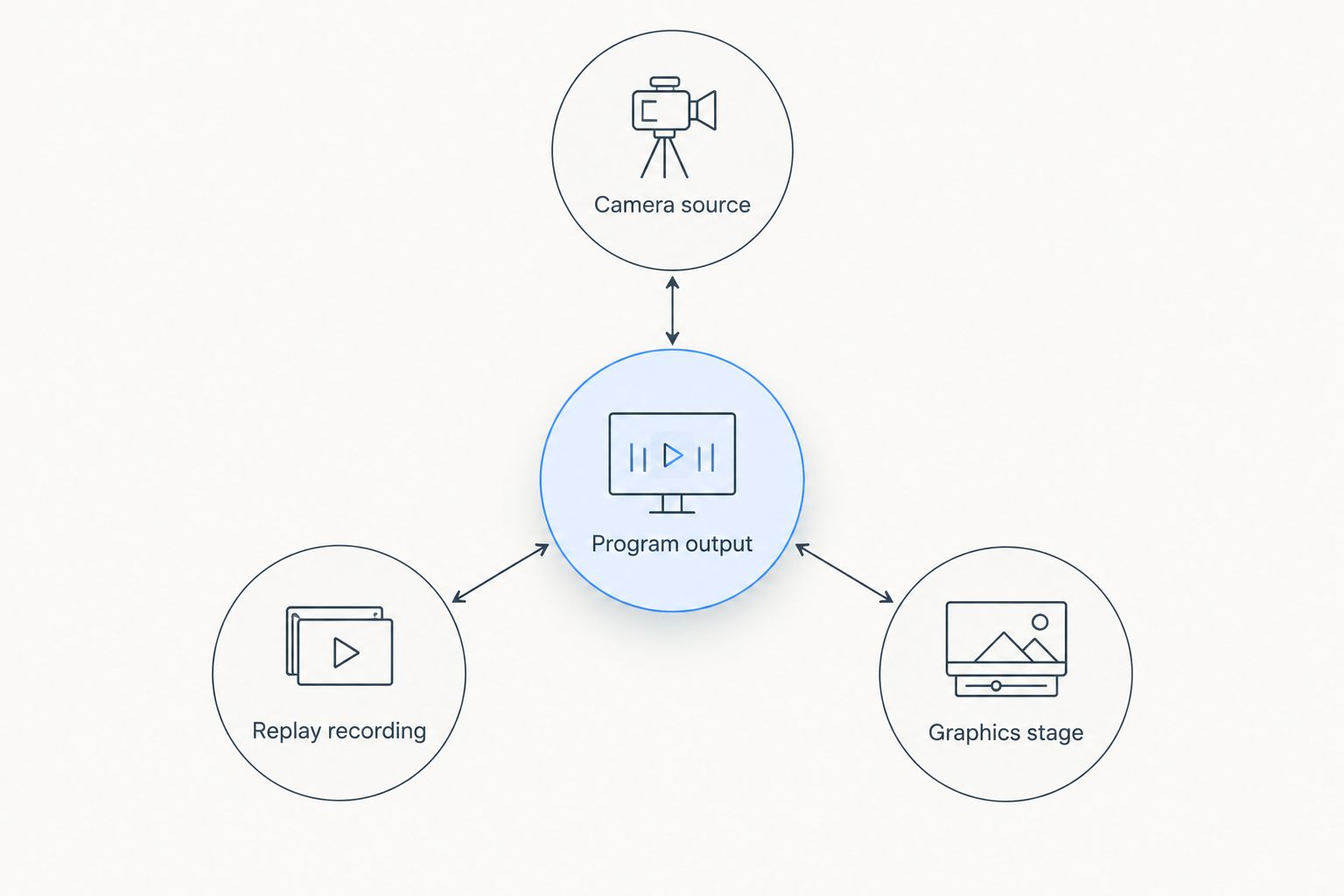
Identify what the replay records and where graphics enter before choosing a replay treatment.
The critical connection is the recording input. If it receives a picture with a first-down line, the replay recording contains that line. If it receives a clean picture, any later line must come from a separate graphics step.
For a plan with 2 feeds, label them clean and graphics-inclusive rather than relying on cable position or monitor location. These are planned signal roles, not a claim that your existing equipment provides both outputs.
Then trace playback to the switcher, the device or software that selects the outgoing picture. Confirm whether playback encounters the live graphics stage again. Otherwise, a recorded line and a current live line can appear together.
The guide to football graphics placement in the video signal path supports this routing decision. For your 2026 setup sheet, record the replay input, playback destination, and graphics bypass action in plain language.
How should different football crews handle replay lines?
School football broadcast teams
Choose an operating rule that students and volunteers can repeat under pressure. If the replay operator cannot confirm the play and line placement, send clean replay rather than asking another busy operator to make a last-second correction.
Give the director a clear call: replay ready with line, or replay ready clean. Avoid a vague confirmation that leaves the director guessing what viewers will see.
Independent sports streaming crews
Reduce simultaneous tasks. If 1 person operates replay and graphics, make clean replay the default whenever checking the overlay would interrupt live coverage or replay selection.
A smaller crew can still use verified recorded graphics. The requirement is a repeatable check, not a particular crew size or an elaborate production layout.
TV broadcasters
Keep the replay source and graphics responsibility explicit across production roles. A replay operator should know whether a clip contains an embedded line, while the graphics operator should know whether a live overlay will reach playback.
For a 2026 production rehearsal, include a return from replay to live action after the next line position has been prepared. Check that the replay’s reference does not remain on the live picture and that the live reference did not appear over replay.
Is a first-down line on replay an official measurement?
A first-down line on replay is a broadcast reference, not an official measurement. Do not use the overlay alone to declare that the ball reached the line to gain.
Replay commentary should distinguish the graphic from the official spot and ruling. When the shot does not support a confident visual comparison, say what the camera shows rather than treating the line as proof.
Should you show a scrimmage line on replay too?
Show a scrimmage line on replay only when the original snap position helps explain the play and the placement is verified. It serves a different purpose from the first-down line, so keeping one does not require keeping both.
PayneXR football graphics include scrimmage lines and first-down lines. Decide which reference serves the explanation instead of treating every available overlay as mandatory.
FAQ
Should I leave the live first-down line on when I take a replay?
No—do not leave the current live first-down line over replay unless it has been verified for that recorded play and camera view. Use a checked replay treatment or a clean shot.
Can I remove a first-down line that is already recorded into a replay?
Turning off live graphics does not remove a first-down line embedded in recorded video. Use a separate clean recording if your production has one.
Is replay without a first-down line acceptable for a school broadcast?
Yes—clean replay is an appropriate choice when a school broadcast crew cannot verify the overlay. Field markings and commentary can provide context without an uncertain line.
Should independent streaming crews add graphics to every replay?
No—independent streaming crews should add a replay line only when it explains the play and can be checked before air. Use clean replay when verification would compete with essential production tasks.
Does PayneXR provide first-down and scrimmage lines?
PayneXR provides Windows broadcast graphics software for virtual first-down lines, scrimmage lines, logos, and sponsor graphics on live football video. Plan and verify replay routing separately from live overlay use.
What should I check when a replay changes camera angles?
Check line placement against the selected camera angle rather than carrying over approval from another view. If the line does not match the replay angle, omit it.
Can a replay first-down line prove the officials made the wrong call?
No—a broadcast first-down line is not an official measurement. Discuss the visible action and official ruling without treating the overlay as conclusive evidence.
One last thing
Test the wrong-play scenario, not just the successful replay. During your 2026 rehearsal, prepare the next live line position and then replay the previous down. Watch for the new reference appearing over the old play.
That test checks the exact boundary between live graphics and recorded action. If the crew cannot prevent the mismatch reliably, make clean replay the standard until the routing and operating procedure are corrected.