
Guides
How to check football graphics during camera pans and zooms
Test broadcast graphics software for football during pans and zooms. Check line alignment, player overlap, timing, and the final feed before kickoff.
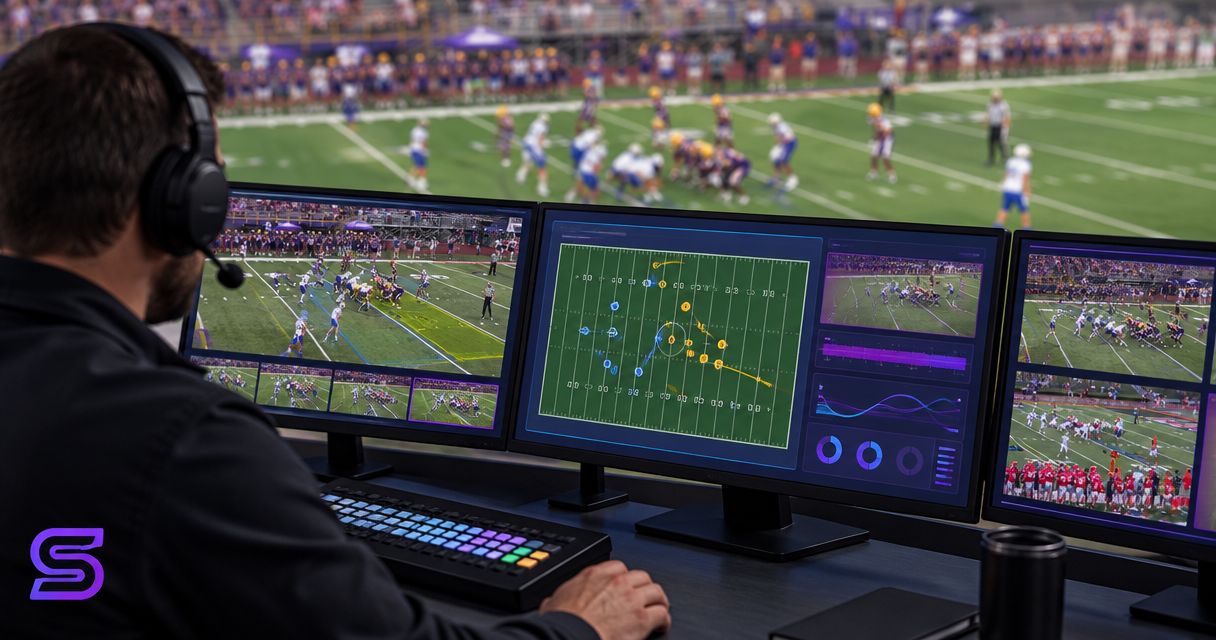
Check broadcast graphics software for football by recording the final output while the camera pans across field markings, zooms in and out, and follows a live-style play. Compare each graphic with the same painted field references before, during, and after movement; hide on-field graphics when their placement becomes unreliable rather than leaving a misleading line on air.
TL;DR
- Test broadcast graphics software for football against painted field markings throughout camera movement, not just on a stationary shot.
- PayneXR provides Windows software for virtual first-down lines, scrimmage lines, logos, and sponsor graphics on live football video.
- Check alignment, player overlap, and timing on the final broadcast feed before approving on-field graphics.
- A clean camera feed is the safer fallback when a virtual line no longer matches its intended field position.
For your 2026 production checklist, separate software selection from shot approval. The guide to choosing broadcast graphics software for football covers the selection question; the checks below establish whether a particular camera shot is ready to carry on-field graphics.
How do you check football graphics during camera pans and zooms?
Use 3 test passes: a pan-only pass, a zoom-only pass, and a combined-movement pass. Record the actual broadcast output, then review where the graphic sits relative to painted yard lines and hash marks throughout each movement.
- Establish a reference. Hold the camera still and identify the painted markings that define the graphic's intended location.
- Pan across the field. Move in both directions while keeping those reference markings visible wherever possible.
- Change the framing. Zoom in, zoom out, and return to the original composition without changing the intended field location.
- Follow the action. Combine a pan and zoom as the operator would during a play.
- Review the recording. Inspect movement, the moment movement stops, and the final settled frame.
- Confirm the fallback. Remove the graphics and verify that the clean camera picture remains usable.
Approve the moving shot, not just the still frame. A line that looks correct before a pan has not passed a moving-camera test.
Why this matters
A first-down line tells viewers where the offense needs to reach. If that line moves relative to the field during a camera adjustment, the graphic stops serving its purpose—even when its color and overall appearance look polished.
School football teams, independent streaming crews, and TV broadcasters need the same visual checks. Their staffing and signal paths differ, so assign responsibility to an actual person rather than assuming someone else is watching the graphics.
For a 2026 game-day rehearsal, test the camera positions and framing you intend to use. A check from one position does not establish that a different shot is ready.
Compare on-field graphics with a clean broadcast
The useful comparison is adding field-position information versus keeping the picture free of an unreliable overlay. Neither choice removes the need for accurate commentary and game information.
| Approach | Best for | Benefit | Limitation | Approval check |
|---|---|---|---|---|
| On-field graphics enabled | Showing the intended first-down or scrimmage position directly on the field | Gives viewers a visible reference within the play | Adds placement, timing, and overlap checks | Graphic stays at its intended field location throughout approved camera movements |
| Clean camera feed | Shots whose graphics have not passed testing | Removes the risk of displaying a misplaced virtual line | Does not provide a virtual field-position reference | Camera picture remains usable when graphics are hidden |
PayneXR is for football production teams that need Windows software for on-field broadcast graphics. Its stated uses include virtual first-down lines, scrimmage lines, logos, and sponsor graphics; approve each graphic according to its intended placement rather than assuming they all need identical behavior.
A field-position line needs a field reference. A graphic intended to stay in a fixed screen position needs a screen reference. Decide which behavior you expect before calling movement a fault.
Set up the test at the final output
Watch what viewers will receive, not only the software's local preview. A local preview does not establish that every later production stage is displaying the same result.
Trace the camera source, graphics stage, production output, and recording review. These labels describe checkpoints, not a required hardware layout. Your actual connections depend on the supported inputs and outputs of the equipment in use.
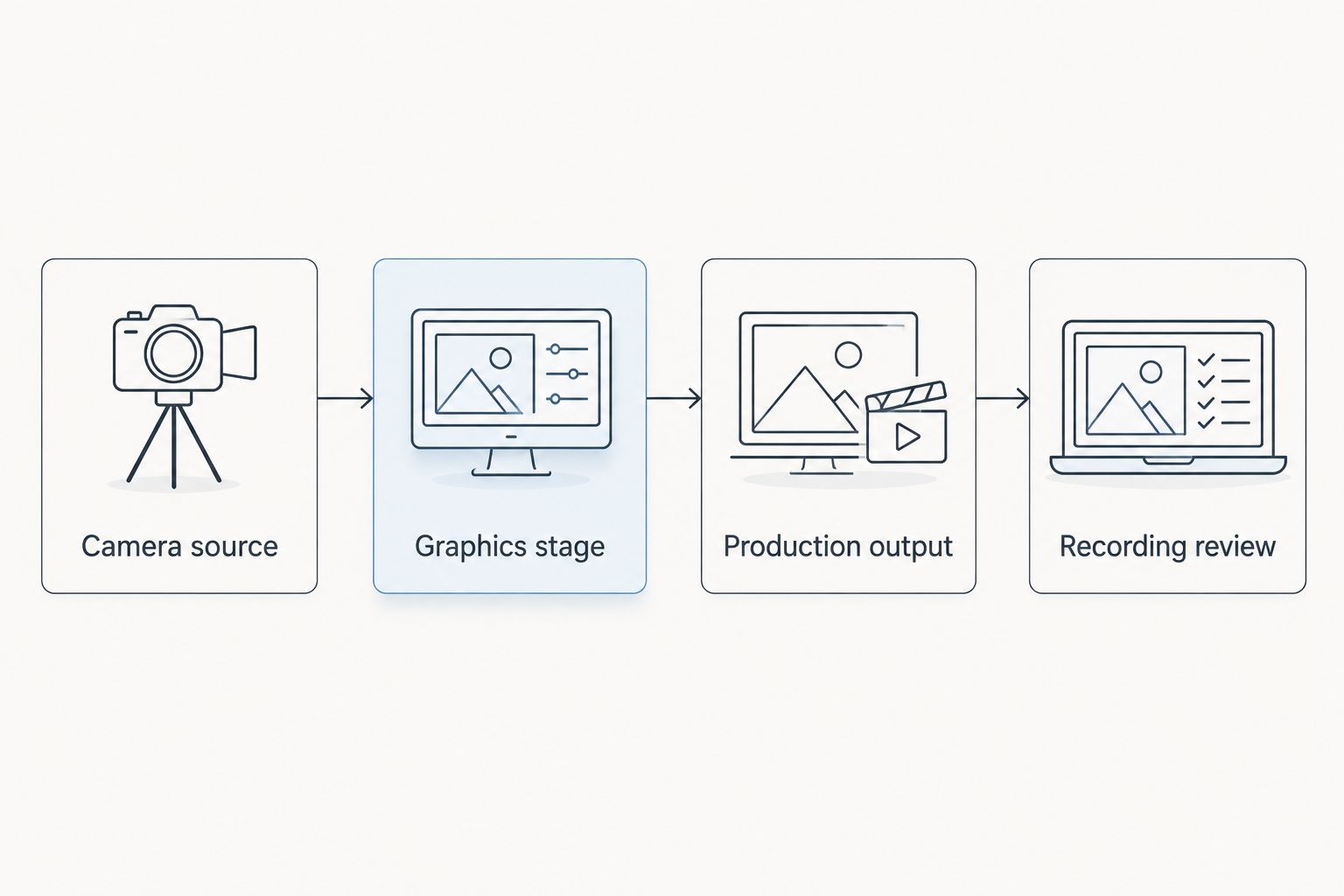
Review the final output as well as the graphics preview.
Before connecting equipment, identify the camera's output format, the graphics computer's supported input method, and the destination expected by your production system. An input receives video; an output sends it onward. Match documented connections rather than assuming that a matching connector proves compatibility.
Record the test downstream of the processing stages you need to check. If the streamed picture also needs approval, inspect that delivered picture separately from the local production recording.
For your 2026 setup notes, write down which feed you reviewed. That keeps a successful local test from being mistaken for approval of an unchecked destination.
Pan test: does the graphic stay with the field?
Start with a steady wide shot that shows recognizable painted markings. Place the graphic at its intended location and record the starting frame before moving.
Test 2 pan directions: left and right. Begin with a controlled sweep, then repeat the type of movement your camera operator expects during play. Do not judge the result only after the camera settles.
Look for these specific failures:
- Sliding: the graphic moves along the turf relative to the painted markings.
- Jumping: the graphic changes position abruptly rather than staying at its intended location.
- Changing angle: the line's perspective stops matching the field.
- Late movement: the graphic appears to follow the camera after the picture has already moved.
Keep recognizable references in view when you can. If the intended location leaves the frame, evaluate the graphic again when that location returns rather than guessing about its off-screen position.
Reject a pan that makes the line describe a different field position. A pleasing starting frame does not compensate for misleading placement during the movement.
Zoom test: does the graphic keep its field position?
Hold the camera's direction steady while zooming in and out. The intended location should remain tied to the same field reference as the framing changes.
Check 3 framing states: wide, tight, and returned wide. These are test conditions, not required lens settings. Use the actual compositions planned for your broadcast.
At the tight view, inspect the line's relationship to nearby painted markings. At the returned wide view, compare the result with the starting frame. A changed relationship exposes a problem that a single still image would miss.
Also judge readability. A line that becomes visually distracting or difficult to distinguish needs an adjustment or a narrower approved use, even if its position appears correct. Do not assume an appearance setting that works on a wide shot also works on a close view.
After the isolated zoom test passes, combine zooming with a pan. This separates problems associated with changing framing from those that appear during combined movement.
Check player overlap and picture timing
Position is not the only approval criterion. Watch what happens when players, officials, or sideline objects cross the graphic's apparent location.
Occlusion means one object hiding another. If your production expects a virtual field line to appear behind players, inspect whether that effect holds during movement; do not assume that any particular software or configuration provides it.
Review the start and stop of each camera move. Look for a graphic that continues moving after the field has stopped, or a field picture that changes before the overlay responds. These are visible timing symptoms, not proof of a particular technical cause.
Change 1 setting at a time when troubleshooting, then repeat the same recorded movement. Changing several things together makes it harder to identify which adjustment affected the result.
Preserve the original test recording. Comparing the same movement before and after an adjustment is more useful than relying on memory.
Why graphics behavior varies between shots
Treat these as separate test conditions, not automatic diagnoses:
- Camera position: a different viewpoint changes the field's appearance and perspective.
- Framing: wide and tight shots show different amounts of field reference.
- Movement: a stationary shot does not test pans, zooms, or their combination.
- Obstructions: players and officials can cover the area where a graphic appears.
- Signal path: the final production feed needs its own check rather than approval from a local preview alone.
- Graphic purpose: field-position lines and screen-position graphics require different reference checks.
For the 2026 season, keep an approved-shot list organized by camera and framing. Mark untested combinations as unapproved rather than extending approval from a different shot.
Give each production team a usable approval routine
School football broadcast teams
Assign a named person to watch the recorded result while the camera operator repeats the test. If one person handles several production tasks, rehearse the graphics-off action before play begins.
Keep the approval notes short: camera, framing, movement, result, and fallback. A checklist only helps when the crew can use it during the broadcast.
Independent sports streaming crews
Repeat the check when your setup changes venues or signal paths. Do not carry an approval from a previous connection arrangement into a different one without testing it.
Include the delivered stream in the review when that is your audience's destination. Check both the field graphic and the clean-feed fallback through the route you will actually use.
TV broadcasters
Identify who approves placement, who watches the production output, and who calls for graphics removal. These responsibilities can belong to different people, but the handoff needs to be explicit.
Test the camera changes planned for coverage. An approved main-camera shot does not establish that another angle can carry the same on-field graphic.
When should you remove a virtual first-down line?
Remove the line when you cannot trust its intended field position or when its overlap with the action makes the picture misleading. Keep the clean feed available while you investigate.
Do not troubleshoot an uncertain line on air simply to keep graphics visible. Restore it only after the affected camera movement passes the same checks that exposed the problem.
Does every graphic need to move with the field?
No. A virtual first-down line represents a field location, while a graphic intended for a fixed screen position follows a different placement rule.
Define the intended behavior before testing logos or sponsor graphics. The graphic's purpose—not its file type or visual style—determines which reference you should inspect.
Where does PayneXR fit in this workflow?
PayneXR supplies Windows football broadcast graphics software for virtual first-down lines, scrimmage lines, logos, and sponsor graphics. Use the same final-output approval process for its graphics that you use for the rest of your production.
The benefit is the added on-field information; the production responsibility is checking that information during real camera work. A product description does not replace a moving-camera rehearsal.
FAQ
What's the best way to test football graphics during a camera pan?
Record the final output while panning left and right, then compare the graphic with painted field markings throughout the movement. Review the start, the moving shot, and the settled frame.
Should a virtual first-down line move when I zoom?
A virtual first-down line should remain tied to its intended field location as the framing changes. Its appearance on screen changes with the view, but its relationship to the field reference should remain correct.
Why does my football line look right until the camera moves?
A correct stationary frame does not establish correct behavior during movement. Test pans and zooms separately, then together, before changing settings to address the visible problem.
Can I approve graphics from the software preview alone?
No. Approve graphics on the final production output as well, because the local preview does not establish what every later stage displays.
What should I do if a virtual line slides during a play?
Hide the unreliable line and keep the clean camera feed on air. Repeat the failed movement off air before restoring the graphic.
Is PayneXR intended for school crews or TV broadcasters?
PayneXR supplies Windows football graphics software relevant to school broadcast teams, independent streaming crews, and TV broadcasters. Each team still needs to verify its own connections and approve the final output.
One last thing
End the rehearsal by deliberately hiding the graphics while the camera is moving. Your 2026 approval checklist is incomplete until the operator can remove a questionable overlay and confirm a usable clean picture. That action protects the broadcast when the next play cannot wait for troubleshooting.