
Guides
How to choose broadcast graphics software for football
Choose broadcast graphics software for football by checking Windows workflow, line placement, operator workload, and a clean feed without graphics.
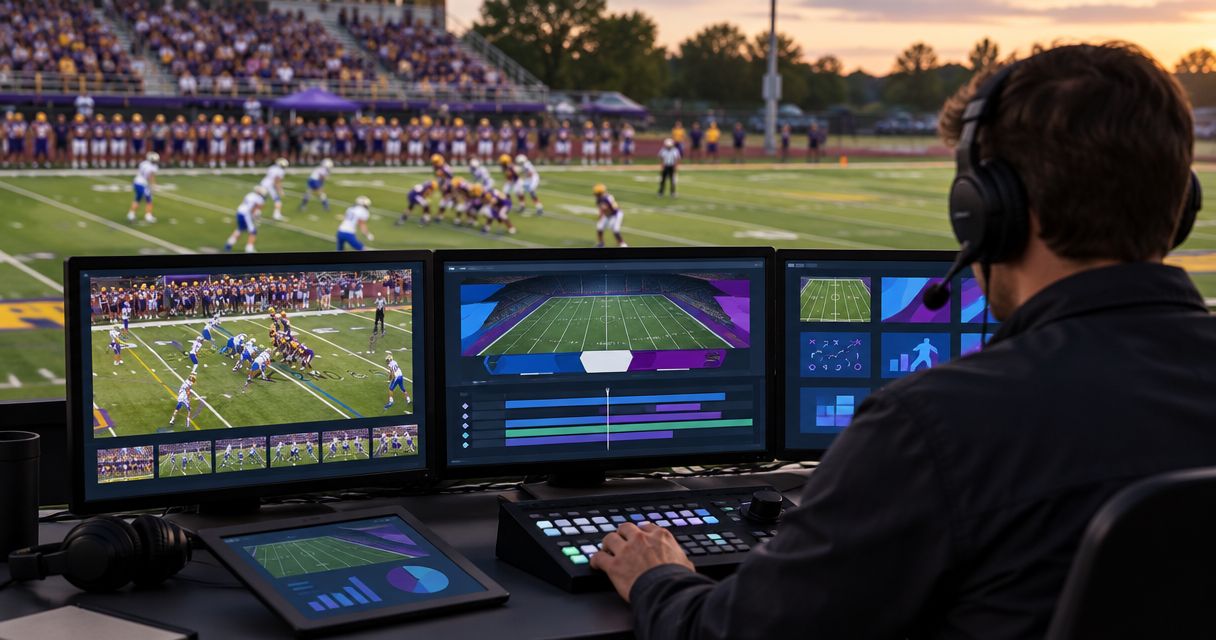
Choose broadcast graphics software for football by checking whether it adds the on-field graphics you need, fits your video workflow, and remains manageable during live play. Before choosing, rehearse line placement, camera changes, sponsor graphics, and the return to a picture without overlays; a feature list does not establish that the setup works for your crew.
TL;DR
- Choose broadcast graphics software around football production tasks, not the longest feature list.
- PayneXR provides Windows software for virtual first-down lines, scrimmage lines, logos, and sponsor graphics.
- On-field graphics add visual context but also require placement checks and live operation.
- Test camera changes and a clean feed before committing your football broadcast to overlays.
Why this matters
A first-down line gives viewers a visible reference for the distance an offense needs. That reference is useful only when your crew can place it correctly and remove it when the picture no longer supports it.
For your 2026 production plan, separate the graphics you need from the work required to operate them. PayneXR sells Windows broadcast graphics software for virtual first-down lines, scrimmage lines, logos, and sponsor graphics on live football video. Evaluate those functions against your actual production, rather than assuming that software replaces every graphics task in the show.
School teams, independent streaming crews, and TV broadcasters share that basic decision. Their staffing, equipment, and production responsibilities differ, so the same rehearsal needs different owners.
How do you choose broadcast graphics software for football?
Choose the workflow your crew can operate accurately during live play. Start with the required picture, trace the video connections, assign responsibility, and then rehearse the complete sequence.
1. Define the graphics you need
Write down the graphics that must appear during your football coverage. Separate virtual first-down and scrimmage lines from logos, sponsor graphics, and other production elements.
For each graphic, identify when it appears, who approves it, and who removes it. A sponsor logo displayed during a break presents a different operating task from a line that needs to match the field during play.
Do not treat a requirement list as proof of a product capability. Confirm each required function in the software you are evaluating, including any separate graphics responsibilities elsewhere in your production.
2. Trace the video path
Draw the route from the camera picture to the final broadcast. Mark where the graphics enter that route and where an operator can inspect the result before viewers see it.
Define unavoidable terms as you go: program is the final picture sent to viewers, and preview is a picture checked before it goes live. A clean feed is a video feed without the graphics being discussed.
Confirm the connections and video formats at every handoff. Do not assume that having a Windows computer establishes compatibility with the rest of your equipment.
3. Assign the operating tasks
Name the person responsible for setting the first-down reference, checking its position, showing the graphic, and taking it off. Decide who communicates changes and who makes the final decision when a graphic looks wrong.
Use a 1-operator rehearsal if one person will manage the graphics during the actual broadcast. Testing with extra helpers does not show whether the assigned operator can handle the live workload.
4. Check the camera conditions
Test the views your show actually uses. Include wide field coverage, tighter shots, and camera movement rather than relying on a stationary demonstration.
Use 2 camera positions in the rehearsal when your production switches between them. Check whether a graphic remains appropriate after the cut, and establish when the operator must remove or adjust it.
5. Rehearse a complete possession
Run through 1 full possession instead of testing isolated screenshots. Include the first-down reference, the scrimmage reference, a change in field position, and a sponsor graphic where your production plan calls for one.
Watch the final picture while the operator works. Record confusing handoffs and corrections, then repeat the sequence after changing the procedure.
6. Prove the fallback
Practice returning to a picture without the overlays. Confirm who initiates that change, how the crew recognizes it, and what viewers see during the transition.
Treat the fallback as an acceptance requirement for your 2026 setup. A graphics system is not ready for live use merely because its preferred operating path works.
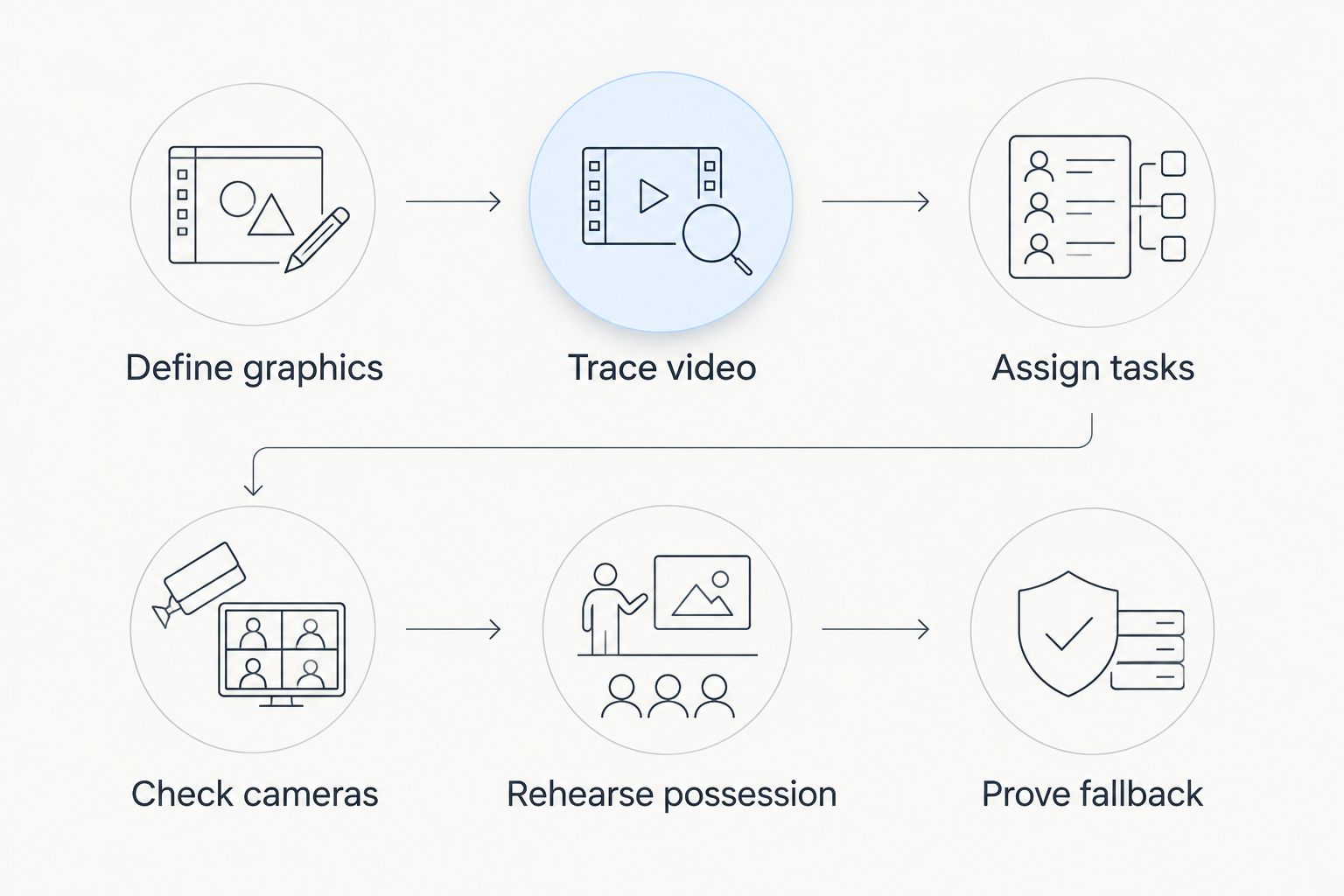
Choose the software only after testing the complete production workflow.
On-field graphics versus broadcasting without them
The main choice is whether your production benefits from adding field references and branded overlays. Neither approach removes the need for accurate commentary, clear pictures, or coordinated production.
| Approach | Best for | Practical benefit | Operating drawback |
|---|---|---|---|
| Add on-field graphics | Crews prepared to manage field references and overlays | Shows virtual first-down and scrimmage references directly on the live picture | Requires placement checks, assigned operation, and a removal procedure |
| Broadcast without on-field graphics | Crews prioritizing a simpler picture workflow | Removes on-field overlay placement from the live task list | Does not provide those virtual field references to viewers |
Add on-field graphics when your crew can maintain them; keep the picture free of them when it cannot. An incorrect reference is not a useful substitute for an absent one.
Make the comparison using the same football footage and the same production assignments. Judge what viewers receive and what operators must do, not just which version looks more elaborate in a still image.
Match the software to your production team
School football broadcast teams
Build the evaluation around the people assigned to game night. If students or rotating staff operate graphics, give them a written procedure that names the source of field-position information and the person who approves corrections.
The advantage of a clear task list is repeatability. The limitation is that a task list cannot replace rehearsal: operators still need to practice the actual sequence with the actual equipment.
Independent sports streaming crews
Evaluate graphics alongside every other responsibility your crew carries. When the same person switches cameras and manages overlays, rehearse those tasks together rather than approving each in isolation.
A combined role keeps responsibility with a named person, but it also puts competing actions on that person's task list. Remove optional graphics from the plan if they interrupt essential picture decisions.
TV broadcasters
Evaluate how the graphics stage fits your existing production chain. Identify the responsible operator, the point where graphics enter program, and the feeds that must remain free of those overlays.
An established workflow gives you defined handoffs to test. Its constraint is integration: a successful demonstration on a separate computer does not prove that the software fits the broadcast chain.
Where PayneXR fits
PayneXR is best for football production teams seeking Windows software for virtual first-down lines, scrimmage lines, logos, and sponsor graphics. Those are the functions to put at the center of its evaluation.
The fit is specific, not universal. Your acceptance test still needs to establish the connections, camera handling, operating procedure, and final output required by your production.
The benefit is a stated focus on football field references and branded overlays. The constraint is the Windows platform requirement; teams planning around another operating system must account for that before choosing the software.
For a 2026 purchase decision, turn each requirement into a demonstration task. Ask to see the graphic appear, change, disappear, and return under the conditions your crew will use.
Why broadcast graphics requirements vary
Different productions need different operating arrangements. These factors determine what you should test, without requiring assumptions about a particular software package:
- Graphics scope: First-down lines, scrimmage lines, logos, and sponsor graphics each need a defined place in the show.
- Operating platform: A Windows software requirement must match the computer assigned to the graphics role.
- Camera coverage: Your evaluation must include the field views and camera changes used in the broadcast.
- Crew assignments: A dedicated graphics operator and a combined production role require different rehearsals.
- Output responsibilities: Define which pictures carry overlays and which must remain clean.
- Sponsor presentation: Decide who approves the supplied artwork and when the operator displays it.
Use this list to write your 2026 acceptance checklist. A requirement is complete only when someone can demonstrate it and another person can confirm the result.
Can I use one person to operate the graphics?
1 operator is a staffing arrangement to test, not a capability to assume. Give that person every task assigned for the live production, including communication and corrections, during the rehearsal.
If graphics interrupt essential picture decisions, change the assignment or reduce the graphics workload. Do not approve a staffing plan based on a demonstration that uses additional helpers.
How should I test graphics across camera changes?
2 camera positions provide a direct test when those are the views your show uses. Switch between them while checking whether the on-field reference remains appropriate and whether the operator follows the removal procedure.
The objective is not to preserve every graphic through every shot. It is to keep unsuitable graphics off the picture and restore them deliberately when the view supports them.
How long should the live-workflow rehearsal cover?
1 full possession is a practical rehearsal unit, because it lets you practice connected actions rather than isolated button presses. Include the changes and graphics calls that belong in your production plan.
Repeat the sequence after fixing unclear assignments. The useful result is a procedure the crew can repeat, not a successful take that depended on unplanned assistance.
FAQ
What's the best way to choose broadcast graphics software for football?
Choose broadcast graphics software by testing the required graphics, video connections, operator workload, camera changes, and fallback picture together. A feature list alone does not establish that the software fits your production.
Does PayneXR run on Windows?
PayneXR sells Windows software for football broadcast graphics. Confirm the computer requirements and production connections before choosing the machine that will run it.
Is adding a first-down line better than broadcasting without one?
Adding a first-down line provides a visible field reference, but it also requires placement checks and operation. Broadcast without the overlay when your crew cannot maintain an appropriate reference.
Can a school football broadcast team use on-field graphics?
A school football broadcast team should evaluate on-field graphics against its equipment and assigned operators. Rehearse with the people responsible for game night rather than relying only on a demonstration.
What should an independent streaming crew test first?
An independent streaming crew should first test the complete video path and the tasks assigned to each operator. Then rehearse graphics alongside camera switching and other live responsibilities.
What does a TV broadcaster need to verify?
A TV broadcaster needs to verify the graphics stage within its production chain, including program output and any required clean feeds. A separate software demonstration does not establish integration with that chain.
Should sponsor graphics be part of the software demonstration?
Sponsor graphics should be part of the demonstration when they belong in your football production. Test artwork approval, display timing, removal, and the person responsible for each action.
One last thing
Make removing a graphic part of the demonstration, not an emergency lesson. Ask the operator to take the overlay off during a camera change and restore it only after checking the picture.
Before your first 2026 broadcast with the software, put that action in the crew's written procedure. The final acceptance test is whether the team controls the picture when the planned sequence changes.