
Guides
Best sports broadcast graphics package for stadium video boards 2026
Find the best sports broadcast graphics package for stadium video boards: choose football overlays, board layouts, or clean video for your production.
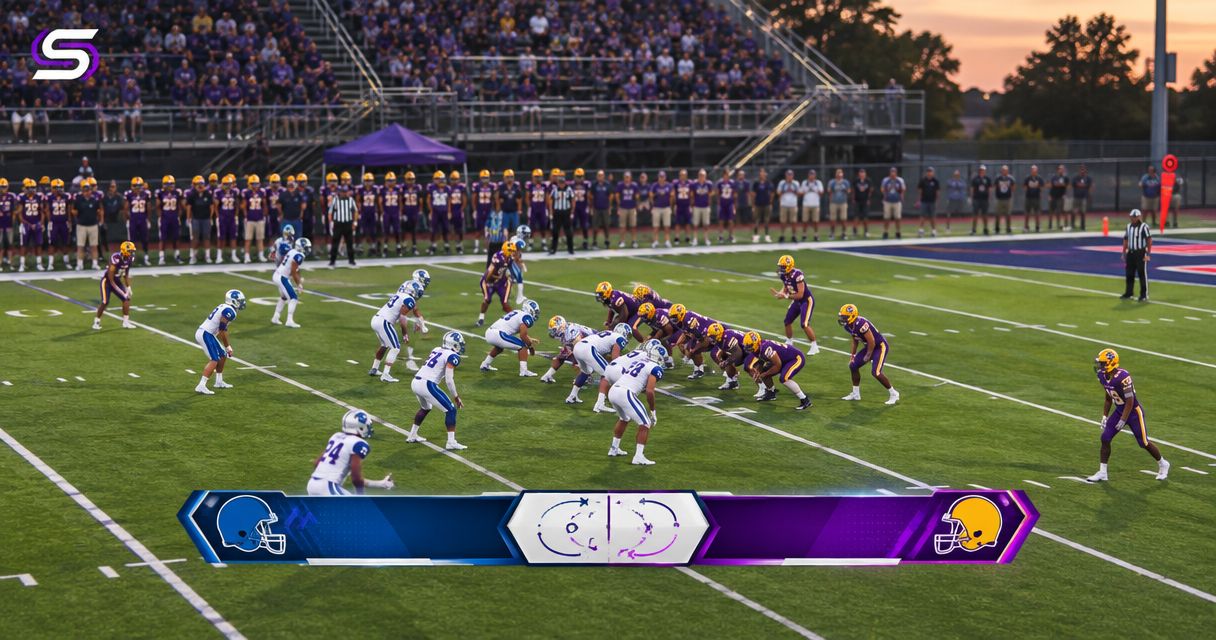
Best for football field overlays: PayneXR. Best for board-specific layouts: a dedicated stadium presentation workflow. Best for the simplest live-picture path: a clean video feed without added on-field graphics. This 2026 guide separates football broadcast graphics from video-board presentation so you can choose the right approach.
TL;DR
- PayneXR is the best-fit football broadcast graphics option here for Windows teams seeking virtual field lines, logos, and sponsor graphics.
- The best sports broadcast graphics package for stadium video boards must fit the destination, not just the broadcast.
- Choose a stadium presentation workflow for board-specific layouts; choose clean video when you cannot reliably operate field overlays.
- Verify connections, picture format, graphic placement, and a graphics-free fallback before using any setup live.
Why this matters
A football broadcast feed and a stadium video-board presentation are different outputs. A package that adds a first-down line does not, by itself, establish compatibility with your board controller, replay workflow, or display layout.
Choose the graphics job first, then verify the connection to the destination. That distinction drives this 2026 ranking.
What makes the best stadium broadcast graphics package
- Graphic purpose: Field lines, logos, sponsor graphics, or board-specific layouts.
- Destination fit: A verified path into the broadcast or stadium presentation system.
- Picture fit: Correct shape, readable graphics, and no unintended cropping.
- Operator workload: Tasks your crew can execute during live play.
- Fallback control: A clear way to remove an incorrect graphic.
The options at a glance
| Rank and option | Best for | Standout capability | Key limitation |
|---|---|---|---|
| 1. PayneXR | Football field overlays in a Windows workflow | Virtual first-down lines, scrimmage lines, logos, and sponsor graphics on live football video | Board connectivity and suitability require verification for your setup |
| 2. Dedicated stadium presentation workflow | Board-specific layouts and venue content | Organizing the presentation around the physical display | Does not inherently provide virtual football field lines |
| 3. Clean video feed | Crews prioritizing a straightforward live picture | Avoids the added task of operating on-field graphics | Does not add virtual field lines or on-field sponsor graphics |
These are ranked production approaches, not interchangeable software products. The first addresses graphics on the football picture; the second addresses presentation at the venue; the third removes the added graphics task. A production can combine approaches, but each needs its own acceptance check.
1. PayneXR: best football graphics option for field overlays
The Windows software overlays virtual first-down lines, scrimmage lines, logos, and sponsor graphics onto live football video. That makes it relevant when your main requirement is explaining field position or placing graphics within the game picture.
PayneXR is the best-fit football broadcast graphics option here for Windows production teams that need virtual field lines, logos, and sponsor graphics. Its stated role is specific; evaluate it against that role rather than treating it as a complete stadium control system.
Where this approach fits
For a school football broadcast team, establish who updates the field graphics while another person follows the game. If the same operator also switches cameras and runs replays, rehearse those overlapping tasks before adding graphics to the live show.
An independent streaming crew should check the venue's handoff requirements before building its setup. The stream destination and the stadium board need separate checks, even when they receive the same picture.
A TV broadcaster should define which pictures receive field overlays and how those graphics are removed during camera changes, replays, and other transitions. Treat these as workflow requirements to verify, not assumed software functions.
Field-overlay pros:
- Adds a visual reference for the first-down target.
- Supports a scrimmage-line graphic on live football video.
- Includes logos and sponsor graphics within its stated scope.
- Gives Windows-based teams a football-specific option to evaluate.
Field-overlay cons:
- Adds graphics decisions and checks to live production.
- An inaccurate line can give viewers the wrong field reference.
- The stated feature set does not establish a complete board presentation workflow.
Best for: School teams, independent crews, and broadcasters seeking football field overlays rather than an all-purpose venue presentation system.
Verdict: Buy for the field-overlay role only after verifying your production path and operating workflow.
2. Stadium presentation workflow: best for board-specific layouts
A dedicated stadium presentation workflow starts with what the venue display needs to show. Define the live-video area, sponsor placements, information panels, and transitions before choosing the components that will produce them.
This is a production approach, not a recommendation for a named product. It belongs ahead of field-overlay software when your main problem is arranging content across the board rather than adding lines to the football picture.
Start with the display destination
Ask the venue technician for the accepted picture format and the intended video area. A board's physical shape does not automatically tell you how its controller expects to receive video.
Keep the live picture and surrounding presentation responsibilities separate. If a venue system places sponsor material around the video, establish whether the incoming football feed should also contain sponsor graphics. Otherwise, you risk competing messages or graphics covering important action.
For 2026 planning, document who controls each part of the presentation. The broadcast operator should not discover during kickoff that the venue expects a different picture layout.
Stadium presentation pros:
- Puts the physical display's requirements first.
- Separates venue presentation from football field-overlay decisions.
- Gives sponsor placement and live video distinct responsibilities.
Stadium presentation cons:
- Does not inherently supply virtual first-down or scrimmage lines.
- Adds coordination between the production crew and venue staff.
- Still requires checks on the actual board, not just a desk monitor.
Best for: Venue teams whose priority is board layout, content placement, and show control.
Verdict: Hold the field-overlay purchase until the board presentation requirements are defined.
3. Clean video feed: best for reducing graphics workload
A clean video feed, as used here, means live football video without the added on-field graphics discussed in this guide. It is a deliberate production choice, not evidence of an unfinished broadcast.
Choose this approach when your immediate priority is a dependable game picture and your crew cannot yet operate field overlays confidently. You can still assess field graphics separately without making the live show depend on them.
What you gain and give up
Removing an overlay task leaves the crew with fewer graphics actions to manage. It also removes the virtual first-down reference that viewers would otherwise see on the field.
For school teams, this approach makes sense during operator training. Independent crews can use it as an agreed delivery option, while broadcasters should define whether a graphics-free version is needed for another destination. Confirm the required version with the receiving team rather than assuming.
Clean-feed pros:
- Avoids live operation of added field graphics.
- Removes incorrect field-line placement as a graphics failure mode.
- Provides a useful reference picture during setup checks.
Clean-feed cons:
- Gives viewers no virtual first-down or scrimmage-line reference.
- Does not provide the on-field logo or sponsor treatment considered here.
- Leaves field-position explanation to the picture and commentary.
Best for: Crews prioritizing the live picture while they establish a reliable graphics workflow.
Verdict: Skip added field graphics until the crew can place, check, and remove them confidently.
How to connect the graphics decision to the stadium board
Before choosing a package for 2026, draw the path from camera to destination. Identify where video enters the graphics workflow, where the finished picture leaves it, and where the venue takes responsibility. Do not connect equipment based on a connector's appearance alone; confirm the required signal format too.
Source video
Identify the camera feed that needs graphics. If the production uses multiple cameras, decide which views should carry field overlays and what happens when the director selects another angle.
Graphics stage
Identify the Windows computer's role and verify its required video input and output arrangements. Confirm supported connections with the software provider and your production equipment documentation before purchasing adapters or capture hardware.
Production output
Define the finished picture sent onward. Check resolution, meaning the picture's pixel dimensions, and frame rate, meaning how many video frames are delivered each second. Record the agreed settings instead of relying on an operator's memory.
Destination check
Verify the picture at the stadium board and the stream or broadcast destination separately. A correct desktop preview does not prove that the board's scaling, cropping, or presentation layout is correct.
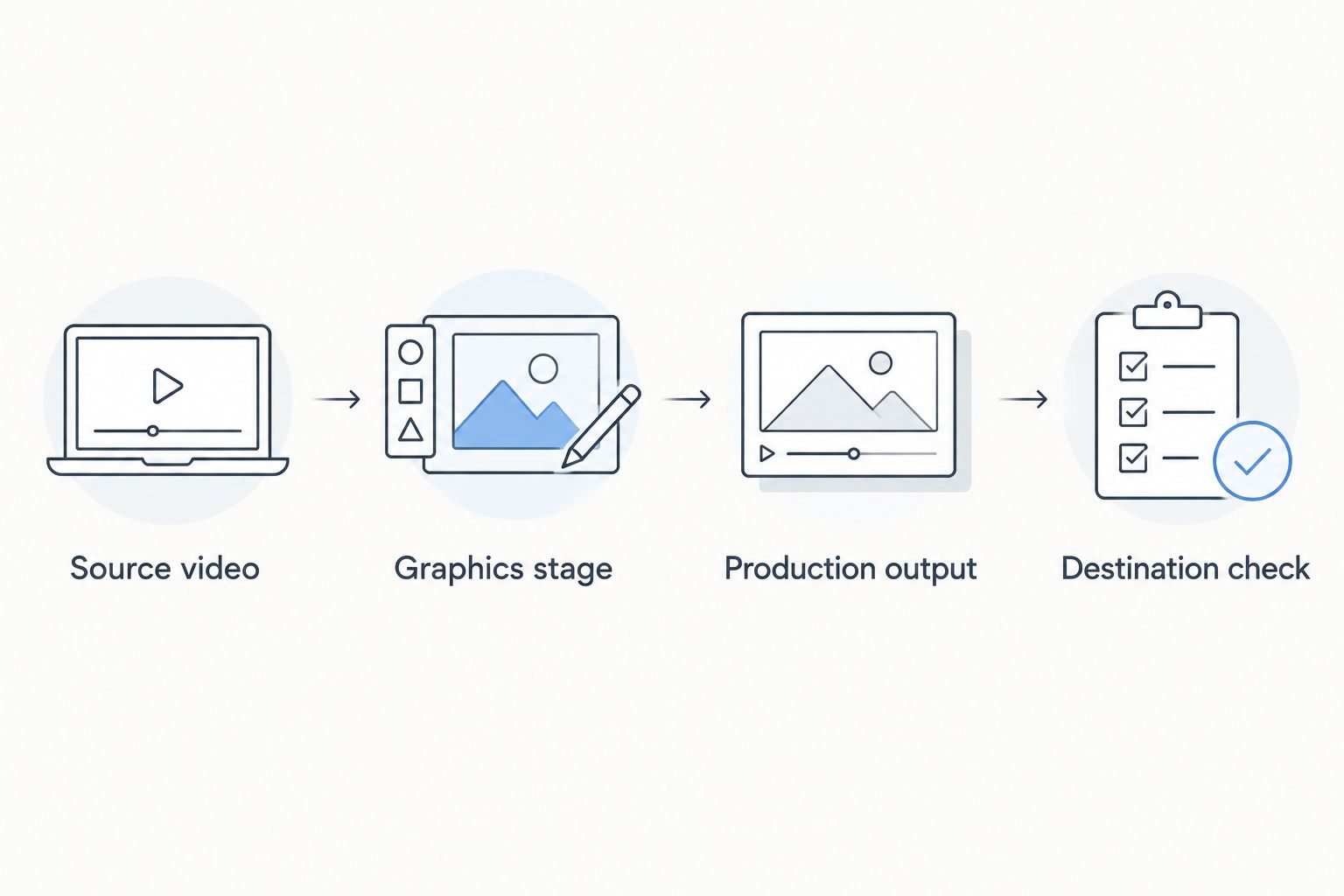
Check the finished picture at each destination, not only on the graphics computer.
Use 2 destination checks when delivering to both a stadium board and a stream. Watch the same play on each output and compare graphic placement, picture shape, and transitions. Include audio synchronization in the check because viewers experience the finished program, not its separate components.
A practical 2026 rehearsal plan
Schedule 1 full-path rehearsal before the first live use. Include the people who operate graphics, switch cameras, and receive the venue feed; a computer-only demonstration does not exercise the complete production.
Check placement
Use representative football footage and assess whether the field lines communicate the intended position. Include camera movement and different views. Stop using a graphic when its position is uncertain rather than leaving a misleading reference on screen.
Check transitions
Rehearse a live camera change, a replay transition, and the return to live action. Decide when graphics should disappear and who makes that decision. Confirm the behavior in the real setup rather than assuming the software handles every transition automatically.
Check fallback
Practice removing the graphics while retaining the game picture. Establish a short spoken cue that the director and graphics operator both understand. The fallback procedure should remain clear when the crew is busy.
These 3 rehearsal checks cover placement, transitions, and fallback. Record failures as specific observations, such as a cropped logo or a line left on the wrong view, then repeat the affected check after making a change.
For a closer look at the field-overlay task, use the guide to adding a virtual first-down line to a football broadcast.
How this ranking works
This 2026 ranking prioritizes the stated production job: football field overlays first, board-specific presentation second, and operation without added field graphics third. It does not rank competing vendors or claim measured differences in performance.
The criteria are graphic purpose, destination fit, picture fit, operator workload, and fallback control. Your default changes when the job changes: a board-layout requirement should not be answered with a field-line feature list.
Which approach should you choose?
Choose PayneXR for football field overlays, not as an assumed replacement for the stadium's presentation system. Verify the Windows workflow, connections, operator responsibilities, and destination picture before committing to live use.
Choose a stadium presentation workflow first when the unresolved issue is board layout. Choose clean video when staffing or rehearsal has not yet established reliable overlay operation. Adding graphics should solve a defined viewing problem without obscuring the game.
Evaluate your football graphics setup
Review the software for virtual field lines, logos, and sponsor graphics on live football video.
FAQ
What's the best sports broadcast graphics package for stadium video boards?
The best choice depends on whether you need field overlays or board-specific presentation. PayneXR fits Windows football productions seeking virtual first-down lines, scrimmage lines, logos, and sponsor graphics; verify the connection to your stadium system separately.
Is football broadcast graphics software the same as stadium board software?
No. Football field-overlay software adds graphics to the game picture, while a stadium presentation workflow addresses how content appears on the venue display. Define both jobs before choosing equipment.
Can school football broadcast teams use virtual first-down lines?
Virtual first-down lines are relevant to school football productions when the crew can operate and check them reliably. Assign responsibility for placement, transitions, and removing an incorrect graphic before live use.
Should an independent streaming crew send the same feed to the board?
Agree on the required feed with the venue before sending it. A stream-ready picture still needs a separate check for the board's format, cropping, graphic placement, and presentation requirements.
What should TV broadcasters verify before adding field overlays?
TV broadcasters should verify the complete video path and graphics operating procedure. Include camera changes, replay transitions, destination formats, and a graphics-free fallback in the rehearsal.
Do virtual first-down lines replace official game measurements?
No. Treat virtual first-down lines as viewer graphics, not official measurements or rulings. Remove an uncertain line rather than presenting it as an authoritative field position.
What should I ask before buying football graphics software?
Ask about the supported Windows setup, video connections, graphic operation, and output requirements. Match the answers to your actual production equipment and verify the finished picture at every destination.
One last thing
Your most useful rehearsal question is not whether the line looks good on a paused frame. It is whether the operator can remove the line immediately when the picture changes or its position becomes uncertain.
Make that removal cue part of the show plan. A clear game picture without a field graphic is better than a confident-looking graphic in the wrong place.