
Guides
How to prepare sponsor artwork for on-field football graphics
Prepare sports broadcast graphics package sponsor logos for air: get approved artwork, check transparency, and test field placement in the final feed.
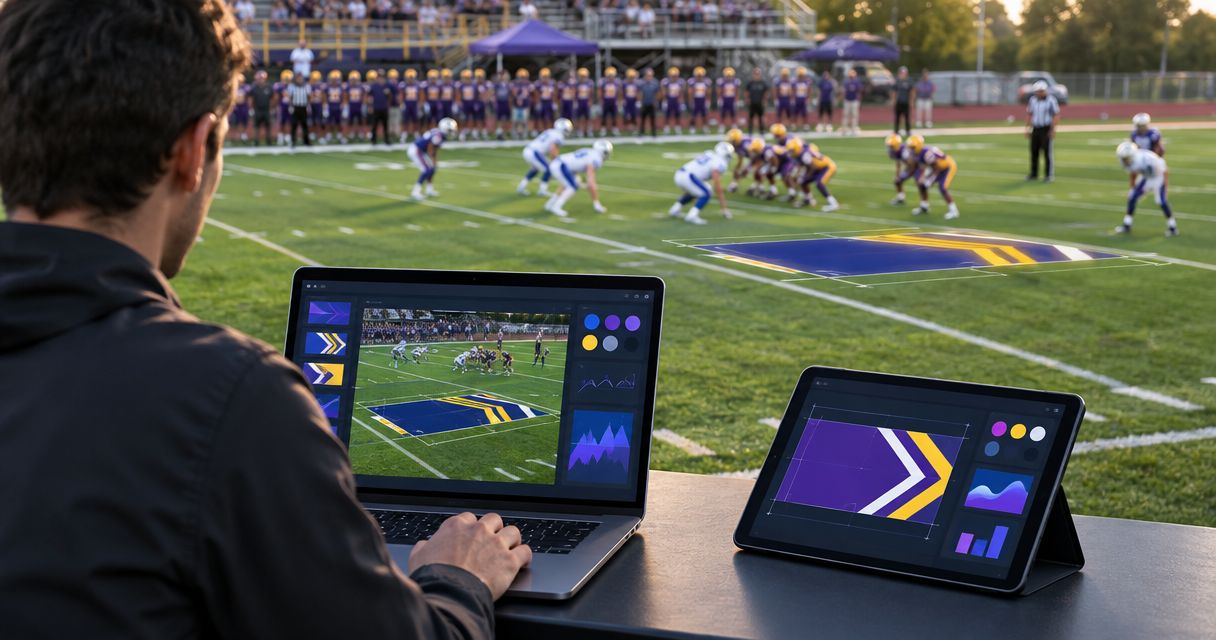
Prepare sponsor artwork by collecting an approved logo master, removing unintended backgrounds, simplifying details that disappear on camera, and testing the graphic over actual football footage before air. A clean image file is only the starting point: you also need approval for the logo version, on-field placement, and finished broadcast appearance.
TL;DR
- For a sports broadcast graphics package, sponsor logos need approved artwork and a test over football footage.
- Keep an editable master separate from the file prepared for your graphics software.
- PayneXR adds on-field football graphics; artwork preparation still requires sponsor approval and an on-air review.
- Reject artwork that obscures play, loses contrast on turf, or becomes unreadable in the finished feed.
How do you prepare sponsor artwork for on-field football graphics?
Use the following sequence for every sponsor, whether you produce a school stream, an independent webcast, or a television broadcast. Treat the logo as part of your football broadcast graphics package, not as an image dropped onto the field at the last minute.
- Collect approved artwork. Ask for the current logo master, permitted variations, and any placement restrictions.
- Prepare the export. Remove unintended backgrounds, preserve proportions, and export to a format your graphics application accepts.
- Test over footage. Check contrast, edges, size, and placement against representative football video.
- Approve the composite. Show the sponsor the logo over the field, not just the isolated artwork.
- Release the final. Give the operator an unmistakably named approved file and keep rejected versions out of the live folder.
Approve the finished broadcast appearance, not merely the source logo. That distinction catches problems a desktop image preview cannot reveal.
Why this matters
On-field artwork shares the picture with players, yard markings, first-down graphics, and the ball. A logo that looks clear against a white document can disappear against turf or compete with the information viewers need to follow a play.
For your 2026 sponsor package, separate commercial approval from technical approval. The sponsor confirms that the identity and placement are acceptable; production confirms that the artwork remains readable and does not interfere with the broadcast.
Neither approval replaces the other. A technically clean graphic can still use the wrong logo, and an approved logo can still produce a poor on-air result.
Request an artwork handoff, not a screenshot
Ask the sponsor or its designer for the original artwork rather than a logo copied from a website, presentation, or social profile. A screenshot bakes its background and display resolution into the image, leaving less room for clean resizing and edge correction.
Request these items together:
- Editable master: preferably vector artwork, which describes shapes rather than fixing them to a grid of pixels.
- Approved variations: any permitted light, dark, or simplified versions, without assuming you can create them yourself.
- Usage rules: required clear space, prohibited alterations, and restrictions on background or placement.
- Approval contact: the person authorized to accept the finished on-field appearance.
- Exact wording: any required sponsor text, supplied separately so production does not retype it from an image.
Keep the master even if your graphics application requires a raster image, which stores artwork as pixels. The master lets you generate a fresh export instead of repeatedly enlarging a small file.
Do not promise that an editable design file will import directly into the broadcast application. Artwork preparation and software ingestion are separate steps.
Prepare transparency, proportions, and edges
Transparency lets the field remain visible around the logo instead of showing a rectangular background. An alpha channel is the image information that controls that transparency, including partially transparent edge pixels.
Inspect the file against both light and dark backgrounds. A white fringe around lettering can remain hidden on a white preview and become obvious against grass.
Use 2 test backgrounds during artwork inspection: one light and one dark. This is a preparation check, not a substitute for reviewing actual football footage.
Before exporting:
- Remove background pixels only when the background is not part of the approved design.
- Preserve the logo's proportions; do not stretch it to fill a placement area.
- Check that letters, counters, and fine lines remain intact after background removal.
- Crop excessive empty canvas without cutting into required clear space.
- Confirm that transparency survives the export and import process.
PNG can store transparency, while JPEG does not support an alpha channel. That does not establish which formats your football graphics software accepts: confirm its import requirements before choosing the delivery file.
Do not specify a universal pixel size. Build the export around the intended on-screen size and the application's documented requirements, then judge the resulting picture.
Compare on-field sponsor graphics with broadcasting without them
Adding a sponsor logo creates another element that production must place, check, and remove when necessary. Broadcasting without an on-field sponsor graphic avoids that task but does not provide that particular field-level sponsor placement.
| Approach | Best for | Benefit | Trade-off |
|---|---|---|---|
| On-field sponsor graphic | Crews with an approved placement and a tested graphics workflow | Places sponsor artwork within the football picture | Requires artwork preparation, placement review, and operator attention |
| No on-field sponsor graphic | Crews without approved artwork or a completed graphics test | Keeps the field picture free of that additional overlay | Provides no sponsor logo in that on-field position |
Keep the on-field graphic off air until it passes the same picture review as your other broadcast elements. Do not use a live game as the first opportunity to discover whether the file displays correctly.
Test the logo through the actual broadcast path
A source-file preview does not show everything that happens between import and the viewer's screen. Review the logo after it enters the graphics application, over the football picture, and at the final destination used by your production.
Use 3 review passes: artwork inspection, field-composite inspection, and final-feed inspection. Each pass answers a different question.
- Artwork check: Is this the approved logo, with clean edges and the intended transparency?
- Field check: Is the logo readable against the turf without masking important action or conflicting with other graphics?
- Feed check: Does the finished output preserve the expected appearance after the production path processes it?
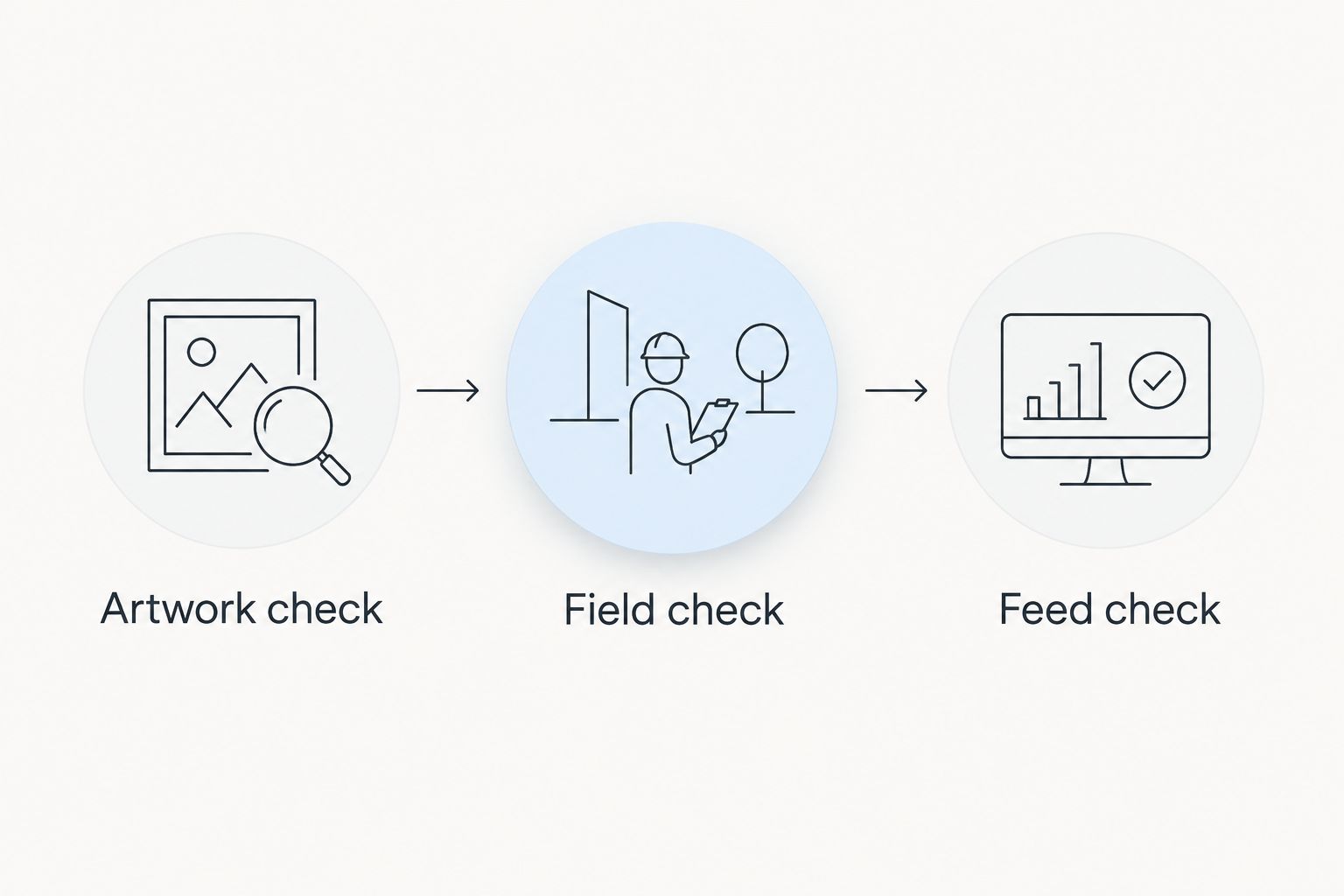
Check the source artwork, its appearance over football footage, and the finished feed separately.
For the field check, include representative wide shots and camera movement. Examine the artwork against different areas of the field rather than approving it from a single still frame.
For the feed check, watch the destination output rather than relying exclusively on the graphics computer's preview. Compression, scaling, and processing can change how fine details look.
Your 2026 rehearsal should also include removing the graphic. The operator needs to know how to clear an incorrect or distracting sponsor placement without interrupting the rest of the production.
Why sponsor artwork preparation varies
The preparation work depends on the source artwork and the intended broadcast use. These factors determine what needs attention:
- Source quality: an editable master gives you a cleaner starting point than a small screenshot.
- Logo complexity: fine strokes, small lettering, and detailed illustrations need closer review at the intended display size.
- Background contrast: turf and painted field areas can change the separation between the logo and the picture.
- Placement: artwork must coexist with field markings, game action, and other overlays.
- Output path: the finished feed needs its own check after import, scaling, and encoding.
- Approval restrictions: sponsor rules determine which versions and alterations are permitted.
Do not solve every problem by making the logo larger. A larger graphic also occupies more of the football picture; an approved simplified version or a different placement can be the better correction.
Match the handoff to the crew
The artwork standard stays the same across production sizes: correct identity, clean export, readable placement, and a tested final feed. What changes is who performs each check and how the operator receives the approved assets.
School football broadcast teams
Keep the operator instructions explicit. Identify the approved filename, intended placement, and person who can authorize a change; do not expect a student or volunteer to interpret a folder full of similar exports during a game.
Include sponsor artwork in the same pregame review as other football graphics. A logo is not ready simply because someone successfully opened the file.
Independent sports streaming crews
Document the handoff so artwork preparation does not become another live task for the person switching cameras or monitoring the stream. Confirm the file and its placement before the crew reaches the point where attention shifts to the game.
Use the actual streaming destination for the final check when practical. A clean local preview does not establish that small lettering remains readable in the encoded stream.
TV broadcasters
Assign responsibility for artwork acceptance, graphics operation, and final-output review. Make sure the approved version reaches the operator who will actually put it on air, rather than stopping at commercial approval.
Carry any placement restrictions into the production instructions. The sponsor's approval email is not a substitute for directions the live crew can use.
Where PayneXR fits in the workflow
PayneXR is for school broadcast teams, independent streaming crews, and TV broadcasters adding virtual lines and sponsor graphics to live football video. The Windows software overlays virtual first-down lines, scrimmage lines, logos, and sponsor graphics.
The benefit is the on-field graphics layer. The production responsibility remains yours: source the correct artwork, confirm application requirements, and test the completed picture before air.
For a PayneXR football broadcast graphics setup, separate the artwork decision from the computer and video-routing decisions. The football broadcast graphics computer guide addresses the computer side; it does not replace approval of the sponsor composite.
Review your football graphics setup
See PayneXR's Windows software for virtual football lines, logos, and sponsor graphics.
How should you name and deliver approved sponsor files?
Keep 1 approved master for each sponsor identity, with production exports stored separately. That gives your crew a clear source for future revisions without confusing editable artwork with ready-to-use files.
For a 2026 delivery folder, use filenames that identify the sponsor, approved variation, and revision status. Avoid ambiguous names such as final-new or use-this-one, which tell another operator nothing about the artwork.
Keep superseded exports outside the live-use folder. Deliver a short instruction sheet with the approved filename, placement, approval contact, and any restrictions.
Can you use a sponsor logo taken from its website?
Request approved artwork instead of treating the website image as the production master. A website image does not establish permission for an on-field treatment, and its dimensions or background can make it unsuitable for the intended placement.
If the website image is all you have, ask the sponsor to supply or approve an appropriate file before scheduling the graphic for air. Do not redraw missing details or change colors without authorization.
Who should approve the sponsor graphic before it airs?
The sponsor's authorized contact should approve the identity and intended use, while production should approve the finished broadcast picture. Show a field composite so the approval covers what viewers will see, not just the isolated logo.
Record the approval alongside the exact delivered file. If the artwork or placement changes afterward, review the changed version rather than relying on an earlier approval.
FAQ
What file format should I request for sponsor logos?
Request an editable master and export a delivery file that your graphics application accepts. PNG supports transparency, but confirm the application's import requirements before preparing the final export.
What resolution should an on-field sponsor logo be?
Choose the export dimensions around the intended on-screen size and the application's requirements. Inspect the actual field composite instead of relying on a universal pixel-size recommendation.
Can I remove the white box around a sponsor logo?
Remove it only if the background is not part of the approved design. Check the resulting edges against light and dark backgrounds, then inspect the logo over football footage.
Should sponsor artwork include a tagline?
Keep a tagline only when it is approved and remains readable in the intended placement. If it disappears in the final feed, request permission to use a simplified version rather than editing it without approval.
Can a school broadcast team use on-field sponsor graphics?
School broadcast teams are among the audiences for on-field football graphics. Assign artwork approval and live-operation responsibilities before adding the sponsor placement to the broadcast.
Does a clean graphics preview mean the sponsor logo is ready?
No. Review the logo over football footage and in the finished feed, because the source preview does not show every effect of placement, scaling, and encoding.
What should I do if a sponsor logo looks wrong during the game?
Remove the sponsor graphic and investigate the file or placement before returning it to air. Rehearse that removal step so the operator does not have to discover the procedure during play.
One last thing
For your 2026 approval record, save the exact artwork file alongside an image of its approved field placement. The filename proves which asset was delivered; the composite records how production intended to use it.
A logo approval and a placement approval answer different questions. Keep both, and give the live operator only the version that passed both checks.