
Guides
How to build a sports broadcast graphics package for football
Build a sports broadcast graphics package for football with clear operator roles, on-field graphics checks, signal routing, and a clean-feed fallback.
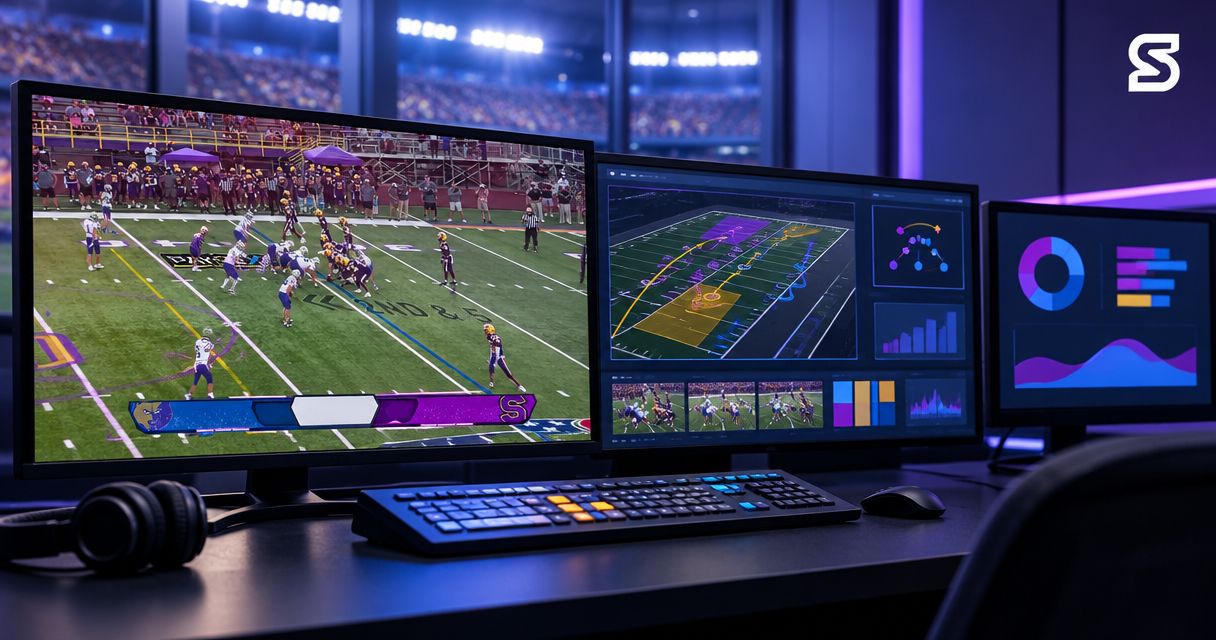
Build a sports broadcast graphics package for football by defining the information viewers need, preparing readable graphics, assigning operators, and rehearsing how graphics enter and leave the live video. Treat virtual field markings as a separate production task: they need accurate placement, a clear operating procedure, and a way to remove them without interrupting coverage.
TL;DR
- A sports broadcast graphics package needs readable information, defined operator roles, and a clean-feed fallback.
- PayneXR provides Windows football broadcast graphics software for virtual first-down lines, scrimmage lines, logos, and sponsor graphics.
- Add on-field graphics only after the crew can place, update, and remove them reliably.
- Test the final viewer output, not just the graphics operator’s preview.
Why this matters
A football broadcast has to communicate both the game situation and the action. A graphic that looks good during setup still fails if it covers the ball, shows an outdated first-down target, or stays visible over the wrong camera shot.
For your 2026 package, separate informational graphics from on-field graphics. Score and clock information describe the game; virtual lines show viewers where a relevant position lies on the field. Give each an owner and a removal procedure.
PayneXR supplies Windows software for virtual first-down lines, scrimmage lines, logos, and sponsor graphics. Plan that on-field layer alongside the rest of your production rather than assuming it replaces every graphics function.
How do you build a sports broadcast graphics package for football?
Build the package around an operating plan before designing individual graphics. Decide what belongs on screen, who controls it, and which video output the audience receives. Then test the complete path under game-like conditions.
Establish the graphic’s job
Start with a written inventory. For each graphic, identify its purpose, the information it needs, its operator, and the moment it should disappear.
| Graphic | Purpose | Required production decision |
|---|---|---|
| Score display | Communicate the game situation | Who verifies and updates the information? |
| Player identification | Identify a featured player | Who checks names and jersey details? |
| First-down line | Show the current line to gain | Who confirms the target and clears it? |
| Scrimmage line | Show where the play begins | Who confirms placement before the snap? |
| Sponsor graphic | Identify a sponsor | Who approves its appearance and timing? |
| Team logo | Identify a team | Which approved asset should the operator use? |
This inventory is a production plan, not a claim that one application supplies every element. Keep software responsibilities explicit so an unassigned task does not become a live problem.
Design for the viewer’s screen
Check names, scores, and labels at the size your audience will actually watch. A full-screen preview on an operator’s monitor does not establish readability on a smaller viewing screen.
Use a clear text hierarchy, visible contrast, and consistent placement. Leave the ball, player movement, and relevant field markings unobstructed. Inspect the encoded stream—the compressed video delivered to viewers—because fine text and thin edges need checking there too.
Map the video connections
Write down where the camera signal goes, where graphics are added, and where the finished picture leaves for streaming or transmission. A switcher selects between video sources; a compositor combines graphic layers with video. Your production may combine these functions or handle them separately.
Confirm the supported connections and video formats for every device and application before selecting cables or interfaces. Do not assume a Windows computer accepts a camera feed directly or that every graphics application supplies the same type of output.
Assign live control
Name the person who updates game information, the person who checks on-field placement, and the person authorized to take a graphic off air. One operator can hold several responsibilities, but each responsibility still needs a clear owner.
Give the director—the person calling the live production—a simple instruction for removing graphics. The operator should not have to troubleshoot a placement problem while the audience continues watching it.
Rehearse before transmission
Run through a change of possession, a penalty, a timeout, a camera change, and a correction to an incorrect graphic. Check the actual audience output throughout the rehearsal, not only individual source monitors.
For a 2026 rehearsal checklist, write down what triggers each update and what confirms it is complete. Finish by disabling graphics and proving that the production can continue with a usable picture.
Should you add on-field graphics or broadcast without them?
Use on-field graphics when your crew can maintain their accuracy; keep them off when placement or operation is uncertain. A first-down line gives viewers a visible target, but an incorrect line supplies misleading information.
| Approach | Best for | Advantage | Trade-off |
|---|---|---|---|
| Broadcast without on-field graphics | Crews prioritizing a simpler live workflow | Removes virtual-line placement from the operating workload | Viewers rely on field markings, commentary, and other game information |
| Add on-field graphics | Crews with a verified video path and assigned graphics control | Makes the line of scrimmage and first-down target visible within the picture | Adds placement checks, updates, and removal decisions |
Football normally requires an offense to gain 10 yards for a new first down within 4 downs, subject to penalties and goal-line situations. That makes the line to gain useful context, but the operator must follow the actual game situation rather than assume the target always sits 10 yards ahead.
For 2026 production planning, make the decision operational rather than cosmetic. A correctly placed line earns its place in the package; a line the crew cannot confidently manage does not.
Build a video path you can explain
Use a simple drawing to identify where the picture changes. These are functional stages, not a product-specific connection diagram:
- Camera feed: the incoming football video.
- Graphics stage: the point where approved graphics combine with that video.
- Program output: the finished picture selected for the audience.
- Viewer check: a separate inspection of what the audience actually receives.
The viewer check is essential because a correct local preview does not prove that the selected output contains the intended graphics. Confirm both the picture and its destination.
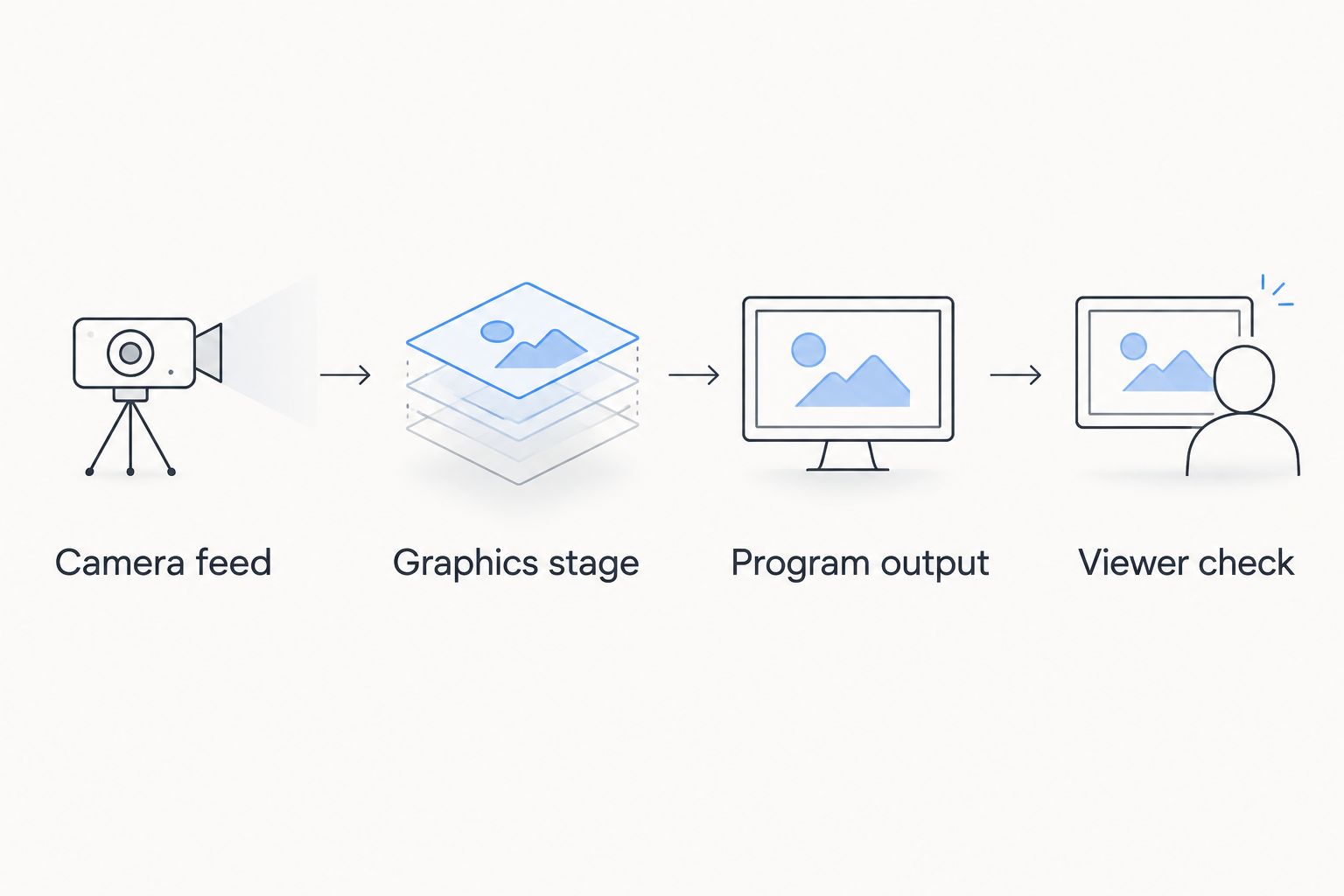
Check the delivered picture as well as the graphics preview.
Keep a clean feed—a usable video picture without the on-field graphics—available within your production plan. Verify how to select it with your actual equipment; do not assume a particular application provides that fallback automatically.
Before connecting the system, record the expected video format at each handoff. Resolve mismatches during setup rather than changing settings after the broadcast begins.
Match the package to your production crew
School football broadcast teams
Best for school crews: a repeatable package with clearly assigned tasks. Prepare approved team names, logos, and sponsor assets before the game, and give operators a written sequence for displaying and clearing graphics.
A limited starting package is easier to rehearse than a large collection of optional elements. Its limitation is presentation variety, so add graphics only when the crew can operate the existing set without sacrificing camera coverage or accurate game information.
Independent sports streaming crews
Best for independent crews: a workflow with explicit handoffs between jobs. If one person manages switching, graphics, and stream monitoring, identify which actions take priority during live play.
A compact setup keeps responsibilities together, but simultaneous tasks compete for attention. Decide in advance which graphics remain off when the operator is occupied with the stream or a camera problem. Do not make optional sponsor placement compete with a necessary correction.
TV broadcasters
Best for TV crews: documented integration and control responsibilities. Confirm the handoff between graphics, production control, and the outgoing program, including how the director requests a correction or removal.
Dividing roles allows dedicated attention, but it also creates communication points that need rehearsal. Include camera changes, replay transitions, and returns to live coverage in the test plan. Do not assume a graphic appropriate for one shot belongs on the next.
Why football graphics requirements vary
The right package depends on how your production operates, not simply how many graphics you can create. Use these factors to define your 2026 scope:
- Crew responsibilities: An operator handling multiple jobs needs a clear priority order and fewer simultaneous actions.
- Camera coverage: Changes in framing and selected camera require checks on whether on-field graphics still belong on screen.
- Output destination: A stream, TV output, and stadium display each need inspection at their intended viewing size.
- Information ownership: Scores, player details, field positions, and sponsor assets need identified sources and approval responsibility.
- Video integration: The actual hardware and software determine the supported connections and routing procedure.
- Recovery procedure: The crew needs a known way to remove incorrect graphics while maintaining coverage.
These factors define the package’s operating burden. Approve a graphic only when someone owns its information, its timing, and its removal.
Where does Windows on-field graphics software fit?
PayneXR is best for football production teams seeking Windows software for virtual first-down lines, scrimmage lines, logos, and sponsor graphics. That scope covers an on-field graphics layer within a broader sports broadcast graphics package.
The benefit is direct visual context on the football video. The trade-off is the additional work of confirming placement, updating the display, and deciding when graphics should be removed.
Treat PayneXR football broadcast graphics as a defined part of the workflow. Confirm the current integration requirements before choosing capture hardware, connection methods, or the point where graphics enter your production.
What should you test before your first football broadcast?
Test the complete production path, including updates, camera changes, corrections, and a return to video without on-field graphics. Confirm the audience-facing output after every important change.
For your 2026 sign-off, require an operator to demonstrate removal as well as display. A package is not ready merely because every graphic has appeared successfully once.
Can you build the package without virtual first-down lines?
Yes. Build the core package around accurate game information and readable identification, then add virtual lines when the crew can support their operation.
Broadcasting without on-field graphics removes the placement task but also removes that visual reference. Use commentary and clearly presented game information rather than displaying an uncertain line.
FAQ
What should a football sports broadcast graphics package include?
A football sports broadcast graphics package should include the information your crew can keep accurate and readable, such as game status, identification, and approved sponsor graphics. Add virtual first-down and scrimmage lines only with assigned placement and removal responsibilities.
Do I need virtual first-down lines to stream football?
No, you can stream football without virtual first-down lines. Adding them provides an on-field reference but also adds placement checks and live operating tasks.
What does PayneXR add to a football broadcast?
PayneXR football broadcast graphics software overlays virtual first-down lines, scrimmage lines, logos, and sponsor graphics onto live football video. It runs on Windows and serves sports production teams and broadcasters.
Can one person operate the stream and the graphics?
One person can be assigned both responsibilities, but the production plan must resolve competing tasks during live play. Rehearse the combined workload and decide which optional graphics stay off when attention is needed elsewhere.
How do I connect graphics software to my camera feed?
Choose the connection method from the supported inputs and outputs of your camera, computer, graphics software, and production equipment. Map the complete video path before buying interfaces or cables, then test the audience-facing output.
What should I do if the first-down line is wrong?
Remove the incorrect first-down line and continue with a usable picture. Confirm the game situation and placement before putting the line back on air.
How do I check whether broadcast graphics are readable?
Check graphics on the final delivered video at a representative viewing size. Inspect text, contrast, placement, and whether the graphics obscure the football action.
One last thing
The most useful rehearsal is removing a graphic on purpose. Ask the operator to clear an incorrect line while the director continues coverage, then verify the delivered picture.
That exercise checks ownership, communication, routing, and recovery together. If the crew cannot complete it confidently, simplify the package before adding another visual element.