
Guides
How to license football broadcast graphics for multiple venues
Learn how to license football broadcast graphics for multiple venues: confirm concurrent use, computer moves, crew access, and fallback procedures.
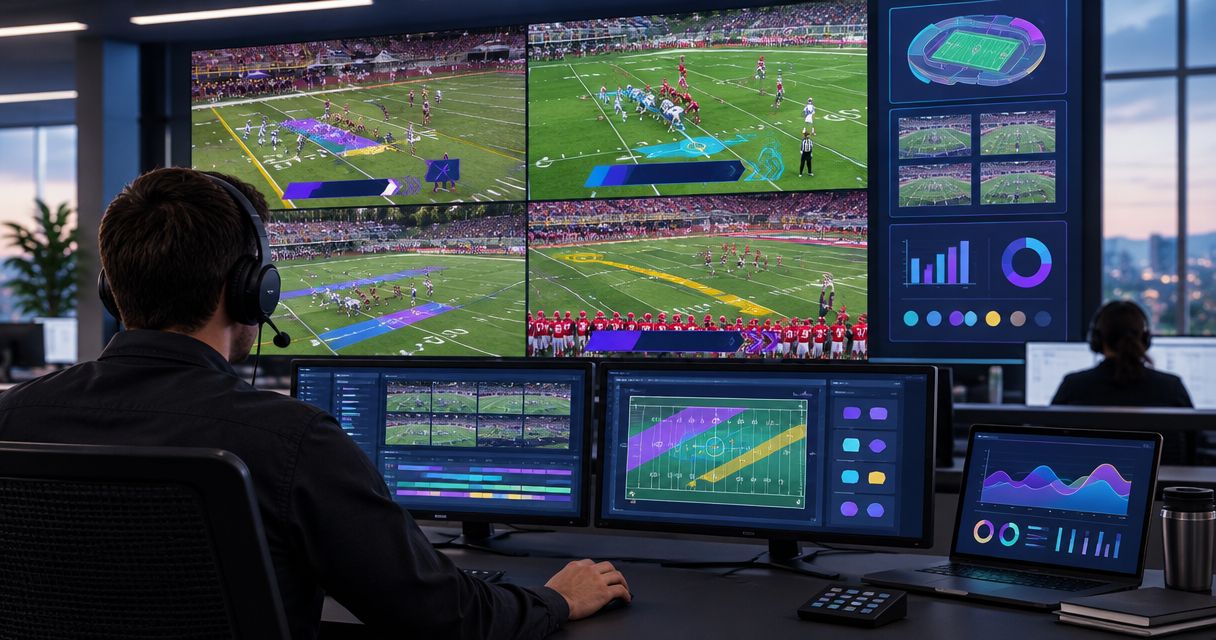
To license football broadcast graphics for multiple venues, document where the software will run, how many productions will overlap, and who will operate it, then obtain written terms covering that exact setup. A venue list alone does not establish permission to move installations, run simultaneous games, or hand operation to another crew. Keep software permission separate from permission to broadcast game footage and display sponsor artwork.
TL;DR
- How to license football broadcast graphics for multiple venues starts with a production schedule, not just a stadium list.
- Windows graphics software and football broadcast rights require separate checks; neither substitutes for the other.
- Request written answers about simultaneous productions, computer changes, backup operation, and third-party crews.
- Add virtual first-down lines only after the crew can operate them and remove them reliably.
How do you license football broadcast graphics for multiple venues?
Match the written license to the production you intend to run. Start with a schedule and equipment list, explain the proposed use to the software supplier, and retain the answer with your production documents. Use the football broadcast graphics selection guide to keep software evaluation separate from permission to deploy it.
Build your 2026 licensing request
- List the productions. Record each venue, game date, operating organization, and intended broadcast destination. Include overlapping setup and rehearsal periods, not just kickoff times.
- Identify the computers. Distinguish the Windows computer running graphics from computers used only for switching, encoding, or monitoring. An encoder converts your program video into a format for transmission.
- Mark simultaneous use. Identify every period when separate crews need graphics running at the same time. Ask how the agreement treats those concurrent productions.
- Describe movement and handoffs. Explain whether equipment travels between venues, remains installed, or changes operators. Ask what authorization each arrangement requires.
- Document contingency use. State how you intend to replace a failed computer or move production after a venue change. Obtain the approved procedure before relying on it.
- Retain written confirmation. Keep the applicable agreement and any deployment clarification together. Give the production lead access to the operating instructions without sharing account credentials unnecessarily.
Do not translate a successful installation into permission for another installation. Technical access and contractual authorization answer different questions.
Why this matters
Multi-venue production combines two separate problems: permission to use the software and the ability to deliver a reliable show. Solve both. A correctly licensed installation still needs a tested video path, while a working video path does not establish licensing permission.
For your 2026 schedule, assign ownership before equipment leaves storage. Someone must manage the agreement, someone must maintain the computer, and someone must decide whether the graphics are ready for air. Those responsibilities can sit with the same person, but they must remain explicit.
School football teams need a handoff that survives changes in student or volunteer operators. Independent streaming crews need clarity when working for different clients. TV broadcasters need deployment records that match their actual control-room, field, and remote-production arrangements.
Describe your deployment without assuming a license model
Explain your planned operation in ordinary production language rather than asking for an undefined multi-venue package. A useful request says what moves, what stays installed, and what runs simultaneously. Let the supplier identify the applicable terms.
Use a clearly labeled planning example: 2 games at different times, using the same traveling computer, describes a different deployment from 2 games at the same time, using 2 computers. These are operational examples, not statements about how many licenses any supplier requires.
Count rehearsal activity too. If one crew tests next week's venue while another produces a live game, disclose that overlap instead of treating the rehearsal as irrelevant.
Include organizational boundaries. A district-owned computer operated by district staff is a different fact pattern from equipment operated by an independent contractor. Ask whether the proposed user, organization, and location are covered; do not infer permission from who paid the invoice.
Add on-field graphics or broadcast without them?
Choose on-field graphics when your crew can place, monitor, and remove them reliably. Broadcast without them when those operating tasks would distract from essential camera, audio, and program duties.
| Production approach | Best for | Benefit | Trade-off |
|---|---|---|---|
| Add on-field graphics | Crews with an assigned graphics role and a tested workflow | Shows the first-down target, scrimmage position, or approved sponsor artwork on the field image | Adds placement, monitoring, and removal tasks |
| Broadcast without on-field graphics | Crews prioritizing a simpler production | Removes the on-field graphics operating task | Viewers do not receive those field-position overlays |
PayneXR football broadcast graphics software is best for teams seeking Windows-based virtual first-down lines, scrimmage lines, logos, and sponsor graphics. That product scope fits school teams, independent crews, and TV broadcasters seeking those overlays; it does not replace the need to confirm deployment permission or test the installation.
Treat graphics as a production responsibility, not a box to check on an equipment order. If nobody owns line placement and removal, leave the overlays off until that responsibility is assigned.
Why multi-venue licensing requirements vary
Use these deployment details as questions for the supplier, not as assumptions about available plans. Your 2026 request should address each factor explicitly:
- Simultaneous productions: Does the agreement cover the separate games and rehearsals you intend to run concurrently?
- Installed computers: Which machines are authorized, and what process applies when a computer changes?
- Venue movement: Can the approved setup travel between the named locations, and is any advance action required?
- Operating organizations: Are employees, volunteers, contractors, and partner crews covered for their proposed roles?
- Contingency operation: What permission and procedure apply to replacement hardware or a relocated production?
- Output use: Does the intended use include the live broadcast, venue display, recording, and subsequent clips?
Keep the response specific. An answer about traveling equipment does not automatically answer a question about simultaneous use, and an answer about live output does not automatically answer every proposed reuse.
Map the video path before moving between venues
Licensing describes permitted use; the video path describes how the picture reaches viewers. Write down both. For a basic planning diagram, identify the camera feed, graphics processing stage, program output, and broadcast destination without assuming a particular connector or integration.
Camera feed, Graphics stage, Program output, and Broadcast destination should each have a named owner on your setup sheet. The program output is the final picture selected for transmission; confirm where the graphics enter that picture.
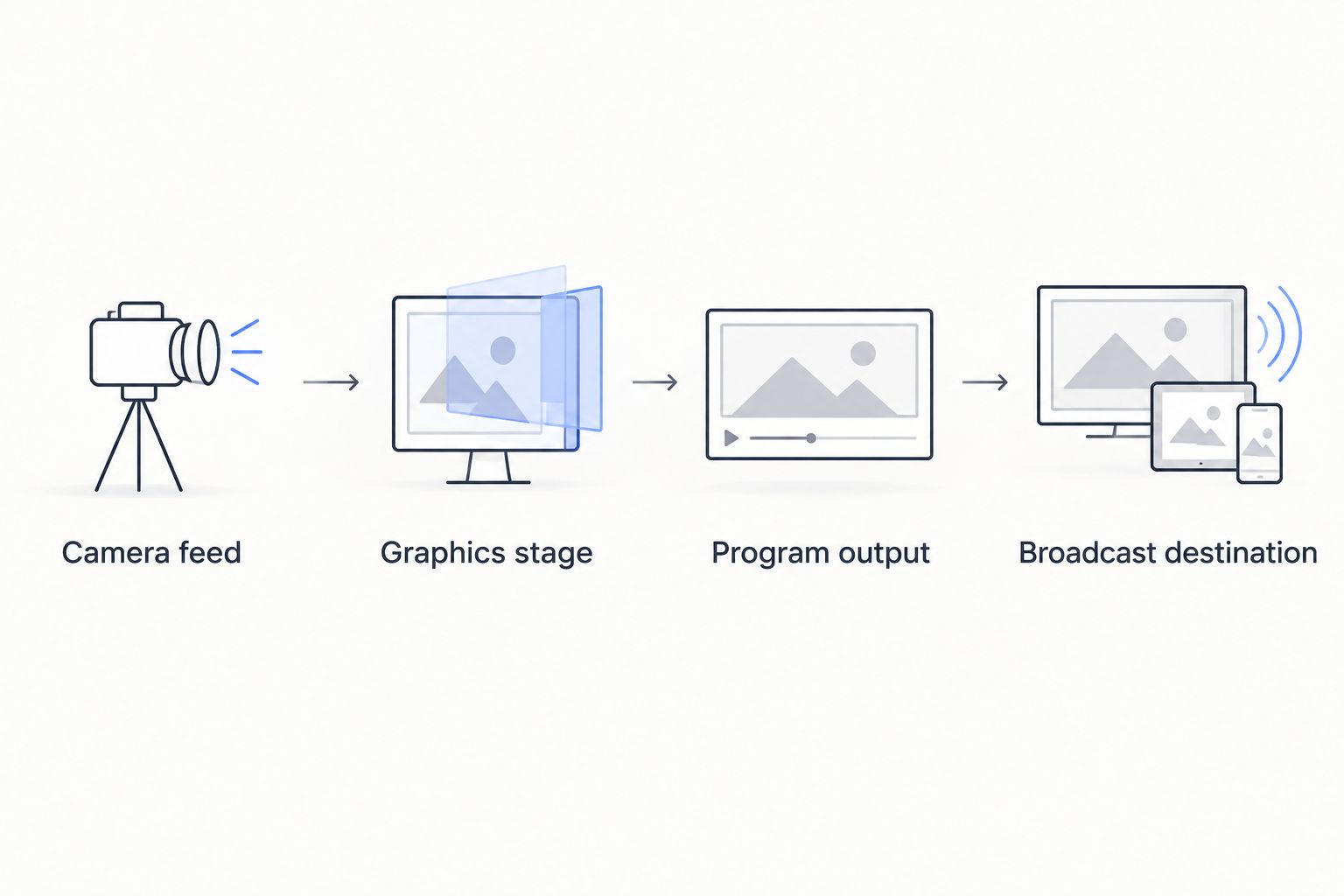
Document where graphics enter the picture before transporting the setup to another venue.
At each venue, identify the available video output and the receiving connection before choosing cables or conversion equipment. Match the actual hardware and the documented software workflow. Do not assume a connection used at one field exists at the next.
Test the final destination, not just the graphics preview. A correct preview does not establish that the transmitted program contains the intended picture. Check the program monitor and the destination return, meaning the picture received back from the broadcast platform or downstream control room.
For the removal procedure, use the clean-feed fallback guide. A clean feed is video without the added graphics; identify how the crew will reach that picture before the game begins.
Give each production team a usable handoff
A licensing document belongs with the responsible manager. An operating sheet belongs where the crew can use it. Keep contractual details, login access, and game-day instructions organized without turning the operating sheet into a shared password file.
School football broadcast teams
Name the adult or staff member responsible for the software agreement and the person responsible for graphics during the game. Record who can approve equipment changes when the usual supervisor is absent. Student and volunteer operators need instructions that explain the task without expecting them to interpret contract language.
The benefit of a shared procedure is continuity between operators. The limitation is that a document does not demonstrate operating skill; require the incoming operator to perform the removal and restoration steps during rehearsal.
Independent sports streaming crews
Record which organization holds the agreement and which crew will operate the system for each assignment. Explain client changes and subcontracted operation in the licensing request. Keep client-specific sponsor artwork and production instructions clearly separated.
A traveling setup gives the crew a consistent equipment arrangement. It still needs venue-specific connection checks, and equipment possession alone does not settle permission to operate for another organization.
TV broadcasters
Identify the graphics computer, production control point, and destination feed for each assignment. Include any proposed remote operation or partner handoff in the written request. Make the authorization record accessible to the people assigning equipment, not just the person who originally obtained it.
Detailed records help teams reproduce a configuration. They do not replace a signal check after a routing or equipment change.
What should you ask before approving the agreement?
Send a single deployment summary with direct questions rather than exchanging disconnected descriptions of individual venues. Ask the supplier to answer against that summary. If the plan changes, identify the changed detail and request clarification before using the revised arrangement.
Your 2026 approval packet should contain the proposed schedule, computer list, operating organizations, destinations, and contingency procedure. Attach the written response and the applicable agreement so the next production lead can find both.
For PayneXR football broadcast graphics, describe the Windows installations and the intended use of first-down lines, scrimmage lines, logos, and sponsor graphics. Request confirmation for your actual deployment rather than assuming a multi-venue entitlement from the software's features.
Review the football graphics software
Review the product, then request written confirmation for your proposed multi-venue deployment.
Can you move a graphics computer between venues?
Describe the traveling-computer arrangement and obtain confirmation under the applicable agreement before relying on it. Moving the same computer does not, by itself, answer questions about authorized users, locations, activation, or simultaneous operation.
Keep the venue-specific setup notes separate from the computer's baseline configuration. That makes it easier to identify what changes when the equipment travels.
Can separate venues run graphics at the same time?
Ask for written permission covering concurrent productions and identify the computers involved. A schedule showing different stadiums is not enough; mark the actual operating overlap, including rehearsal.
Have each crew test independently. Authorization for concurrent use and readiness for concurrent production are separate checks.
Does software permission cover footage and sponsor artwork?
Treat software use, game-footage permission, and sponsor-artwork approval as separate items. Ask the relevant rights holder or authorized representative to confirm each intended use, including recordings and clips.
Retain the approved artwork with its usage instructions. The ability to display a logo does not establish permission to display it.
FAQ
How do I license football broadcast graphics for multiple venues?
Document your venues, computers, simultaneous productions, operators, and intended outputs, then obtain written terms covering that deployment. Keep the agreement and deployment clarification together.
Can I use the same graphics computer at different football stadiums?
Confirm the traveling-computer arrangement under the applicable software agreement before using it across stadiums. Include operator changes and any required activation procedure in the request.
Does every football venue need its own software license?
Use the supplier's written terms to determine what your deployment requires. A venue count alone does not describe installed computers, simultaneous operation, or organizational use.
Can two crews run football graphics at the same time?
Obtain confirmation covering concurrent operation before assigning separate crews to simultaneous productions. Include overlapping rehearsals as well as live games.
Is PayneXR suitable for school teams and professional broadcasters?
PayneXR provides Windows football broadcast graphics for sports production teams and broadcasters. School teams, independent crews, and TV broadcasters should confirm their deployment permissions and test their own workflows.
Does a football graphics license include permission to use sponsor logos?
Do not treat software permission as approval to display sponsor artwork. Obtain authorization for the artwork and its intended broadcast use separately.
What should I do if the graphics computer fails at another venue?
Follow a replacement procedure confirmed under the applicable agreement, and use your tested graphics-free video path when needed. Rehearse the production fallback before game day.
One last thing
The most useful licensing attachment is a schedule that shows overlap. A stadium list tells the supplier where you work; an operating schedule explains how you intend to use the software.
Before approving your 2026 deployment, ask someone outside the graphics role to read that schedule alongside the equipment list. If they cannot identify which computer and crew cover each production, clarify the plan before requesting authorization.