
Guides
How to hand off a football graphics setup to another operator
Sports broadcast graphics package setup needs a tested handoff. Document connections, rehearse field updates, and prove recovery before operators change.
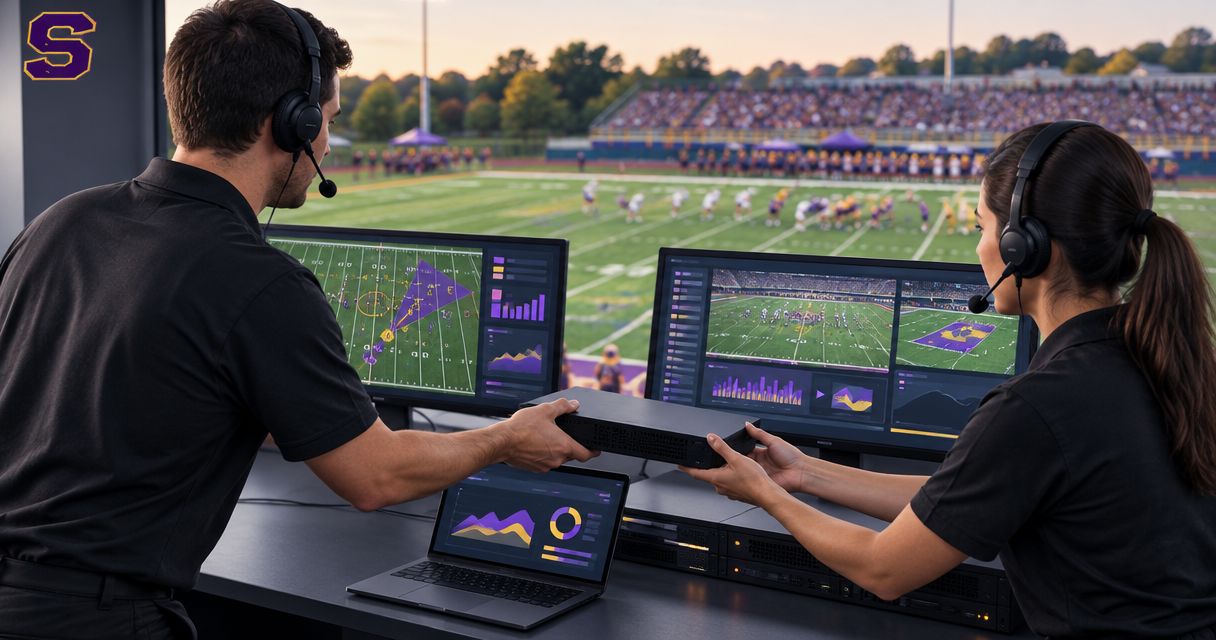
Hand off a football graphics setup by documenting the working video path, saving the settings and artwork, and having the incoming operator demonstrate normal operation and recovery without coaching. Transfer responsibility only after that operator can update the field graphics, remove them when necessary, and keep the broadcast running without them.
TL;DR
- A sports broadcast graphics package setup handoff is complete only when the incoming operator can run and recover it independently.
- PayneXR provides Windows football graphics software for virtual first-down lines, scrimmage lines, logos, and sponsor graphics.
- Document actual connections, approved artwork, operating responsibilities, and the route for broadcasting without on-field graphics.
- Use a rehearsal and a written acceptance checklist rather than relying on a verbal walkthrough.
Why this matters
A working graphics station is not the same as a transferable graphics station. Your replacement needs to know which video source enters the system, where the finished picture goes, and what to do when a line no longer matches the field.
PayneXR supplies Windows software for adding football field graphics. The handoff must cover the surrounding production workflow as well as the software: a correct overlay does not help if the wrong feed reaches the broadcast.
For your 2026 production notes, separate permanent instructions from game-specific information. Connection labels belong in the permanent instructions; team names, sponsor selections, and the assigned operator belong in the game sheet.
How do you hand off a football graphics setup to another operator?
Use the following sequence at the actual production station. The outgoing operator explains the workflow, then the incoming operator performs it while the outgoing operator observes.
Do not treat watching a demonstration as proof of readiness. The handoff ends with an independent demonstration, including a deliberate switch to video without on-field graphics.
1. Record the state
Start with a written snapshot of the working setup. Record the Windows computer used, the software version shown on that computer, the selected video source, the output destination, and the video format configured at each connection.
Define technical terms where they appear. A video format describes the picture dimensions and frame rate; the frame rate is the number of pictures carried each second. Write the actual settings rather than assuming every device uses the same format.
Include these items in the handoff sheet:
- Project: The working project or configuration name, where applicable.
- Artwork: The folder containing approved logos and sponsor files.
- Input: The source feeding the graphics workflow.
- Output: The destination receiving the resulting video.
- Recovery: The person responsible for restoring normal operation.
Label the document with its 2026 revision date and identify the current owner. Keep credentials in your approved password system, not in a shared instruction sheet.
2. Trace connections
Follow the signal path physically, from the camera or production source to the final broadcast destination. A signal path is simply the route the video takes through the equipment.
Name every connector and device actually used. If your workflow includes a capture device, explain that it brings video into the computer; if it includes a separate output device, identify the equipment receiving that output. Do not document a connection just because another crew uses it.
Write down where the on-field graphics enter that path. Then identify the route that carries video without those graphics, often called a clean feed in this context.
Use your clean-feed fallback procedure to explain the recovery route, but make the local instructions specific enough to operate at the station. A guide cannot replace the name of the actual input the director must select.
3. Save materials
Save the working configuration using the controls available in your setup, and identify which settings require separate documentation. Do not assume that saving a project also preserves external artwork or device settings.
Keep 2 copies of the handoff packet: one accessible at the production station and one in your team's approved shared storage. This is a recommended working practice, not a software requirement.
Include approved artwork, the connection diagram, operating instructions, and the acceptance checklist. Record where the original files live so the next operator does not rebuild graphics from a screenshot.
For a 2026 game packet, distinguish current sponsor artwork from files retained for reference. Use explicit filenames and approval notes rather than relying on folder order to show which version belongs on air.
4. Assign responsibilities
Name the person who confirms the ball position and the line to gain—the field position the offense must reach for a first down. Name the person who operates the graphics, and identify who decides when those graphics appear on the broadcast.
These responsibilities can belong to the same person on a small crew. They still need separate instructions because locating the ball, changing a graphic, and choosing the broadcast picture are different tasks.
Write down the communication method as well. The incoming operator must know how to ask for confirmation and how to report that a graphic is not ready, without guessing whether silence means approval.
5. Rehearse operation
Have the incoming operator start from the documented state, load the approved materials, identify the live source, and prepare the required field graphics. Then rehearse an update between plays and a decision to keep graphics off screen.
Use 3 rehearsal scenarios: a routine field-position update, a camera change, and an uncertain ball position. These are recommended practice scenarios, not measured performance benchmarks.
For the camera change, check whether the displayed graphic still matches the selected view. For the uncertain position, require confirmation before showing the line. The correct response is not always to display a graphic faster.
6. Prove recovery
Ask the incoming operator to remove the field graphics and explain how the production continues. Then rehearse the agreed route back to the normal picture without interrupting the actual audience feed.
The acceptance sequence is Record the state, Trace connections, Save materials, Assign responsibilities, Rehearse operation, Prove recovery. Each stage leaves the next operator with something observable: a record, a route, files, named owners, demonstrated operation, or a tested fallback.
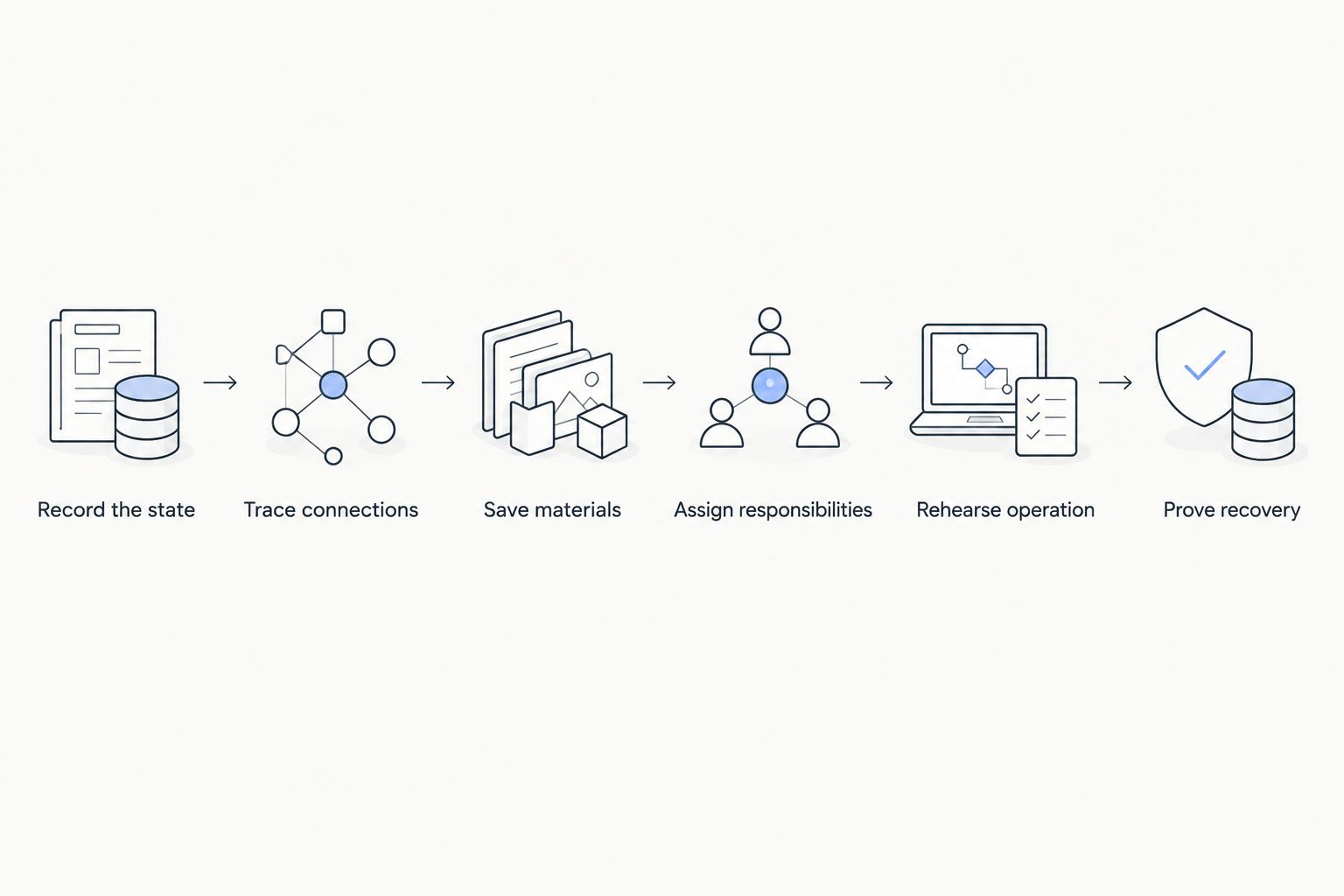
The final handoff test is recovery, not simply displaying a field graphic.
After the rehearsal, record who accepted the station and which issues remain unresolved. If the operator cannot identify the fallback route, keep responsibility with the outgoing operator until that gap is closed.
Adding on-field graphics versus broadcasting without them
PayneXR suits Windows-based football crews that need virtual first-down lines and sponsor graphics. That fit does not remove the need for an operator who can confirm placement and manage the video workflow.
Compare the production responsibilities rather than treating more graphics as an automatic improvement. Your 2026 handoff should explicitly allow a broadcast without on-field overlays when the crew cannot confirm correct placement.
| Approach | Best for | Benefit | Limitation | Handoff requirement |
|---|---|---|---|---|
| Add on-field graphics | Crews with an assigned operator and a checked workflow | Displays field-position references, logos, and sponsor graphics on the video | Adds placement, artwork, and recovery responsibilities | Demonstrate correct operation and removal |
| Broadcast without on-field graphics | Crews prioritizing a simpler video workflow or using a fallback | Removes the need to place and update field overlays | Does not provide those virtual field references or placements | Demonstrate the intended video route and communication plan |
Broadcasting without on-field graphics does not mean abandoning all broadcast graphics. A scoreboard or other production elements can belong to a separate workflow; document whether your fallback preserves them rather than assuming that it does.
Why football graphics handoffs vary
The handoff changes with the production arrangement, not just the software. Use these factors to decide where your instructions need the most detail:
- Crew structure: School teams need instructions that remain usable when student or volunteer assignments change. Independent crews need clear ownership when people cover several roles.
- Video routing: A direct computer workflow and a production system with separate input and output equipment require different connection notes.
- Camera coverage: Multiple views require explicit decisions about when field graphics remain appropriate and when to remove them.
- Approval process: Sponsor artwork needs an identified approver and an unambiguous location for approved files.
- Broadcast control: TV broadcasters need the graphics operator's responsibilities distinguished from the director's decisions about the on-air picture.
- Recovery ownership: Someone must have both the authority and the instructions to continue without field graphics.
For a school crew, put familiar equipment labels into the instructions rather than relying on specialist shorthand. For an independent streaming crew, document which duties stop when the same person must solve a video problem. For a TV production, align the handoff with existing communication and control-room procedures.
What should the incoming operator demonstrate before taking over?
The incoming operator should demonstrate 3 rehearsal scenarios: a routine field-position update, a camera change, and an uncertain ball position. The operator should also show how to remove the graphics and identify who authorizes their return.
Keep the acceptance checklist observable. Replace vague entries such as understands graphics with actions such as identifies the current input, locates approved artwork, and selects the agreed fallback route.
For the final 2026 handoff record, note the operator, the configuration used, and any unresolved issue. Do not mark a test complete merely because the outgoing operator supplied the answer during it.
Should you transfer a football graphics station during a live game?
Transfer the station during a planned break whenever the production allows it. Before the incoming operator touches the controls, confirm the current field position, whether graphics are visible, and who is responsible for the next update.
Avoid changing configuration and changing operators at the same moment. If a technical problem forces the handoff, establish the safe broadcast picture first and troubleshoot from that known state.
Keep the outgoing operator available until the incoming operator confirms control. A spoken acknowledgement closes the gap between someone assuming responsibility and someone actually accepting it.
FAQ
What should a sports broadcast graphics package setup handoff include?
A sports broadcast graphics package setup handoff should include the working configuration, actual video connections, approved artwork, operating responsibilities, and recovery instructions. Finish with an independent demonstration by the incoming operator.
Can a volunteer take over football graphics operation?
A volunteer should take over only after demonstrating the documented workflow and recovery procedure. Assign a contact who can confirm field position and resolve production questions.
Does PayneXR run on Windows?
PayneXR is Windows broadcast graphics software for live football video. It overlays virtual first-down lines, scrimmage lines, logos, and sponsor graphics.
Should the new operator use a written checklist?
The new operator should use a written checklist tied to the actual production station. Include source selection, approved artwork, field-position confirmation, and the route for removing on-field graphics.
What should happen if the first-down line looks wrong?
Remove the first-down line until its placement can be confirmed. Follow the documented communication and recovery procedure rather than leaving an uncertain field reference on screen.
Can we keep broadcasting without on-field graphics?
You can keep broadcasting without on-field graphics when your production has a working route for video without those overlays. Test that route before accepting the handoff; do not assume it exists.
What changes when one person handles streaming and graphics?
A combined streaming and graphics role needs explicit priorities for technical problems. Document when to stop field-graphic updates, maintain the broadcast picture, and ask another crew member for help.
One last thing
Test the instructions by withholding the explanation. Ask the incoming operator to find the approved artwork and describe the fallback using only the handoff packet, while keeping the test away from the audience feed.
Every question that requires the outgoing operator's memory identifies an instruction to improve. Fix the packet before the next game, not after the same question interrupts another broadcast.