Guides
How to handle a power outage mid-game with broadcast graphics
Learn how to handle a power outage mid-game with broadcast graphics: keep clean video on air, restore the signal, and verify overlays before returning.
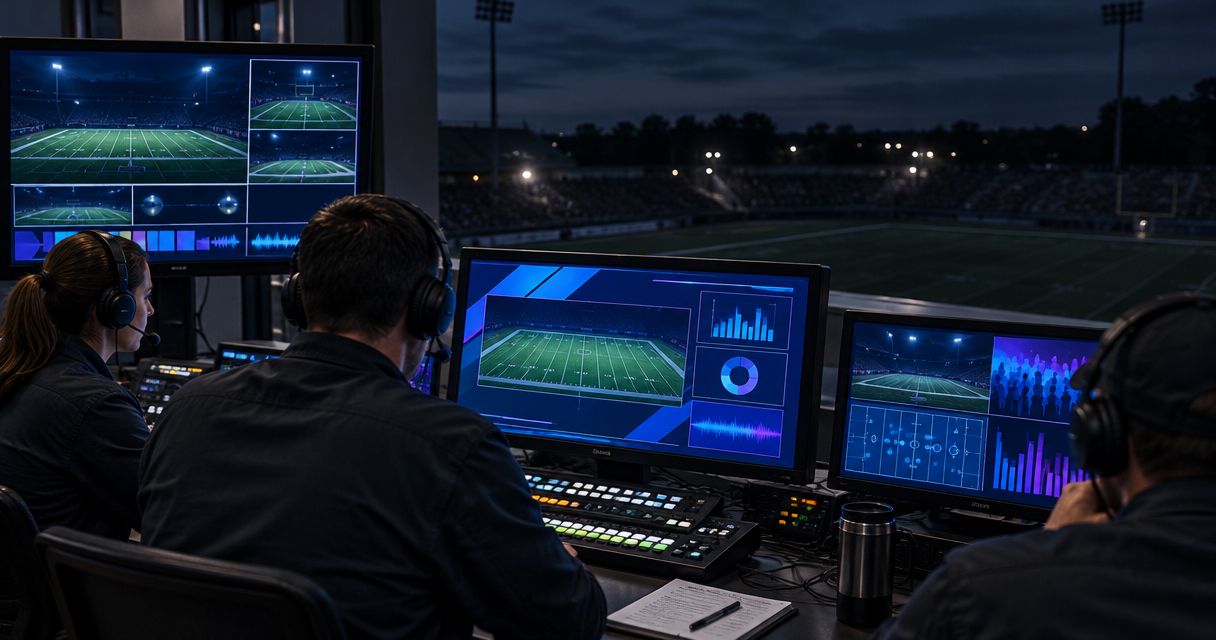
To handle a power outage mid-game with broadcast graphics, switch to a working video feed without on-field overlays, isolate the failed equipment, and restore graphics only after checking the picture and current field position. If the camera, switcher, encoder, or network also loses power, recover those parts of the broadcast before restarting graphics; a graphics bypass cannot replace a failed video source or internet connection.
TL;DR
- How to handle a power outage mid-game with broadcast graphics: bypass overlays, restore video, then verify graphics.
- A clean feed preserves coverage only when its camera, routing equipment, and delivery path still work.
- PayneXR provides Windows football broadcast graphics; verify the recovered output before putting overlays back on air.
- Keep first-down lines and sponsor graphics off until the live picture and field placement are correct.
Why this matters
A watchable football picture without a virtual line is better than a frozen or misplaced overlay. On-field graphics help viewers read the field, but they should not become the reason viewers lose the game.
Your 2026 outage plan needs a tested clean-feed fallback for football graphics. A clean feed is video without the on-field overlays being added by the graphics system. It is useful only if you can select it without depending on the failed equipment.
School broadcast teams need a fallback a substitute operator can follow. Independent streaming crews need to preserve video, audio, and delivery with limited hands. TV broadcasters need clear routing authority and confirmation from the person monitoring the transmitted output.
How do you handle a power outage mid-game with broadcast graphics?
Follow this recovery sequence rather than restarting every device at once. Stop at any stage where electrical safety, venue instructions, or the condition of your equipment prevents further work.
- Protect people. Follow venue staff instructions, keep clear of wet or damaged electrical equipment, and leave breaker or generator work to authorized personnel. Broadcasting does not take priority over an evacuation or an unsafe production position.
- Find a usable picture. Check whether the camera feed still exists before troubleshooting an overlay. If you have a working clean source and a working switcher, select that source for the program output—the picture sent to viewers.
- Isolate the failure. Compare the camera picture, graphics output, switcher output, and outgoing stream. A working local monitor does not prove that the audience is receiving video.
- Restore the base broadcast. Recover the necessary camera, switching, audio, encoding, and network functions. The encoder is the device or software that prepares your video for streaming; graphics cannot compensate for an encoder that has stopped.
- Verify graphics. Restart the affected graphics equipment according to its documented procedure, then inspect its output off air. Confirm the current camera view, scrimmage position, first-down target, and sponsor artwork before selecting it.
- Return deliberately. Tell the director or designated operator that graphics are ready, receive approval, and restore them during a suitable pause. Watch the outgoing picture after the change, not just the graphics application's preview.
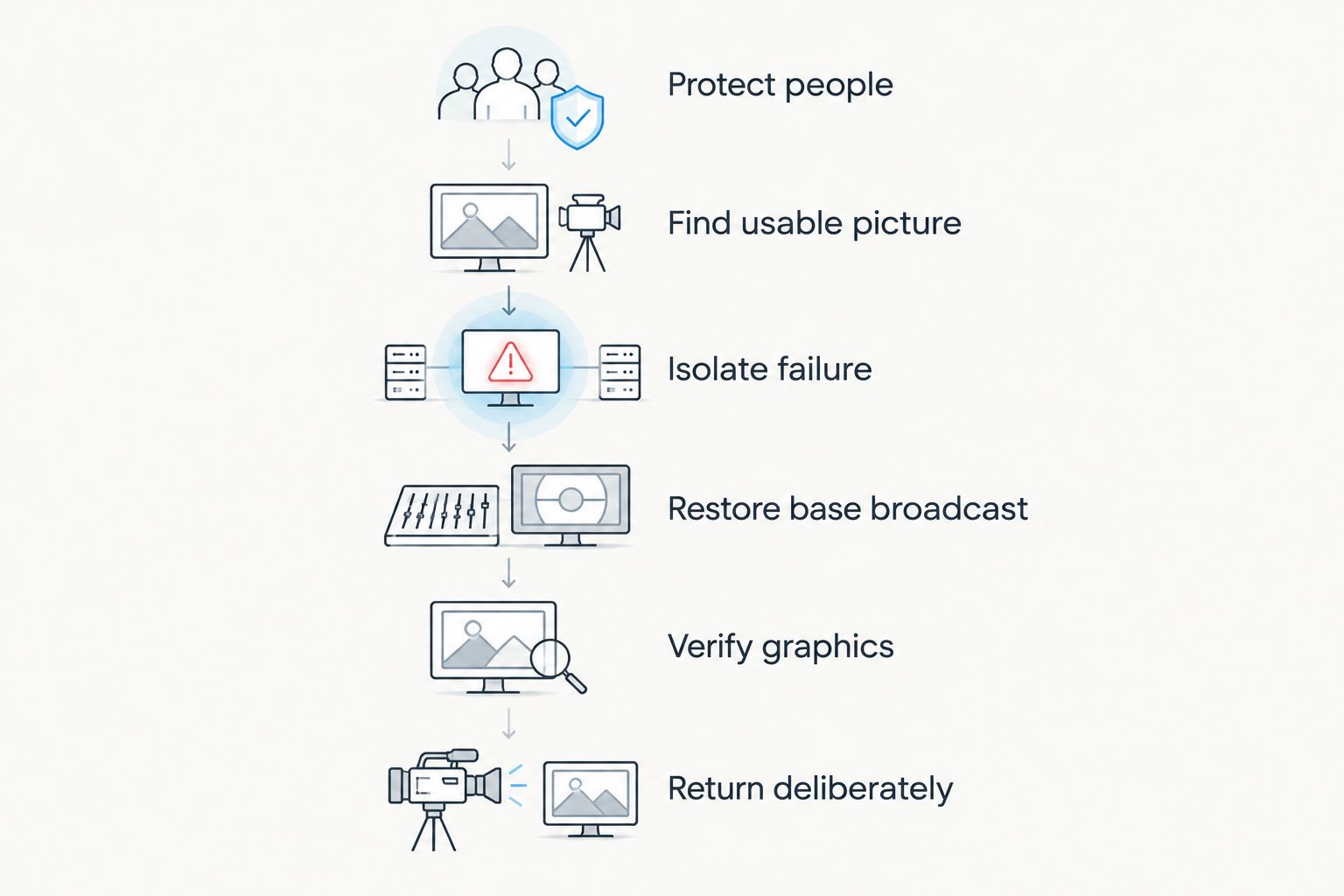
Restore the base broadcast before returning on-field graphics to air.
Treat the sequence as dependencies, not a promise of a particular recovery time. If the clean feed works, leave it on air while you investigate graphics. If the whole production position is without power, move to your established interruption procedure instead of repeatedly attempting a graphics restart.
Should you keep broadcasting without on-field graphics?
Keep broadcasting without on-field graphics when the underlying video and audio remain usable. The immediate comparison is coverage with verified overlays versus coverage without them—not which software has the longest feature list.
| Operating choice | Best for | Benefit | Limitation |
|---|---|---|---|
| Clean video without on-field graphics | Continuing coverage while graphics recover | Removes the failed graphics stage from the selected picture when a bypass exists | Viewers lose virtual field-position cues and on-field sponsor artwork |
| Video with verified on-field graphics | Normal coverage after recovery checks | Shows scrimmage lines, first-down targets, and approved graphics | Adds a processing stage that must be checked before returning |
| Established interruption output | An outage that leaves no usable game picture | Avoids presenting a frozen picture as live action | Does not show the ongoing game and requires a working output path |
A clean picture does not automatically mean a complete broadcast. Confirm commentary and field audio separately, and tell the announcers which visual information is unavailable. They can describe the ball position and distance without pretending the virtual line is still visible.
For your 2026 operations sheet, state who can remove graphics immediately. Do not make the operator wait for a long discussion while an incorrect line remains over a live play.
What exactly lost power?
Identify the failed section before changing settings. An outage affecting the graphics computer needs a different response from an outage affecting the entire press box.
Only the graphics computer stopped
Select the prepared bypass if the rest of the chain remains operational. Keep the existing live production running while the graphics operator checks power, restarts the computer safely, and confirms the application output.
Do not assume that a returning desktop means graphics are ready. The video source, output destination, and field placement still need inspection.
The switcher or video connection stopped
A switcher selects the source sent to the audience. If it loses power, a clean camera feed connected only through that switcher does not provide an independent fallback.
Check the routing plan and use only an alternate connection that your crew has already tested. Avoid improvising unfamiliar cable or format changes during live action when you cannot inspect the result before transmission.
The encoder or network stopped
A working graphics preview does not establish that your stream has recovered. Confirm the encoder's status and check the audience-facing output through a separate monitoring device when available.
After delivery returns, inspect the picture and audio before adding overlays. Restore the simplest working broadcast first.
Venue power or field lighting stopped
Follow the venue's safety and game-management instructions. Do not send a camera operator into an unsafe position to preserve coverage.
If the game pauses, communicate the confirmed interruption through whatever broadcast path remains operational. Do not announce a restart time unless the responsible venue or game official has provided it.
Why outage recovery varies
Recovery depends on the equipment that remains functional and the route your picture takes. These factors belong in the same troubleshooting discussion:
- Failure scope: A graphics-only interruption leaves different options from a loss of camera, audio, and production power.
- Bypass independence: A fallback that passes through the failed computer or switcher is not an independent route around that device.
- Backup-power coverage: Protecting the graphics computer alone does not protect a separately powered camera, converter, encoder, or network device.
- Video connections: A restored computer still needs a working input and output. Check the actual signal rather than relying on application status alone.
- Game-state changes: The ball, possession, camera framing, and line-to-gain position can change while graphics are unavailable.
- Crew responsibilities: Recovery stalls when nobody owns source selection, graphics verification, or outgoing-stream monitoring.
For a 2026 backup-power review, list the devices required to deliver the picture—not just the equipment on the graphics desk. An uninterruptible power supply, or UPS, provides temporary backup power; select and test it against the connected equipment's documented requirements rather than assuming a universal runtime.
How should you reconnect the graphics path?
Sketch your actual signal path before making changes. Label the camera source, graphics stage, switcher, encoder, and network connection in their real order; different productions place graphics at different points.
A bypass must route around the failed stage, not simply hide its visible overlay. Turning off a line inside a stopped computer does not restore video passing through that computer. Conversely, if graphics arrive as a separate layer, removing that layer need not require changing the camera source.
Check connections from the working source toward the destination. Confirm a picture at each accessible monitoring point, then continue downstream. If your workflow uses network video, include the relevant network equipment in the power and connection checks.
Keep a short routing note beside the controls. Name the clean source exactly as the operator sees it, identify the normal graphics source, and record who approves the return. Avoid generic instructions such as “switch to backup” when several inputs carry similar names.
When is it safe to put first-down lines back on air?
Return on-field graphics after you can verify 3 checkpoints: picture, placement, and delivery. These are acceptance checks, not a recovery-time estimate.
- Picture: Confirm that the graphics output shows the current live camera, not a frozen frame, test source, or earlier play.
- Placement: Confirm the scrimmage line and first-down target against the current game situation. Check field alignment with the camera movement used in your production.
- Delivery: Inspect the selected program output and, where available, the viewer-facing stream. Confirm that the restored graphics did not interrupt video or audio.
Keep graphics off if any checkpoint fails. A clear camera picture gives the crew room to troubleshoot without asking viewers to interpret an incorrect virtual marker.
In your 2026 rehearsal, practice the return as well as the failure. Recovery is not finished when the software opens; it is finished when the correct picture reaches viewers.
How does this apply to your crew?
School football broadcast teams
Assign a named fallback operator before kickoff, especially when students or volunteers rotate positions. Put the clean-source selection and escalation contact in plain language beside the production controls.
Rehearse with the person who will actually cover the position. Instructions that depend on an absent instructor are not an effective game-night procedure.
Independent sports streaming crews
Separate the tasks you must preserve from the tasks you can pause. If one person handles switching, streaming, and graphics, keep the clean broadcast running before attempting a detailed graphics repair.
For a rehearsal involving 2 operators, assign one to the outgoing program and the other to recovery. This is a suggested division of work, not a staffing requirement.
TV broadcasters
Use the established director, engineering, and transmission responsibilities. Identify who authorizes the bypass, who validates the recovered graphics source, and who confirms the audience output.
Do not treat a control-room preview as transmission confirmation. The final delivery path needs its own check.
Where does Windows football graphics software fit?
PayneXR is for school broadcast teams, independent streaming crews, and TV broadcasters adding virtual field graphics to live football video. Its Windows football broadcast graphics software overlays first-down lines, scrimmage lines, logos, and sponsor graphics.
Those overlays add field-position information and sponsor presentation; broadcasting without them removes that visual layer while preserving coverage if the underlying chain still works. Keep PayneXR football broadcast graphics off air during recovery until you have verified the live picture and placement. Do not treat the application as a substitute for backup power or an independent video route.
FAQ
What should I do first if power fails during a football broadcast?
Protect people and follow venue safety instructions first. Then select a working clean video source if your routing and remaining equipment support it.
Can I keep streaming football without a first-down line?
Yes, you can keep streaming without a first-down line when your camera, production output, audio, encoder, and network remain operational. Remove the failed graphics stage through a tested bypass.
Will a UPS keep the whole football broadcast running?
A UPS protects only the equipment connected to it within its supported operating limits. Check every necessary device and test the planned load; do not assume that protecting the graphics computer protects the stream.
Should I restart all the broadcast equipment after an outage?
Do not restart working equipment without a reason. Isolate the failed section and preserve the usable broadcast while you recover it.
How do I know the first-down line is ready to return?
Verify 3 checkpoints: picture, placement, and delivery. Confirm the current live camera, the correct field positions, and the outgoing program before restoring the overlay.
Can PayneXR replace a backup video feed?
PayneXR adds virtual graphics to live football video; plan a separate, tested fallback route around the graphics stage. Graphics software does not replace a failed camera, production power source, or delivery connection.
What should I include in a 2026 football broadcast outage rehearsal?
Rehearse selecting clean video, identifying the failed stage, checking audience delivery, and returning verified graphics. Use a controlled simulation rather than interrupting venue electrical equipment.
One last thing
Test your fallback with the graphics stage unavailable—not merely with its lines hidden. A bypass that looks correct while every device works can still depend on the very equipment you intend to bypass.
Make that controlled test part of your 2026 preseason preparation. Then rehearse the return with a changed ball position so the operator must verify the current game rather than reuse the last visible line.