Guides
How to fix a frozen first-down line overlay mid-game
Learn how to fix a frozen first-down line overlay: remove the stale graphic, isolate the fault, protect live video, and verify placement before returning.
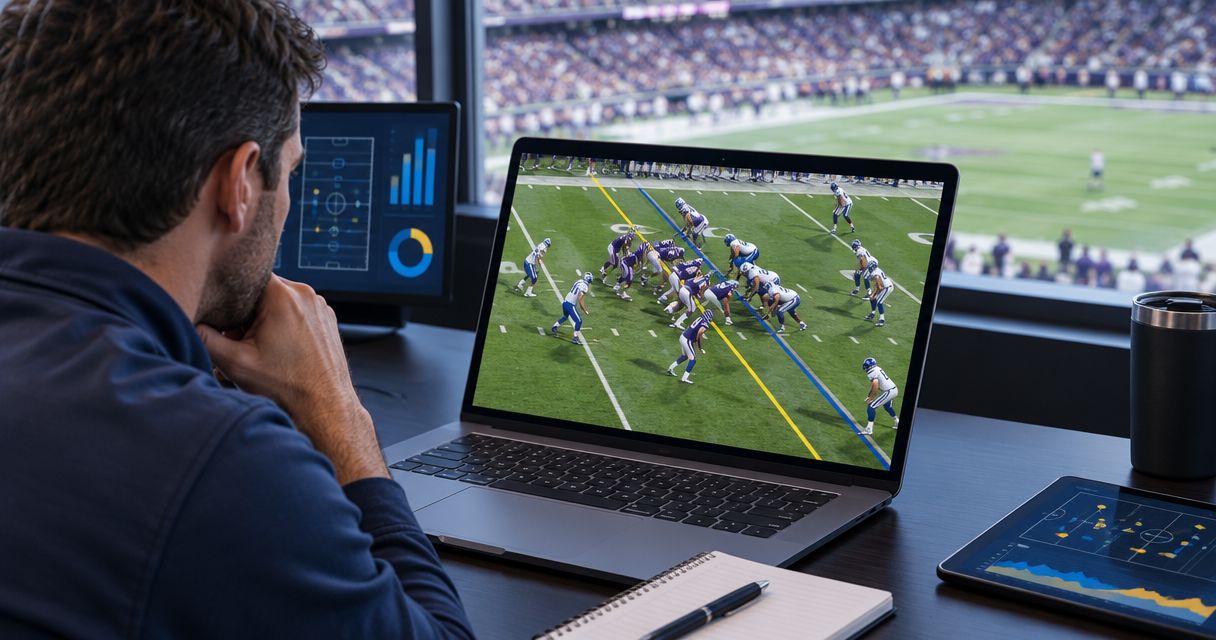
To fix a frozen first-down line overlay, take the affected graphic off air, check whether the camera video or only the overlay has stopped updating, and recover the failed stage off air. Keep live football visible without the line while you troubleshoot; restore the overlay only after its placement and movement pass a preview check.
TL;DR
- How to fix a frozen first-down line overlay: remove it, isolate the fault, and verify recovery off air.
- Keep clean video on air rather than displaying a stale first-down line.
- Compare camera input, graphics output, and program output before restarting equipment.
- PayneXR provides Windows football broadcast graphics; recovery checks must include both video movement and line placement.
How do you fix a frozen first-down line overlay mid-game?
Remove the unreliable graphic before trying to repair it. A line left at an old field position gives viewers the wrong reference, even when the underlying camera picture remains live.
Use these steps as your 2026 recovery checklist. They describe a production troubleshooting process, not application-specific buttons or a guaranteed recovery time. Prepare a clean-feed fallback for football graphics before you need it; a clean feed is the camera picture without the affected on-field graphics.
- Protect program. Program is the final picture sent to viewers. Remove the affected graphics layer, or select a rehearsed clean-video route if the line is already combined with the picture.
- Check input. Inspect the camera video arriving before graphics processing. Look for real movement rather than assuming that a stationary shot means a frozen source.
- Check graphics. Inspect the graphics output separately. Determine whether its video is moving, whether the line responds to operator changes, and whether the application responds.
- Check output. Compare the graphics output with program. If the graphics output changes but program does not, inspect the selected source and downstream production path.
- Recover off air. Address the stage where the pictures stop agreeing. Restart an unresponsive graphics application only after confirming that doing so will not interrupt the live picture.
- Verify return. Check current field placement and movement in preview before putting the line back on air. Preview is the off-air picture used to inspect a source before viewers see it.
Follow that order. Restarting equipment before finding the affected stage destroys useful evidence and can interrupt parts of the production that were still working.
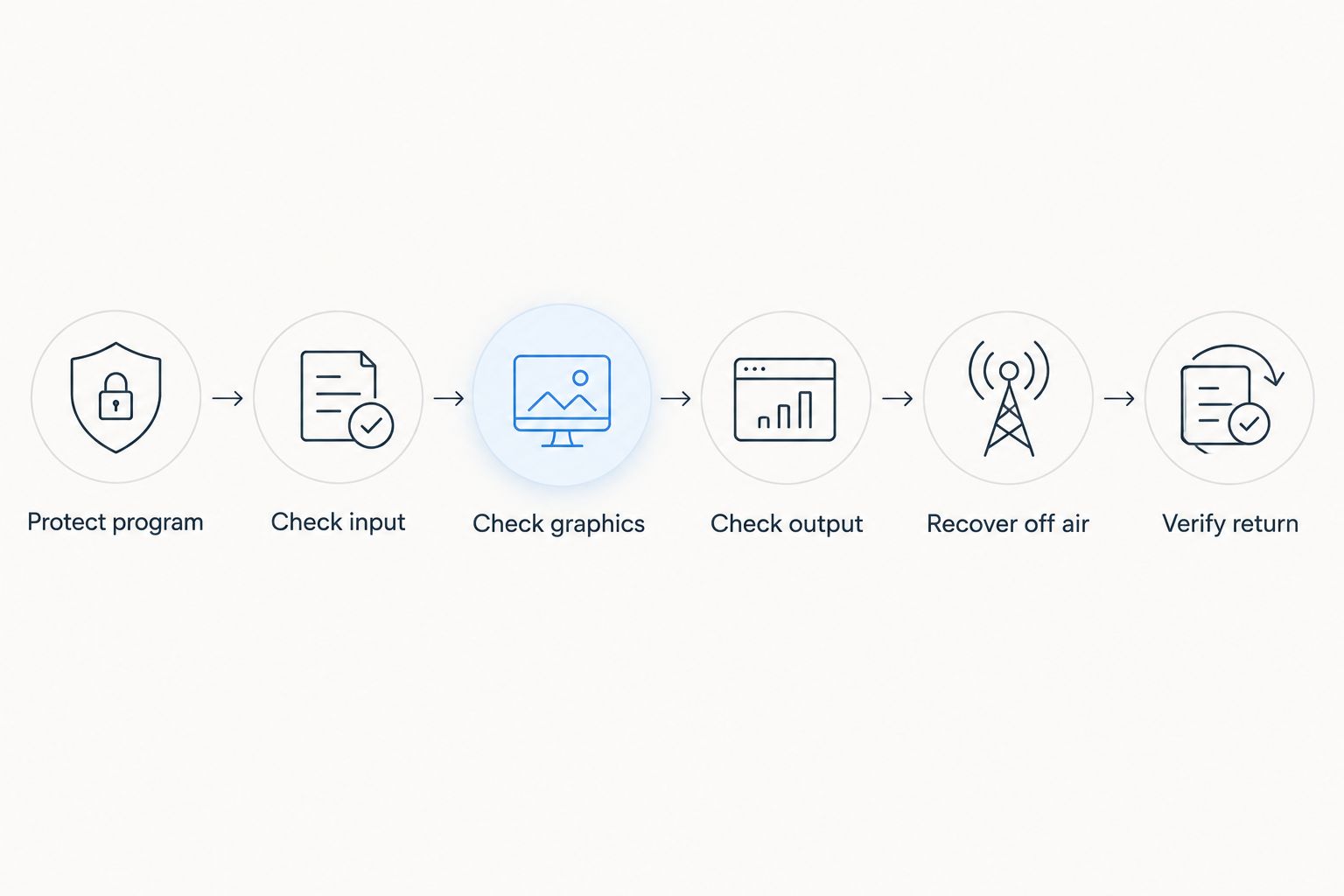
Keep the live picture protected while you isolate and recover the affected stage.
Why this matters
A frozen overlay and a frozen broadcast are different failures. When players keep moving but the line stays at the wrong location, concentrate on the graphic and its placement; when the entire processed picture stops, compare the video at each stage.
Live football without a virtual line is a better fallback than live football with an incorrect line. You lose an on-field distance reference, but you avoid presenting stale information as current.
PayneXR is for school broadcast teams, independent streaming crews, and TV broadcasters that need Windows football graphics. The software overlays first-down lines, scrimmage lines, logos, and sponsor graphics; troubleshooting must distinguish an affected graphic from an interruption to the whole video path.
Is the line frozen, or is the whole picture frozen?
Start with observation, not a diagnosis. Inspect 3 viewing points: camera input, graphics output, and program output. Those locations show where an update stops appearing, although they do not by themselves identify the underlying cause.
| What you observe | What to check next | On-air response |
|---|---|---|
| Camera video moves, but the line ignores placement changes | Graphics controls and the application's response | Remove the affected line |
| The line updates locally, but not in graphics output | The selected graphics output and its connection | Keep the affected output off air |
| Graphics output moves, but program shows an old image | Source selection and the downstream production path | Select a verified moving source |
| Camera input is frozen before graphics processing | Camera feed and the connection carrying it | Use an unaffected camera if your production has one |
| The picture moves, but the line no longer matches the field | Current camera view and field alignment | Hide the line until alignment is verified |
A stationary camera view is not proof of a freeze. Watch a player, official, or camera move, then compare that movement across the viewing points.
Also distinguish an unresponsive line from an incorrect line. If operator changes appear but the line is at the wrong yard position, check placement before treating the problem as an application hang.
Should you keep graphics on air while troubleshooting?
Best for recovery: use clean video until the affected overlay is verified. Keep the normal on-field graphics workflow for moments when the line is current, aligned, and responding correctly.
This comparison applies to your 2026 operating plan, whether you produce a school stream, an independent webcast, or a television broadcast. Neither choice eliminates the need to monitor the final picture.
| Production choice | Best for | Benefit | Limitation |
|---|---|---|---|
| Broadcast with verified on-field graphics | Normal coverage with an operator able to monitor placement | Gives viewers a visible field reference | Requires placement checks and a working graphics path |
| Broadcast without on-field graphics | Recovery periods or coverage without a verified overlay | Removes the stale-line problem from the picture | Viewers lose the virtual field reference |
A clean-video fallback must actually exclude the affected graphic. If the line is already combined with the camera picture upstream, hiding a different layer at the final switcher will not remove it.
Do not assume that every production has the same bypass arrangement. Trace your actual connections and rehearse the route you intend to use.
Why frozen-overlay symptoms vary
The same complaint can describe failures at different points. Use these factors to organize the checks, not as proof that a particular component caused the freeze:
- Where graphics enter the picture. A separate overlay and a picture already combined with graphics require different removal actions.
- Which image stops updating. A frozen camera input requires a different investigation from a responsive camera picture with an unresponsive line.
- Whether controls respond. An application that accepts placement changes presents a different symptom from an application that stops responding altogether.
- Which camera view is active. A line that fits one view still needs verification when the production changes views.
- Whether output matches preview. Correct local monitoring does not establish that viewers receive the same picture.
- Who can troubleshoot off air. A dedicated graphics operator can investigate while another person protects program; a solo operator must prioritize live coverage.
Record these observations in your 2026 incident notes. A useful report identifies the first viewing point that stopped updating, rather than saying only that the graphics froze.
What should you check before restarting the graphics application?
Confirm the live-video fallback first. If the same Windows computer handles graphics and other production tasks, do not treat a computer restart as equivalent to restarting only the graphics application.
Check whether the application's controls respond and whether its output changes. Windows Task Manager can help you inspect an unresponsive application, but ending a task also stops whatever that application is supplying to the production.
Before closing anything, establish these details:
- Which application supplies the camera picture currently on air.
- Which application supplies the affected graphics.
- Whether the clean-video route depends on either application.
- Which settings and field placement you will need to verify after reopening.
Restart only the affected application when that is the appropriate recovery action and the live picture is protected. Reopening software is not the finish line: inspect the source, output, and field placement again.
For PayneXR, keep the distinction clear between its Windows football graphics role and the rest of your production chain. Do not assume that restarting graphics repairs an upstream camera problem or a downstream source-selection problem.
How do you know the first-down line is ready to return?
Require 2 checks before returning the overlay: correct placement and correct behavior during movement. A line that looks right on a still frame has not yet passed both checks.
First, confirm the current line of scrimmage and line to gain against the game situation. Do not restore an old position simply because it was present before the freeze.
Next, inspect the intended camera view during representative movement. Check that the line remains aligned with the field through the pan or zoom you expect to use; if that check fails, leave it hidden.
Finally, compare preview with program when you restore the graphic. A correct local preview does not replace monitoring the final broadcast picture.
For your 2026 return-to-air procedure, use a clear release condition: the operator responsible for placement confirms the line, and the person controlling program confirms the intended source. In a solo production, perform those checks in sequence rather than trying to repair graphics during active camera work.
Should you restart the whole computer during a play?
Keep the computer running during a play when it still supplies the live production. Move to a verified independent video route before restarting a machine that carries the picture, audio, graphics, or streaming output.
A graphics-only computer presents a different production decision from a shared production computer. Map those dependencies before deciding what a restart will interrupt.
If you cannot isolate the graphics failure without risking coverage, continue without the affected graphic. An intermission provides room to investigate, but it does not remove the need to protect whatever remains on air.
Who should handle recovery on different broadcast crews?
Assign 1 recovery lead for each incident. That person coordinates the checks and reports whether the overlay is ready; this is a communication role, not a requirement to add another crew member.
School football broadcast teams
Give the operator a short written recovery sequence and identify who can authorize removing the graphic. Make the clean-video action easy to find, especially when students or volunteers rotate between positions.
Avoid several people changing settings at once. The next operator needs to know what changed and what still requires checking.
Independent sports streaming crews
Protect camera coverage, audio, and the stream before repairing an optional overlay. If you operate alone, leave the graphic off until you can inspect it without abandoning those tasks.
For a shared Windows workstation, document which applications remain essential to the live output. That distinction belongs in the 2026 setup notes, not in a hurried decision during a drive.
TV broadcasters
Separate the program decision from the graphics recovery work. The director or designated production lead controls the return to air, while the graphics operator reports placement and output status.
Use precise status calls such as graphics removed, output moving, or placement verified. Each phrase describes an observable condition rather than an assumption that everything is fixed.
FAQ
What's the first thing I should do when the first-down line freezes?
Remove the affected line from program or select a rehearsed clean-video route. Keep the live picture visible while you compare camera input, graphics output, and program output.
Can I keep broadcasting football without the virtual first-down line?
Yes, you can continue broadcasting without the virtual first-down line. Keep the affected overlay hidden until its current placement and behavior are verified.
Why is the camera moving while the first-down line stays stuck?
Moving camera video with an unresponsive line narrows the investigation to the graphics controls, placement, or graphics path rather than proving the camera feed has frozen. Check whether placement changes appear locally and in the graphics output.
Should I restart Windows if my football graphics freeze?
Restart Windows only after protecting every live production function that depends on that computer. First determine whether the fault can be isolated to the graphics application or a different stage of the video path.
How do I tell whether the overlay or the stream is frozen?
Compare camera input, graphics output, and program output for actual movement. A changing graphics output with a frozen program picture directs the next check downstream of that graphics output.
Does PayneXR replace the need to check first-down line placement?
No, using PayneXR does not remove the need to verify the line shown to viewers. Check the current game situation, field alignment, and final program picture before restoring an affected overlay.
When should I put a recovered first-down line back on air?
Restore the line after correct placement and correct behavior during movement are verified off air. Then monitor program to confirm that viewers receive the intended picture.
One last thing
Rehearse removing the line, not just adding it. During your next 2026 pregame check, take the overlay off air, confirm that clean video remains visible, and practice restoring a verified current line.
Write down the exact control or source selection your setup uses. Knowing the recovery action is more useful mid-game than having a long troubleshooting document nobody can follow while the ball is live.