Guides
How to export football broadcast graphics for social clips
Learn how to export football broadcast graphics for social clips: record the right feed, reframe each play, and check lines and logos before posting.
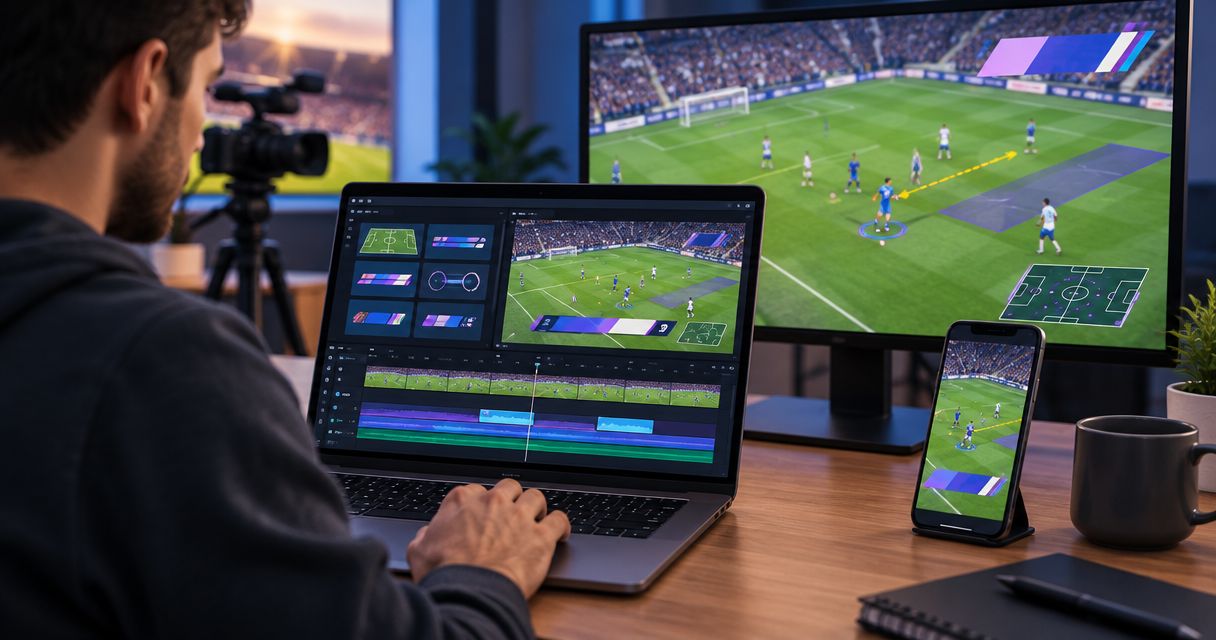
Export football social clips from a recording that already includes the correct on-field graphics, then trim and reframe that recording in your video editor before exporting the finished file. Keep a separate clean recording when your production setup supports it: graphics baked into a video cannot simply be switched off during editing, and a vertical crop can remove the line or sponsor mark you intended to show.
TL;DR
- How to export football broadcast graphics for social clips: record the graphics, edit the play, then export.
- PayneXR adds virtual football lines and sponsor graphics to live video; plan separately for recording and editing.
- Keep a clean recording when possible; baked-in graphics cannot be independently repositioned.
- Check first-down lines, camera changes, sponsor visibility, and audio in the exported file.
Why this matters
A graphic that works across a wide football field does not automatically work inside a narrow phone screen. Your social edit must preserve the play, its context, and any graphic that helps explain it.
Start by identifying where football graphics sit in your video signal path. The signal path is the route video takes from the camera through production equipment to recording and distribution. Your recording must receive the graphics-containing picture if you want those graphics in the exported clip.
For your 2026 workflow, settle that recording choice before kickoff. Editing cannot recover a graphic that never reached the recording, and cropping cannot restore action outside the recorded frame.
How do you export football broadcast graphics for social clips?
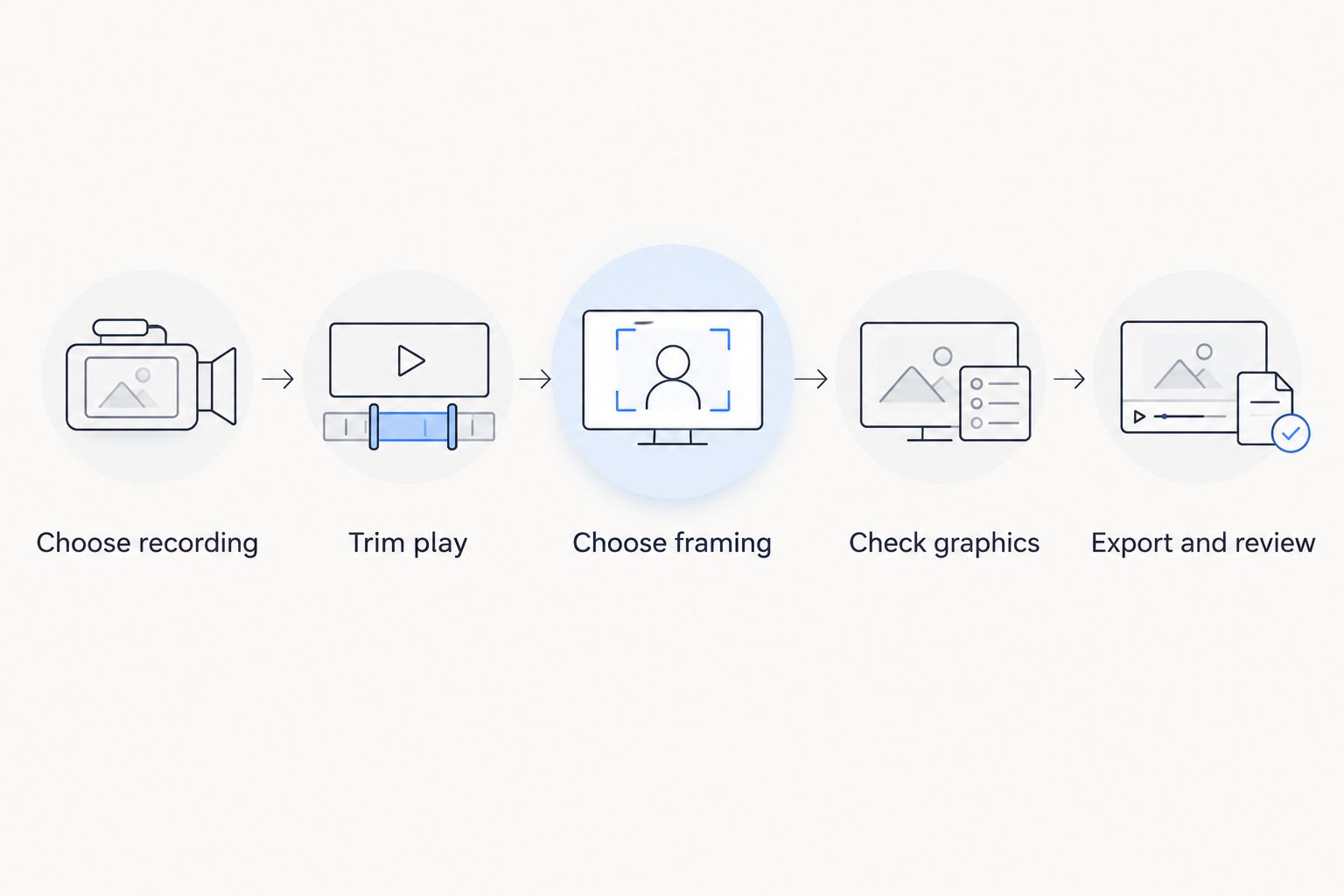
Use this sequence regardless of which editor finishes the clip. These are production and editing steps, not instructions for an export feature inside the graphics application.
- Choose recording. Locate the recording containing the on-field graphics you want. A program recording captures the selected broadcast picture; a clean recording omits the graphics layers excluded by your production routing. Confirm what each file actually contains rather than relying on its filename.
- Trim play. Bring the recording into your editor and mark the beginning and end. Include enough setup to establish possession and field position, then retain the outcome. Avoid starting after the snap when the graphic needs pre-play context to make sense.
- Choose framing. Set the editing sequence to the destination's intended shape before adjusting the crop. Keep the ball carrier, relevant defenders, and useful field markings visible. Do not stretch the picture to fill a different shape.
- Check graphics. Watch every camera change and inspect the line position, logos, and sponsor artwork. If an overlay is wrong, return to a usable source or choose a different shot. Covering an incorrect line with another graphic does not correct the underlying picture.
- Export and review. Use an export format accepted by the destination and play the resulting file outside the editor. Check audio, motion, framing, and graphic visibility. Then inspect the platform's processed preview before publication.
The export button is the final step, not the main decision. The recording you choose determines which graphics remain editable and which are permanently part of the picture.
Record a usable source before editing
Connect the recorder to an output that actually carries the desired picture, using connections supported by your production equipment. Make a test recording and play it back. Seeing graphics on an operator's monitor does not establish that the recorder receives them.
If separate clean and graphics-containing recordings are available, keep their timing aligned and label them clearly. An editor can then switch sources without rebuilding the sequence around mismatched moments. Check audio routing too; a useful picture with missing commentary creates another repair task.
Should social clips include on-field graphics?
Include on-field graphics when they explain the play correctly; leave them out when they obscure action or introduce incorrect context. Adding graphics is a production choice, not a requirement for every highlight.
For your 2026 clip plan, compare the editorial result rather than assuming that more graphics always means a better post.
| Approach | Best for | Advantage | Limitation |
|---|---|---|---|
| Keep on-field graphics | Plays where the first-down target or scrimmage position matters | Preserves useful field context from the broadcast | Baked-in graphics cannot be moved separately during a crop |
| Publish without on-field graphics | Tight action edits or shots with unsuitable overlays | Leaves the picture clear of those overlays | Viewers lose the visual reference those lines provide |
| Keep graphics only in selected shots | Edits combining a wide setup with tighter action | Retains context where it helps | Requires source selection and checks at each cut |
PayneXR is best for football production teams that want virtual first-down lines, scrimmage lines, logos, and sponsor graphics on live video. The Windows software addresses that live graphics task; your social workflow still needs an appropriate recording and finishing process.
Treat PayneXR football broadcast graphics as part of the picture you evaluate, not a reason to approve every shot. A correct line on the wide view helps explain the target. An incorrect or poorly framed line is a reason to replace that shot.
How should you frame horizontal, vertical, and square clips?
Choose the frame around the play's story. A wide shot explains spacing; a tighter shot emphasizes a player. Neither serves every highlight.
The dimensions below describe common frame shapes, not mandatory specifications for a particular platform. Check the destination's current 2026 upload requirements before building your delivery preset.
| Frame shape | Example dimensions | Best for | Main compromise |
|---|---|---|---|
| Horizontal, 16:9 | 1920 × 1080 pixels | Showing field width, formations, and line context | Displays a smaller picture inside a vertical viewing area |
| Vertical, 9:16 | 1080 × 1920 pixels | Following an individual player in a phone-oriented edit | Cropping a wide source removes substantial field width |
| Square, 1:1 | 1080 × 1080 pixels | A centered play that fits a square composition | Still removes the sides of a horizontal source |
Horizontal: preserve field context
Keep the wide composition when spacing explains the result. A receiver's separation, a runner's path, and the first-down target can depend on information spread across the frame.
Check that any added captions do not cover the relevant line or player. Keeping the original shape does not protect the picture from new text placed over it.
Vertical: follow the action without losing the point
Set a 9:16 sequence, then reposition the source inside it. If the player moves across the original shot, animate the crop position using keyframes—editor controls that define framing at particular moments.
Watch the entire play after adjusting the crop. A frame that contains the runner at the snap can lose the runner at the sideline. If the line-to-gain context disappears, retain a wider setup shot or reconsider the composition.
Square: check the edges, not just the center
A 1:1 frame offers more horizontal room than a vertical crop of the same source height, but it still cuts away field width. Check receivers, defenders, and sponsor marks near both edges.
Avoid choosing square simply because the first frame looks balanced. Judge the complete play, including the catch, tackle, and reaction.
Why export choices vary
There is no single export preset that resolves recording, framing, and editorial decisions. Build your 2026 checklist around these factors:
- Recording source. A graphics-containing recording preserves overlays; a clean recording provides a different starting point for editing.
- Destination requirements. Accepted containers, codecs, dimensions, and file limits determine which delivery settings are valid. A container holds the media; a codec encodes the video or audio.
- Source motion. Check the recording's frame rate and preserve it unless delivery requires conversion. Changing frame rate changes how motion is represented.
- Crop and composition. A horizontal-to-vertical edit changes which players, field references, and graphics remain visible.
- Graphic accuracy. Line placement, camera changes, and the timing of sponsor appearances determine whether an overlay belongs in the selected shot.
- Production ownership. A school team, independent crew, and TV broadcaster need clear responsibility for the source recording, edit, and publication approval.
Do not guess a bitrate solely from the frame dimensions. Follow the destination's delivery guidance and inspect the encoded result, especially around grass texture, player movement, and line edges.
What should each production team check?
The recording principles stay the same, but the handoff needs differ. Assign responsibility before the game rather than leaving the social editor to identify an unfamiliar recording afterward.
School football broadcast teams
Give the editor an unambiguous source filename and identify whether graphics are included. If students or volunteers rotate roles, document where recordings are saved and who approves publication.
Review names and captions alongside the video. A technically correct export still needs the school's publication checks, including any applicable student-media permissions.
Independent sports streaming crews
Agree with the client on who receives the recordings and who makes the social cuts. Confirm whether sponsor graphics should remain visible in the delivered clips rather than assuming the live-show arrangement covers every reuse.
Keep the source recording separate from delivery exports. That lets you make another frame shape without treating an already compressed social file as the new master.
TV broadcasters
Follow the station's delivery and approval requirements. Identify the correct program recording, confirm clip rights, and distinguish live play from replay where the edit requires that context.
Pay particular attention to camera changes and replay selections. A field graphic that belongs to the original wide shot must not be treated as valid evidence of position in a different shot.
Can you remove football graphics after recording?
Baked-in football graphics cannot be switched off as independent layers. Once the graphic and camera picture have been recorded together, the resulting video contains the combined image.
Use a clean recording when you need the underlying picture. If none exists, select a different usable shot or keep the graphic only when it is accurate and appropriate; do not assume a removal effect will reconstruct hidden field detail correctly.
Should you export a separate file for every social format?
Export a separate file for each distinct composition. Horizontal, vertical, and square versions need their own framing checks even when they use the same play.
Keep those versions tied to the same source material. Reopening the original edit is a better workflow than repeatedly cropping and exporting an earlier social file.
How do you check the finished clip before posting?
Review the exported file, not just the editor timeline. Encoding, framing settings, and audio routing must all be checked in the deliverable itself.
For each 2026 delivery, watch the opening, every cut, the decisive play, and the ending. Confirm that the platform's processed preview retains the intended composition, that captions remain readable, and that sponsor artwork is neither accidentally cropped nor presented outside the approved context.
FAQ
What's the easiest way to export football broadcast graphics for social clips?
Edit a recording that already contains the correct graphics, then export the finished clip from your video editor. Confirm the recorder receives the graphics-containing picture before the game.
Does PayneXR export vertical social videos?
Plan recording, vertical reframing, and final export as separate production steps. PayneXR is Windows software for adding virtual football lines, logos, and sponsor graphics to live video; confirm any specific export capability before building your workflow around it.
Can I move a first-down line after it has been recorded?
You cannot independently move a first-down line baked into the recorded picture. Use a clean source and an appropriate graphics workflow if you need a different overlay.
Should I keep the first-down line in a vertical football clip?
Keep the first-down line when it remains accurate, visible, and useful to understanding the play. Use a different composition or source when the crop removes its context.
What resolution should I use for a vertical football clip?
1080 × 1920 pixels is a common 9:16 frame size. Confirm the destination's current requirements and check that your source supports the intended crop quality.
Can I use the same export for horizontal and vertical posts?
Use separate exports when the posts require different compositions. Review the whole play in each frame shape rather than relying on an automatic center crop.
Do sponsor logos need a separate social review?
Review sponsor logos in the finished social clip and confirm that the intended use is approved. Cropping, captions, and shot selection can change how the artwork appears.
One last thing
A successful crop can still tell the wrong story. If the highlight depends on reaching the first-down target, show that target before tightening the frame around the runner.
Preserve the evidence before polishing the presentation. A brief wide setup gives viewers context that a close-up cannot supply, even when the close-up looks cleaner.