
Guides
How to choose 720p30 or 1080p60 for football graphics
Broadcast graphics software requirements for football: choose 720p30 or 1080p60, test the full video path, and decide when on-field graphics belong.
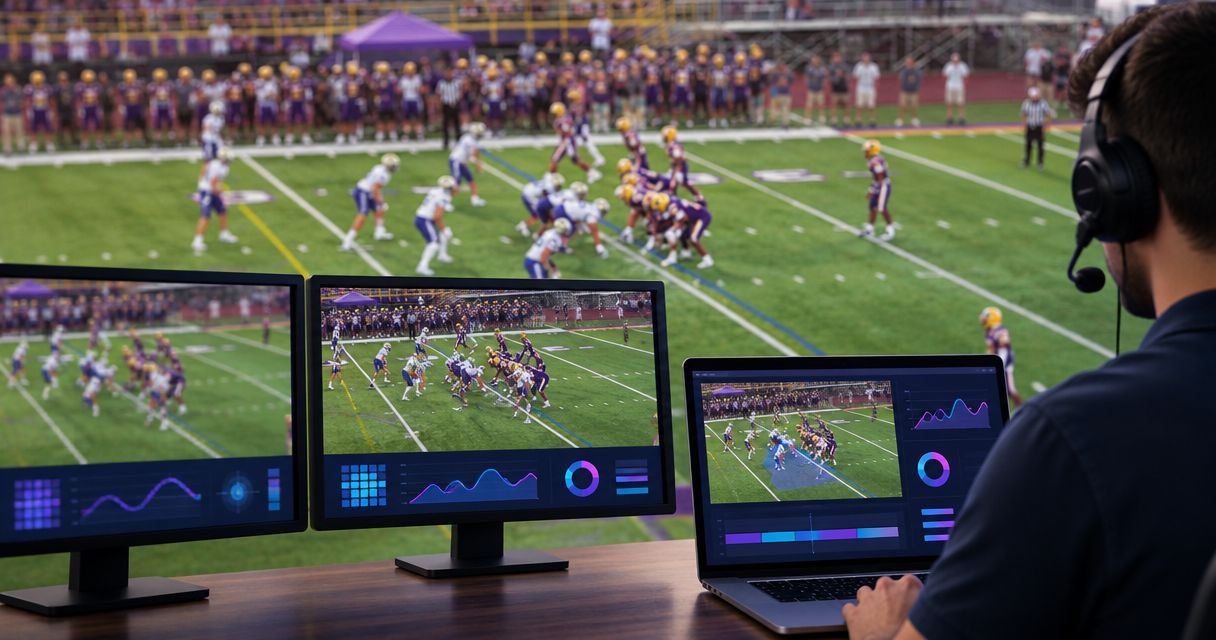
Choose 720p30 when it matches your delivery requirements and passes your full-production test; choose 1080p60 when you need finer detail and smoother motion and your entire video path supports it. Broadcast graphics software requirements extend beyond the Windows computer: capture, graphics processing, video output, and streaming must work together. For your 2026 football production, test the finished broadcast with graphics enabled before committing to either format.
TL;DR
- Broadcast graphics software requirements cover the entire video path, not just the graphics computer.
- 720p30 suits productions prioritizing a simpler video workload; 1080p60 adds detail and smoother motion.
- PayneXR football broadcast graphics software is for teams adding virtual lines, logos, and sponsor graphics to live video.
- Choose on-field graphics only when your crew can place, check, and remove them reliably.
Why this matters
Football puts both image detail and motion on display. A wide shot contains small players and field markings; a fast pan reveals uneven frame delivery. Graphics add another requirement: your line must remain useful while the underlying picture changes.
Treat your 2026 format decision as a production decision, not a computer-shopping shortcut. Start with the receiving station or streaming destination, then work backward through your equipment. The guide to what computer you need for football broadcast graphics addresses the computer side of that decision.
A school crew, independent streamer, and television broadcaster can reach different answers without anyone choosing incorrectly. The right format meets the destination's needs and survives the actual show workload.
How do you choose 720p30 or 1080p60 for football graphics?
Choose the format your complete production can deliver consistently, then decide whether adding on-field graphics earns the extra operating work. Resolution alone does not settle either question.
Use this sequence before selecting a graphics workflow:
- Confirm delivery. Ask the station, distribution partner, or streaming destination which resolution and frame rate it expects. Establish whether the requirement is mandatory or simply preferred.
- Check capture. Confirm that the camera output and capture device support the intended signal. A connector that fits does not establish format compatibility.
- Check graphics. Verify the software's supported input and output formats and the computer requirements for the intended workflow. Do not infer support from a Windows label alone.
- Test production. Run graphics alongside switching, audio, recording, and encoding—the process that compresses video for delivery. Include every task assigned to that computer.
- Review output. Inspect the delivered picture, not only the graphics preview. Watch motion, line placement, audio synchronization, and recovery when graphics are removed.
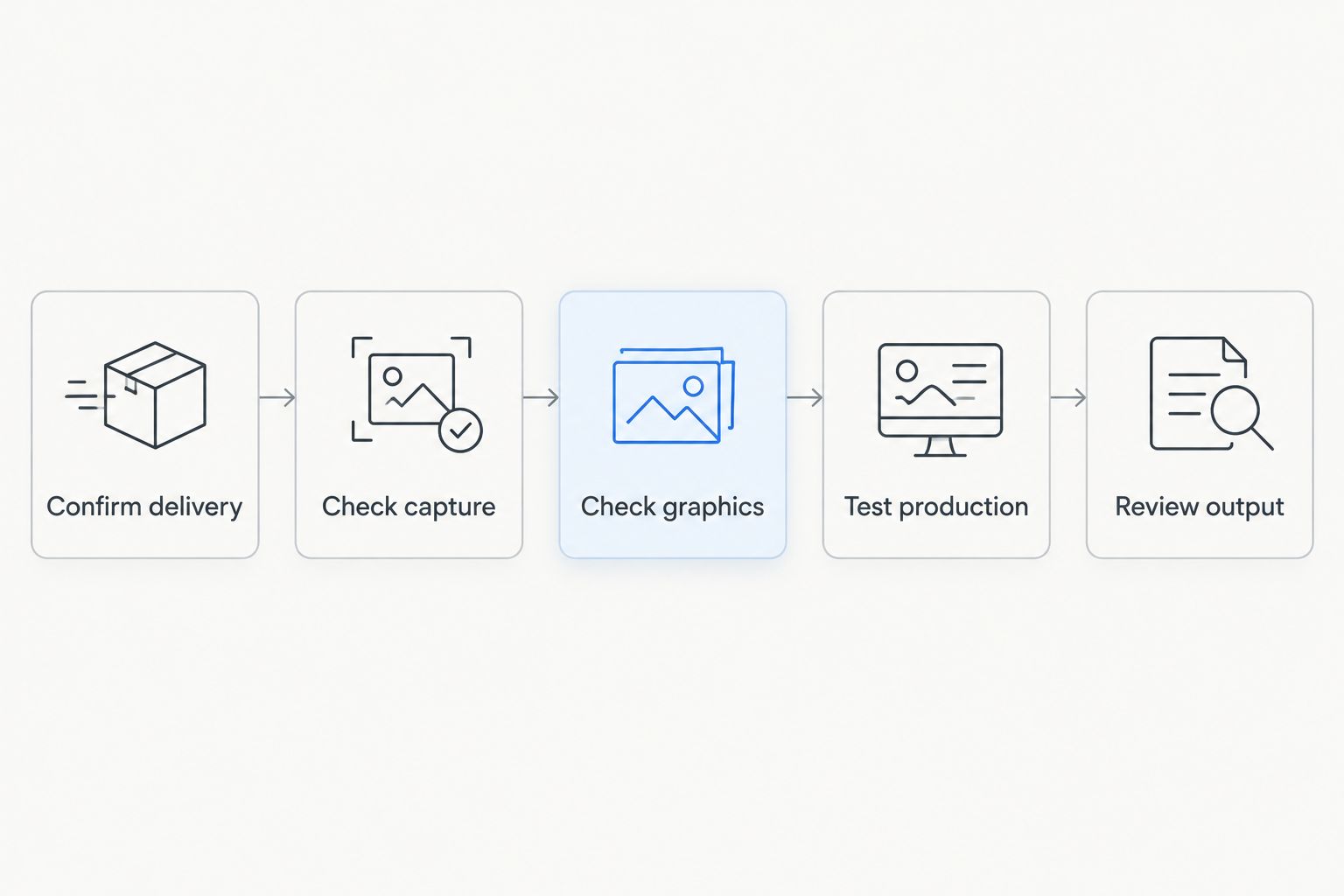
Choose a format only after checking the complete production path.
The comparison below separates the format choice from the graphics choice. Adding lines does not automatically require 1080p60, and selecting 1080p60 does not automatically make on-field graphics practical.
| Production choice | Best for | Main advantage | Main limitation |
|---|---|---|---|
| 720p30 | Crews whose destination accepts it and whose equipment passes testing | Smaller uncompressed picture workload than 1080p60 | Less spatial detail and fewer motion samples |
| 1080p60 | Productions needing finer detail and smoother motion, with a validated signal path | More detail and more motion samples | Greater processing and transport demands |
| Broadcast without on-field graphics | Crews prioritizing camera coverage, commentary, and dependable delivery | Removes live line-placement duties | No virtual first-down line, scrimmage line, or on-field sponsor placement |
| Add on-field graphics | Crews able to assign and rehearse graphics operation | Adds field-position references and sponsor graphics | Adds placement, checking, and removal responsibilities |
720p30: 30 progressive frames per second
720p30 conventionally describes a 1280 × 720 picture displayed as progressive frames, meaning each frame contains the full image rather than alternating fields. The nominal frame rate is 30 frames per second. Check the actual device setting: equipment distinguishes fractional rates such as 29.97 from exact 30.
Best for: crews whose delivery destination accepts 720p30 and whose tested workflow favors the smaller picture workload. A school team or independent crew should consider it when running several production tasks on limited equipment.
The trade-off is visible detail and motion sampling. Small lettering in a wide shot has fewer pixels available, and movement has fewer distinct samples than at 60 frames per second. Judge whether the delivered football coverage remains clear rather than assuming the lower format is automatically inadequate.
For a 2026 production using 720p30, inspect the actual stream during a moving play. A sharp paused frame does not demonstrate smooth playback.
1080p60: 60 progressive frames per second
1080p60 conventionally describes a 1920 × 1080 progressive picture at a nominal 60 frames per second. Verify whether the production actually requires 59.94 or exact 60, then match the relevant settings throughout the workflow.
Best for: broadcasters and streaming crews whose destination benefits from the added detail and motion sampling and whose equipment supports the workload. Football movement gives you a practical reason to evaluate the higher frame rate.
The limitation is the larger workload, not an automatic requirement for a particular computer model. Capture, graphics, recording, and encoding all need testing in their intended arrangement. An isolated graphics preview is not evidence that the complete show will run correctly.
Changing a 30-frame-per-second source to a 60-frame-per-second output does not recover additional motion captured at the camera. Start with the source when evaluating the benefit.
Why broadcast graphics software requirements vary
Your 2026 requirements depend on how the show is assembled. Use these factors to write a practical equipment and rehearsal checklist:
- Source format. Camera resolution and frame rate determine what enters the production. Establish the actual output setting, not just the camera's maximum capability.
- Connection and capture. HDMI, SDI, and network video use different connection paths. Confirm the formats supported by each device and any conversion between them.
- Graphics workload. Virtual lines, logos, and sponsor graphics need a workflow for placement and checking. Rehearse the graphics you intend to use rather than a simpler demonstration.
- Shared computer duties. A computer handling graphics plus encoding and recording has a different workload from a dedicated graphics computer. Test those tasks together.
- Output requirements. The destination determines the final signal requirement. Check resolution, exact frame rate, and how audio travels with the picture.
- Operator responsibilities. Someone must verify field position and remove incorrect graphics. A format that runs correctly does not solve an overloaded operator's workload.
Match the test to the show. If you will record locally while streaming and inserting sponsor graphics, include all those actions in rehearsal. Testing each separately leaves their combined behavior unexamined.
Connect the video path before adjusting graphics
Write down where the camera picture enters, where graphics are added, and where the finished picture leaves. A capture device brings an external video signal into a computer; an output device sends a signal back to production equipment. Whether you need either depends on the supported workflow.
Do not treat every possible connection as interchangeable. Confirm the software and hardware documentation before choosing cables or buying adapters. For a separate graphics stage, read where football graphics should sit in your video signal path.
Use a plain-language routing sheet that another operator can follow:
- Name the camera or switched feed supplying the picture.
- Identify the connection bringing that picture into the graphics stage.
- Record the graphics stage's output format and destination.
- Identify where the operator watches the finished program—the picture viewers receive.
- Describe how production continues if on-field graphics are removed.
Keep audio on that routing sheet. Extra video processing can change the relationship between sound and picture, so check synchronization at the final output. A clean graphics image does not excuse commentary that arrives out of step with the action.
Add on-field graphics or broadcast without them?
A broadcast without on-field graphics is a valid choice when your crew cannot reliably operate them. Prioritize readable camera coverage, intelligible commentary, and dependable delivery before adding another live responsibility.
On-field graphics serve a different purpose from resolution. A virtual first-down line gives viewers a field-position reference; a logo or sponsor graphic places an additional visual element over the live field. Neither substitutes for clear coverage or accurate commentary.
PayneXR football broadcast graphics software is for production teams adding virtual first-down lines, scrimmage lines, logos, and sponsor graphics to live football video. It is Windows software; verify the specific format and connection requirements before planning the installation. Do not assume that either format discussed here is supported merely because it is common in production.
Adding that graphics stage also adds operating work. Assign responsibility for placement, checking, and removal, and establish who has authority to clear a questionable line. A missing line is preferable to a line your crew knows is wrong.
What should a school football crew prioritize?
School football crews should prioritize a repeatable setup and a clearly assigned graphics operator. Write down who confirms the line of scrimmage and line to gain—the location the offense must reach for a new first down.
If the same person switches cameras, manages audio, and operates graphics, rehearse that exact arrangement. Simplify the graphics plan when those duties compete during a play.
What should an independent streaming crew prioritize?
Independent streaming crews should prioritize the actual streaming and recording workload. Test from the capture input through the encoded output, using the equipment arrangement intended for the event.
Check graphics in a recording of the delivered stream as well as on the local preview. Network delivery and encoding belong in the evaluation; they are not separate from picture quality.
What should a television broadcaster prioritize?
Television broadcasters should prioritize the receiving facility's exact signal specification and a documented graphics-removal procedure. Confirm fractional frame rates rather than relying on abbreviated format labels.
Agree on who checks graphics before transmission and how production continues without them. Clear responsibility matters even when separate people handle graphics, switching, and transmission.
How do you test the format before game day?
Test the chosen format with representative football footage, including wide shots, pans, zooms, cuts, and moving players. A stationary camera pointed at an empty field does not exercise the same conditions.
For your 2026 rehearsal, follow this acceptance checklist:
- Run the intended capture, graphics, recording, and streaming tasks together.
- Place and remove the graphics you expect to use during the game.
- Watch the finished output for uneven motion, incorrect placement, and delayed audio.
- Switch between intended sources and verify how graphics are handled across cuts.
- Remove graphics and confirm that the underlying broadcast continues correctly.
- Record the working settings so another operator can reproduce them.
Use that record to choose between 720p30 and 1080p60. Do not promote a setup to game-day use simply because the application opens and displays a picture.
FAQ
Is 1080p60 always better than 720p30 for football graphics?
1080p60 provides more spatial detail and motion samples, but it is not always the right production choice. Choose it when the destination accepts it and the complete workflow passes testing.
What are the main broadcast graphics software requirements?
Broadcast graphics software requirements include a supported computer, compatible video input and output, matching format settings, and enough capacity for the complete production workload. Check the software documentation and rehearse the finished signal path.
Can I add a first-down line to a 720p30 broadcast?
A 720p30 first-down-line workflow requires graphics software and connected equipment that support that format. Confirm support for the specific configuration rather than assuming compatibility from the resolution alone.
Do I need a separate Windows computer for football graphics?
A separate Windows computer is not a universal requirement for every graphics workflow. Check the software's requirements and test all duties assigned to a shared computer together.
What does PayneXR add to a football broadcast?
PayneXR adds virtual first-down lines, scrimmage lines, logos, and sponsor graphics over live football video using Windows software. Your crew still needs a process for operating and checking those graphics.
Is 59.94 the same setting as 60 frames per second?
59.94 and 60 frames per second are different frame rates. Match the exact rate required by the connected equipment and delivery destination rather than treating the labels as interchangeable.
Should a small crew broadcast without on-field graphics?
A small crew should broadcast without on-field graphics when it cannot operate and check them reliably. Add graphics after camera coverage, audio, and delivery are dependable and the operating duties are assigned.
One last thing
Test removal as carefully as insertion. Your crew needs to know how to clear a misplaced line while keeping the football picture on air. Make that action part of rehearsal, not a decision made during a live play.