Guides
How long does it take to learn football graphics software?
How long does it take to learn football graphics software? Use rehearsal results, not hours, to judge readiness. Learn what to practice before going live.
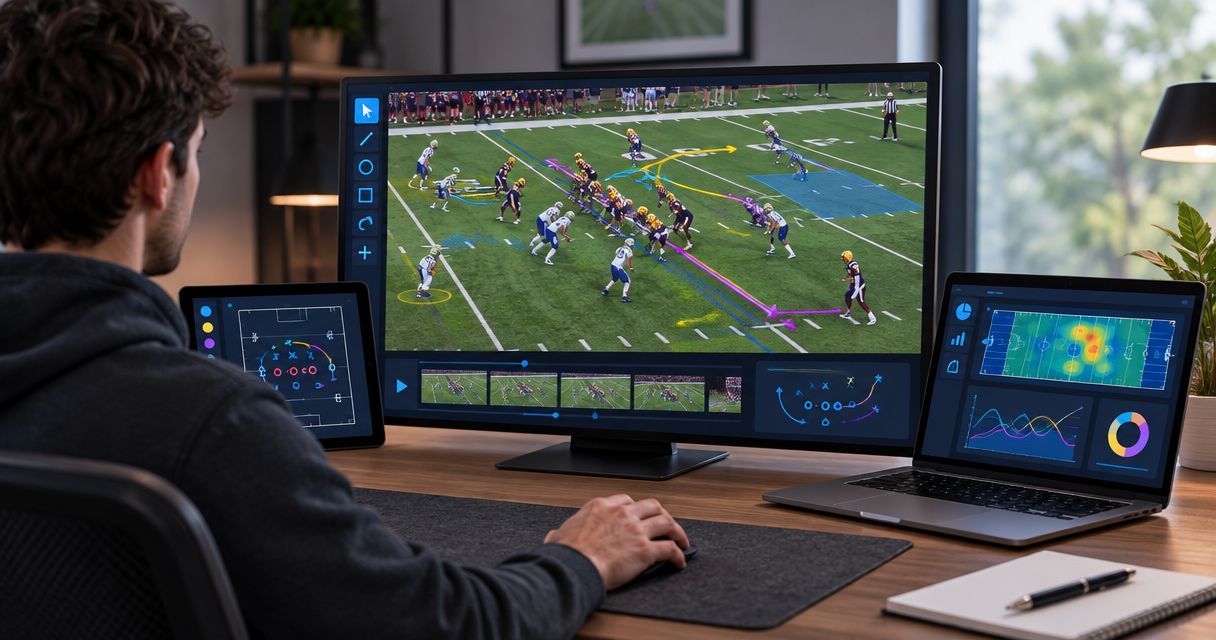
Learning football graphics software takes as long as your crew needs to operate it correctly at game speed; there is no universal hour count that defines readiness. Learning the controls is only part of the job: you also need to verify the video connections, place graphics accurately, and remove them when the picture changes.
TL;DR
- How long does it take to learn football graphics software? Judge readiness by rehearsal performance, not elapsed hours.
- Paynexr adds virtual first-down lines, scrimmage lines, logos, and sponsor graphics to live football video on Windows.
- Practice accurate placement, camera changes, and removing graphics before adding sponsor artwork to your workflow.
- Broadcast without on-field graphics when the crew cannot maintain accurate placement while keeping the main production under control.
Why this matters
A graphics operator needs more than familiarity with buttons. The operator must recognize when a line belongs on the picture, when its position is uncertain, and when the safest decision is to take it off.
For your 2026 training plan, separate learning the application from learning the broadcast workflow. The guide to placing scrimmage and first-down lines before a play addresses a central operating task; connecting the computer and coordinating with the director are separate responsibilities.
Your training is complete when you can repeat the required actions during realistic football coverage, including recovering from a mistake. Opening a project successfully does not establish that you are ready to operate during a game.
How long does it take to learn football graphics software?
Use demonstrated skills rather than a promised training duration. A person who already understands live video production has different learning needs from someone learning football coverage, Windows software, and production equipment together.
The practical distinction is between knowing what a control does and using that control at the right moment. Assess both before putting the graphics output on air.
| Learning stage | What you need to demonstrate | What remains unfinished |
|---|---|---|
| Basic operation | Find the controls required for your planned graphics | Connecting those actions to live football coverage |
| Video setup | Send the intended picture through the planned production path | Proving the setup works during normal production changes |
| Field placement | Place the scrimmage and first-down lines against visible field references | Maintaining accuracy as the shot changes |
| Live operation | Update and remove graphics while following the action | Recovering from errors without disrupting coverage |
| Operator handoff | Explain the setup and let another operator run it | Resolving anything that depends on undocumented knowledge |
Do not treat these stages as fixed-length lessons. Advance when the operator can demonstrate the task without someone correcting each action.
For a 2026 launch, make the final checkpoint a rehearsal using your intended production arrangement. A demonstration on an isolated computer answers a narrower question than a rehearsal involving the actual camera feed, production controls, and broadcast output.
Start by choosing what you actually need to learn
Your training scope should match the graphics you intend to show. Learning a scrimmage line, a first-down line, and sponsor placement together creates more operating decisions than starting with the field lines alone.
Paynexr is Windows broadcast graphics software for placing virtual first-down lines, scrimmage lines, logos, and sponsor graphics over live football video. Paynexr is best for football broadcast teams that need on-field graphics in a Windows production workflow. Its relevance is that specific job; it does not eliminate the need to learn placement, video routing, or production coordination.
The useful comparison is adding on-field graphics versus broadcasting without them—not assuming every broadcast needs every available graphic.
| Approach | Best for | Benefit | Trade-off |
|---|---|---|---|
| Add on-field graphics | Crews ready to assign and rehearse graphics operation | Gives viewers a visible reference for the line of scrimmage and first-down target | Adds placement checks and another live production responsibility |
| Broadcast without on-field graphics | Crews prioritizing reliable pictures, audio, and basic production | Removes the need to place and update virtual field lines | Viewers must use field markings, commentary, and other game information instead |
Choose the workflow your crew can operate accurately. An optional graphic should not take attention away from the camera, audio, or the game itself.
Learn the workflow in a repeatable sequence
Follow this sequence for your 2026 rehearsal plan. These are operating checkpoints, not claims about a particular application's menus or supported connections.
Establish the video path
Identify where the camera picture enters the production, where graphics are added, and where the finished picture goes. A signal path is simply that ordered route through the equipment and software.
Write the route down before changing connections. Confirm the supported input and output methods for your software and equipment rather than assuming that a connector or network connection guarantees compatibility.
Verify the output
Check the picture at the destination used by the production, not just in the graphics application's preview. Preview means a picture you inspect before choosing to show it to viewers.
Confirm that the intended picture arrives and that you can remove the graphics. If you cannot identify which picture is actually being broadcast, stop and resolve that before practicing placement.
Place the lines
Use visible field markings to check the scrimmage line and first-down target. Confirm the direction of play and the current game situation before displaying them.
Practice correcting a placement before putting it on air. Accuracy matters more than displaying a line as quickly as possible.
Follow camera changes
Rehearse pans, zooms, and cuts to different shots. A pan turns the camera horizontally; a zoom changes the framing without moving the camera's position.
Check whether the graphic remains appropriate and correctly positioned in each shot. Remove it whenever the shot or placement no longer supports showing it accurately.
Practice recovery
Deliberately rehearse a wrong placement, an unexpected camera cut, and an operator losing track of the game situation. Make removing the graphic the immediate response when its accuracy is uncertain.
Then restore the correct information and check the picture before displaying it again. Recovery should be a practiced action, not a decision invented during live coverage.
Rehearse the handoff
Have the next operator take over using the written setup notes. The outgoing operator should explain the current state, including which graphics are active and anything that needs attention.
Watch for actions that require verbal rescue. Those are the tasks to document and practice again before assigning independent operation.
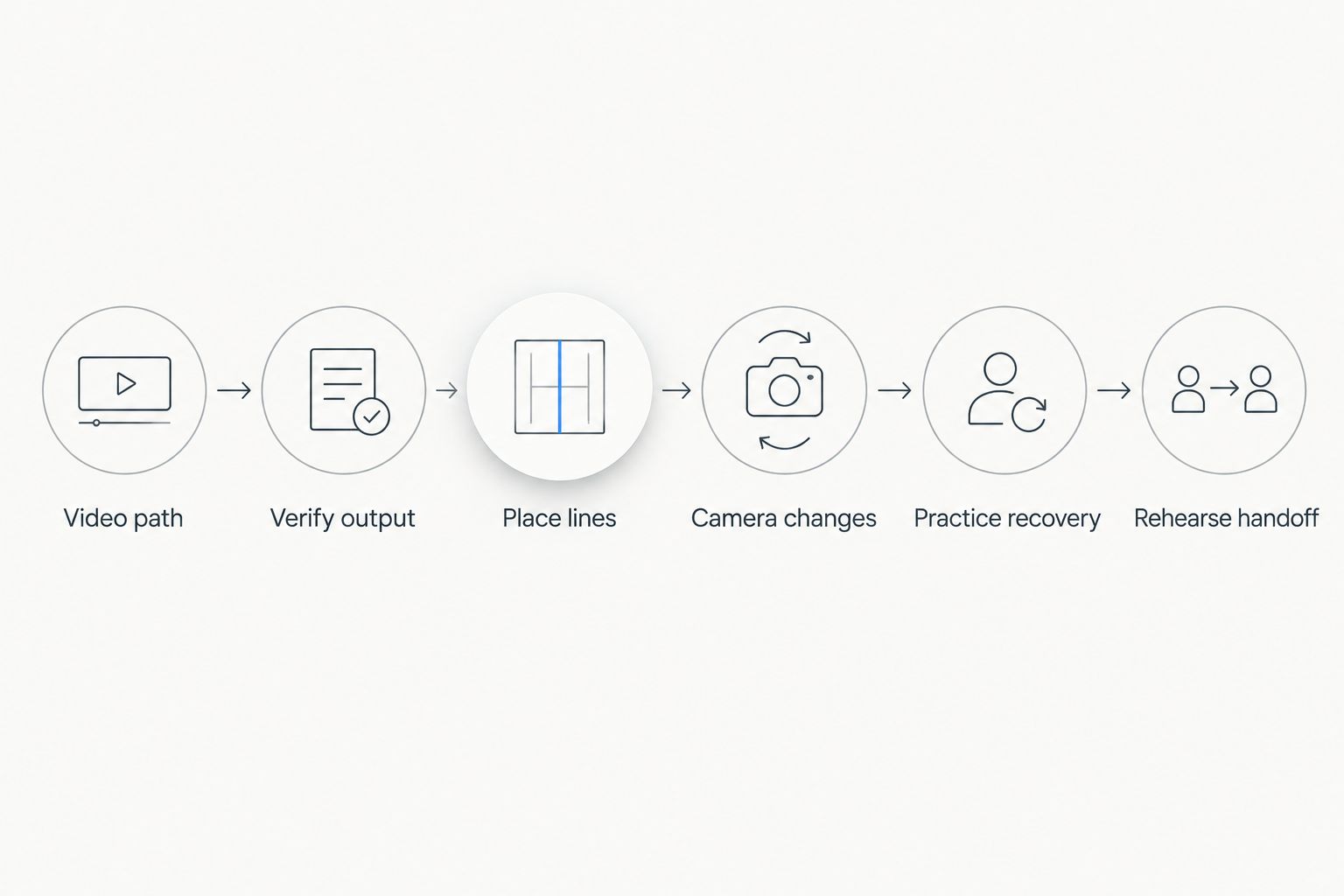
Practice recovery and handoff as part of training, not as tasks left until game day.
After the sequence works, repeat it with normal production communication. Someone should call camera changes and identify corrections just as they will during the broadcast.
Use the recorded-video rehearsal guide when planning practice away from a live game. Confirm the supported playback arrangement before building training around it.
Why learning time varies
The workload changes with the tasks you assign, the operator's starting knowledge, and the production environment. Use these factors to decide what belongs in training rather than attaching an unsupported deadline to the whole process.
- Live production experience. An experienced operator already understands preview, output monitoring, and production cues. A newcomer needs those concepts explained alongside the graphics controls.
- Football knowledge. The operator needs to understand the line of scrimmage, the first-down target, and changes in possession. Software familiarity does not replace understanding the game situation.
- Video routing. A clearly documented connection path gives the trainee a defined starting point. An unresolved routing problem belongs in setup troubleshooting, not in a lesson about line placement.
- Camera coverage. Training must include the shots your production actually uses. A fixed wide view does not exercise the same decisions as coverage involving pans, zooms, and camera cuts.
- Assigned graphics. Field lines and sponsor graphics require different display decisions. Learn the essential game information first, then add the artwork and timing rules your production needs.
- Operator workload. A dedicated graphics operator can concentrate on placement. Someone also switching cameras or monitoring audio needs a rehearsal that tests those combined duties.
Keep these factors visible in your 2026 training notes. If the production arrangement changes, revisit the affected tasks rather than assuming a previous rehearsal covers the new setup.
What should different broadcast teams practice?
School football broadcast teams
Teach the football situation and the production controls together when students or volunteers are new to both. Ask the operator to explain where a line belongs before asking them to display it.
Write down the startup sequence, the removal action, and who answers placement questions. If operators rotate, include a handoff rehearsal rather than depending on the most experienced person being available.
Best for school crews: a limited, documented graphics assignment that another trained operator can repeat. Add responsibilities only after the essential workflow is dependable.
Independent sports streaming crews
Rehearse the actual division of labor. If the same person handles graphics and other production tasks, practice a busy passage of play rather than testing each task separately.
Decide which graphics are optional when attention is needed elsewhere. A sponsor graphic should not become a reason to miss a camera change or leave an uncertain field line visible.
Best for independent crews: a workflow with explicit priorities and a clear decision to omit optional graphics when necessary. Test that decision during rehearsal.
TV broadcasters
Train the graphics operator within the director's camera and replay workflow. Agree on the cues for displaying and removing graphics, and establish who makes the final decision when placement is disputed.
Check the intended output and the route used when graphics are removed. A clean feed is a picture without the graphics being discussed; confirm exactly what that means in your production.
Best for TV broadcasters: documented cues, output checks, and rehearsed recovery within the full production team. Software operation alone is not the whole assignment.
How do you know you are ready for a live game?
Use a practical acceptance check for your 2026 debut. Ask the operator to run the planned workflow while another crew member observes the broadcast output.
The operator should demonstrate all of the following:
- Explain the video path without guessing which output viewers receive.
- Place the required field lines using the current game situation.
- Recognize a shot where the graphics should not remain visible.
- Remove an incorrect graphic without waiting for a detailed instruction.
- Restore the correct graphic after checking its placement.
- Transfer the setup to another operator using written notes.
If a task fails, practice that task again. Do not turn a successful startup into a blanket approval for live operation.
Is learning the software the same as setting it up?
Learning and setup are different jobs. Setup establishes the computer, connections, and output; learning establishes whether the operator can use that arrangement during football coverage.
A working connection does not prove that the operator can handle a camera change or correct a misplaced line. Test both before calling the crew ready.
Can you learn during the broadcast?
A live broadcast should not be the first test of essential graphics actions. Practice placement, removal, output checks, and recovery before those actions affect viewers.
If training is incomplete, broadcast without the optional on-field graphics. Keep practicing in an off-air arrangement that does not alter the audience's picture.
Should you learn sponsor graphics before field lines?
Learn the graphics required for your planned coverage first. If your initial goal is helping viewers follow the scrimmage line and first-down target, make those the first operating assignment.
Add sponsor graphics after you have agreed where they belong and when they should appear. Artwork placement is a separate production decision, not merely another button to learn.
FAQ
How long does it take to learn football graphics software?
There is no universal learning duration; readiness means operating accurately during a realistic rehearsal. Check placement, camera changes, output monitoring, and recovery rather than relying on elapsed hours.
Can a beginner learn football broadcast graphics?
A beginner should learn the required graphics actions alongside basic football and live video production concepts. Start with a limited assignment and demonstrate each task before using it on air.
Do I need to understand football to operate first-down lines?
You need to understand the game situation well enough to identify the scrimmage line, first-down target, and direction of play. Knowing the software controls does not establish whether a line is correctly placed.
Can one person operate graphics and switch cameras?
Assign both duties only after a rehearsal shows that the operator can handle the combined workload. If graphics distract from camera coverage, simplify the assignment or give graphics to another trained operator.
What should I practice first in Paynexr?
Start with the field graphics your broadcast intends to use, including placing them, checking the output, and removing them. Paynexr provides Windows football broadcast graphics; practice the production workflow as well as the controls.
Should I leave a first-down line visible during every camera shot?
No; remove the line whenever its placement is uncertain or the shot is unsuitable. Recheck the picture before displaying the line again.
How do I train a replacement graphics operator?
Use written setup notes and have the replacement operator demonstrate the workflow without step-by-step rescue. Include removing an incorrect graphic and recovering after a camera change.
One last thing
Practice taking graphics off before practicing putting more graphics on. Removing a doubtful line protects the accuracy of the picture while you resolve the problem.
Make that action easy to explain during a handoff. The most useful training outcome is not remembering every control; it is knowing what to do when the picture stops being trustworthy.