Guides
How long does camera calibration take for first-down lines?
How long does camera calibration take for first-down lines? Use field alignment and motion checks—not a timer—to decide when your feed is ready.
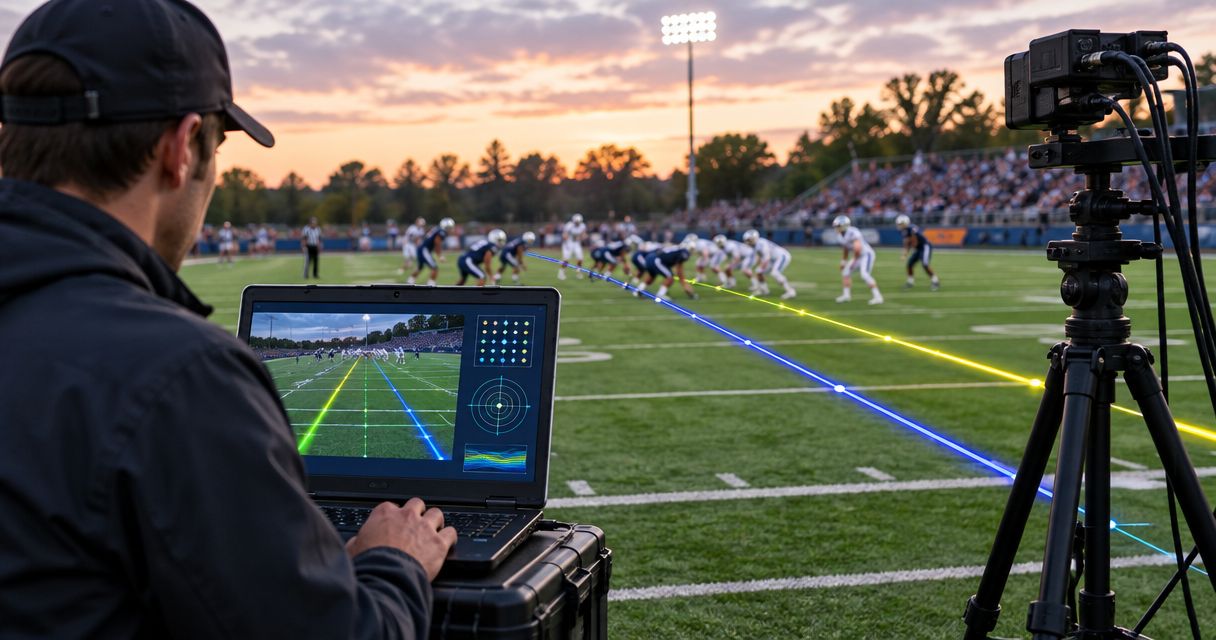
Camera calibration for first-down lines has no single fixed duration: finish when the overlay aligns with the field and stays aligned through the camera movements you plan to broadcast. Your pregame schedule must also cover video connections, output checks, and operator rehearsal; calibration alone does not establish that the broadcast is ready.
TL;DR
- How long does camera calibration take for first-down lines? Use alignment and movement checks, not a fixed timer.
- Paynexr provides Windows football broadcast graphics; verify field alignment before putting virtual lines on air.
- Check the intended camera shots and the final program output before approving on-field graphics.
- Keep a clean video fallback ready when a virtual line fails its alignment check.
How long does camera calibration take for first-down lines?
Schedule calibration around a readiness test, not an assumed number of minutes. A stationary picture with an apparently correct line is only the starting point. The line also needs to remain in the correct field position during the shots you intend to use.
Treat the following as a general acceptance sequence, not a substitute for your software's calibration instructions. The camera-tracking calibration guide provides a related walkthrough for planning that work.
- Confirm the feed. Identify the camera image entering the graphics stage and confirm that it is the intended source.
- Match the field. Follow the software's documented calibration procedure, using visible field markings as references.
- Check static alignment. Inspect the virtual line against the field while the camera remains still.
- Check movement. Rehearse the pans, tilts, and zooms intended for live coverage, checking alignment throughout.
- Approve the output. Inspect the final broadcast picture and demonstrate how to remove the overlay if it becomes inaccurate.
The finish condition is observable: the line remains correctly positioned in the approved shots, and the crew knows what to do when it does not. Record your own rehearsal duration for the same equipment and camera position before turning it into a scheduling allowance.
Why this matters
An inaccurate first-down line gives viewers the wrong visual reference. A line that appears correct before kickoff but drifts during a pan has not passed the checks needed for that shot.
For your 2026 production plan, separate calibration from total graphics setup. Connecting the video source, checking the output, and briefing the operator are necessary tasks, but they are not the same task as matching an overlay to the field. Keeping those jobs separate makes delays easier to diagnose.
A new camera position needs a complete alignment check
A new camera position changes the view of the field. The height, angle, and framing determine how field markings appear in the picture, so do not assume an earlier alignment remains suitable.
Start with the camera in its intended operating position. Secure the support, establish the expected framing, and identify the field markings you will use during the documented calibration process. Avoid calibrating a temporary picture that you already intend to change.
Then inspect more than the center of the image. Check the visible field across the planned framing, including the areas where you expect to place scrimmage and first-down lines. A line that appears correct in one part of the picture does not establish correct alignment everywhere else.
Approve the camera view you will actually broadcast. If the camera location or framing changes afterward, inspect the overlay again before returning it to air.
A returning setup still needs verification
A familiar venue is a useful starting point, not proof that the current picture matches the previous one. A moved tripod, a different camera position, or a changed crop alters the relationship between the image and the field.
If your software supports reusing a configuration, follow its documented process and verify the result against the current picture. Reuse should remove repeated work only when the result still passes inspection; it should not remove the inspection itself.
For a returning 2026 assignment, keep a setup record that identifies the camera position, intended framing, video route, and acceptance checks. Write down what changed since the previous production. That gives the crew a concrete starting point without turning an old setup into an untested assumption.
Why camera calibration time varies
The useful scheduling question is which checks your particular setup needs. These factors define the work to complete before approving the overlay:
- Camera position: A changed viewpoint requires checking the relationship between the current image and the field.
- Shot range: A fixed wide shot and a camera that pans, tilts, and zooms require different movement rehearsals.
- Field visibility: Calibration references must be identifiable in the picture; do not guess at a marking hidden by people or equipment.
- Video framing: Cropping or resizing changes how field features appear, so inspect the image used by the graphics stage.
- Camera switching: Establish which camera views are approved for on-field graphics and what happens when another view goes live.
- Operator handoff: The person running the game needs to demonstrate line placement, removal, and the fallback procedure.
None of these factors establishes a universal duration. Use them to explain why a rehearsal took longer and which part of the next setup needs attention.
How do you check calibration before kickoff?
Test alignment in a deliberate order so you can distinguish a field-matching problem from a video-routing problem. A clean sequence also gives a school crew, an independent streaming team, or a TV production crew the same definition of ready.
Confirm the feed
Trace the intended camera picture into the graphics stage, then identify where the resulting picture reaches the broadcast output. A video capture device brings an external camera signal into a computer; a production switcher selects the picture sent to viewers. Use the connections and formats supported by your actual equipment.
Check the picture at each relevant stage rather than assuming a visible preview proves the whole route works. A correct graphics preview does not establish that the final broadcast carries the intended result.
Match the field
Use the software's documented calibration controls and visible field markings. Keep calibration separate from the football decision about where the next line belongs: matching the image to the field and selecting the correct game position are different jobs.
Inspect the rendered line against the field references you can clearly identify. If a reference is obscured, restore a usable view instead of treating an uncertain match as complete.
Check movement
Ask the camera operator to rehearse the movement intended for game coverage. Watch the relationship between the overlay and the field during the movement, not just after the camera stops.
If alignment fails at a particular framing, do not approve that framing for graphics until the issue is resolved. A practical alternative is to restrict on-field graphics to shots that have passed inspection and remove them for other shots.
Approve the output
Watch the actual program output—the final picture selected for viewers. Check line position and visibility there, including whether the overlay covers information the audience needs to see.
Assign someone the authority to remove an inaccurate graphic immediately. Read the clean-feed fallback guide when defining that recovery procedure; a clean feed is the camera picture without the added on-field graphics.
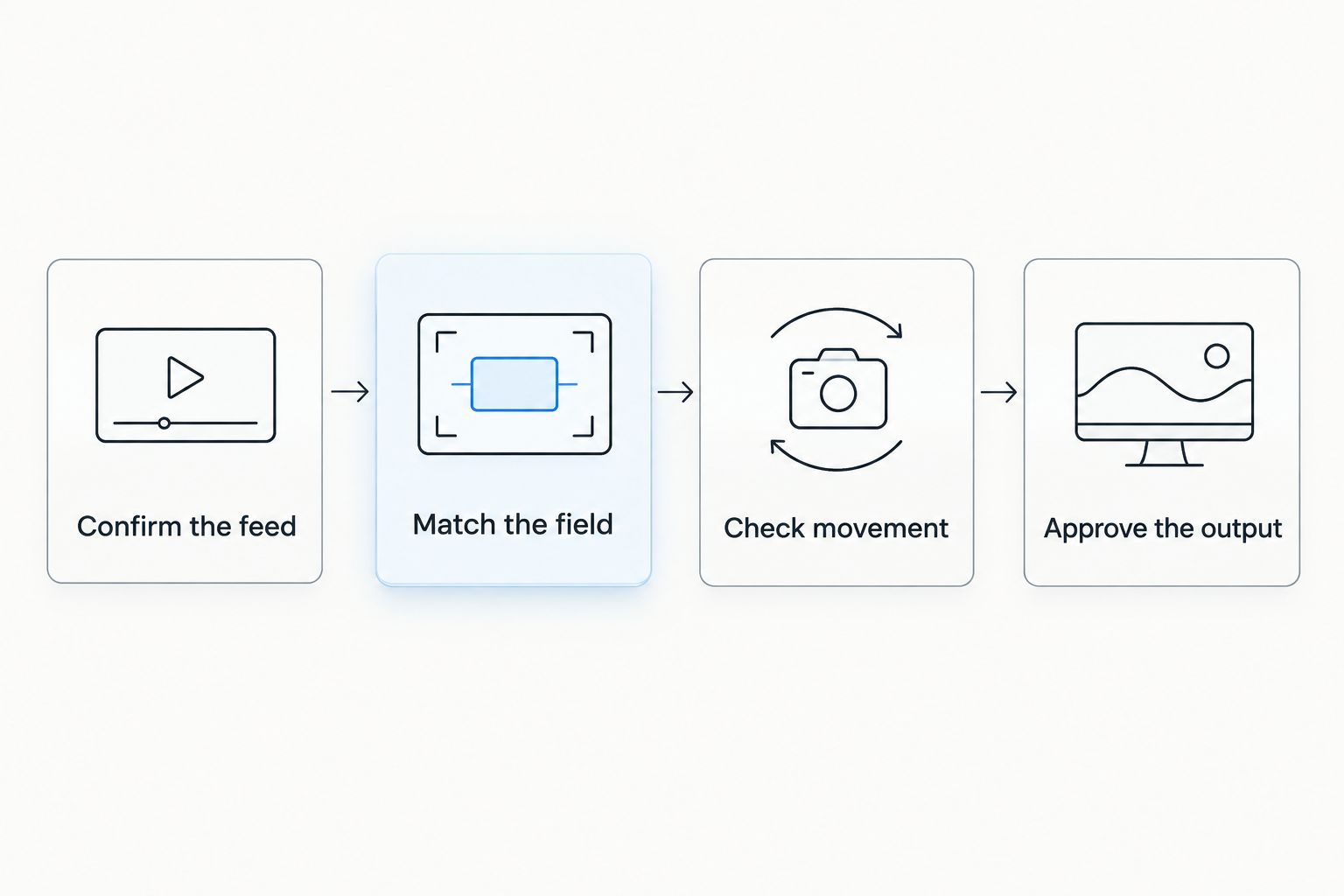
Approve the final broadcast picture, not just the calibration preview.
Adding on-field graphics versus broadcasting without them
Use on-field graphics when the crew can verify and maintain their accuracy. Broadcasting without virtual lines remains a valid production choice when the setup has not passed its checks.
The trade-off is viewer guidance versus the operational work required to keep that guidance correct. Neither choice removes the need for accurate commentary and game information.
| Approach | Best for | Benefit | Limitation |
|---|---|---|---|
| Add on-field graphics | Crews with an approved camera view and a defined graphics role | Shows the scrimmage position and distance-to-gain reference on the field image | Requires calibration checks, correct placement, and prompt removal when inaccurate |
| Broadcast without on-field graphics | Crews that cannot complete or maintain those checks | Removes field-overlay alignment from the live workflow | Viewers do not receive a virtual line as a spatial reference |
Do not treat the first-down line as an official ruling. It is a broadcast graphic; the crew still needs reliable game information to place it correctly.
For 2026 coverage, make this an explicit editorial decision before kickoff. If the overlay fails inspection, starting without it is better than placing an unverified reference over live play.
What should different broadcast crews plan for?
School football broadcast teams
Give the graphics operator a written acceptance sequence and identify who confirms the game information used for line placement. If students or volunteers rotate roles, require the incoming operator to demonstrate placement and removal before taking over.
Do not make a single operator responsible for learning the controls while also resolving the video route during live coverage. Complete those checks in rehearsal, then keep the game-day instructions focused on the actual operating tasks.
Independent sports streaming crews
Define the limits of a small crew before adding another live responsibility. If the same person handles switching and graphics, rehearse that combined workload rather than testing each job separately and assuming the combination is manageable.
If you move between venues, document the camera position and video route at each setup. Treat every changed viewpoint as something to inspect, even when the computer and software remain the same.
TV broadcasters
Include approved camera views and graphics-removal cues in the production briefing. The director, camera operator, and graphics operator need a shared rule for when the on-field overlay is allowed on air.
Check transitions as well as individual shots. A graphic approved for the main game camera should not remain visible over an unrelated camera view merely because switching happened faster than the removal cue.
Where does Paynexr fit into the workflow?
Paynexr is best for football broadcast teams seeking Windows software for virtual first-down lines and on-field graphics. Its stated scope includes scrimmage lines, logos, and sponsor graphics over live football video.
The benefit is adding those visual references and graphics to the field image. The operational trade-off is that your crew must still verify alignment, place the graphics correctly, and monitor the result during coverage. Do not substitute the software's presence for an acceptance test.
Evaluate Paynexr football broadcast graphics with the camera view and production route you intend to use. For a 2026 rehearsal, test the intended work: preparing the picture, checking alignment, placing a line, switching away, and removing the overlay when required. Confirm connection requirements against the software documentation before deciding how the Windows computer fits into your system.
Can you calibrate before the camera is in position?
You can prepare the computer, review the documented procedure, and rehearse operating tasks beforehand. Final field-alignment approval belongs to the camera picture you will actually use.
Do not sign off on a temporary view and assume it covers a later camera move. Preparation and final verification serve different purposes; both belong in the production schedule.
Do you need to check calibration after moving the camera?
Yes—check alignment after moving the camera before using the virtual line again. A changed viewpoint changes how the field appears, so the earlier approval does not establish that the new picture is correct.
The response is not automatically a complete rebuild. Inspect the current picture, follow the software's documented procedure, and repeat the movement checks needed for the intended shot.
How do you set a useful calibration allowance for 2026?
Measure a complete rehearsal with your own equipment and crew. Record calibration separately from connection work, troubleshooting, and operator practice so the result answers the scheduling question you actually have.
Write down the starting conditions and the finish condition. A useful record explains whether the camera position was new, which shots passed inspection, and what interruptions occurred. Use a repeatable acceptance test to build your schedule, not an unsupported promise of speed.
FAQ
How many minutes should I allow for first-down line calibration?
There is no single minute allowance that establishes readiness for every camera setup. Measure your own rehearsal and finish only after field alignment, intended camera movements, and final output pass inspection.
Is camera calibration the same as placing the first-down line?
No. Calibration matches the overlay to the camera's view of the field; line placement selects the game position the graphic should represent.
Can I reuse calibration from the previous game?
Reuse a configuration only through the software's supported process, then verify it against the current camera picture. A previous setup does not establish that today's camera position and framing are unchanged.
What should I do if the line moves away from the field markings?
Remove the inaccurate line from the broadcast and inspect the camera view and calibration. Restore the graphic only after the intended shot passes its alignment checks.
Does Paynexr provide football broadcast graphics on Windows?
Yes. Paynexr provides Windows software for virtual first-down lines, scrimmage lines, logos, and sponsor graphics over live football video.
Should a small streaming crew broadcast without virtual lines?
Broadcast without virtual lines when the crew cannot complete or maintain the alignment and placement checks. Add them when the live workflow supports accurate operation and immediate removal.
Does a correct preview mean the broadcast is ready?
No. Inspect the final program output as well as the graphics preview, and test the procedure for returning to video without on-field graphics.
One last thing
A correctly calibrated line can still be placed at the wrong game position. Include a deliberate wrong-placement rehearsal: have the operator identify the error, remove the graphic, and restore the correct reference before play resumes.
That check tests a different failure from calibration drift. Your audience needs both field alignment and correct football information; passing one does not establish the other.