
Guides
Can one Windows PC run football graphics and production?
For broadcast graphics software windows setups, one PC works if the full workflow passes rehearsal. Check routing, operator workload, and recovery.
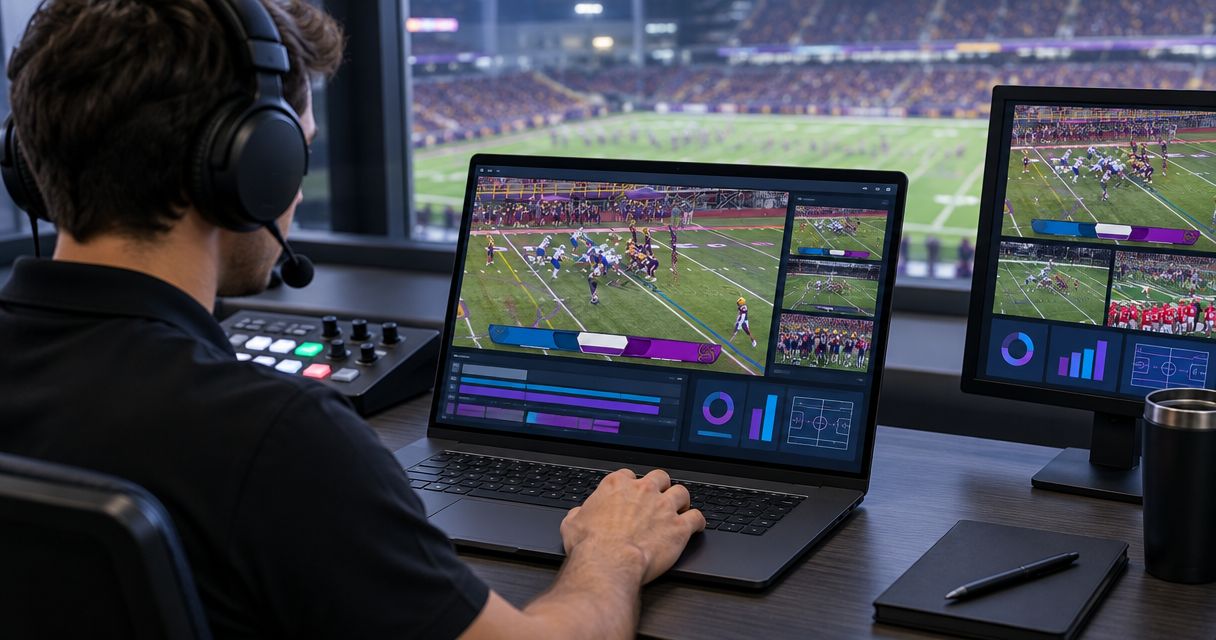
One Windows PC can run football graphics and production when the complete setup passes a full-load rehearsal; running both applications is not enough to establish game-day readiness. Virtual field graphics add processing and operator work, so your decision must account for video routing, output stability, and the ability to remove graphics without interrupting coverage.
TL;DR
- For broadcast graphics software windows setups, judge one-PC readiness by the complete production rehearsal, not application startup.
- PayneXR is for football production teams that need Windows software for virtual first-down lines and on-field graphics.
- Adding field graphics improves visual explanation but adds routing, checking, and operator responsibilities.
- Keep a usable camera picture available when field graphics need to come off air.
Why this matters
A school crew, an independent streaming team, and a TV broadcaster face the same core question: can the production keep delivering a usable picture while someone operates the graphics? Their staffing and delivery requirements differ. The test must reflect those differences rather than assume every football broadcast works like a network production.
For your 2026 setup, start with the actual workload, not a computer shopping list. The guide to computer requirements for football broadcast graphics provides a separate planning reference; this page focuses on deciding whether to combine graphics and production on one machine.
A working desktop preview is not proof of a working broadcast. You need to observe the output your viewers receive while the rest of the production is active.
Can one Windows PC run football graphics and production?
Yes, provided the complete workflow stays stable under the conditions you will use during the game. That means testing the incoming video, field graphics, production controls, recording, and delivery together—not testing each application separately and assuming the combined result.
Use this sequence before assigning both jobs to one computer:
- Define the output. Record the required picture dimensions, frame rate, audio arrangement, and delivery destination. Treat these as test conditions, not settings to change casually during the game.
- Confirm the route. Establish how live video reaches the graphics stage and how the resulting picture reaches production. Verify supported connections in the relevant documentation before assembling the workflow.
- Build the production. Include the cameras, audio, titles, recording, and delivery tasks you actually plan to use. Leave nothing out simply to make the test pass.
- Exercise the controls. Switch sources, update field graphics, display sponsor material, and perform the other actions expected during coverage.
- Watch the output. Check picture continuity, audio synchronization, and graphics placement at the destination, not just on the operator's desktop.
- Rehearse removal. Take the field graphics off air and continue the broadcast. Confirm that the person responsible knows the action without searching through menus.
A failure at any step is a reason to revise the setup and repeat the test. It is not a reason to assume the computer will behave better once the game starts.
Adding field graphics versus broadcasting without them
The main decision is not which application has the longest feature list. It is whether adding on-field information helps your coverage enough to justify another live production responsibility.
PayneXR's Windows broadcast graphics software overlays virtual first-down lines, scrimmage lines, logos, and sponsor graphics onto live football video. Those are the relevant capabilities here; they do not establish compatibility with a particular capture device, production application, or output route.
| Production approach | Best for | What it contributes | What you must manage |
|---|---|---|---|
| Broadcast without on-field graphics | Crews prioritizing a simpler live workflow | Camera pictures carry the action without a field-overlay task | First-down position and field context need explanation through the picture, commentary, or other available graphics |
| Add virtual field graphics | Crews able to operate and check an additional visual layer | First-down lines, scrimmage lines, logos, and sponsor graphics appear over live football video | Graphics accuracy, visibility, routing, and removal become production responsibilities |
Choose on-field graphics when you can operate them accurately without neglecting the underlying broadcast. Keep them off air when they are misplaced or when the crew cannot maintain them reliably.
Neither approach excuses weak audio or an unstable picture. Graphics supplement the coverage; they do not replace it.
One Windows PC: fewer machines, shared demands
A single-computer setup keeps the graphics and production applications on the same workstation. It also puts their processing demands, device access, and desktop controls in the same place.
The practical benefit is less hardware to transport and connect. The trade-off is concentration: a problem with that workstation can affect both graphics and production, and one operator still has to reach the correct controls at the correct moment.
For a 2026 one-PC rehearsal, test the desktop arrangement as carefully as the video. Check whether a graphics update covers the production controls, whether application focus changes keyboard behavior, and whether warning messages appear where the operator will see them.
Use one PC only after proving both machine performance and operator access. A technically stable picture is not enough if the operator repeatedly misses switches while changing field information.
Separate computers: divided tasks, another connection
Separate computers put graphics and production on different workstations. This divides the tasks, but it also introduces a connection between the graphics output and the production input.
That connection needs its own verification. Confirm the supported signal format, the receiving device or application, audio handling where relevant, and what the production receives if the graphics workstation stops supplying a picture.
Do not assume that adding a second PC automatically creates a backup. If the production depends on that computer's output and has no alternate camera route, a failure can still interrupt the program.
Choose separate workstations when your rehearsal identifies a specific reason: competing application demands, difficult controls, or a need for distinct operator positions. Separate machines solve a defined production problem; they do not remove the need to test the whole chain.
Why one-PC performance varies
The same Windows computer can behave differently when the production changes. These are the factors to include in your test:
- Picture dimensions and frame rate. Larger images and more frames change the amount of video the system must handle.
- Simultaneous tasks. Graphics, switching, recording, and encoding compete for computer resources. Encoding means converting video into the format used for recording or delivery.
- Video routing. The method used to move pictures between devices or applications determines which connections and processing stages you must verify.
- Graphics activity. Test live updates and changes, not just an unchanged overlay sitting on a quiet picture.
- Device and software configuration. Confirm the required Windows version, drivers, and application settings against the documentation for your actual setup.
- Operator workload. A computer can keep processing video while its operator falls behind. Include human actions in the pass-or-fail decision.
For context, 1920 × 1080 pixels describes a common HD picture size. At 60 frames per second, consecutive frames are about 16.7 milliseconds apart; at 30 frames per second, they are about 33.3 milliseconds apart.
Those intervals explain why live video needs consistent processing. They are not PayneXR system requirements, supported-format claims, or a promise that a particular PC will pass your test.
Connect the workflow before judging the computer
Map the signal path before buying hardware or changing software. A signal path is the ordered route the picture follows from the camera to the audience.
Use four labels in your planning notes:
- Camera feed: the live picture entering the workflow.
- Graphics stage: the point where field overlays are added.
- Production stage: the point where the program is assembled for the audience.
- Audience output: the delivered stream or broadcast picture you must monitor.
The labels describe responsibilities, not a guaranteed connection method. Confirm where your chosen software fits and whether the proposed input and output are documented as supported.
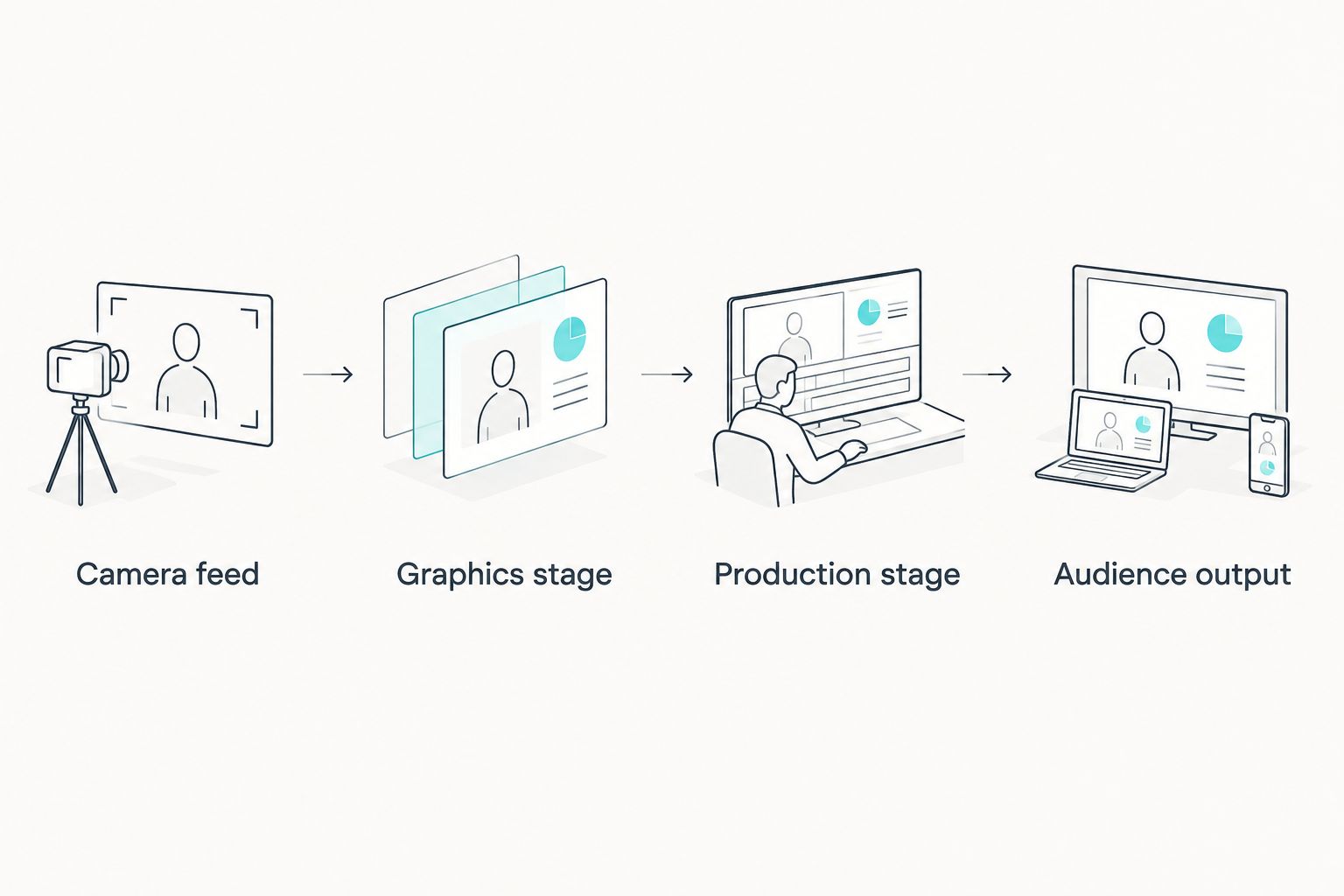
Confirm every connection before using the workflow to judge computer performance.
Next, identify the route that carries a usable picture without field overlays. If the graphics stage needs attention, the production operator should know which source to select and what the audience will see.
For your 2026 workflow sheet, write down the actual device, application, and connection at each stage. Avoid labels such as “video goes here” that leave the handoff unresolved until setup day.
Rehearse the work your crew actually performs
A useful rehearsal combines technical load with realistic production actions. Start recording and delivery if both belong in your game plan, then run the graphics and switching tasks together.
Move the camera through the framing changes expected during coverage. Update the field information, bring sponsor graphics on and off, and switch away from the game picture and back. Check the delivered recording or stream for the results of those actions.
School football teams
Assign responsibility for camera operation, production switching, and field-graphics updates before rehearsing. If a student or staff member has multiple jobs, test that exact assignment rather than using extra helpers who will not be present at the game.
Keep the recovery instruction short and visible. A substitute operator needs to know how to remove the overlay and maintain coverage without learning the entire graphics workflow under pressure.
Independent sports streaming crews
Test the setup in its travel configuration, including the connections and monitoring you intend to bring. A rehearsal using different capture hardware or an extra workstation does not establish that the packed kit will work.
For a 2026 event checklist, include responsibility for checking the delivered stream. Watching the production preview alone leaves the audience-facing part of the workflow unchecked.
TV broadcasters
Use the required handoff format and the actual production destination in the test. Assign responsibility for accepting the graphics feed, removing it, and confirming the alternate picture.
Record any timing or audio-synchronization problems during rehearsal and resolve them before air. A successful local preview does not establish that the full broadcast chain is correct.
Does one PC mean one person can run everything?
No. Computer capacity and crew capacity are different decisions. One workstation can host several tasks while the person operating it still lacks time to perform them accurately.
Rehearse moments when jobs overlap: a source change, a field-position update, and a sponsor cue. If the operator must abandon one task to complete another, simplify the production or divide responsibilities before adding more graphics.
Should you remove field graphics when placement looks wrong?
Yes. Remove a misplaced field graphic and keep the usable game picture on air. An inaccurate line gives viewers the wrong visual reference, even when the rest of the production looks polished.
Agree on who calls for removal and who executes it. Bring the graphic back only after checking the corrected placement in the workflow available to your crew.
FAQ
Can I run football graphics and production on the same Windows PC?
Yes, when the complete workflow passes a full-load rehearsal. Test video input, graphics, switching, recording, delivery, and operator actions together before assigning both jobs to one computer.
What is PayneXR best for?
PayneXR is best suited to football production teams seeking Windows software for virtual first-down lines, scrimmage lines, logos, and sponsor graphics. Confirm the requirements and supported connections for your intended workflow before choosing the computer.
Do I need a second computer for football graphics?
A second computer is not automatically necessary. Use rehearsal results to determine whether separating graphics and production resolves a processing, connection, or operator-workload problem.
Will adding more memory guarantee stable football graphics?
No. Memory is only one part of a live production system, and adding it does not establish that video routing, processing, device access, and operator controls will work together.
Can a school football crew use the same approach as a TV crew?
Both crews should test the complete signal path and rehearse removing graphics. Their staffing, equipment, and delivery requirements determine the actual setup and acceptance checks.
What should I check if the preview looks good but the stream does not?
Check the audience output and the stages between production and delivery. A good local preview does not confirm that encoding, transmission, and the received picture are correct.
Is broadcasting without virtual field lines a valid choice?
Yes. Broadcasting without virtual field lines is a valid choice when the crew prioritizes a simpler workflow or cannot operate the overlays accurately; commentary and the game picture still need to explain the action.
One last thing
Make the removal test part of your 2026 sign-off, not an emergency idea. During rehearsal, deliberately take the field graphics off air and ask another crew member to confirm that the audience still receives a usable game picture.
The strongest reason to trust a one-PC setup is not that nothing failed during setup. It is that your crew demonstrated how to keep broadcasting when graphics need attention.