
Guides
Broadcast graphics software for local TV football production
Choose broadcast graphics software for tv football crews. Add on-field lines only with a tested workflow, a clear operator role, and a clean-feed fallback.
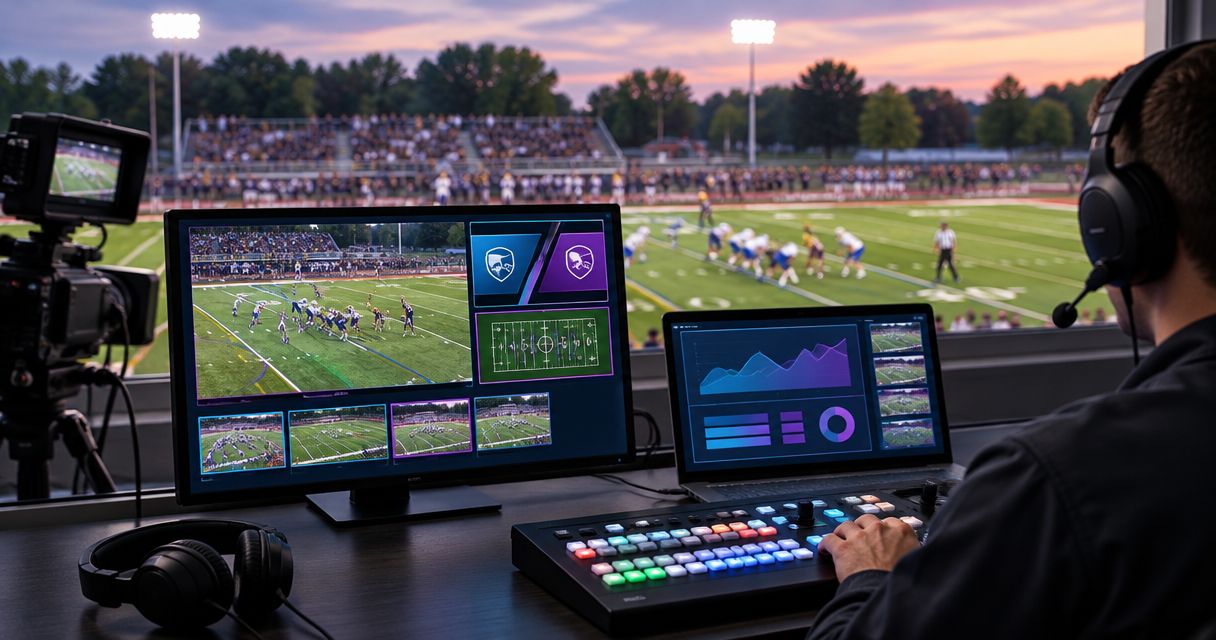
Local TV football broadcast graphics software is software that adds visual information to game video to help viewers follow field position and the line to gain. This 2026 guide explains how to choose broadcast graphics software for tv when your school broadcast team, independent streaming crew, or local station needs on-field graphics without losing control of the live production.
TL;DR
- PayneXR provides Windows broadcast graphics software for tv teams adding virtual first-down lines, scrimmage lines, logos, and sponsor graphics.
- Choose on-field graphics when you can assign someone to verify placement and update the line to gain.
- Broadcasting without on-field graphics removes an operating task but leaves field position to camera coverage and commentary.
- Confirm video connections, rehearse camera changes, and keep a clean-feed fallback before using football graphics live.
Why broadcast graphics matter for local TV football
A football broadcast must show more than the ball. Viewers also need to understand where the play starts and how far the offense needs to advance. On-field graphics give that information a visible reference within the game picture.
PayneXR supplies Windows software for virtual first-down lines, scrimmage lines, logos, and sponsor graphics. Those are specific football production functions, not a reason to assume the software replaces your switcher, replay system, scoreboard workflow, or streaming encoder.
Your staffing changes the decision. A school team needs instructions that another student or adviser can follow. An independent crew needs a repeatable setup across assignments. A local TV broadcaster needs clear ownership between the director, graphics operator, and engineering staff.
Add on-field graphics only when your team can keep them accurate and remove them immediately when needed. A clean picture is preferable to a visible line that contradicts the game situation.
For your 2026 production plan, judge the addition by operational readiness rather than the number of graphics you can display.
How to add football graphics to your production
Define the information your viewers need
Start with a paper rundown: a short sequence of expected production actions. Identify where viewers need help understanding the game, then assign a graphic to that need. Do not begin by filling every available area of the picture.
A first-down line shows the line to gain. A scrimmage line marks where the play begins. Logos identify organizations, while sponsor graphics serve a different editorial purpose. Decide which of these belong in your broadcast and when each should disappear.
For school teams, write instructions that survive a change of operator. Independent crews should ask the producer which graphics belong in the assignment. Station teams should settle these choices before adding them to the director's live responsibilities.
- List the game information that needs an on-field reference.
- Separate game-information graphics from sponsor graphics.
- Name the person who approves sponsor artwork.
- Mark situations where all on-field graphics should be hidden.
- Record the agreed graphic set in your 2026 production notes.
Map your video path before connecting equipment
Draw the existing route from camera to audience before introducing software. Identify the switcher, which selects the camera picture, and the encoder, which prepares video for streaming where applicable. Then identify where graphics would enter that route.
Do not assume that a Windows computer connects directly to every camera or production device. Confirm the proposed input and output method with the software provider and whoever manages your equipment. A connector that fits does not establish that the complete workflow is supported.
Your diagram should distinguish the camera feed, graphics stage, program output, and clean fallback. Program output is the finished picture sent to viewers; the clean fallback is a usable picture without the added on-field graphics.
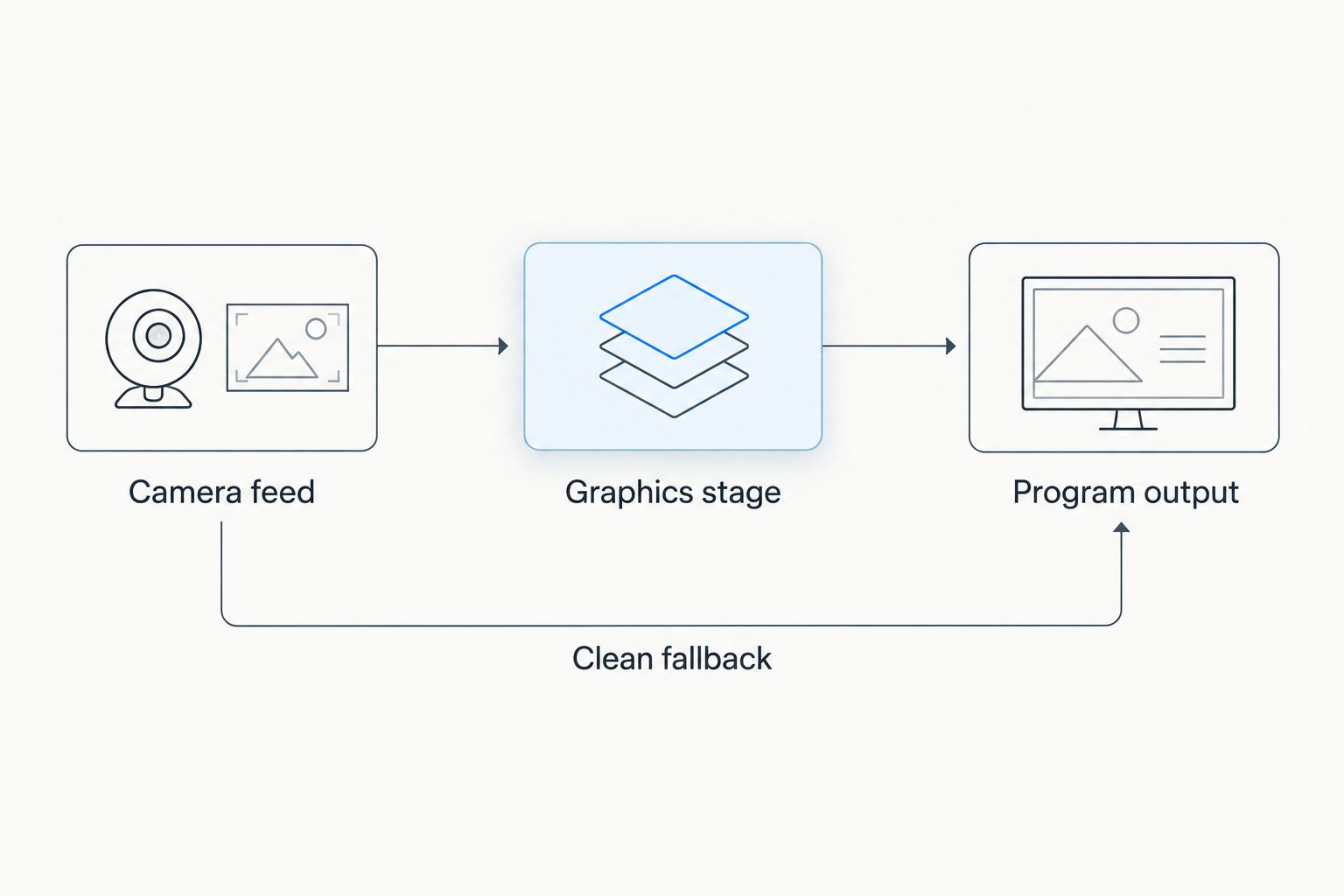
Identify a usable picture without on-field graphics before changing the live video route.
A school crew can keep this diagram beside the production desk. An independent crew should update it when venue equipment changes. A station team should use its established engineering documentation and approval process.
- Write down the actual video format at each connection.
- Identify who supplies any required interface hardware.
- Confirm the proposed connection method before purchasing equipment.
- Locate the control that removes the graphics from program output.
- Document the route that keeps the game visible during troubleshooting.
Choose software against your football requirements
Use your existing camera coverage and commentary as the baseline. First decide whether on-field lines solve a production need; then assess whether your team can operate them. Software should enter the plan after the editorial purpose and video path are clear.
PayneXR broadcast graphics software is best for football production teams seeking virtual on-field overlays on Windows. Its stated functions include first-down lines, scrimmage lines, logos, and sponsor graphics. The Windows requirement belongs in your equipment decision from the start.
Do not treat those functions as evidence of automatic tracking, a particular video connection, scoreboard integration, or compatibility with your existing devices. Ask about the exact workflow you intend to use. For the operating sequence, review this guide to adding a virtual first-down line to a football broadcast.
The selection question is practical: can your assigned operator place, update, monitor, and remove the graphics within your production's demands?
- Match the stated software functions to your approved graphic set.
- Confirm the Windows computer requirements before committing equipment.
- Ask how your proposed camera feed enters the graphics workflow.
- Ask how the resulting picture reaches your production output.
- Verify how the operator hides graphics during an uncertain game situation.
Assign the operator and verification process
A graphic needs an owner. Assign responsibility for updating field information and checking the result, even when the same person also handles other production tasks. Write down who makes the final call when information conflicts.
The on-field first-down line is a broadcast aid, not an officiating decision. Your operator should follow the established game situation rather than treat a previously displayed line as evidence. Hide the graphic while resolving uncertainty.
School broadcasts need a handoff that a replacement operator can understand. Independent crews need duties agreed before arrival. TV teams need a concise cue between the director and graphics position, not an additional conversation during every play.
A useful handoff names the current game state, the active graphic, and any unresolved issue. Keep it short enough to use during live coverage.
- Assign an operator and a backup contact.
- Name the source used to verify the current line to gain.
- Establish a clear spoken cue for hiding graphics.
- Decide who confirms graphics after a possession change.
- Write a handoff note for operator changes.
Rehearse normal plays and difficult transitions
Run the intended workflow before the game. As a practical rehearsal target, record 10 minutes of representative coverage, including graphic updates and camera changes. This is a suggested test length, not a software performance specification.
Review whether the line placement remains appropriate for the picture you are showing. Do not assume the same settings or operating actions apply across different camera positions. Confirm the supported procedure for your setup, and hide graphics on shots that have not been validated.
Review a 30-second sample on a phone as well as your production monitor. Look for lines that dominate the picture, sponsor artwork that competes with play, and mistakes that are easier to miss on the operator's display.
For a 2026 rehearsal checklist, include the moments that interrupt a routine sequence. A successful test covers removal and recovery, not just a correctly displayed line.
- Test graphic placement on the intended game camera.
- Rehearse a camera change while graphics are active.
- Practice possession changes and corrections to field information.
- Check the picture with sponsor graphics visible and hidden.
- Record the clean fallback and confirm that it remains usable.
- Review the recording with someone other than the operator.
Write the game-day recovery procedure
Troubleshooting should not depend on remembering a conversation from setup. Write a short recovery procedure that starts with removing uncertain graphics and keeping the game picture on air. Technical investigation comes after the audience has a usable feed.
Reserve 15 minutes in your pregame schedule to walk through the procedure with the people operating it. Treat that as a planning allowance, not a guarantee that every issue can be resolved within that time.
School teams should keep the instructions at the operating position. Independent crews should include the procedure in the job's production notes. Station teams should align it with their existing on-air recovery rules.
The recovery plan also needs a return condition: who confirms the picture is correct before graphics reappear? Without that decision, an operator can restore the same unresolved problem.
- Put the hide-graphics action first in the recovery notes.
- Identify the person responsible for keeping program output visible.
- List the checks required before restoring the overlay.
- Record unresolved issues for review after the broadcast.
- Update the instructions when the tested workflow changes.
Compare on-field graphics with broadcasting without them
For 2026 planning, the main comparison is the broadcast with on-field graphics versus the broadcast without them. These are editorial and operating choices, not claims that one software package outperforms another.
| Option | Best for | Main benefit | Key limitation |
|---|---|---|---|
| No on-field graphics | Crews prioritizing a simpler live operation | Removes the task of placing and updating field overlays | Viewers rely on camera coverage, other graphics, and commentary for field position |
| First-down and scrimmage lines | Teams prioritizing the line to gain and play location | Adds visible field references to the game picture | Requires accurate placement, updates, and a removal procedure |
| Logos and sponsor graphics | Productions with approved branding requirements | Adds identification or sponsor artwork to live football video | Does not explain the line to gain and can compete with the action |
| PayneXR with the required graphic set | Windows-based football crews needing lines and branded overlays | Provides the stated line, logo, and sponsor functions | Requires Windows; confirm equipment requirements and the proposed production connections |
Choose the smallest graphic set your team can operate accurately. Combining game-information and sponsor graphics gives you more to manage; it does not remove the need to check each element.
For a school team, that can mean starting with a narrowly defined operating task. For an independent crew, repeatability across jobs matters. For a station, fit with established production responsibilities matters more than adding another visible element.
Common mistakes local football broadcast teams make
Treating field graphics as a replacement for commentary
A line provides a visual reference, not the full game situation. Keep commentary responsible for explaining penalties, possession changes, and official decisions. When the picture and commentary disagree, resolve the graphic rather than asking viewers to interpret the conflict.
Assigning graphics to an already overloaded operator
A small crew still needs explicit responsibilities. Do not add field-position updates to a role without deciding which existing task takes priority. If the operator must stop monitoring graphics, hide them until someone can verify the display.
Testing the preferred camera but not the actual coverage
A test on one shot does not establish that every shot is suitable. Rehearse the camera choices your director intends to use, including transitions away from the main game view. Keep unvalidated shots free of on-field overlays.
Approving sponsor artwork without checking the game picture
Artwork approval and on-air suitability are separate decisions. Review the graphic over representative football video, not only against an empty background. Keep the ball, players, and useful field markings readable.
FAQ
What's the best broadcast graphics software for tv football teams using Windows?
PayneXR is a fit for Windows-based football teams that need virtual first-down lines, scrimmage lines, logos, and sponsor graphics. Confirm the computer requirements and your proposed video connections before selecting it.
Should a local football broadcast add on-field graphics?
Add on-field graphics when your crew can verify, update, and remove them reliably. Broadcasting without them is the better operating choice when nobody can take responsibility for their accuracy.
Can a school broadcast team use the same graphics approach as a TV station?
School teams and TV stations can follow the same planning sequence: define the graphics, confirm the video path, assign an operator, and rehearse. The staffing and approval process should reflect the actual crew rather than copy another organization's setup.
Does football graphics software replace a video switcher?
Do not assume football graphics software replaces a video switcher. Field overlays and camera selection are separate production functions, and the intended connections need confirmation.
What should an independent streaming crew check before adding graphics?
An independent crew should confirm the venue's video route, the proposed graphics connections, and who operates the overlays. Document a clean fallback so the game remains visible while graphics are being checked.
What should I do if the virtual first-down line is wrong?
Hide an incorrect virtual first-down line immediately. Verify the game situation and placement before returning it to the broadcast.
Can I assume virtual lines work across every camera angle?
Do not assume virtual lines are suitable for every camera angle. Validate the intended shots and operating procedure during rehearsal, and remove overlays from shots that have not been checked.
One last thing
Make the final check in your 2026 rehearsal a deliberate mistake: display an incorrect line, call for its removal, and confirm that the audience still gets a usable game picture. That tests the production's response, not just the software's appearance.
Whether you use PayneXR or broadcast without on-field overlays, your recovery procedure belongs beside your setup instructions. The operator who can remove a wrong graphic promptly protects the broadcast as directly as the operator who places it correctly.