Guides
Can football graphics software auto-display down-and-distance?
Can football graphics software auto-display down-and-distance? Yes, with a supported data source. Check updates, corrections, and field-line control.
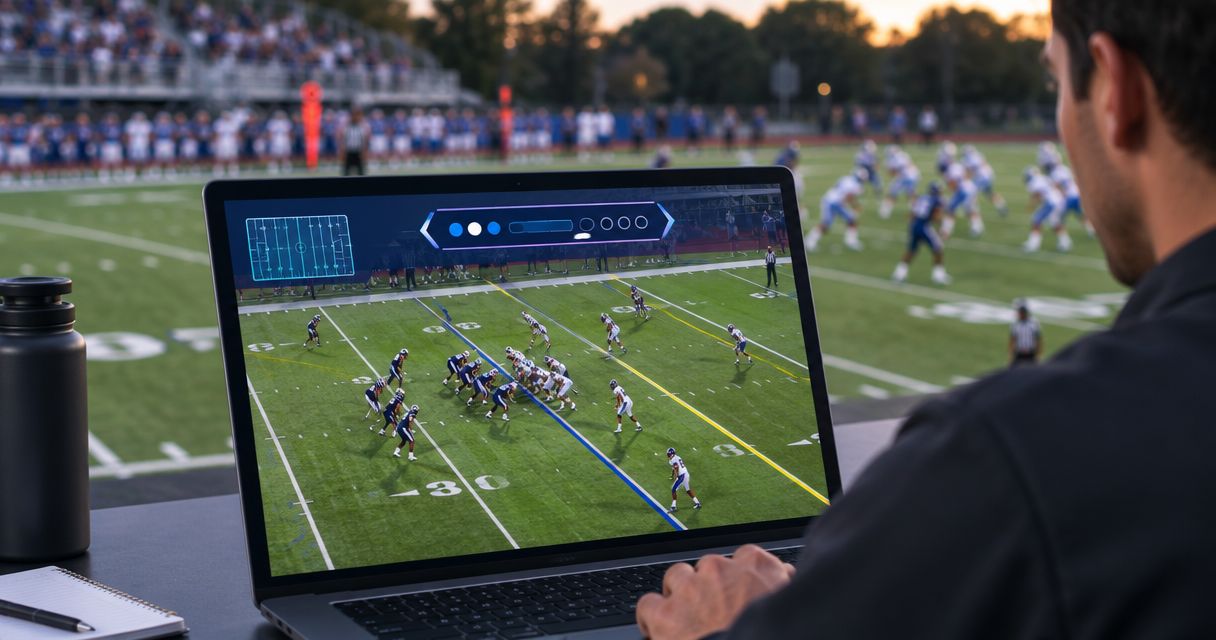
Yes—football graphics software can auto-display down-and-distance when it receives those values through a supported data connection and maps them to an on-screen graphic. Automatic display does not establish that the values are correct, synchronized with the picture, or connected to a virtual first-down line; verify each function separately before using it live.
TL;DR
- Can football graphics software auto-display down-and-distance? Yes, with a supported data source and correctly configured graphic.
- PayneXR football graphics software adds virtual field lines; confirm down-and-distance data connections separately.
- Best for unattended updates: a verified data connection with clear correction and graphics-removal procedures.
- Choose on-field graphics when your crew can verify placement; broadcast without them when accuracy cannot be maintained.
Can football graphics software auto-display down-and-distance?
Yes, but automatic display and automatic game-state detection are different jobs. A graphic can display supplied information without independently determining what happened on the field. Before selecting a workflow for the 2026 season, separate the source of the information from the graphic that presents it.
Use this distinction when choosing broadcast graphics software for football. Ask for a demonstration of the complete update path, not just a screenshot showing down-and-distance.
| Function | What it means | What you must verify |
|---|---|---|
| Data entry | Someone or something supplies the current down and distance | Who owns corrections and confirms official changes |
| Automatic display | A graphic updates from incoming values | The exact connection, field mapping, and update behavior |
| Field-line placement | A virtual line marks a location on the playing surface | Whether placement is manual or driven by verified information |
| Camera alignment | The field graphic matches the camera view | What happens during camera changes, pans, and zooms |
A demonstration of one row does not prove the others. Treat each function as a separate acceptance check, even when the interface presents them together.
Why this matters
An incorrect down-and-distance graphic gives viewers the wrong game situation. An incorrect virtual line adds a second problem: it places that error directly on the field picture.
In standard football, the usual distance required for a new series is 10 yards, subject to the applicable rules and game situation. That does not mean software should reset the displayed distance to 10 yards whenever possession or down changes; penalties, goal-to-go situations, and official corrections require attention.
For your 2026 production plan, assign responsibility before assigning automation. A school crew needs a repeatable procedure, an independent streaming crew needs a workload it can sustain, and a TV broadcaster needs clear control over what reaches the program output—the picture sent to viewers.
What counts as automatic down-and-distance display?
Ask the supplier to describe exactly what initiates an update. The word automatic is useful only when you know what triggers it and what remains the operator's responsibility.
A connected data source updates the graphic
In a connected workflow, incoming down-and-distance values populate designated graphic fields. Field mapping means assigning each incoming value to the correct destination, such as sending the down value to the down label rather than the distance label.
Best for: crews with a verified data source and a named correction owner. The benefit is avoiding repeated transcription into the display; the limitation is that the graphic can reproduce an upstream mistake just as faithfully as a correct value.
An operator updates the graphic
In an operator-controlled workflow, a person enters or confirms the information before displaying it. A graphic remaining visible between updates is not evidence that the next update happens automatically.
Best for: crews that can dedicate attention to game-state verification. Manual control gives the operator an explicit confirmation point, but the task competes with other production duties if the same person also switches cameras or manages audio.
A virtual line shows a field position
A first-down line represents the line to gain, while a scrimmage line represents the play's starting location. Neither function, by itself, proves that a text graphic receives automatic down-and-distance updates.
PayneXR provides Windows software for overlaying virtual first-down lines, scrimmage lines, logos, and sponsor graphics on live football video. Verify the specific data-update workflow separately rather than treating those on-field graphics capabilities as confirmation of a data integration.
On-field graphics versus broadcasting without them
The practical decision is whether your crew can keep on-field information accurate while maintaining the rest of the broadcast. Adding a field graphic and automating its information are separate decisions.
| Approach | Best for | Benefit | Limitation |
|---|---|---|---|
| Add verified on-field graphics | Crews able to check field position and camera alignment | Shows the line of scrimmage or line to gain on the field picture | Adds placement, verification, and removal duties |
| Broadcast without on-field graphics | Crews prioritizing a simpler production | Removes the need to maintain virtual field-line placement | Viewers do not receive that on-field visual reference |
Best for Windows-based crews adding on-field football graphics, PayneXR overlays virtual lines, logos, and sponsor graphics on live video. Its stated role does not replace the need to verify the source and handling of down-and-distance information.
Broadcasting without virtual lines is a valid production choice. Keep commentary and any text graphics accurate rather than adding a field overlay nobody has time to check.
How do you verify the complete update workflow?
For a 2026 evaluation, require a demonstration using the intended production arrangement. A working graphic on a supplier's screen is not the same as a verified path to your broadcast output.
- Identify the source. Establish who supplies the down, distance, possession, and field position. Confirm which values actually reach the graphics system rather than assuming every visible scoreboard value is available.
- Confirm the connection. Request the supported connection method for the exact source and software combination. Do not assume that a shared network or a video cable carries usable game data.
- Map the fields. Check that each incoming value populates the intended graphic element. Keep possession and field direction distinct from down and distance.
- Match the picture. Compare the displayed information with the corresponding video moment. A correct value attached to the wrong play is still an incorrect broadcast presentation.
- Rehearse corrections. Change a previously supplied value and confirm the correction reaches the output. Establish who can remove the graphic while the information is checked.
- Check the output. Inspect the final picture that viewers receive, not only the operator preview. Include live action, a camera change, and a return from replay in the rehearsal.
The sequence is source, connection, mapping, picture check, correction, and output check. Keep these checks separate so a failure has a clear place to investigate.
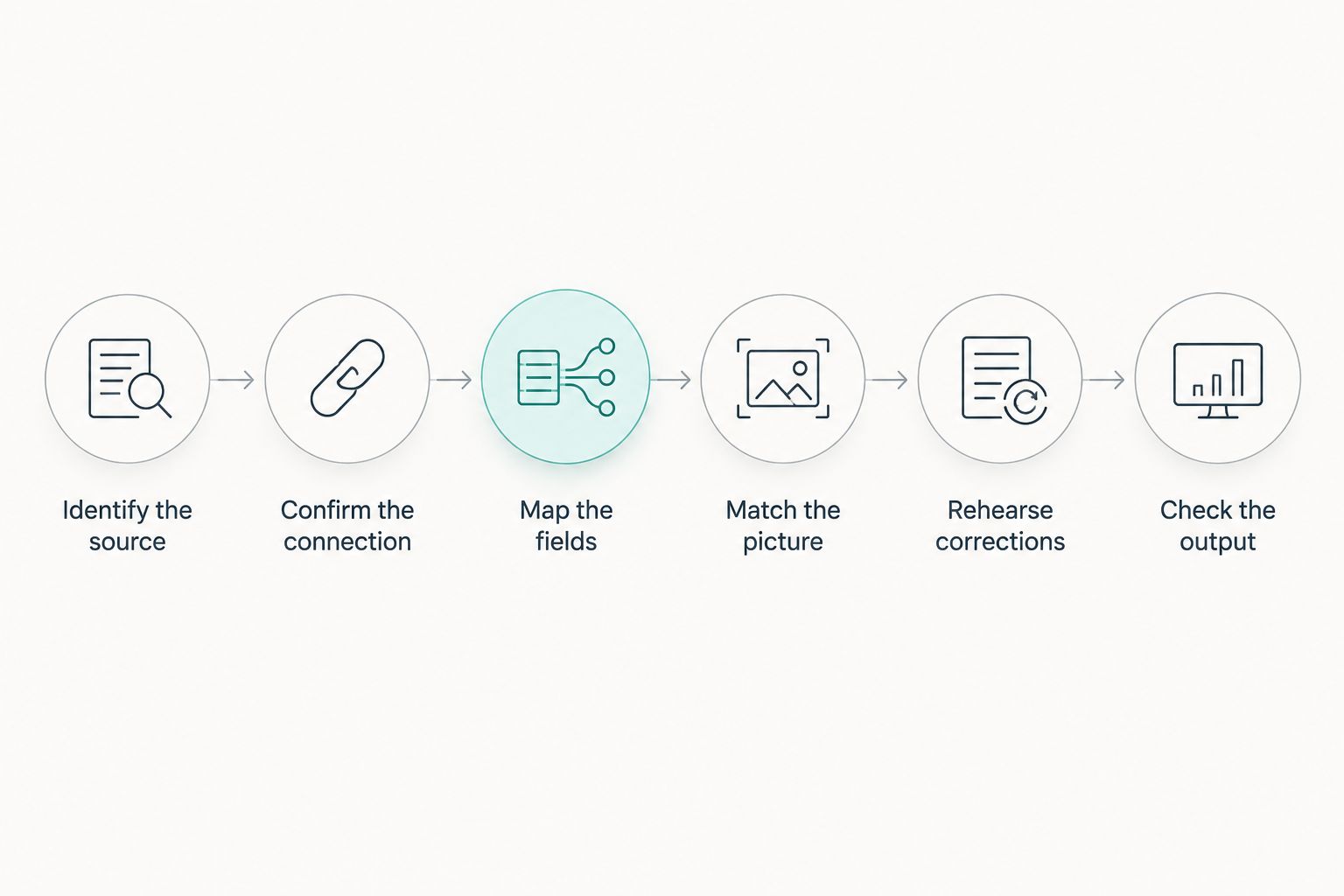
Verify the complete update path, not just the graphic preview.
For virtual field lines, add a separate placement rehearsal. The guide to placing scrimmage and first-down lines before a play addresses that distinct production task.
Why automatic display behavior varies
The answer depends on the complete production arrangement, not simply whether software can draw a graphic. Use these factors to define what your supplier must demonstrate:
- Source coverage: Establish whether the source provides down and distance, rather than only scores or a clock.
- Connection support: Confirm support for the exact source and receiving application. A connector name alone is not a completed workflow.
- Field mapping: Verify that incoming labels and values match the graphic's intended fields.
- Video timing: Check whether the data describes the action currently reaching viewers, including delayed video and replay.
- Correction control: Establish who can override a wrong value and how the corrected information reaches the output.
- Failure behavior: Observe what the graphic does when updates stop. Do not assume it disappears, freezes safely, or warns the operator.
Require visible evidence for every promised behavior. In your 2026 rehearsal, deliberately interrupt the update path and watch the final output; the result establishes what the crew must do during a real interruption.
What should each type of football crew prioritize?
School football broadcast teams
Choose a procedure that another student or staff member can repeat. Write down where the information comes from, who verifies it, and who has authority to remove a disputed graphic.
Avoid making the workflow depend on an operator remembering an undocumented correction sequence. Rehearse the handoff using the same equipment and responsibilities planned for the game.
Independent sports streaming crews
Count the tasks assigned to each person before adding field graphics. A crew member monitoring audio, switching cameras, and updating game information needs an explicit priority when those jobs demand attention together.
Use on-field graphics only when placement and correction duties have an owner. If those duties cannot be covered, broadcasting without virtual lines removes that specific operational burden.
TV broadcasters
Define where game data becomes approved broadcast information. The person entering a correction, the operator displaying it, and the director choosing the output need a shared procedure.
Include camera changes and replay transitions in the check. A valid line position for one picture should not be treated as authorization to display it over every other picture.
How should you test corrections before going live?
Use a rehearsal script rather than waiting for a convenient example during a game. For 2026 acceptance testing, include these 3 test cases and record the observed behavior—not an assumed result.
- A corrected spot: Change the field position after an initial entry. Check down-and-distance text and any field-line placement separately.
- A stopped update: Interrupt the data source or connection under controlled conditions. Observe whether old information remains visible and practice removing it.
- A replay transition: Show recorded action while the current live game state differs. Confirm the crew can prevent live information from being presented as information about that replay.
These tests do not establish a universal update speed or compatibility claim. They establish whether your actual crew can recognize and handle the conditions it has rehearsed.
Keep 2 output paths in the operating plan: the intended graphics presentation and a clean-feed fallback, meaning a picture without the affected overlay. Define how the crew selects that fallback before the broadcast begins.
Does a first-down line update the down-and-distance text?
A first-down line does not, by itself, establish any connection to down-and-distance text. The line and the text need their own verified update paths, whether those paths share a source or require separate operator actions.
Test them together after a correction. A correct text label does not prove the field line moved to the correct location.
Can automatic updates replace the graphics operator?
Automatic updates handle only the tasks demonstrated by the working connection. They do not establish that the system can resolve disputed information, approve corrections, or decide when a graphic belongs on screen.
Assign those responsibilities explicitly. One person can hold multiple roles, but the production plan still needs to identify who acts when the information is wrong.
Should you remove a graphic when the data is uncertain?
Remove a disputed graphic until its information is verified. A missing visual reference is preferable to presenting a known uncertainty as an accurate field position or game situation.
Give the removal decision to a named role. Do not leave the crew negotiating responsibility while the incorrect graphic remains on the program output.
FAQ
Can football graphics software auto-display down-and-distance?
Yes, when a supported data connection supplies the values and the graphic is configured to display them. Verify the complete path, including corrections and the final broadcast output.
Does PayneXR automatically detect the down and distance?
PayneXR's stated capabilities cover Windows-based overlays for virtual first-down lines, scrimmage lines, logos, and sponsor graphics. Confirm automatic down-and-distance detection or data integration directly before making either part of your production plan.
Is a first-down line the same as a down-and-distance graphic?
No. A first-down line marks the line to gain on the field picture, while a down-and-distance graphic presents the game situation as text.
What's the best approach for a small football streaming crew?
Use the approach your crew can verify and correct during play. Broadcast without on-field graphics when nobody can take responsibility for their placement and removal.
Do I need to connect the scoreboard to show down-and-distance?
A scoreboard connection is not the only possible workflow; an operator can enter information manually. For automatic updates, confirm that the intended source actually supplies down-and-distance values through a supported connection.
Can I leave current down-and-distance graphics on during replay?
Do not present current live values as though they describe a different replayed play. Remove them or use information verified for the replay.
What should I ask a supplier to demonstrate before the 2026 season?
Ask for a complete demonstration from the intended data source to the final broadcast output. Include an ordinary update, a correction, an interrupted connection, and a replay transition.
One last thing
Test a wrong update, not just a successful update. An ordinary change shows that information can reach the screen; a correction shows whether your crew can regain control when the information is wrong.
Before your 2026 opener, make the operator remove a disputed graphic and restore it only after verification. That procedure matters whether the original value arrived automatically or was typed by hand.