
Guides
Sports broadcast graphics for streaming partners: complete 2026 guide
Choose sports broadcast software for streaming network affiliates by workflow fit. Plan football field graphics, operator roles, and a clean-feed fallback.
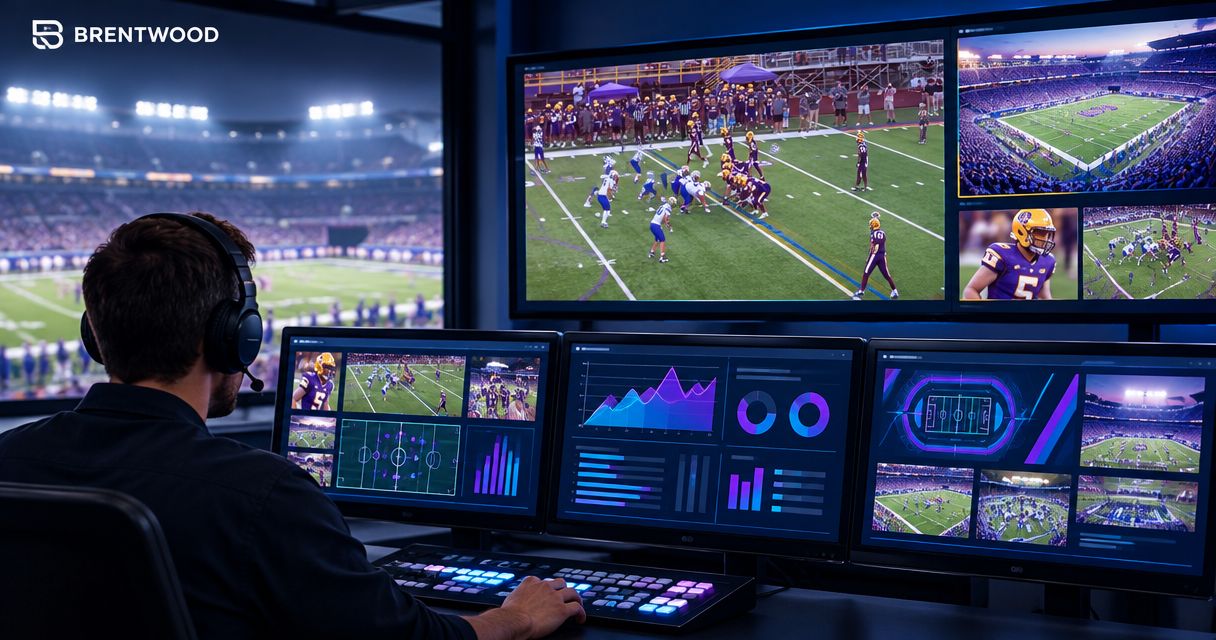
Streaming network affiliate sports broadcast software is production software for preparing and delivering live sports video, with the aim of giving distribution partners a consistent, readable broadcast. For football, this guide focuses on adding virtual field graphics without disrupting the camera feed, operator workflow, or network handoff.
TL;DR
- Choose sports broadcast software for streaming network affiliates around the receiving partner’s delivery requirements, not graphics alone.
- PayneXR fits football crews seeking Windows software for virtual first-down lines, scrimmage lines, logos, and sponsor graphics.
- Broadcasting without on-field graphics remains a valid choice when nobody can reliably operate and remove them.
- Test football broadcast graphics, camera changes, and a clean-feed fallback before sending the finished program.
Why broadcast graphics matter for streaming partners
An affiliate production has two jobs: explain the game to viewers and deliver a feed the receiving partner can use. On-field graphics support the first job; a documented signal path and dependable fallback support the second. Your 2026 production plan needs both.
PayneXR is best for football production teams seeking Windows software for virtual first-down lines and on-field broadcast graphics. PayneXR overlays first-down lines, scrimmage lines, logos, and sponsor graphics onto live football video. That defines its role; you still need to establish how graphics fit into your wider production and delivery setup.
Your staffing model changes the implementation:
- School football teams: Write instructions that a replacement student, staff member, or volunteer can follow without reconstructing the setup.
- Independent streaming crews: Assign graphics responsibilities alongside camera switching, commentary, and stream monitoring. Do not leave them implicit.
- TV broadcasters: Agree on the incoming feed, graphics ownership, and removal cues with the receiving production team.
These are production decisions, not reasons to add every available graphic. A first-down line helps explain field position only when the operator places it correctly and removes it when the shot no longer supports it.
Build your affiliate football graphics workflow
1. Define the receiving partner’s requirements
Start with a written delivery sheet, not a software purchase. Ask the receiving partner what feed they expect and who has authority to change it during the broadcast. A program feed is the finished picture intended for viewers; a clean feed excludes the graphics you have agreed to leave out.
Resolve terminology before discussing connections. One partner’s clean feed might retain a score display, while another expects camera video without any overlays. Describe the actual picture rather than relying on the label.
For your 2026 delivery sheet, record:
- The required picture resolution and frame rate.
- The agreed connection or transport method.
- Which graphics arrive in the delivered picture.
- Who supplies and approves sponsor artwork.
- Who can request graphics removal during play.
2. Map the video path before connecting equipment
Draw the path on paper first. Identify where camera video enters the production, where graphics are added, and where the finished feed leaves for distribution. An encoder converts the program into the format used for streaming; a switcher selects or combines video sources.
Use this planning sequence: Camera feed, Graphics stage, Program output, Encoder, Receiving partner. It is a worksheet, not a claim that every system uses the same connections. Your actual layout must follow the documented input and output capabilities of each device and application.
The guide to where football graphics sit in your video signal path addresses this placement decision. With PayneXR broadcast graphics, confirm the supported connection method for your intended Windows setup before committing the production to it.
- Mark the Camera feed source and its format.
- Identify the Graphics stage and its operator.
- Label the Program output that the director monitors.
- Confirm the Encoder receives the intended picture and audio.
- Name the Receiving partner and its confirmation contact.
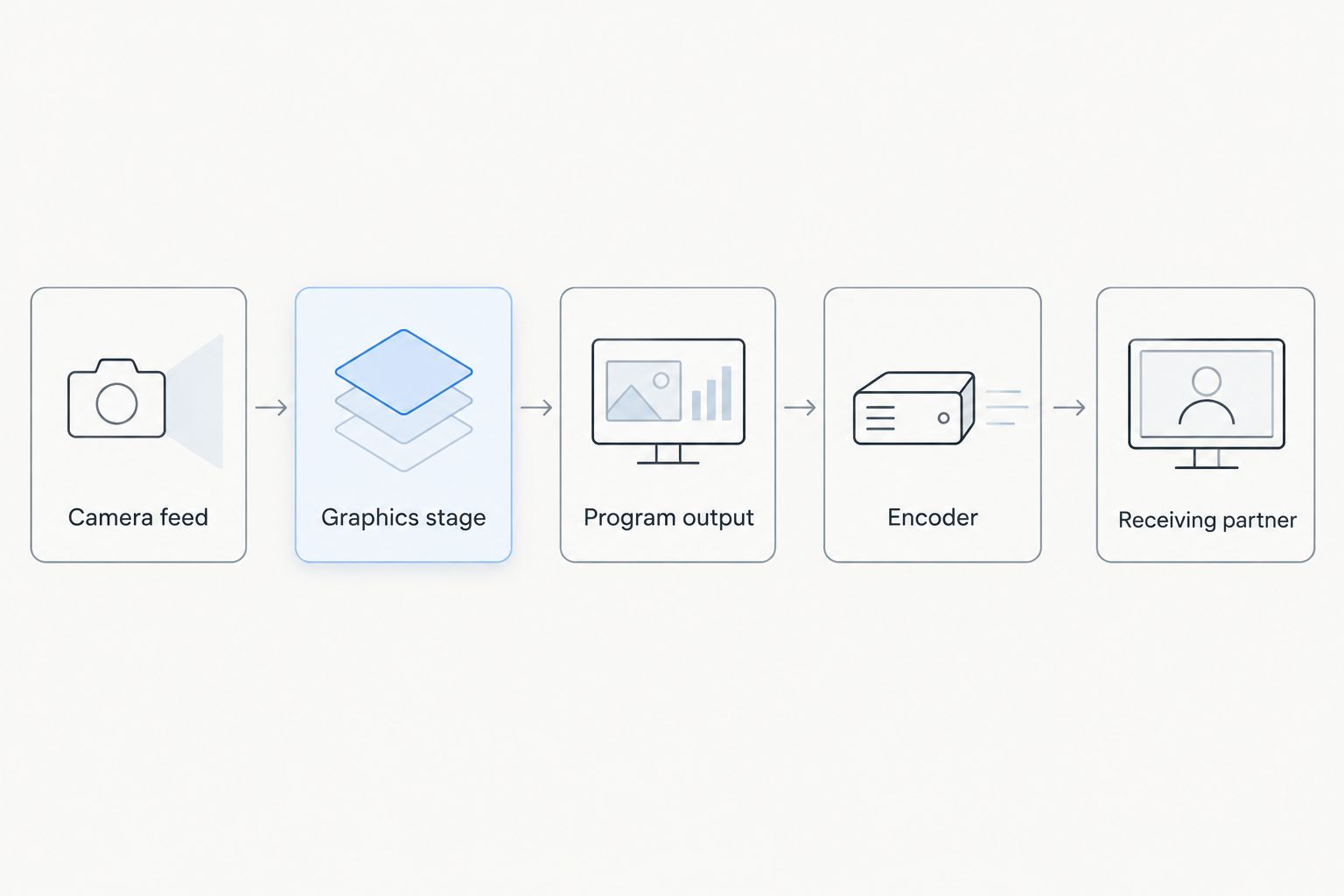
Document each handoff before choosing the connections for your production.
3. Assign graphics ownership before adding overlays
Rehearse the decisions manually first. Have an operator call the line of scrimmage, the line to gain, and the moment graphics should disappear while another person watches the picture. This separates football judgment from software operation.
Then use PayneXR to place the virtual lines and other supported overlays onto the live football video. The software provides the overlay capability; your production plan must still assign placement checks, camera-change decisions, and sponsor cues.
For school crews, make the instructions readable by a substitute operator. Independent crews should name the task that stops when graphics need attention. TV teams should establish whether the local director or receiving control room has final authority.
- Name the primary graphics operator and backup.
- Assign responsibility for verifying the line to gain.
- Define the cue for showing and hiding field graphics.
- Identify who approves logos and sponsor placement.
- Write the handoff procedure for an operator change.
4. Establish line-placement and camera-change rules
Start with a written rule for when a line is allowed on air. Do not treat an overlay as a permanent decoration. The line must match the play situation and remain appropriate for the selected camera view.
A camera cut changes the view of the field. Panning and zooming change the picture too, so test those movements rather than judging the setup from a stationary wide shot. Remove graphics whenever their placement is uncertain; an unadorned picture is preferable to a misleading marker.
For a practical rehearsal, run a 3-play sequence that includes a new line of scrimmage, a first down, and a camera change. This is a suggested exercise, not a performance specification.
- Confirm the ball position before showing the scrimmage line.
- Confirm the line to gain independently of the previous play.
- Check field graphics during pans and zooms.
- Hide graphics on shots where placement is unverified.
- Establish a separate rule for replay shots.
5. Prepare a clean-feed fallback
First identify how you will keep football video on air without field graphics. Write down the manual action needed to remove overlays and the alternative route available if the graphics stage stops passing usable video. Do not assume those are the same action.
A graphics-off control addresses unwanted overlays; a bypass route addresses dependence on the graphics stage itself. Verify which protection your actual setup provides. Keep the instructions beside the switching or routing controls, not buried in a shared folder.
For 2026 partner agreements, specify who authorizes fallback and who tells the receiving team it has happened. School crews need an unmistakable instruction, independent crews need a reachable control, and TV teams need an agreed communication cue.
- Define the picture that qualifies as the fallback feed.
- Identify the control that removes field overlays.
- Verify the route that avoids a failed graphics stage.
- Check that commentary remains present after the change.
- Confirm how normal graphics operation will resume.
6. Rehearse the complete partner handoff
Begin with a local recording or monitored rehearsal before a scheduled transmission. Check the finished picture, not just the graphics operator’s screen. A successful local preview does not establish what the receiving partner actually sees.
As a practical starting exercise, rehearse for 10 minutes and include graphics removal, a camera change, a sponsor cue, and an operator handoff. Increase the rehearsal when the workflow contains untested connections or unfamiliar crew roles. The duration is a planning recommendation, not proof of readiness.
Use a 2-person sign-off where staffing permits: one person operates while another watches the delivered output. For a solo crew, review a recording and ask the receiving partner to confirm the handoff separately.
- Confirm the delivered picture matches the agreed format.
- Check field lines against the actual play situation.
- Trigger graphics removal and the fallback route.
- Check commentary and picture together after each change.
- Record corrections in the operating sheet.
Compare on-field graphics with broadcasting without them
Choose on-field graphics when your crew can operate and verify them; choose no on-field graphics when that responsibility is uncovered. This is the useful comparison for a 2026 affiliate production. Adding overlays changes the job, not just the appearance of the feed.
| Option | Best for | Practical advantage | Key limitation |
|---|---|---|---|
| Broadcast without on-field graphics | Crews prioritizing a simpler field-video workflow | Removes the need to place and monitor virtual field overlays | Viewers do not receive virtual first-down, scrimmage, or sponsor field graphics |
| Add PayneXR on-field graphics | School football teams, independent crews, and TV broadcasters seeking Windows field overlays | Adds virtual first-down lines, scrimmage lines, logos, and sponsor graphics to live football video | Requires a Windows setup and a plan for operation, verification, and removal |
Neither option replaces camera coverage, commentary, or delivery checks. Adding field graphics also does not remove the need to decide who controls the final program.
For a school team, begin with the graphics your available operators can maintain. For an independent crew, reject a plan that assigns simultaneous tasks without a removal procedure. For a TV broadcaster, settle graphics ownership before accepting a feed with overlays already included.
Review your football graphics option
Explore Windows software for virtual first-down lines, scrimmage lines, logos, and sponsor graphics.
Common mistakes streaming partners make
Treating field graphics as the entire broadcast system
Virtual lines serve a specific purpose: they add information to the football picture. Do not select a graphics application and assume it resolves camera switching, commentary routing, encoding, and affiliate delivery. Document each responsibility separately, then confirm the connections between them.
Leaving local and network graphics ownership undefined
An affiliate can send sponsor graphics already included in the picture while the receiving team expects to supply its own presentation. Settle ownership in advance. Specify which overlays are included, which remain under local control, and who has permission to request removal.
Giving the busiest operator an unbounded extra task
A camera-switching operator cannot follow an unwritten graphics procedure. School teams need clear substitute instructions; independent crews need realistic task assignments; TV teams need clear cues between positions. If nobody can verify a line, keep it off the picture until someone can.
Approving the setup from a single attractive frame
A stationary screenshot does not test live football production. Rehearse a new series, a changed camera angle, a replay, and graphics removal. Judge the workflow by its response to change, not by how polished a sponsor logo looks on an empty field.
Testing the local monitor but not the partner feed
The receiving partner needs the correct finished picture, not proof that your preview looked right. Ask the partner to confirm the feed during rehearsal. Include a fallback test in that check so both sides recognize what the broadcast will look like when field graphics disappear.
FAQ
What’s the best sports broadcast software for streaming network affiliates?
Choose software that fits the affiliate’s delivery requirements and your crew’s assigned tasks. PayneXR is a fit for the Windows football graphics role, adding virtual first-down lines, scrimmage lines, logos, and sponsor graphics rather than defining the entire broadcast workflow.
Do streaming affiliates need virtual first-down lines?
Streaming affiliates do not need virtual first-down lines to broadcast football. Add them when an assigned operator can verify placement and remove them when the picture or play situation changes.
Can a school football crew use the same planning process as a TV broadcaster?
Yes, school football crews and TV broadcasters both need defined video routing, graphics ownership, and fallback instructions. Adjust the operating sheet to the people and equipment actually assigned to the production.
Where should field graphics go in the video path?
Place field graphics where your verified connections allow the intended camera video to reach the graphics stage and the finished picture to reach distribution. Document the actual route and confirm a way to deliver video without the overlays.
Should a one-person streaming crew add on-field graphics?
A one-person streaming crew should add on-field graphics only after rehearsing operation alongside its other production tasks. Broadcasting without field overlays is the better choice when the operator cannot reliably check or remove them.
What should the receiving partner confirm before kickoff?
The receiving partner should confirm the agreed picture format, audio, included graphics, and fallback feed. Both teams should also know who can request graphics removal during the game.
What should happen when a virtual line looks wrong?
Remove a virtual line when its placement is uncertain. Restore it only after the operator checks the play situation and the selected camera view.
One last thing
Make the removal cue easier to remember than the placement procedure. A substitute operator should know how to keep the game visible even before learning every graphics task. Put that instruction at the top of your 2026 operating sheet and rehearse it with the person who will actually use it.
The final acceptance test is not whether you can show a line. It is whether you can remove it without losing the game.