Guides
How to update sponsor logos mid-season
Learn how to update sponsor logos mid-season safely: approve artwork, test the outgoing football picture, and keep a graphics-free fallback ready.
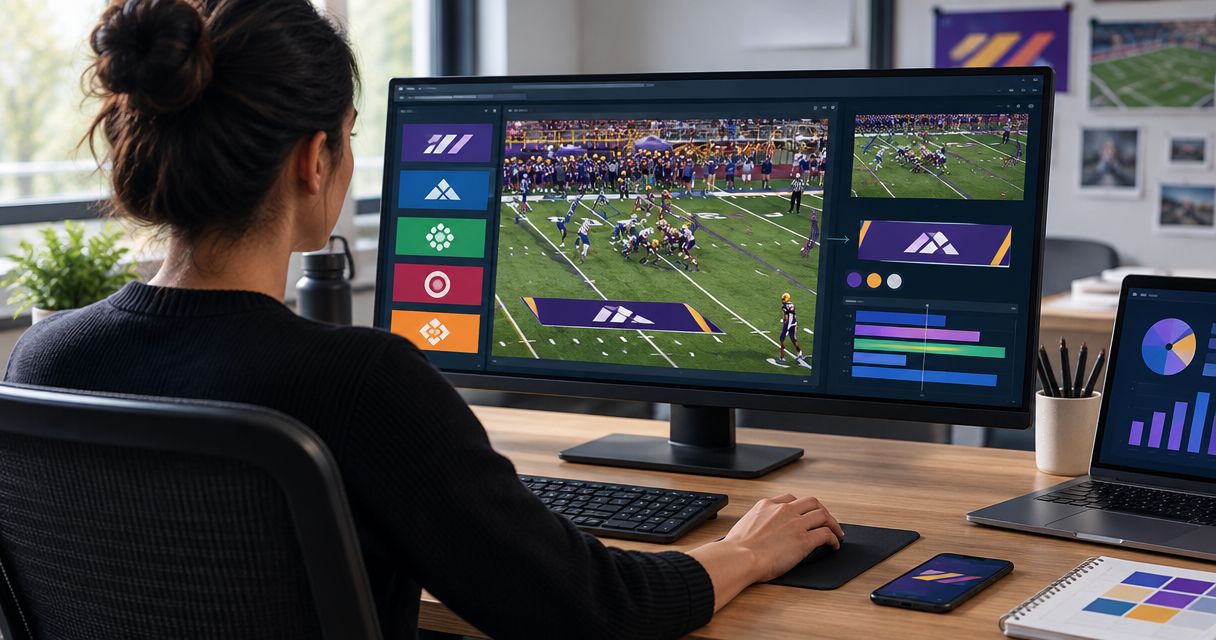
To update sponsor logos mid-season, confirm the replacement artwork and its effective game, preserve the approved current version, and test the replacement off air before using it in your football broadcast. Check both the logo’s appearance and the production output; a correct file alone does not prove the broadcast is ready. If the replacement fails inspection, keep it off air and use your prepared graphics-free fallback.
TL;DR
- How to update sponsor logos mid-season: approve the artwork, preserve the current version, test off air, then release.
- PayneXR supports on-field football sponsor graphics; artwork changes still need approval and output checks.
- Keep a graphics-free fallback ready rather than showing an unapproved or incorrectly positioned sponsor logo.
- Assign an effective game to every replacement so operators know which sponsor artwork belongs on air.
How do you update sponsor logos mid-season?
Treat a sponsor replacement as a controlled broadcast change, not just a file swap. Follow this sequence whether you operate a school stream, an independent production, or a TV broadcast. The software controls differ between systems, but the approval and verification tasks remain distinct.
- Confirm approval. Get the approved artwork, its intended placement, and the first game where it should appear. Establish whether the replacement retires the old logo everywhere or only in a particular placement.
- Preserve the baseline. Keep 2 clearly separated copies: the approved current artwork and the proposed replacement. Preserve the working production configuration using the methods your system supports.
- Prepare artwork. Check the file against the graphics software’s documented requirements. For asset preparation, use the guidance on preparing sponsor artwork for on-field football graphics.
- Test off air. Load the replacement into an off-air test workflow using your software’s documented controls. Do not assume overwriting a file updates an already loaded graphic.
- Check output. Inspect the logo over football footage and then inspect the outgoing production picture. Confirm that the replacement appears where intended and that the previous artwork is absent from that placement.
- Release and record. Tell the producer or designated operator which version is approved. Record the effective game and retain the previous files separately for reference.
Use these 6 steps as release checkpoints, not as instructions for a particular software menu. Consult the installed software’s documentation for supported import, replacement, and save procedures.
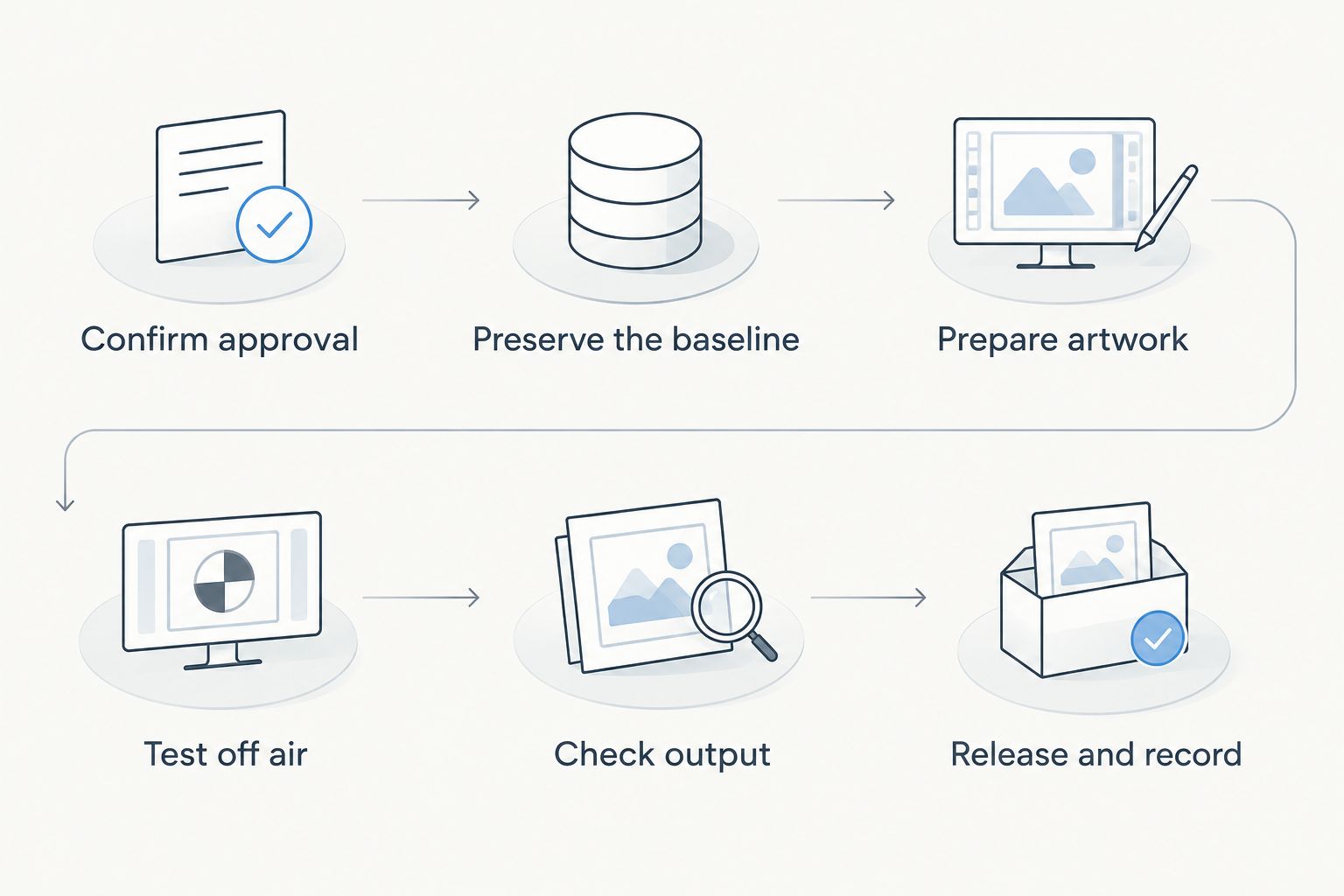
Approve and test the replacement before releasing it to the live production.
Why this matters
A mid-season change involves more than recognizing a new logo. You must also establish which game, sponsor placement, and production version the change applies to. Put that decision in your 2026 production notes rather than leaving it in an operator’s memory.
PayneXR provides Windows football broadcast graphics software for virtual first-down lines, scrimmage lines, logos, and sponsor graphics. PayneXR fits football production teams that need on-field graphics on Windows. Adding those graphics also creates an artwork approval and on-air checking task; broadcasting without them avoids that particular task but does not show the sponsor on the field.
Should you show the updated logo or broadcast without it?
Use the updated sponsor graphic only after approval and output testing. A graphics-free picture is the safer production choice when the replacement is unapproved, unreadable, or incorrectly positioned. Confirm the sponsor treatment with the producer rather than improvising an alternative placement.
| Approach | Best for | Benefit | Limitation |
|---|---|---|---|
| Approved on-field graphics | Crews with tested artwork and an assigned operator | Shows the sponsor within the football picture | Requires artwork checks and placement monitoring |
| Broadcasting without on-field graphics | Keeping the game picture clear while a graphic is unresolved | Removes the faulty on-field graphic from view | Does not deliver that on-field sponsor placement |
Keep the decision separate from the commercial commitment. Removing a faulty logo protects the picture, but it does not settle whether a sponsor needs an approved replacement appearance. Flag that question for whoever manages the sponsorship.
What should the replacement artwork include?
Request the sponsor’s approved source artwork rather than copying a logo from a screenshot. Ask for the intended version, approved colors, clear-space requirements, and any restrictions on backgrounds. Clear space means the empty area the sponsor requires around its mark.
Check the graphic against your software’s accepted file types and transparency requirements. Transparency lets the football picture remain visible around the logo instead of showing an unwanted rectangular background. Do not assume that every file with a familiar extension contains a transparent background.
Keep preparation separate from creative approval:
- Identity: Is this the exact sponsor and logo version authorized for the game?
- Appearance: Are proportions, colors, edges, and surrounding space correct?
- Placement: Is the artwork approved for the intended on-field treatment?
- Handoff: Can another operator identify the approved file without opening every candidate?
For a 2026 season folder, include the sponsor name, artwork version, and effective game in your naming convention. Avoid names such as final-new-latest; they do not tell the next operator which version has approval.
Why sponsor logo updates vary between productions
The artwork change is only part of the job. Plan the test around your actual broadcast arrangement rather than copying another crew’s equipment settings.
- Change scope: Replacing a logo in an existing placement is different from changing its size, location, or timing.
- Video path: Verify where graphics enter the picture and where the operator can inspect the resulting output.
- Camera coverage: Test the field views where the sponsor graphic will actually appear, including relevant pans and zooms.
- Crew responsibilities: Identify who approves artwork, who operates graphics, and who authorizes taking the replacement on air.
- Sponsor instructions: Follow the supplied rules for color, clear space, background treatment, and permitted alterations.
- Distribution outputs: Check each destination you actually deliver, rather than assuming a local preview represents every output.
Do not change unrelated production settings during an artwork-only update. Keeping the change narrow gives you a clearer starting point if the replacement behaves differently from the approved version.
How should different crews handle the handoff?
School football broadcast teams
Give student and volunteer operators an approved asset folder and a written instruction identifying the effective game. Separate artwork approval from live operation so the person calling up the graphic does not have to interpret sponsor emails during play.
Keep the handoff understandable without specialist language. State which file to use, where it belongs, who approved it, and what to do if it fails the pregame check.
Independent sports streaming crews
Include the sponsor update in the event handoff between the client, producer, and graphics operator. If you carry equipment between venues, confirm that the approved replacement reaches the production computer actually being used.
Do not rely on a file existing on an office computer or in someone’s message history. Before departure, verify the local production copy against the approved artwork and carry the fallback instructions with it.
TV broadcasters
Route the replacement through the approval and technical checks assigned within your production. Make the release status visible to the producer, director, and graphics operator rather than treating the revised file as sufficient notice.
Confirm which outputs contain the sponsor treatment. A change intended for the main broadcast should not silently become a different treatment on another delivered feed.
Keep brand approval separate from technical acceptance
A technically usable logo is not automatically an approved sponsor treatment. Stretching, recoloring, cropping, or adding effects changes the artwork, so following brand guidelines in video belongs in the approval process before the operator tests the outgoing picture.
If the mark disappears against the field, request an approved alternative instead of inventing a new outline or background. Show the sponsor or authorized approver a representative frame that includes the proposed placement. An isolated image does not show how the treatment sits over football footage.
For the 2026 production record, retain the approved artwork alongside the approval message and effective-game instruction. That record answers a different question from a technical test: not merely whether the graphic displays, but whether that specific treatment was authorized.
Test the picture viewers receive
Use 3 checks before release: artwork, placement, and output. These are inspection categories, not a promise that every production needs the same amount of rehearsal time. Give each check a clear pass or fail.
Artwork: Compare the loaded graphic with the approved file. Look for unexpected backgrounds, distorted proportions, missing elements, or edges that are difficult to read over the field.
Placement: Inspect the field views where the sponsor will appear. Check that the treatment does not obscure necessary football action or conflict with other graphics. Where camera movement is part of the planned shot, include that movement in the test.
Output: Inspect the picture after the graphics stage, not just the artwork window. Where your setup supports recording the outgoing feed, review that recording as part of the check. This tests the production result rather than merely confirming that an asset loaded.
PayneXR’s Windows football graphics software covers logos and sponsor graphics alongside virtual field lines. For a logo-only change, keep the line-related production settings outside the change unless the test identifies a separate issue that needs attention.
Can you replace a sponsor logo during a live game?
Replace a sponsor logo during a live game only through an off-air preparation and verification process your production supports. If you cannot isolate and inspect the change, remove the affected on-field graphic and defer its return until you can test it.
Do not assume that copying a new file over the old one changes the displayed image. Follow the installed software’s documented behavior, then inspect the actual output before the director takes the graphic back to air.
Do you need to rebuild the entire football graphics setup?
Keep an artwork replacement limited to the affected sponsor placement whenever the supported workflow allows it. Do not rebuild unrelated settings simply because the season’s sponsor artwork changed.
If placement or timing also changes, treat those as additional items to approve and test. Write each change into the handoff so the next operator does not mistake an intentional revision for a fault.
FAQ
What's the safest way to update sponsor logos mid-season?
Approve the replacement, preserve the current version, and test the new artwork off air before release. Verify the outgoing football picture, not just the file in an artwork viewer.
Can I overwrite the old sponsor logo file?
Do not rely on overwriting a file to update a loaded graphic. Follow your software’s documented replacement procedure and verify the displayed result before taking it to air.
Should I remove a sponsor logo if the replacement looks wrong?
Keep an incorrect replacement off air and use your prepared graphics-free fallback. Notify the producer so the production and sponsorship decisions remain coordinated.
Does PayneXR support football sponsor graphics?
PayneXR sells Windows broadcast graphics software that overlays logos and sponsor graphics onto live football video. It also supports virtual first-down lines and scrimmage lines.
Who should approve a mid-season sponsor logo change?
Have the sponsor or authorized brand approver approve the artwork, and have the designated production lead authorize its broadcast use. Make both responsibilities explicit in the handoff.
Do I need to test a logo if only its colors changed?
Test a color-only replacement before release. Compare it with the approved artwork and inspect its visibility over the football picture.
What should I save after a sponsor logo update?
Save the approved artwork, its effective game, and the approval record. Keep the previous version clearly separated so another operator cannot select it accidentally.
One last thing
Check for the retired logo, not just the replacement. Review the production elements scheduled for the game, including any separate opening, replay, or closing graphics you use. Seeing the correct logo in the on-field placement does not verify those separate elements.
Before the next 2026 broadcast, mark the update complete only when the replacement is approved, the output passes inspection, and the operator knows which version belongs on air.