Guides
How to set up football graphics for a night game under lights
Learn how to set up football graphics for a night game under lights. Verify alignment, test camera movement, and keep a clean feed ready for live play.
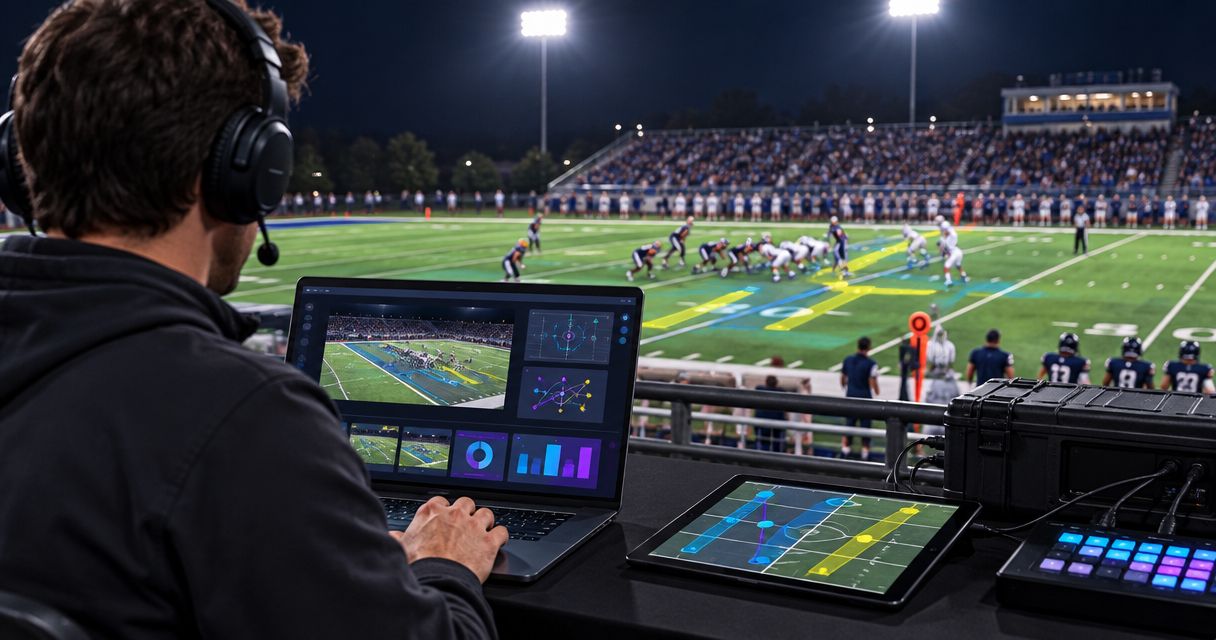
To set up football graphics for a night game under lights, establish a stable camera picture, confirm the video route through your Windows graphics system, align the field overlay, and rehearse under the actual stadium lighting. Keep a clean feed—a picture without on-field graphics—ready throughout the broadcast, and remove overlays whenever their placement or visibility becomes unreliable.
TL;DR
- How to set up football graphics for a night game under lights: stabilize exposure, align overlays, and test movement.
- PayneXR is for football broadcast teams that need Windows software for virtual first-down lines and on-field graphics.
- Test first-down lines against bright turf, deep shadows, player movement, and the final streamed picture.
- Broadcast without on-field graphics whenever you cannot confirm line placement or field alignment.
How do you set up football graphics for a night game under lights?
Follow the sequence below before putting virtual lines or sponsor artwork on air. For your 2026 game-day checklist, treat lighting, field alignment, and the outgoing picture as separate checks: a pass in one does not establish a pass in the others.
1. Define the video route before connecting equipment
Write down where the camera picture enters production, where graphics are added, and where the finished picture goes. A switcher selects between video sources; an encoder converts the finished program into a stream for delivery.
PayneXR provides Windows broadcast graphics software for virtual first-down lines, scrimmage lines, logos, and sponsor graphics. Confirm the software's documented input and output requirements before choosing connections; do not assume that a camera cable plugs directly into a Windows computer.
Your route needs clear answers to these questions:
- Which camera supplies the field view receiving the overlay?
- What equipment brings that picture into the graphics workflow?
- Where does the picture with graphics return to production?
- How does the director select a picture without the overlay?
Prove the video route with graphics hidden before adjusting their appearance. A working camera preview does not prove that the audience receives the correct output.
2. Match the production format
Record the resolution and frame rate at every handoff. Resolution describes picture dimensions: 720p uses 1280 × 720 pixels, while 1080p uses 1920 × 1080 pixels. Frame rate describes how many images the system handles each second.
Use the production format your equipment and software documentation support. If the show runs at 60 frames per second, check each handoff against that requirement rather than assuming that matching resolution is enough.
These are standard video-format examples, not a compatibility statement about any particular software. When conversion is necessary, identify the device performing it and inspect its output before continuing.
3. Set the camera under the stadium lights
Check the camera after the lights are operating in the conditions you will broadcast. A daylight rehearsal does not establish whether the night picture is ready.
Set exposure so you can read field markings without losing essential detail in bright uniforms. Set white balance—the camera adjustment that renders neutral objects without a color cast—under the actual lighting, then inspect the result across the field.
Avoid leaving automatic adjustments unexamined. Pan from the bright midfield area toward darker corners and watch for exposure or color changes. If you see bands or pulsing brightness, investigate the camera's shutter and anti-flicker controls according to its documentation; do not try to disguise a camera problem with a brighter overlay.
4. Align the graphics with visible field markings
Use a stable, wide field view to establish alignment through your graphics system's documented procedure. Calibration means matching the virtual field geometry to the field in the camera picture.
Check yard lines near the camera, across midfield, and toward the far sideline. A line that looks correct in the center can still diverge elsewhere, so inspect more than the easiest reference point.
Keep alignment and game information separate. The overlay can follow the field correctly while marking the wrong line to gain. Confirm the line of scrimmage and first-down position against the officiated game situation before displaying them.
5. Check line visibility and sponsor artwork
Inspect the scrimmage line, first-down line, and any planned sponsor graphic against both bright and dark turf. Use display controls available in your software to make the information readable without covering useful field detail.
Do not judge the result only on the graphics operator's monitor. Watch the outgoing program and a receiving device, because encoding and viewing size affect how fine lines and small lettering appear.
Check what happens when players cross the graphic. Do not assume the software automatically keeps every player in front of every overlay; verify the actual result and remove graphics that interfere with following the play.
6. Rehearse camera movement and source changes
Ask the camera operator to follow a realistic play: pan downfield, adjust the shot, and settle on the next position. Watch whether the graphic remains aligned throughout the movement, not just after the camera stops.
Then rehearse cuts to other cameras, close-ups, and replays. Only carry a field overlay onto a view whose placement has been verified. A line positioned for the main game camera is not automatically valid on a different angle.
Agree on a simple instruction for removing graphics. The director and graphics operator need the same understanding of when overlays return after a cut, replay, or camera adjustment.
7. Prove the fallback and approve the outgoing picture
Rehearse switching to the clean feed while the camera continues covering play. Confirm that the picture and audio remain usable and that nobody needs to stop production to remove the overlay.
Use this guide to prepare a clean-feed fallback when documenting that route. Keep the fallback available after kickoff, not just during setup.
Finish by watching the actual destination feed. Confirm the intended graphics are visible, their positions are correct, and the production team can remove them immediately. Make this destination check an explicit sign-off in your 2026 night-game plan.
The setup sequence has distinct checkpoints. Keep them in order so that picture problems are resolved before you judge the graphics placed over that picture.
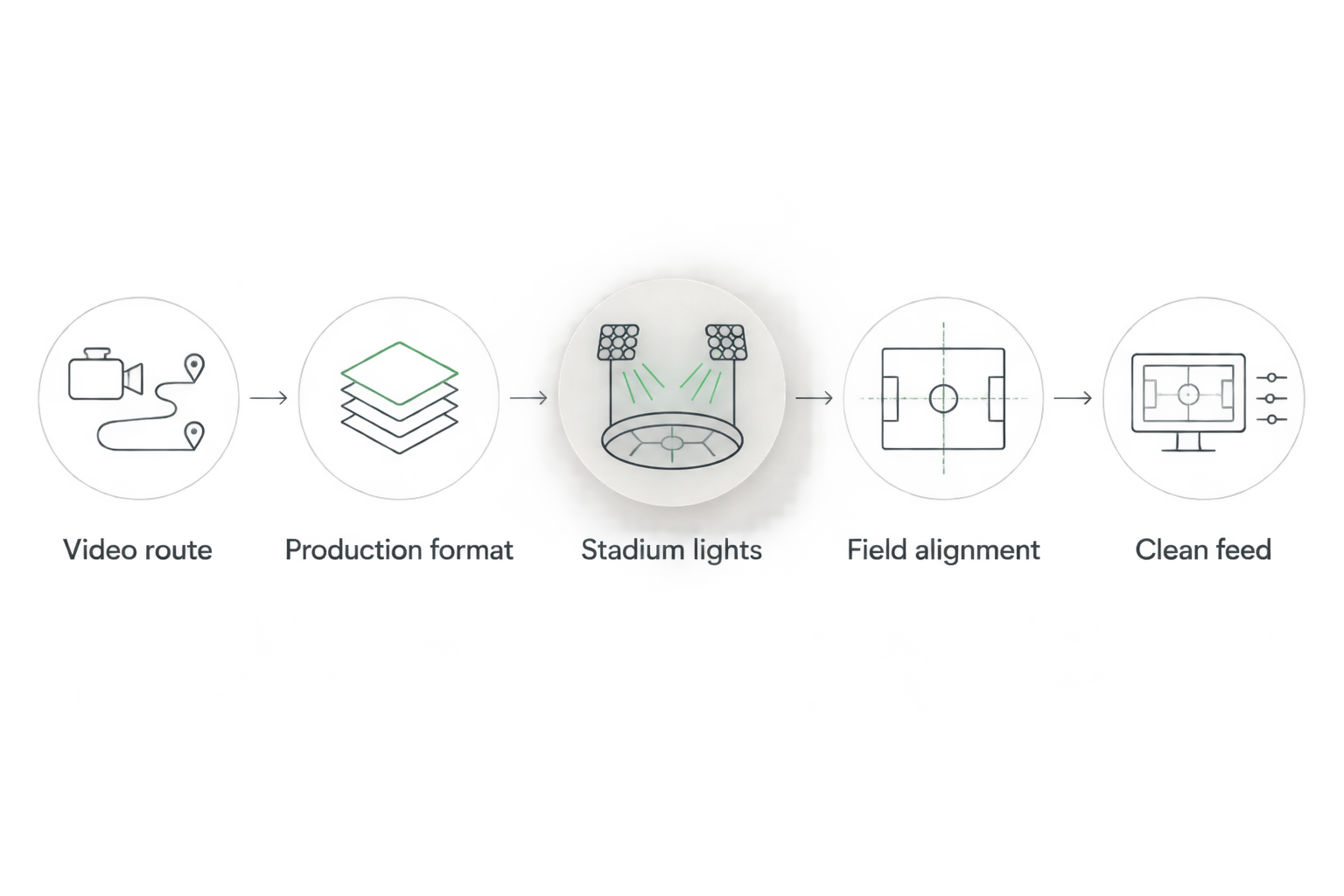
Verify the camera picture and signal route before approving the overlay.
Why this matters under stadium lights
A virtual line gives viewers a field reference, but only when its position is trustworthy. Stadium lighting also creates a practical inspection problem: your graphic must remain readable across the picture, not merely over the brightest patch of grass.
An accurate broadcast without an on-field line is better than a broadcast with a misleading line. Your 2026 production plan should make removing graphics a normal editorial decision, not an emergency admission of failure.
| Approach | Best for | Benefit | Limitation |
|---|---|---|---|
| Add on-field graphics | Crews that can verify placement and manage overlays during play | Shows the line of scrimmage, line to gain, or field-positioned sponsor artwork | Requires alignment checks, game-state confirmation, and active oversight |
| Broadcast without on-field graphics | Crews prioritizing an uninterrupted camera picture when overlay checks cannot be completed | Removes the risk of showing an incorrectly placed virtual field line | Viewers must use field markings, commentary, and other available game information |
Adding graphics does not replace clear camera coverage. Broadcasting without them does not excuse inaccurate down-and-distance information elsewhere in the show.
Why night-game graphics setup varies
Use the conditions at the venue to set your inspection priorities. Do not copy approval settings from another stadium without checking the result.
- Lighting distribution: Inspect bright areas, darker sidelines, and end zones separately. A graphic approved at midfield still needs checking elsewhere.
- Camera behavior: Exposure changes, zoom adjustments, and camera movement affect the picture against which you assess alignment and readability.
- Field appearance: Grass, artificial turf, painted markings, and existing field logos provide different backgrounds for virtual lines and artwork.
- Video processing: Scaling, cropping, and format conversion can change the picture between the camera, graphics stage, and outgoing program.
- Staff responsibilities: A dedicated operator can watch overlays continuously. A person also switching cameras needs a simpler display plan and an immediate removal action.
- Camera selection: Each additional angle needs an explicit decision about whether field graphics belong on that view.
Record what changed when you resolve a problem. “Line disappears over the far sideline” is a useful fault description; “graphics look bad” gives the next operator little to investigate.
What should each type of football crew prioritize?
The technical checks stay the same, but responsibility changes with the crew. Assign tasks according to the people actually working the game rather than the job titles on a larger production.
School football broadcast teams: clear operator ownership
Best for: a repeatable workflow that students and volunteers can follow. Name the person who confirms ball position, the person who places graphics, and the person authorized to remove them; one person can hold multiple responsibilities if the workload permits.
The benefit is a clear handoff between game information and the screen. The limitation is divided attention when the same operator also handles cameras, replay, or commentary, so rehearse those overlapping moments before kickoff.
Independent streaming crews: a controlled graphics scope
Best for: productions that need to keep a small crew focused on live coverage. Begin with the graphics you can reliably operate, then add sponsor artwork only after the essential game workflow passes rehearsal.
PayneXR's Windows football graphics software covers first-down lines, scrimmage lines, logos, and sponsor graphics. That range does not mean your crew needs every graphic on screen; each addition still needs an owner, a placement check, and a removal decision.
TV broadcasters: deliberate source and replay handling
Best for: productions with a director coordinating multiple sources. Include graphics visibility in camera and replay instructions, and confirm which outputs need the overlay and which need a clean picture.
The benefit is explicit control over where field graphics appear. The limitation is coordination: a correct overlay on the main camera can become misleading if it remains visible over an unverified source.
Should you make first-down lines brighter at night?
Not automatically: judge the first-down line against the outgoing picture. A brighter or more prominent line is useful only if it improves readability without obscuring play.
Check bright turf, dark turf, and player crossings before changing the display. Fix exposure, alignment, or compression problems at their source rather than treating line appearance as the answer to every defect.
Can you reuse a daytime football graphics setup at night?
Reuse it as a starting point, not as approval to go live. Recheck the camera picture under the stadium lights and verify field alignment, camera movement, and the receiving-device picture.
If you maintain a reusable 2026 venue checklist, separate saved settings from completed tests. A saved configuration records an earlier setup; it does not certify the current one.
FAQ
What's the first thing to check when football graphics look wrong under lights?
Check the camera picture without the overlay first. Resolve exposure, color, or visible flicker problems before changing the graphic, then inspect alignment separately.
Can I use PayneXR for football graphics on a Windows computer?
PayneXR sells Windows football broadcast graphics software for virtual first-down lines, scrimmage lines, logos, and sponsor graphics. Confirm its documented computer and connection requirements before building your production route.
Do I need to check every camera angle before showing a first-down line?
Check every camera angle on which you intend to show a field overlay. Keep the overlay off unverified angles rather than assuming the main-camera alignment applies elsewhere.
Should sponsor graphics stay on the field throughout the game?
Display sponsor graphics only when their placement is verified and they do not interfere with following play. Agree on their appearance and removal cues before kickoff.
Can a small school or independent crew broadcast without virtual lines?
Yes, a small crew can broadcast without virtual field lines. Prioritize clear coverage and accurate game information when the crew cannot reliably operate and verify an overlay.
How do I know the graphics are ready for the live stream?
Watch the actual destination feed after completing alignment, movement, and fallback tests. Approve the picture viewers receive, not only the local preview.
One last thing
Give the final approval to someone watching the destination feed who did not place the line. Ask that person to identify the scrimmage position and line to gain from the picture, then compare those positions with the confirmed game situation.
Add that independent check to your 2026 sign-off. It tests the information viewers receive, not just whether the graphics system is producing an image.