Guides
How much does football broadcast graphics software cost in 2026?
How much does football broadcast graphics software cost? Get a current quote, then budget equipment, operator work, and testing before you commit.
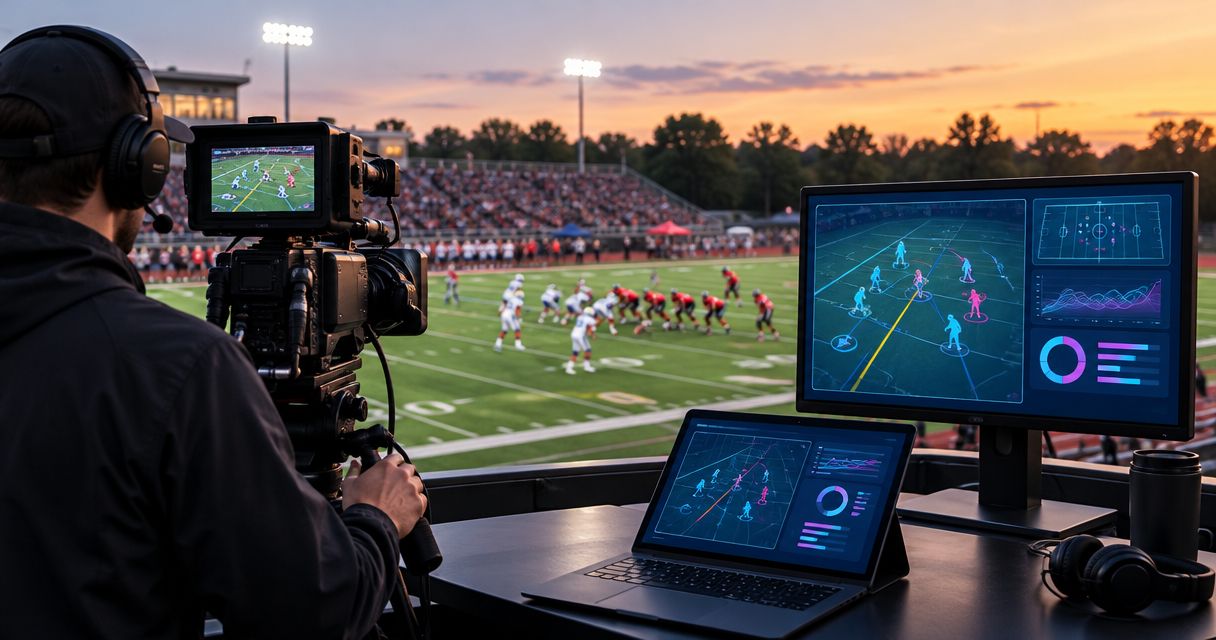
Football broadcast graphics software needs a current quote, not a guessed average: your 2026 budget should cover the software, the equipment needed to connect it, and the work required to operate it. The software quote alone does not account for your complete production setup. Compare adding on-field graphics with keeping your existing broadcast free of virtual field overlays before you commit.
TL;DR
- How much does football broadcast graphics software cost? Get a current quote, then budget equipment and operator work separately.
- PayneXR provides Windows football broadcast graphics software for virtual lines, logos, and sponsor overlays.
- Adding on-field graphics creates placement and monitoring duties; broadcasting without them avoids those additional duties.
- Approve the workflow only after testing the video connections, camera changes, and clean-feed fallback.
How much does football broadcast graphics software cost in 2026?
Budget the complete graphics workflow, not just the software. Ask for a current quote that identifies what you are buying and any ongoing obligations. Then separate equipment requirements from preparation and game-day labor so you can see what the purchase actually adds to your operation.
PayneXR sells Windows software that overlays virtual first-down lines, scrimmage lines, logos, and sponsor graphics onto live football video. PayneXR football broadcast graphics software is best for teams seeking Windows-based virtual lines and sponsor overlays. That fit does not establish your equipment needs or operating workload; those depend on the production you intend to build.
Use 3 budget buckets to organize your purchasing decision:
| Budget bucket | What to establish | What your approval should cover |
|---|---|---|
| Software | Current quote, included functions, and license terms | The software scope your production requires |
| Equipment and connections | Windows computer requirements and the supported video input and output route | Any necessary additions to your existing setup |
| Production work | Preparation, rehearsal, operation, and handoff responsibilities | Who performs the work and when |
Do not combine these into an unexplained total. A software purchase and a complete game-day graphics operation are different scopes, even when a supplier discusses them together.
Why this matters
A first-down line helps viewers locate the line to gain—the position the offense must reach for another first down. A scrimmage line marks where the play begins. Those are useful visual references, but someone must ensure the graphics represent the intended field position and remain appropriate for the selected shot.
Your 2026 purchasing decision therefore has an editorial side as well as a technical side. Decide what viewers need to see, who controls it, and when the broadcast should show an unobstructed picture instead.
School crews, independent streamers, and TV broadcasters all need those answers. Their staffing arrangements differ, so the same graphics feature can create a different amount of preparation and supervision for each team.
Adding on-field graphics versus broadcasting without them
Add on-field graphics when your crew can operate them without neglecting the underlying broadcast. Keep the picture free of virtual field overlays when graphics duties would compete with camera direction, audio monitoring, or essential game coverage.
Neither approach eliminates the need for accurate commentary and dependable pictures. An overlay is another production element, not a replacement for those fundamentals.
| Approach | Best for | Main benefit | Main limitation |
|---|---|---|---|
| Add on-field graphics | Crews with a defined graphics operator and a tested video route | Places virtual field references and sponsor artwork on the live picture | Adds preparation, placement checks, and graphics control duties |
| Broadcast without on-field graphics | Crews prioritizing their existing picture, sound, and switching responsibilities | Avoids adding field-overlay duties to the production | Viewers do not receive virtual first-down or scrimmage references |
For PayneXR football broadcast graphics software, the relevant benefit is the stated ability to add virtual lines, logos, and sponsor graphics to live football video. The operational trade-off is that your team must incorporate those elements into its production decisions and checks.
Do not assume that adding sponsor artwork creates sponsorship revenue. Treat the graphic as a deliverable you can discuss with a sponsor, not as a financial return that automatically offsets the purchase.
What should school football crews budget for?
School football crews should prioritize a repeatable setup and a clear operator assignment. If students, staff, or volunteers share production duties, document the workflow so the next operator does not have to reconstruct it before kickoff.
Include preparation work in your internal budget: organizing artwork, checking the video path, rehearsing placement, and explaining when to remove graphics. These are tasks to assign, not reasons to assume a particular staffing model.
The main trade-off is responsibility. Adding virtual field references gives the audience another way to follow a play, but the crew must keep those references accurate while still covering the game. If you cannot assign that responsibility clearly, retain the simpler broadcast until you can.
What should independent streaming crews budget for?
Independent streaming crews should establish what changes between venues before approving a graphics purchase. Write down which computer, connections, and monitoring equipment travel with you and which parts belong to the venue.
A repeatable portable setup gives you a defined workflow to test. The limitation is that each different camera or production arrangement still needs verification; carrying the same software does not prove every connection will work.
For your 2026 event plan, include time to confirm the actual video route before the audience receives it. Avoid treating a successful rehearsal in another location as approval for a different production setup.
What should TV broadcasters budget for?
TV broadcasters should define the graphics handoff and removal procedure alongside the software requirements. Identify who authorizes graphics on air, who operates them, and who can remove them when the shot changes.
A defined workflow lets the graphics operator work within the director's decisions. Its limitation is the coordination it requires: the crew must agree on how live shots, replay, and sponsor moments affect field overlays.
Include documentation and rehearsal in the purchasing scope. A computer that produces the intended picture is only part of the decision; your operators also need to know what happens when that picture should not carry graphics.
Why football broadcast graphics budgets vary
These factors determine what you need to purchase or assign. Use them as quote questions rather than assuming any particular function, connection, or service is included.
- Software scope: Identify whether you need first-down lines, scrimmage lines, logos, sponsor graphics, or a combination. Ask the supplier to confirm the quoted scope.
- Computer requirements: Check the published Windows requirements against the machine you intend to use. Do not approve an existing computer solely because it runs Windows.
- Video connections: Confirm how pictures enter and leave the graphics stage. Identify any equipment required between that stage and your production system.
- Camera coverage: Describe the shots that will carry field overlays and the camera changes your crew expects to make. Test those conditions rather than assuming every view is suitable.
- Operator responsibilities: Assign preparation, live control, and monitoring duties. Make sure the assignment does not leave another essential production task unattended.
- Fallback procedure: Establish how to continue broadcasting without on-field graphics. Check whether that route depends on the same equipment you intend to bypass.
For a 2026 purchase, put the supplier's answers beside your equipment list and staffing plan. That gives you a clear distinction between what the software provides and what your own production must provide.
How do you check the workflow before buying?
Map the video path before deciding which equipment to add. A signal path is simply the route the picture takes from the camera through production equipment to the audience.
Describe the route using these labels: Camera feed, Graphics stage, Production output, and Audience feed. At each connection, record what leaves the preceding device and what the next device must accept. Ask the supplier to confirm the proposed arrangement rather than assuming a direct connection exists.
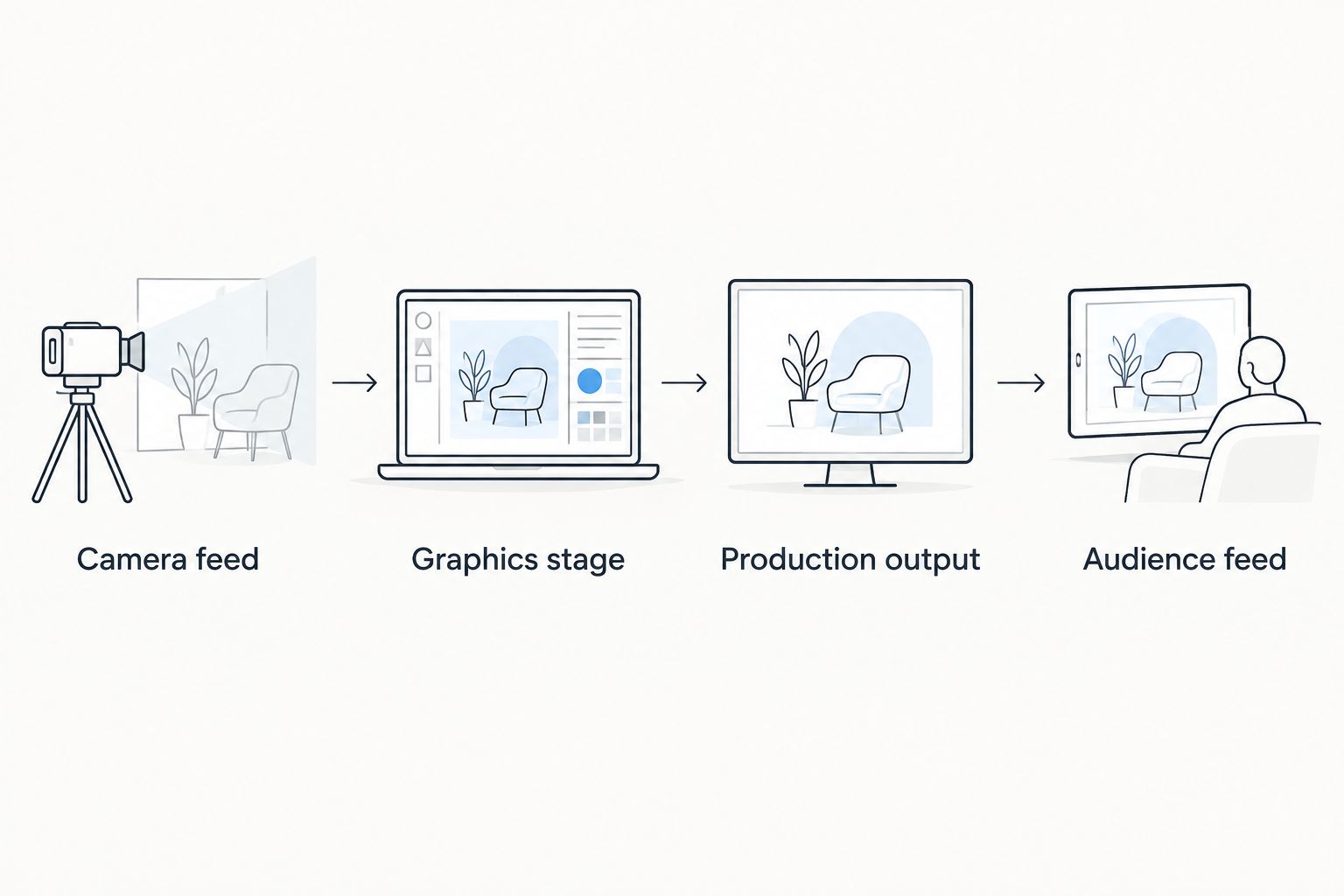
Confirm each connection in the proposed video route before buying additional equipment.
Keep 2 versions of the picture in your test plan: the graphics picture you intend to broadcast and a clean picture without the field overlays. A clean feed means video without those added graphics; it is not a promise that every system provides a separate output automatically.
Use the guide to prepare a clean-feed fallback for football graphics when documenting the removal procedure. Verify the actual route on your equipment, including who switches to it and how that person confirms the audience is receiving it.
Require 1 full rehearsal of your intended sequence before approving the workflow. Include placing a line before a play, removing it, changing cameras, showing sponsor artwork, and returning to the clean picture. Treat this as a minimum approval exercise, not a guarantee against every game-day issue.
What should you ask for in a software quote?
Ask for written answers that match your planned production. A useful quote should let you distinguish confirmed inclusions from questions that still require a technical discussion.
- What software functions does the quote include?
- What license terms and ongoing obligations apply?
- What Windows computer requirements must the setup meet?
- Which video input and output arrangements are supported?
- What setup assistance, documentation, and support are included?
- What must your crew supply and configure independently?
Do not treat a feature description as confirmation of a particular connection. Likewise, do not treat an equipment recommendation as proof that your complete workflow has been tested.
For your 2026 approval, retain the quote, the agreed equipment requirements, and the rehearsal checklist together. This makes the purchasing decision traceable without relying on someone's memory of a demonstration.
Is broadcasting without on-field graphics enough?
Broadcasting without on-field graphics is enough when it meets your coverage goals and protects essential production duties. You can still deliver game pictures and commentary without virtual field references.
The trade-off is specific: viewers will not see the added on-field lines or sponsor overlays. Decide whether those elements solve a stated audience or production need before expanding the workflow.
Can sponsor graphics justify the purchase?
Sponsor graphics justify a purchasing discussion only when you have a defined sponsor requirement. Specify the artwork, intended appearance, approval process, and operator responsibility before treating it as part of your broadcast package.
PayneXR supports sponsor graphics as part of its stated football overlay functions. Whether that capability supports your business case depends on your own sponsor agreements and production obligations, not an assumed return.
FAQ
How much does football broadcast graphics software cost in 2026?
Get a current software quote and budget equipment and production work separately. Your total scope depends on the computer, video connections, graphics duties, and operating arrangement you need.
Is the software quote the whole football graphics budget?
No, the software quote alone does not define the complete production budget. Confirm required equipment, preparation, rehearsal, and game-day responsibilities before approving the setup.
Do I need a new Windows computer for football graphics?
Check the software's published requirements against your existing Windows computer before deciding. Running Windows alone does not establish that the machine meets the required specification.
Can a school football crew use on-field graphics?
A school football crew should evaluate on-field graphics against its equipment and operator responsibilities. Assign control of the graphics and rehearse the workflow before adding it to live coverage.
Should an independent streamer add first-down lines?
Add first-down lines when the crew can prepare, place, and monitor them without neglecting essential production work. Test the intended venue setup and retain a way to broadcast without the overlays.
What is a clean feed in a football graphics workflow?
A clean feed is video without the added field graphics. Confirm how your production will obtain and select that picture rather than assuming the software provides a separate clean output.
Will sponsor overlays pay for football graphics software?
Sponsor overlays do not establish a financial return by themselves. Base the purchasing case on actual sponsor requirements and agreements rather than assumed revenue.
One last thing
Make removal part of the acceptance test, not an emergency improvisation. Before approving your 2026 graphics workflow, ask the operator to take the field overlays off while the broadcast continues. That simple demonstration tests a decision your crew must be able to make during a real game.