Guides
How long does it take to set up football broadcast graphics?
How long does it take to set up football broadcast graphics? Time your full rehearsal, then verify connections, line placement, and fallback before kickoff.
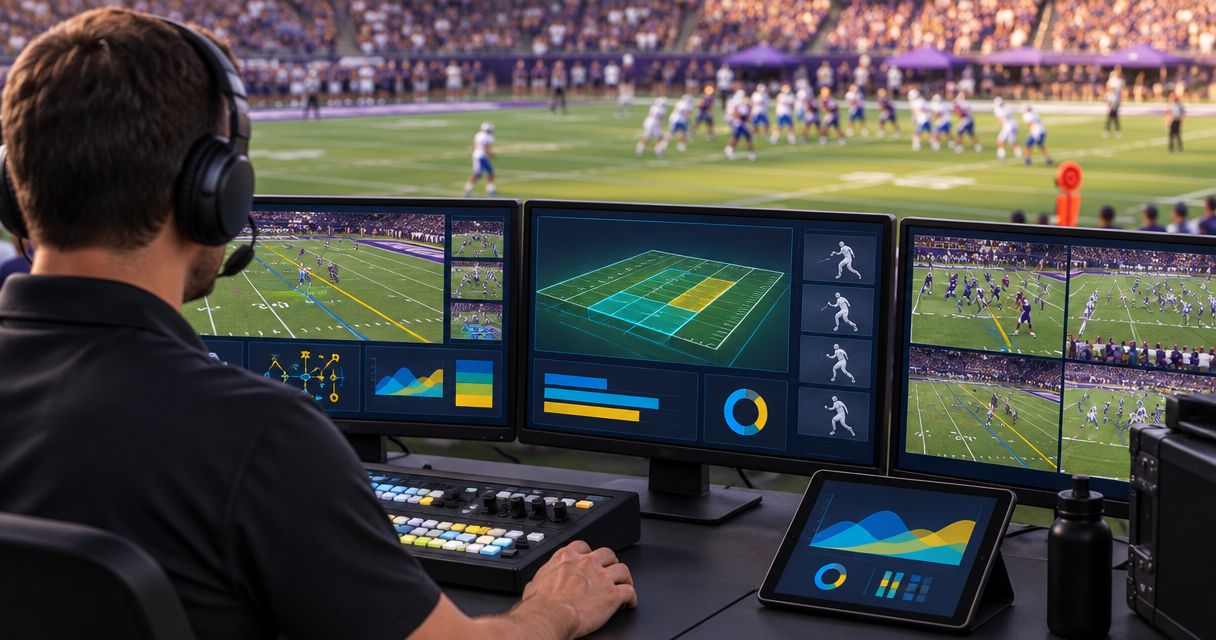
Football broadcast graphics setup has no universal duration: your crew needs to connect the video path, prepare the overlays, check field placement, and rehearse the live workflow before the system is ready. Installing the software is only part of that work; camera changes, operator handoffs, and a tested graphics-free fallback also belong in your setup plan.
TL;DR
- How long does it take to set up football broadcast graphics? Plan around completed checks, not an assumed duration.
- PayneXR is best for football production teams that need Windows-based virtual field graphics.
- Adding first-down lines requires placement checks and operator rehearsal that a graphics-free broadcast does not.
- Measure your own rehearsal, then schedule venue setup around the tasks that remain.
Why this matters
A first-down line helps viewers see the distance to gain. A misplaced line gives them the wrong reference. Your setup is finished when the output is correct and controllable, not when an overlay first appears.
PayneXR sells Windows football broadcast graphics software for virtual first-down lines, scrimmage lines, logos, and sponsor graphics. Those overlays add on-field information, but they also add placement and operating checks to your production. For your 2026 production plan, separate preparing the system from proving that the crew can use it during a game.
How long does it take to set up football broadcast graphics?
Build your setup schedule from a complete rehearsal of your actual production chain. Time each stage separately, record what caused delays, and distinguish work you can finish beforehand from checks that require the venue camera.
Use this sequence to establish your own setup duration:
- Prepare assets. Gather approved logos, sponsor artwork, and the graphics you intend to show. Decide who approves them before the broadcast.
- Connect video. Establish the incoming picture, the graphics processing stage, and the destination that receives the finished video. Confirm the documented connection method for your equipment.
- Check field placement. Use visible field markings to check the scrimmage line and first-down line. Confirm that each overlay belongs on the view currently being shown.
- Rehearse operation. Practice updating, showing, and removing graphics while the production continues. Include camera changes and a change of possession.
- Test fallback. Prove that you can continue broadcasting without the on-field overlays. Give the person controlling the output a clear removal instruction.
Record a start and finish for each stage rather than relying on memory. If a rehearsal stops because an asset is missing or a connection is unresolved, record that separately from the time spent operating a working system.
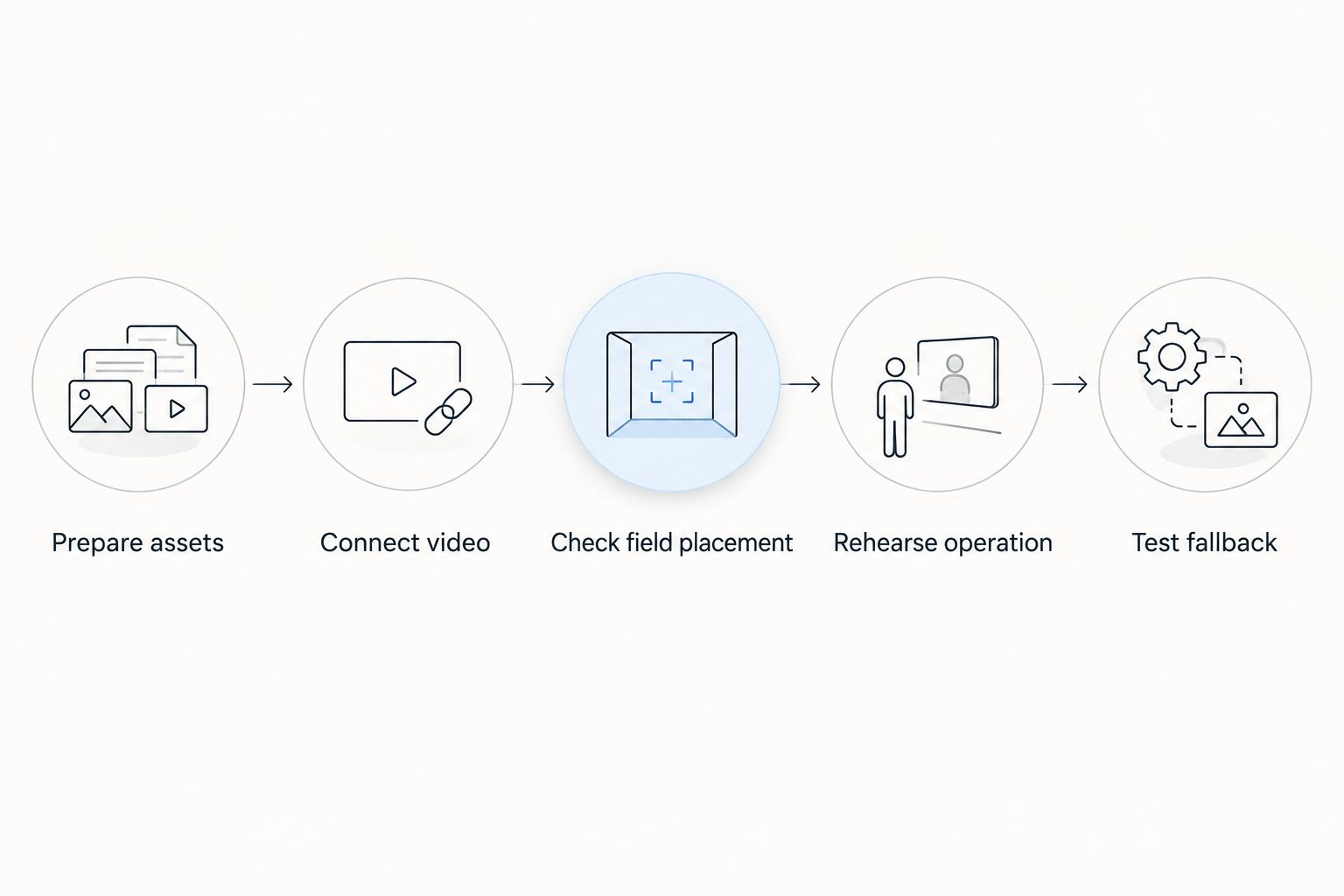
Measure the full workflow, not just software launch.
A rehearsal produces a useful schedule only when it represents the planned broadcast. Do not treat a successful static-camera demonstration as proof that camera changes, live updates, and operator handoffs are ready.
First-time setup: establish the complete workflow
For an initial setup, write down the video route before connecting equipment. Identify the camera source, the Windows computer running the graphics software, and the production destination. A switcher selects between video sources; an encoder converts the finished program into a stream for delivery.
This is a planning map, not a prescribed wiring diagram. The exact connections depend on documented software and hardware support. Confirm the required input and output methods before buying adapters or changing the production chain.
Match the intended picture format across the route. For example, 720p uses a picture of 1280 × 720 pixels, while 1080p uses 1920 × 1080 pixels; 30 frames per second and 60 frames per second are different timing formats. These examples explain the settings to check, not a compatibility list for any particular product.
Do not combine an unfamiliar connection, an untested format, and first-time operator training at kickoff. Establish a working baseline before adding optional sponsor placements or additional camera views.
Repeat setup: verify what changed
A repeat broadcast starts with a known workflow, but it still needs checks. The saved configuration does not prove that the current camera view, field, output destination, and artwork match the previous game.
Keep a short change record with the production notes. Mark anything different: camera position, computer, cables, production destination, operator, or sponsor assets. Test the affected parts of the chain rather than assuming a familiar software screen means everything downstream is correct.
For repeat events in 2026, keep a dated copy of the working setup notes with the crew. Include the settings that matter, the equipment connections, and the approved fallback route. A record that another operator can follow is more useful than an undocumented configuration only its creator understands.
Adding on-field graphics versus broadcasting without them
The relevant comparison is the production work you add when you put graphics on the field. Both approaches still require sound, pictures, and a functioning delivery path.
| Approach | Best for | What you gain | What you must manage |
|---|---|---|---|
| Broadcast without on-field graphics | Crews prioritizing a simpler live workflow | No virtual field-overlay placement or removal task | Viewers rely on the picture, commentary, and any separate scoreboard for field context |
| Broadcast with on-field graphics | Crews that can assign and rehearse graphics operation | Visible scrimmage, first-down, logo, or sponsor overlays | Field placement, timely updates, appropriate camera use, and removal when a graphic is wrong |
Choose on-field graphics when your crew can keep them accurate during play. Choose the graphics-free approach when the production cannot yet support that responsibility. This is a workflow decision, not a judgment about the size or ambition of your broadcast.
PayneXR provides the Windows software for adding those football overlays. The benefit is on-field information and branding; the operational trade-off is the need to check placement and control when graphics appear. Software installation alone does not settle that trade-off.
Why football graphics setup time varies
Your rehearsal duration depends on the work your crew actually needs to complete. Use these factors to explain schedule changes rather than assigning the same setup allowance to every game:
- Video connections: A documented, tested route removes connection decisions from game-day setup. A changed destination requires another end-to-end check.
- Picture format: Resolution and frame-rate settings need to agree with the planned workflow. Check the received picture, not just the source setting.
- Camera coverage: Rehearse each view intended to carry on-field graphics. Do not assume an overlay appropriate for the main view belongs on every other shot.
- Graphics scope: First-down lines, scrimmage lines, logos, and sponsor graphics each need an appearance and removal plan. Prepare only the elements you intend to operate.
- Operator readiness: A person who knows the interface still needs to practice the production cues. Rehearse what happens when information arrives late or changes.
- Venue changes: A different camera position or production layout calls for fresh checks. Saved notes are a starting point, not acceptance of the current output.
What each broadcast crew should prepare
School football broadcast teams
Assign responsibility by task, not by whoever happens to be available. Name the person who confirms field position, the person who operates graphics, and the person who can order the overlay removed. One person can hold multiple responsibilities, but the crew needs to know which tasks compete for attention.
For a school broadcast schedule in 2026, keep the operating instructions understandable to the next student, staff member, or volunteer. Include how to restore a clean picture before documenting optional styling choices. Practice a handoff rather than relying on someone reading notes during play.
Independent sports streaming crews
Build the rehearsal around the equipment you will transport and the destination you will actually use. A successful office demonstration does not check the venue camera feed or the assembled field kit. Label connections and keep the working settings with the equipment.
If you operate graphics while also directing, mixing audio, or monitoring the stream, rehearse those overlapping tasks. Remove optional graphics before allowing them to distract from the live picture or sound. A smaller graphics package is a valid operating choice.
TV broadcasters
Define where the graphics-treated picture enters the production and who controls its use. Agree on the distinction between the clean feed, meaning video without the on-field overlays, and the graphics-treated feed. Make that distinction clear in routing notes and crew communication.
Include camera cuts, replay transitions, and removal cues in the rehearsal. Confirm the output at the point the production will use, not only on the graphics computer. A correct local preview is not the final acceptance check.
How do you know the graphics are ready to go live?
The graphics are ready when the crew can show the correct overlay, update it, and remove it while maintaining the broadcast. Inspect the destination picture and practice the failure response before approving the setup.
Use these acceptance checks:
- The intended live picture reaches the graphics stage and the production destination.
- The scrimmage and first-down lines correspond to the intended field positions.
- The crew knows which camera views can carry the overlays.
- Logos and sponsor artwork match the approved material.
- The operator can remove a wrong graphic without searching for instructions.
- The production can continue with a clean picture.
Use the guide to placing scrimmage and first-down lines before a play to prepare that specific operating task. Treat line placement as part of live production, not a setting you finish once and forget.
Can you finish football graphics setup before arriving at the venue?
You can prepare artwork, document connections, assign roles, and rehearse operating cues before arrival. You still need to check the actual venue picture, field view, and production output before using the overlays live.
For your 2026 event checklist, mark each task as advance preparation or venue verification. This prevents a completed asset folder from being mistaken for a completed broadcast setup. It also tells the crew what must happen after the camera is in position.
FAQ
How long does it take to set up football broadcast graphics for the first time?
First-time setup duration depends on connecting and verifying your actual video chain, preparing graphics, and rehearsing operation. Time a complete rehearsal rather than treating installation time as the full setup allowance.
Is installing the graphics software enough to be ready for kickoff?
Installing the software is not enough to establish broadcast readiness. Verify the incoming picture, overlay placement, received output, operator cues, and graphics-free fallback.
Does a repeat football broadcast need another graphics check?
A repeat broadcast still needs a check of the current camera view, output, artwork, and operator workflow. Recheck any equipment or settings that changed since the last verified setup.
Can one person operate football graphics and run the stream?
Assign both jobs to one person only after rehearsing the combined workload. If graphics updates interfere with picture, sound, or stream monitoring, simplify the graphics package or assign another operator.
What does PayneXR add to a football broadcast?
PayneXR adds virtual first-down lines, scrimmage lines, logos, and sponsor graphics to live football video through Windows broadcast graphics software. Your crew still needs to verify the production connections and operating workflow.
Should you keep broadcasting if a first-down line is wrong?
Remove the incorrect overlay and continue with a clean picture while the crew resolves the placement. Reintroduce the graphic only after checking it against the intended field position.
One last thing
Practice taking graphics off before practicing how to add more. Ask the operator to remove an overlay on cue, then confirm that the destination picture is clean. This checks both the control action and the crew's understanding of who makes the call.
Keep that removal test on every 2026 game-day checklist. An attractive opening graphic does not prove that your production can recover from an incorrect line during a live possession.