Guides
Can you use football broadcast graphics for flag football games?
Can you use football broadcast graphics for flag football games? Yes—with verified field alignment, rule-accurate lines, and a tested clean-video fallback.
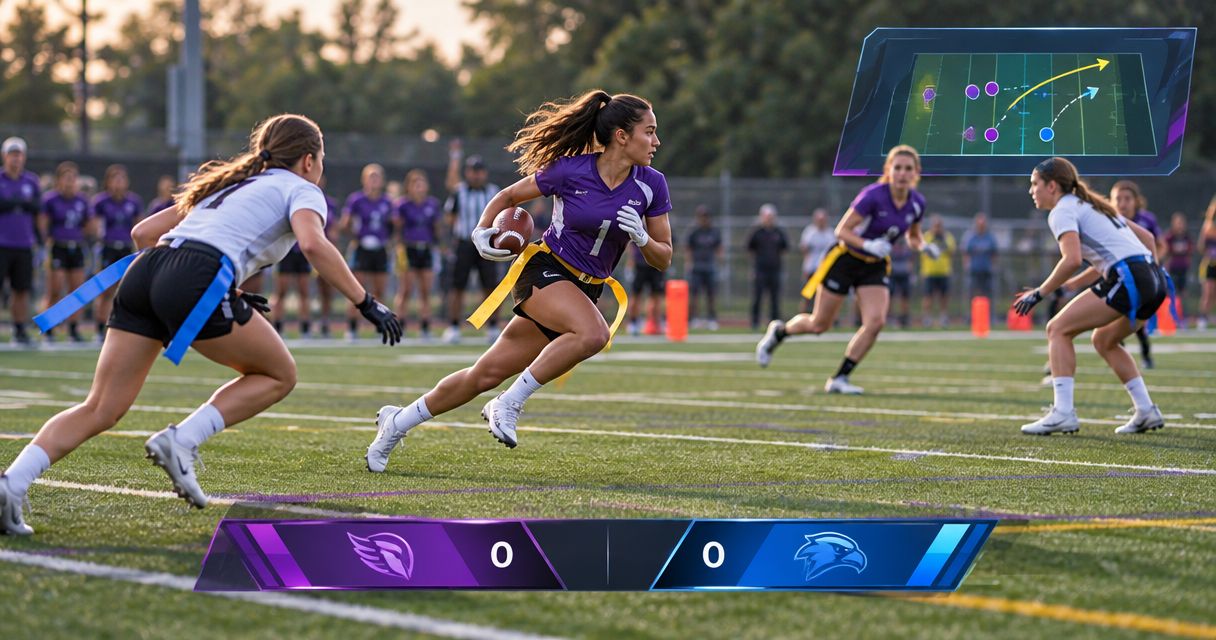
Yes, you can use football broadcast graphics for flag football games when the software can match the actual field layout, the competition’s rules, and your camera feed. Before using virtual scrimmage or first-down lines, verify those requirements with the software provider; a tackle-football setup is not proof of flag-football compatibility.
TL;DR
- Can you use football broadcast graphics for flag football games? Yes, after verifying field geometry, rules, and camera compatibility.
- Paynexr serves Windows football broadcast crews; confirm flag-football requirements before choosing it for your production.
- Show a first-down line only when it represents the competition’s actual advancement target.
- Broadcast without on-field graphics when your crew cannot verify placement or maintain an immediate clean-feed fallback.
Why this matters
An inaccurate virtual line gives viewers the wrong reference for the play. A graphic that looks convincing still needs to represent the correct spot, target, and camera perspective.
For your 2026 production plan, treat field graphics as an editorial responsibility, not just another layer of artwork. Decide who confirms each position, who updates it, and who removes it when the picture changes. The guide to placing scrimmage and first-down lines before a play addresses that operating task.
The same decision applies to a school broadcast, an independent stream, and a television production: add on-field graphics only when the crew can keep them accurate. Audience size does not change that requirement.
Can you use football broadcast graphics for flag football games?
Yes, but separate the decision into field compatibility, rule accuracy, and production control. Software that draws lines over football video still needs to represent the field and game you are actually showing.
Use this comparison to decide whether field overlays belong in your broadcast. Neither approach fixes weak camera coverage, unclear commentary, or an unreliable video feed.
| Approach | Best for | Main benefit | Main limitation |
|---|---|---|---|
| Add on-field graphics | Crews that can verify field alignment and update play information | Gives viewers a visible reference for the scrimmage position and applicable advancement target | Adds placement checks, operator decisions, and another video-processing stage |
| Broadcast without on-field graphics | Crews that cannot reliably maintain placement during live play | Keeps production simpler and avoids misleading field overlays | Leaves viewers dependent on field markings, commentary, and other game information |
Before approving graphics, work through these checks:
- Confirm the rules. Ask the organizer how possession, advancement targets, and special field markings work for this competition.
- Confirm the field. Obtain the actual dimensions and identify the markings visible from your broadcast camera.
- Confirm software fit. Ask whether the software supports that geometry and the line placements your rules require.
- Confirm the video path. Test the connections and picture format you intend to use during the game.
- Confirm control. Rehearse updating, hiding, and removing graphics before you put them on air.
Passing these checks establishes a usable workflow. It does not make the broadcast overlay an official measurement or replace an official’s ruling.
Adding on-field graphics: best for verified, staffed workflows
Virtual scrimmage and first-down lines give viewers a field reference without requiring them to interpret every painted marking. Logos and sponsor graphics serve a different purpose: presentation and commercial messaging rather than explaining the next play.
Paynexr is for school, independent, and television crews adding football field graphics through Windows software. Paynexr overlays virtual first-down lines, scrimmage lines, logos, and sponsor graphics onto live football video. Confirm support for your flag-football field and production connections before committing to the workflow.
For a 2026 flag-football production, evaluate the software against footage from the actual camera position. A demonstration on another field does not establish that your markings, camera angle, and required placements will work.
The benefit is a visible explanation of field position. The trade-off is operational: someone must maintain that explanation as the game changes. Do not assign the task to an already overloaded operator without rehearsing the combined workload.
Broadcasting without field graphics: best for simpler coverage
A flag-football broadcast does not need virtual lines to be usable. Clear framing, accurate commentary, and correctly maintained game information remain the foundation of the production.
Choose coverage without field overlays when you cannot establish a reliable field reference or keep an operator available to update it. This is also the appropriate fallback when the graphics picture stops matching the live camera.
The limitation is that viewers must work harder to identify the relevant spot or target. Address that with deliberate camera framing and commentary that explains the situation before the snap, rather than leaving an uncertain graphic on screen.
A correct picture without a virtual line is better than an incorrect picture with one. Treat removal as a normal production decision, not a failure that needs to be concealed.
Why flag-football graphics requirements vary
The label flag football does not establish the configuration your broadcast needs. Build your setup around the event’s documented requirements and the video equipment you will actually use.
- Competition rules: The graphic must represent the organizer’s advancement rules, not a presumed tackle-football convention.
- Field geometry: Confirm the dimensions and reference markings before choosing a field setup in any software.
- Camera position: Test the view from your broadcast location, including the portions of the field near the image edges.
- Camera movement: Pans, tilts, and zooms change the picture against which the overlay must remain aligned.
- Crew responsibilities: Decide who confirms the spot, operates the graphic, and authorizes its removal.
- Video routing: Establish where graphics enter the production and how you will bypass that stage if necessary.
Put these requirements on the same 2026 game-day sheet as your camera assignments. A software choice made separately from the camera and crew plan leaves the most important operating questions unanswered.
How do you connect graphics to a flag-football broadcast?
Start with a signal-path drawing, not a connector purchase. A signal path is the route video takes from the camera to the audience; each device must accept the connection and picture format presented to it.
Use the following sequence as a planning checklist. It describes production functions, not a confirmed Paynexr connection method or hardware specification.
- Camera feed: Identify the camera output and the equipment currently receiving it. Record the connection type and picture format shown in your equipment settings.
- Graphics stage: Establish how the selected software receives video and produces the picture containing graphics. Verify the necessary input and output equipment with the provider.
- Production output: Decide where that picture enters your switching, recording, or streaming workflow. A switcher selects video sources; an encoder prepares video for streaming.
- Program check: Inspect the final outgoing picture, not only the graphics operator’s preview. Program means the picture your audience receives.
- Clean fallback: Prepare a route that keeps live video available without the field overlay. Rehearse selecting it while the rest of production continues.
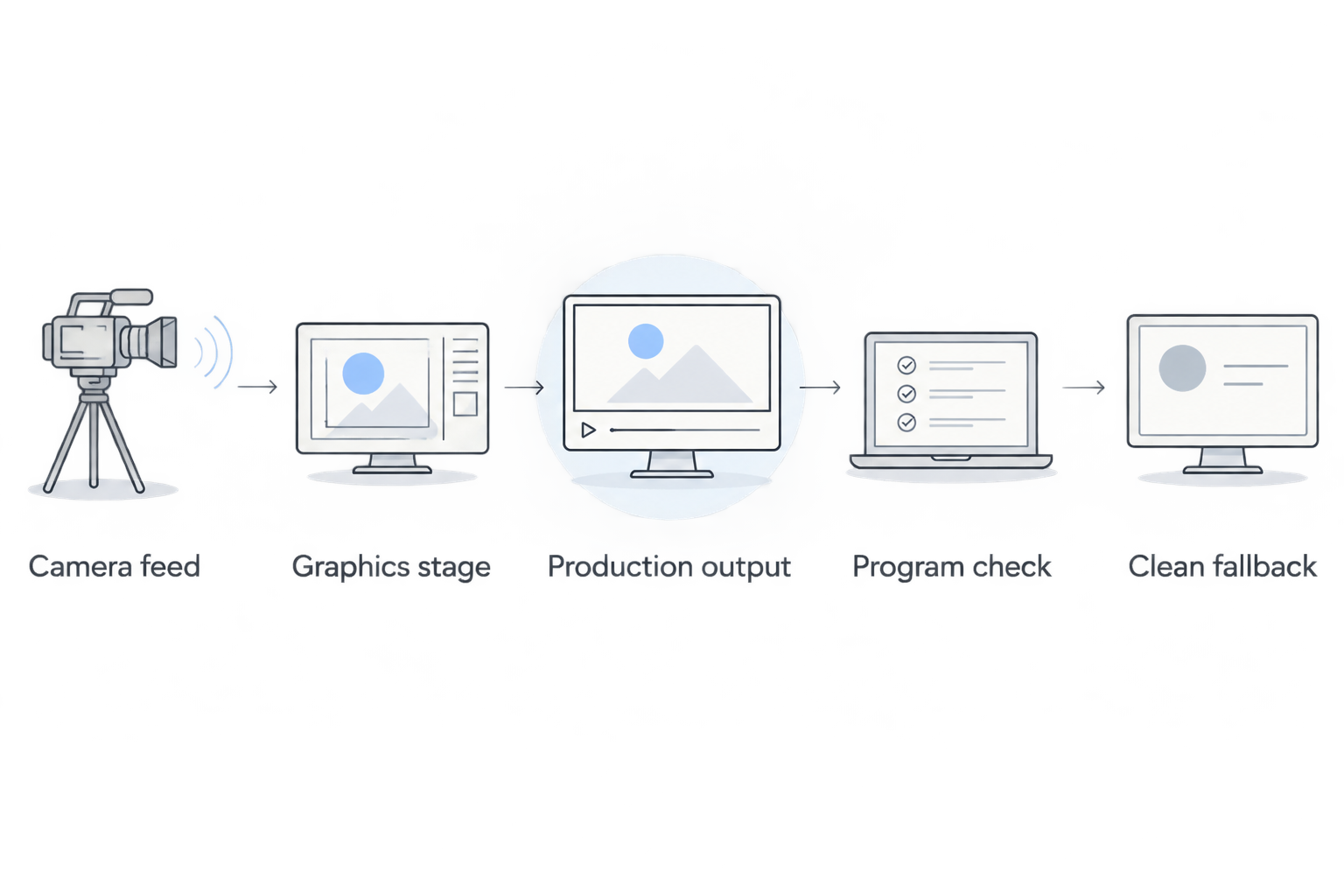
Verify the outgoing picture and rehearse removing graphics before the game.
Do not assume that sharing a connector type establishes compatibility. Check the required input, output, and video format across the entire route, then test the assembled chain rather than individual devices in isolation.
For your 2026 rehearsal, record the outgoing program while someone operates the camera as they would during play. Watch the recording back for alignment errors, unexpected cropping, interrupted video, and timing differences between the picture and other production elements.
What should you test on the actual flag-football field?
Begin with a clearly identifiable field reference and inspect how the virtual line sits against it. Calibration means matching the graphics system’s field representation to the camera image; follow the selected software’s instructions rather than improvising a field model.
Test across the intended camera view, not just at midfield. Ask the camera operator to follow an imagined play toward each end and along both sidelines while you inspect the overlay.
Use a pass-or-correct checklist:
- Position: Does the line represent the spot or target confirmed by the game-information operator?
- Perspective: Does the line sit consistently on the field rather than appearing to float across the image?
- Movement: Does alignment remain acceptable through the pans and zooms planned for coverage?
- Readability: Can viewers distinguish the graphic from field paint, uniforms, and other visible markings?
- Removal: Can the crew hide the graphic immediately when its position becomes uncertain?
- Camera changes: Does the production avoid carrying an unsuitable field overlay onto another shot?
Do not treat a successful static screenshot as a successful live test. Rehearse the transitions: a new spot, a changed target, a camera move, and a switch away from the main field view.
With Paynexr or any field-graphics workflow, approve only the behavior you have actually confirmed. Do not assume automatic rule recognition, camera tracking, or data updates without explicit documentation and a working test.
How should different broadcast crews divide the work?
School football broadcast teams
Assign responsibility by task rather than by whoever is nearest the computer. Student and volunteer operators need a clear source for the spot and target, an agreed update cue, and permission to hide a doubtful graphic.
Include the graphics operator in the camera rehearsal. A correct line on the wrong shot still gives viewers a misleading picture, so camera switching and graphic visibility need a shared operating plan.
Independent sports streaming crews
Build around the work your crew can maintain while covering the action. If one person switches cameras, monitors audio, and manages the stream, adding live field placement creates another task that needs an explicit rehearsal.
Keep the clean-video route accessible without rebuilding the production. At a venue you do not control, confirm camera access and field information before treating virtual graphics as part of the promised coverage.
TV broadcasters
Assign the field graphic an editorial owner as well as a technical operator. The production team needs to know who confirms the placement and who calls for removal during a camera change, disputed spot, or replay.
Check the graphic in the complete program picture, including any other presentation elements. For a 2026 broadcast plan, document which shots are approved for field overlays rather than assuming every camera source is suitable.
Should a flag-football broadcast always show a first-down line?
No. Show a first-down line only when it accurately represents the advancement target under that competition’s rules. If the crew cannot confirm the target or position, remove the line and explain the situation through commentary.
Can you use the same graphics setup for every flag-football venue?
Do not assume a saved setup fits another venue. Verify the field dimensions, visible reference markings, camera position, and video path before reusing it.
Can sponsor graphics replace scrimmage and first-down lines?
No. Sponsor graphics identify a sponsor, while scrimmage and first-down lines explain field position. If you use both, keep sponsor placement from obscuring the action or making the game-information graphics harder to read.
FAQ
Can I use tackle-football graphics software for a flag-football stream?
Yes, if the software supports your flag-football field geometry, required line placements, and video workflow. Verify those requirements rather than assuming a tackle-football demonstration establishes compatibility.
Does Paynexr support my flag-football field?
Confirm your specific field requirements with Paynexr before selecting it for flag football. Its stated functions include Windows-based virtual first-down lines, scrimmage lines, logos, and sponsor graphics, but your field configuration still needs verification.
Do I need a first-down line for every flag-football game?
No, a first-down line belongs on screen only when it represents the competition’s actual advancement target. Hide it when the position or rules are uncertain.
Can a school broadcast team operate flag-football graphics?
A school broadcast team can assign and rehearse the graphics role alongside camera and production duties. Give the operator a reliable source for field position and a clear instruction for removing an uncertain overlay.
Can one person stream the game and update field graphics?
Decide this through a full production rehearsal, not an assumption about staffing. If updating graphics interferes with camera coverage, audio monitoring, or stream control, simplify the broadcast or assign another operator.
Should virtual lines stay visible when I change cameras?
Keep virtual lines visible only on shots where their alignment has been verified. Remove them before showing a camera view that does not have a confirmed graphics setup.
What should I do if a virtual line moves off the field markings?
Remove the overlay and continue with clean live video while you diagnose the alignment problem. Restore the graphic only after checking it against reliable field references.
One last thing
Rehearse a deliberately wrong placement before game day. Have the producer call for the graphic to disappear, confirm that viewers receive clean video, and continue the simulated play without stopping production.
That exercise tests the decision that matters most under pressure: whether the crew can protect the picture when the overlay is no longer trustworthy. Your approval standard is not simply that the line appears—it is that the crew knows when it must disappear.