Guides
Can football broadcast graphics run without a dedicated operator?
Can football broadcast graphics run without a dedicated operator? Yes—with shared duties, placement checks, and a rehearsed clean-feed fallback.
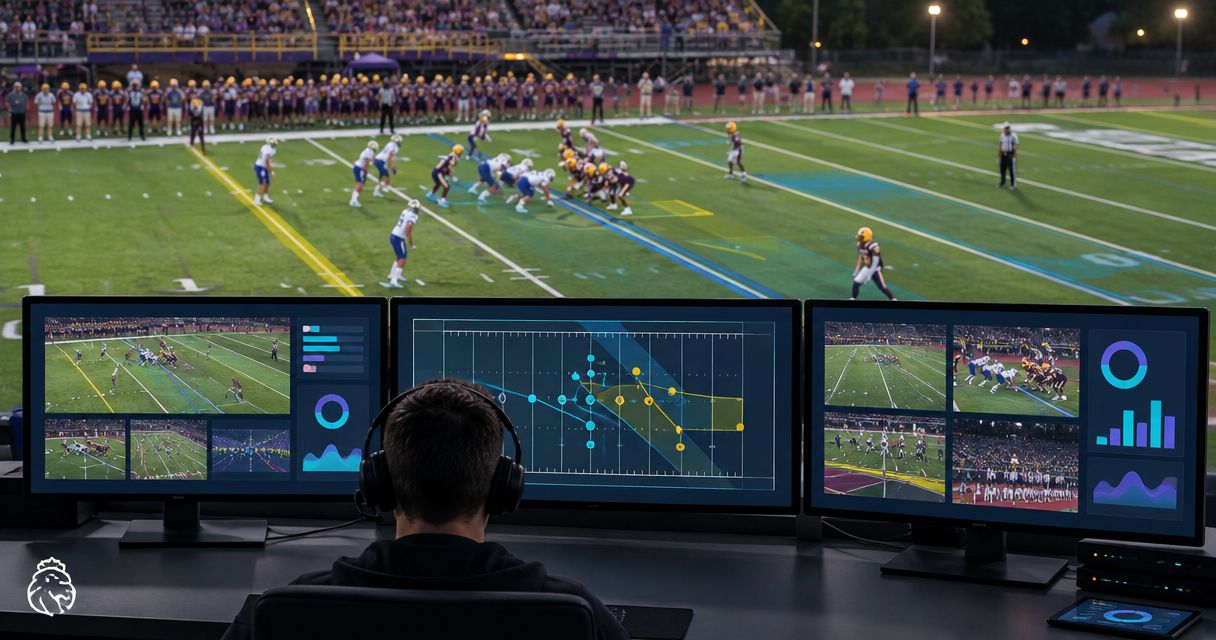
Yes—football broadcast graphics can run without a dedicated operator when another crew member takes responsibility for preparing, checking, and removing them. That is shared operation, not unattended operation: if nobody can verify an on-field line before it goes live, broadcast without that line. For your 2026 production plan, assign graphics duties explicitly and rehearse them alongside switching, audio, and streaming.
TL;DR
- Can football broadcast graphics run without a dedicated operator? Yes—with assigned responsibility, rehearsed checks, and a clean-feed fallback.
- PayneXR provides Windows football broadcast graphics; do not assume that means unattended operation.
- Shared operation adds on-field context but also adds live decisions to another crew member’s workload.
- Broadcast without on-field graphics whenever nobody can confirm placement or remove an incorrect overlay.
Why this matters
A virtual first-down line communicates field position visually. An incorrect line communicates the wrong field position just as clearly. The staffing question is therefore not just whether someone can launch the software; it is whether someone can judge what viewers are about to see.
School crews, independent streaming teams, and TV broadcasters face different staffing decisions, but the same operating rule applies: every live graphic needs an accountable person. Use the guidance on who should operate on-field graphics during a football game to assign that responsibility before rehearsal.
Can football broadcast graphics run without a dedicated operator?
Yes, provided a named crew member can handle graphics alongside another role without leaving either task unattended at critical moments. Start by comparing shared operation with broadcasting without on-field graphics—not by assuming that adding graphics is always the better choice.
| Production approach | Best for | Advantage | Limitation |
|---|---|---|---|
| No on-field graphics | Crews prioritizing essential coverage | Removes the need to place and check field overlays | Viewers do not get virtual field-position references |
| Shared graphics duties | Crews with a rehearsed secondary role | Adds on-field context without assigning a graphics-only position | Graphics compete with the operator’s primary duties |
| Dedicated graphics operator | Productions requiring sustained graphics attention | Gives placement and removal a clear owner | Requires a separate staffing assignment |
This is a production decision, not a software capability ranking. A shared operator who follows a limited, rehearsed graphics plan is a better choice than an overloaded operator expected to show every available element.
For your 2026 run sheet—the written sequence of production responsibilities—define when graphics are permitted, who approves them, and who removes them. If those responsibilities remain unclear, leave the on-field graphics out of the live plan.
Shared operation: assign the decisions before assigning the controls
A person operating graphics needs more than access to a mouse. They need a reliable way to confirm the line of scrimmage, the first-down target, the active camera view, and whether the overlay belongs on that shot.
Sharing duties works only when those decisions fit around the person’s primary assignment. A switcher operator choosing between camera shots cannot also be treated as continuously available for graphics corrections. An announcer describing the play needs an equally clear way to decline a graphics task during commentary.
Write the assignment as an action, not a job title: prepare the line, verify the view, show the graphic, then remove it when appropriate. Name a backup decision-maker for moments when the assigned person is occupied. If no backup exists, the default is no overlay.
Shared responsibility must not become unclear responsibility. A crew should never need a live discussion to discover who can remove an incorrect graphic.
Broadcasting without on-field graphics: keep the baseline deliberate
Broadcasting without virtual field lines is a valid production choice. It removes a layer of visual information, but it also removes the associated placement checks and correction duties.
Keep the essentials separate from the enhancement. Camera coverage, intelligible commentary, working audio, and a functioning output remain necessary whether or not field graphics appear. Do not sacrifice those tasks to maintain an overlay.
A clean feed is video without the on-field overlays being discussed here. Establish how your production will return to that picture before introducing graphics. Do not assume that closing a graphics application, changing a camera, or selecting another input will produce the intended result; test the actual route.
How to rehearse shared graphics operation
Use this 6-step rehearsal for your 2026 workflow. These are production checks, not claims about a particular software connection, automation feature, or computer specification.
1. Map the video path
Identify the camera source, the point where graphics join the picture, the production output, and the streaming or broadcast destination. A switcher selects video sources; an encoder converts the finished program into a stream for delivery.
For each connection, record the actual input and output used by your equipment. Confirm that the receiving device displays the intended picture. Do not choose a cable, capture device, or network-video method merely because another crew uses it; check the requirements of your own system.
2. Assign ownership
Name the person who prepares graphics and the person authorized to remove them. These can be the same person, but the assignment must remain clear when the crew switches roles or takes a break.
Write down the primary duty that takes precedence. For example, your production plan can require the switcher operator to prioritize camera selection and leave field graphics off during conflicting tasks. That is an operating rule you can rehearse, rather than an expectation that the operator will somehow manage everything.
3. Limit the graphics plan
Begin with the field graphics your crew can verify consistently. Do not treat a list of available graphics as a requirement to display all of them during every part of the game.
First-down lines, scrimmage lines, logos, and sponsor graphics have different editorial purposes. A field-position reference depends on the current game situation; sponsor artwork follows your placement and timing plan. Keep those decisions separate so a sponsorship cue does not distract from checking a live field reference.
4. Preview the overlay
Preview means inspecting an image before viewers see it. If your setup provides a preview path, use it to check the intended camera view and overlay together; verify how that path works in your actual production.
Use 3 checks before showing a field line: correct field position, correct camera view, and correct timing. An overlay that passes a still-image check still needs examination during the camera movement your crew intends to use. If the operator cannot make the check, do not show the line.
5. Rehearse conflicting tasks
Practice a sequence in which the graphics operator also has to perform their primary job. Include a camera change, a correction request, a sponsor cue, and a situation where the crew chooses not to show graphics.
Observe who notices the conflict and who makes the decision. The test is not whether someone can complete a graphics task in isolation. It is whether the crew preserves the correct live picture when several responsibilities arrive together.
6. Test removal
Deliberately rehearse removing an overlay and returning to the clean picture. Watch the final program output—the picture sent to viewers—not just the graphics application’s own display.
Confirm who makes the call and which control performs the change. Rehearse this after a role handoff as well as during the initial setup. A fallback that only the original operator understands is not a dependable shared workflow.
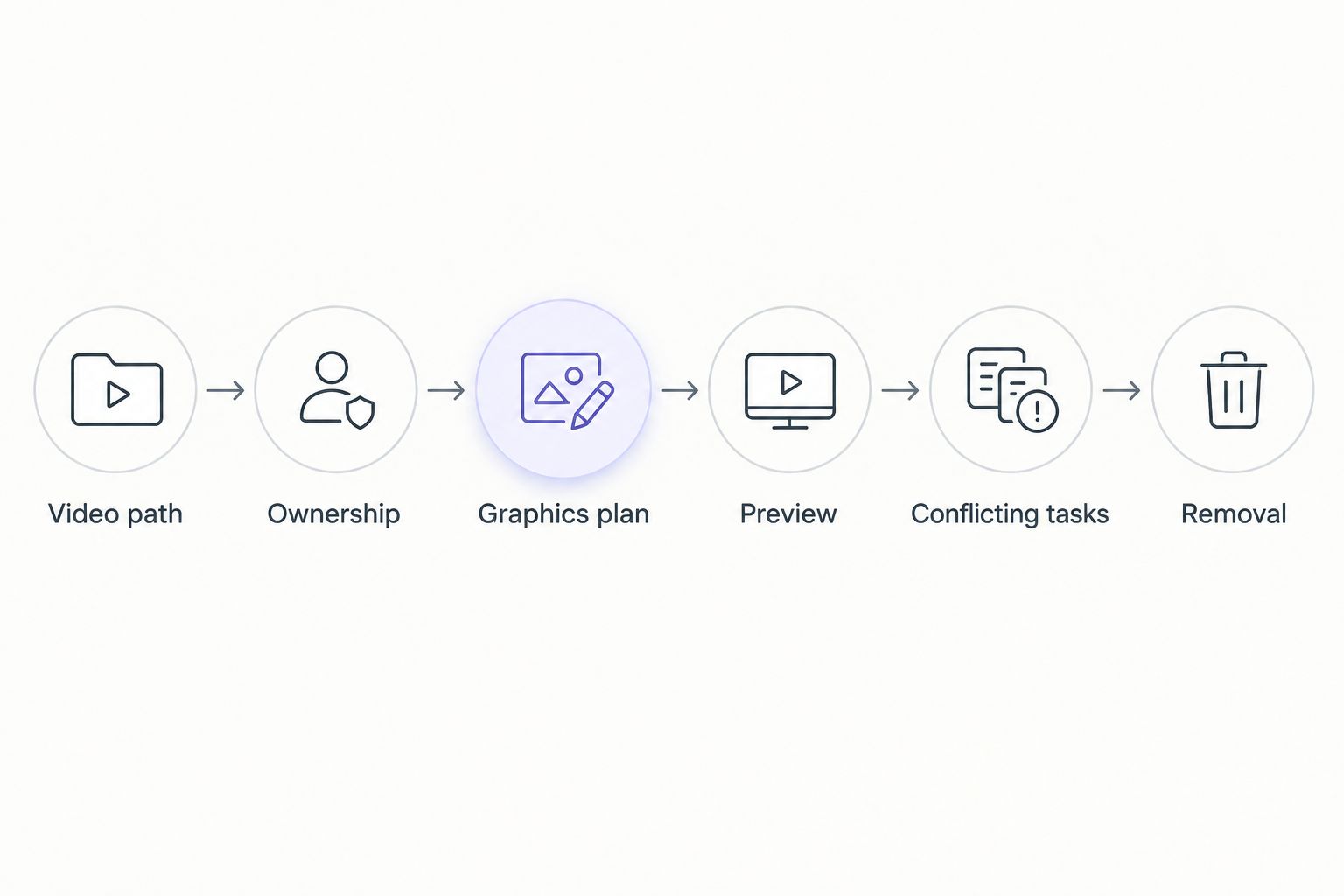
Rehearse the competing duties and the removal procedure, not just the graphic placement.
The rehearsal should produce a clear operating decision: use shared graphics within defined limits, assign a dedicated operator, or broadcast without on-field graphics. Do not leave that choice until kickoff.
Why the staffing requirement varies
The important differences are the tasks your production asks someone to perform. Review these 5 factors before assigning graphics duties:
- Camera changes: Each selected view needs a decision about whether the existing overlay belongs on that picture.
- Graphic purpose: Field-position references require game-state checks; logos and sponsor graphics require appropriate placement and timing.
- Concurrent duties: Switching, commentary, audio monitoring, and stream supervision compete for the same person’s attention.
- Correction procedure: A shared operator needs a clear way to remove an incorrect graphic while other duties continue.
- Role handoffs: A replacement operator needs the current setup, responsibilities, and fallback instructions—not just application access.
Do not translate these factors into an unsupported staffing formula. Use rehearsal to identify the specific moments when your production needs another person or fewer graphics.
What should different football crews prioritize?
School football broadcast teams
For a school crew, document the process so another student or staff member can take over. A written role assignment and a rehearsed clean-picture procedure are more useful than a setup understood by only one experienced operator.
Make the 2026 production checklist explicit about when graphics stay off. Training should include declining an overlay when the crew cannot verify it, not just learning how to display it.
Independent sports streaming crews
For an independent crew, separate the responsibility for delivering the stream from the optional task of adding field graphics. If the person monitoring the stream also handles overlays, define which task takes priority when something needs attention.
Choose a graphics plan that fits the crew you have. Do not add on-field elements merely to match the appearance of a production with different staffing.
TV broadcasters
For a TV production, fit graphics responsibilities into the existing direction and switching process. Identify who cues an overlay, who verifies it, and who can call for its removal.
Include camera changes, replay decisions, and operator handoffs in rehearsal. A larger crew still needs explicit ownership; the presence of more people does not identify who is watching a particular graphic.
Where does PayneXR fit?
PayneXR is best for football production teams seeking Windows software for virtual first-down lines, scrimmage lines, logos, and sponsor graphics. Those are the on-field graphics described for PayneXR; they do not by themselves establish an unattended production workflow.
The benefit is the ability to add those graphics to live football video. The staffing limitation remains: your production needs an assigned way to check what goes on air and remove it when necessary. Evaluate PayneXR football broadcast graphics against your crew’s actual duties rather than treating software selection as a substitute for an operating plan.
Can the switcher operator also handle field graphics?
Yes—shared operation is a staffing arrangement you can rehearse. Give camera selection a clear priority, and specify when the operator should leave graphics off rather than attempt both tasks simultaneously.
Does automatic operation eliminate the need for supervision?
No—do not equate an automated action with permission to leave the live picture unchecked. Verify any claimed automation in the software’s documentation, then test who handles incorrect placement, camera changes, and removal in your production.
When should you assign a dedicated graphics operator?
Assign a dedicated graphics operator when rehearsal shows that shared duties prevent reliable checking or prompt removal. The deciding evidence is an unresolved task conflict, not an arbitrary crew-size threshold.
FAQ
Can football broadcast graphics run without anyone watching them?
Do not plan an unattended on-field graphics workflow. Assign someone to verify the live picture and remove overlays that are incorrect or no longer appropriate.
Can I operate football graphics while switching cameras?
You can assign both duties to the same person, but rehearse them together before using that arrangement live. Leave graphics off whenever camera selection prevents proper checking.
Does PayneXR require a dedicated graphics operator?
Choose staffing for PayneXR through a rehearsal of your actual football production. Its described Windows graphics functions do not establish that the production can operate unattended.
What should I check before showing a first-down line?
Check the field position, camera view, and timing before showing a first-down line. If you cannot confirm the overlay belongs on the current picture, leave it off.
Is broadcasting without virtual field lines acceptable?
Yes, broadcasting without virtual field lines is a valid choice when your crew cannot verify them reliably. Prioritize the underlying video, audio, commentary, and delivery.
What should happen when an on-field graphic is wrong?
Remove the incorrect graphic and return to the rehearsed clean picture. Diagnose and correct the overlay before considering it for the live output again.
One last thing
For your 2026 rehearsal, make the final test a deliberate decision not to show a graphic. Ask the assigned operator to recognize a conflicting task, leave the overlay off, and continue the broadcast normally. That demonstrates the judgment shared operation requires—not just familiarity with the controls.