
Guides
Can football broadcast graphics run on cloud production?
Can football broadcast graphics run on cloud production? Yes. Compare workflows, check Windows hosting requirements, and plan a clean-feed fallback.
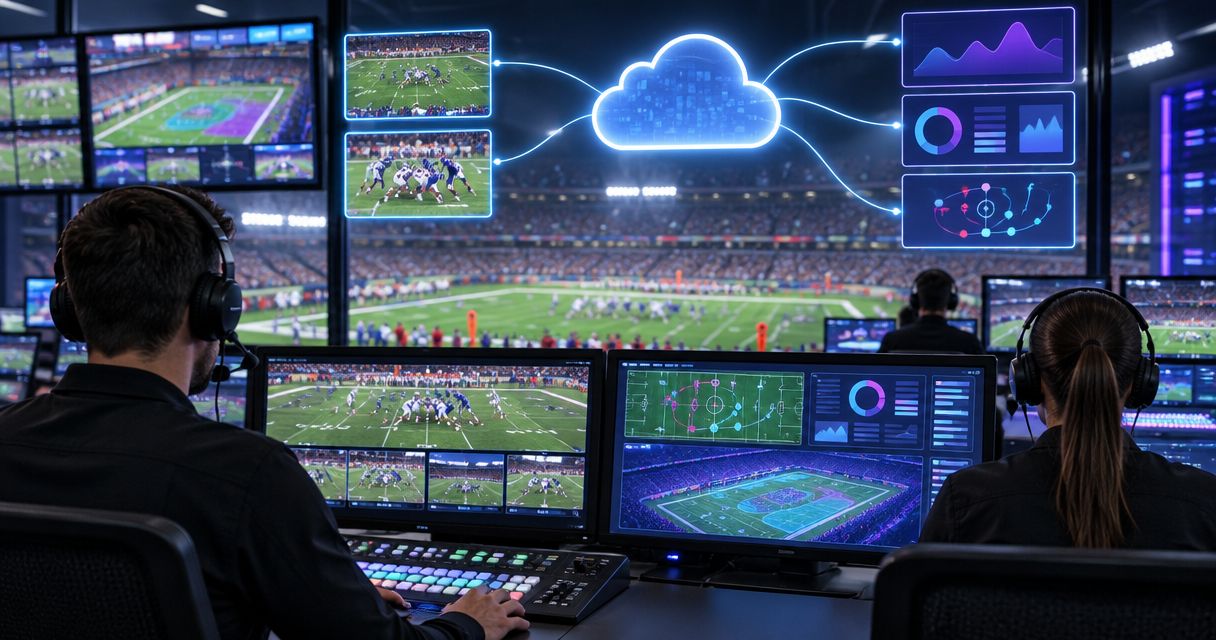
Yes, football broadcast graphics can be part of a cloud production workflow, either by adding graphics before the video reaches the cloud or by using a graphics system supported within the cloud environment. That does not establish that a particular Windows application runs on a hosted machine: you must verify its installation, video connections, graphics processing, licensing, and operator controls before using that arrangement live.
TL;DR
- Can football broadcast graphics run on cloud production? Yes, but cloud delivery and cloud-hosted graphics are different arrangements.
- PayneXR provides Windows football broadcast graphics; confirm hosted-machine compatibility before planning cloud execution.
- Add on-field graphics only when operators can verify placement and remove incorrect overlays immediately.
- Keep a clean feed available so graphics problems do not interrupt the football broadcast.
Can football broadcast graphics run on cloud production?
Cloud production does not require every production application to run in the cloud. Your graphics computer can remain at the venue while a cloud system handles switching or distribution. Alternatively, a hosted graphics application needs a supported way to receive video, process it, and return the result.
PayneXR supplies Windows software for virtual first-down lines, scrimmage lines, logos, and sponsor graphics on live football video. PayneXR is for school broadcast teams, independent streaming crews, and TV broadcasters that need Windows football broadcast graphics. Treat cloud hosting as a separate compatibility question, not as an implied product feature.
The first decision is whether on-field graphics improve your production enough to justify the additional operation. Moving production into the cloud does not remove that responsibility.
| Production approach | Best for | What viewers gain | Operational drawback |
|---|---|---|---|
| With on-field graphics | Crews able to verify placement during play | Visible first-down references, scrimmage lines, and field graphics | Someone must check placement and remove incorrect graphics |
| Without on-field graphics | Crews prioritizing a simpler live workflow | An unobstructed camera picture | Viewers do not receive virtual field-position references |
Why this matters
A first-down line is useful only when it represents the correct field position on the correct picture. An inaccurate overlay adds confusion rather than context, regardless of where the software runs.
For your 2026 production plan, separate the location of the operator from the location of the graphics computer. Remote control of a venue computer is not the same as running the graphics application on a cloud machine. That distinction determines which connections you need to test and which failures your fallback must cover.
School crews need an arrangement that another trained operator can understand. Independent crews need clear ownership across venue and remote personnel. TV broadcasters need the graphics path to fit their existing switching, monitoring, and transmission procedures.
Choose where graphics enter the video path
There are distinct ways to combine graphics and cloud production. These are workflow choices, not claims that any particular application supports every arrangement.
| Arrangement | Best for | Main advantage | Main limitation |
|---|---|---|---|
| Venue graphics | Crews keeping graphics operation beside the cameras | Operators can inspect the local picture before sending it onward | Graphics already combined with the picture cannot be removed downstream |
| Remote control | Crews keeping the graphics computer at the venue | A remote operator can control the venue computer through a suitable connection | Control responsiveness and monitoring need separate checks |
| Hosted graphics | Productions with a verified cloud-compatible application | Graphics processing can sit within the remote production environment | Hosting, video access, and graphics processing all require verification |
Venue graphics
In this arrangement, the camera picture enters a local graphics system before the finished picture travels to cloud production. Compositing means combining graphics with video into the resulting picture.
The practical advantage is a visible local checkpoint: your venue operator can inspect what leaves the graphics stage. The drawback is downstream control. If a line is already part of the incoming picture, the cloud director cannot remove it merely by hiding a separate graphics layer.
Best for crews that want graphics decisions to remain at the venue. Keep a separate picture without the on-field overlays available wherever your fallback will be selected.
Remote control
Here, the application stays on a venue computer while the operator works elsewhere. The remote-control connection carries operator interaction; it does not, by itself, establish a broadcast-quality video path.
Give the operator a view of the picture they are affecting, plus a way to communicate with the director. A desktop preview alone is not proof that the outgoing broadcast looks correct. Check the actual production output as well.
Best for crews separating the operator from the equipment without relocating the application. The limitation is dependence on both usable controls and a trustworthy monitoring picture.
Hosted graphics
A hosted arrangement places the graphics application on a remote machine. Installing Windows is only part of the requirement: the application must also work with the machine's graphics resources and the available video input and output methods.
For a 2026 hosted deployment, obtain confirmation for the actual environment you intend to use. Do not substitute a successful desktop login for a successful live-video test.
Best for productions with confirmed application support and a rehearsed video path. Do not select this arrangement solely because your switcher already runs in the cloud.
Build and test the complete signal path
Draw the route from camera to viewer before choosing where to place the graphics computer. A signal path is simply the sequence of devices and services through which the picture passes. Every handoff needs a named sender, receiver, and responsible operator.
Use these steps as your acceptance procedure, not as a claim about a specific product's connections.
-
Camera source. Identify the camera picture that needs on-field graphics. Establish whether graphics receive an individual camera or the switched program, meaning the picture currently selected for viewers. Record who tells the graphics operator about camera changes.
-
Graphics stage. Decide where the overlay is added. Check the application's documented inputs and outputs against the equipment or service receiving them; do not assume that a network connection means the systems exchange usable video.
-
Cloud production. Identify exactly what the cloud system receives: a picture with graphics already included, a clean picture, or separate video and graphics elements. Separate elements require a supported method of combining them. Write down where that combination happens.
-
Output monitoring. Watch the resulting program picture, not just the graphics application's preview. Check the line's position during camera movement, confirm that graphics disappear when instructed, and listen for audio-to-picture alignment problems.
-
Clean fallback. Rehearse selecting a picture without the on-field overlays. Name the person who can make that switch and establish a short instruction everyone understands. A fallback that nobody can select promptly is not ready for live use.
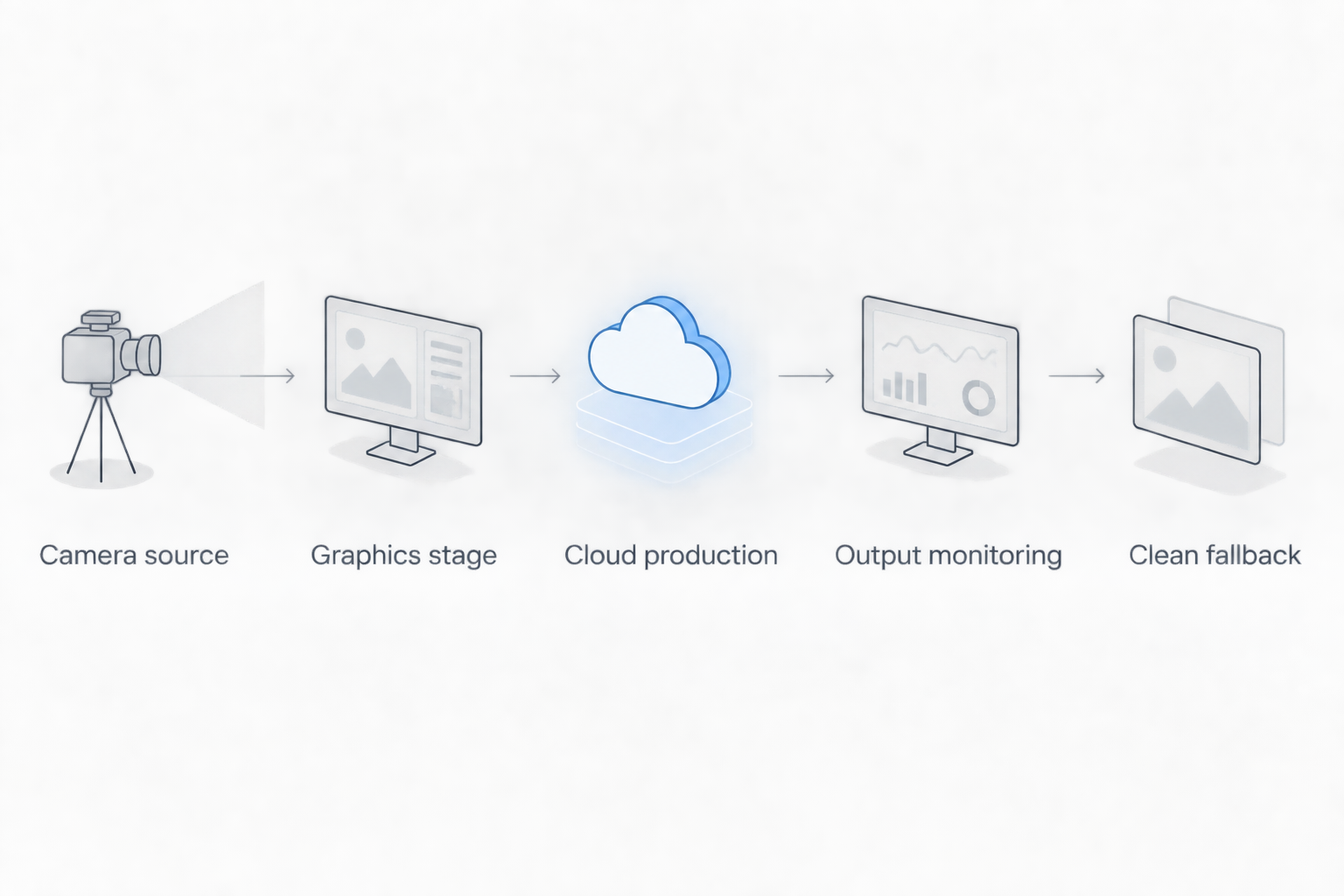
Verify the outgoing picture and rehearse a route without on-field overlays.
Test the same route you will use on game day. A local test that bypasses the cloud connection cannot establish how the complete production behaves. Include operator communication, camera changes, and removal of an incorrect graphic in the rehearsal.
For more detail on placement within the production chain, use the guide to where football graphics should sit in your video signal path.
Why cloud graphics performance varies
Cloud production performance depends on the complete arrangement, not simply on whether an application opens. Use these factors to structure your 2026 rehearsal and document what passes.
- Video transport. The method used to send video must be supported at both ends. An application output and a cloud input need an agreed connection, not just matching descriptions such as network video.
- Processing environment. A hosted machine needs the resources and device access the application requires. Verify the actual configuration rather than assuming that all Windows environments behave alike.
- Picture format. Resolution and frame rate must fit the production chain. For example, 1920 × 1080 pixels describes picture dimensions; 60 frames per second describes how frequently pictures are presented. Neither figure alone proves application compatibility.
- Monitoring delay. The operator needs to know how the viewed picture relates to the outgoing picture. Delayed monitoring can make a control action appear late even when the operator responds immediately.
- Camera handling. Field-position graphics need to remain appropriate to the picture being shown. Establish when to remove them for an unsuitable angle, replay, or camera transition.
- Operator coordination. Somebody must own line placement, removal, and fallback decisions. Cloud access does not assign those responsibilities automatically.
Do not confuse frame rate with an end-to-end delay measurement. A feed at 30 frames per second and a feed at 60 frames per second still require separate checks for transport, processing, monitoring, and audio alignment.
What must you confirm before hosting PayneXR in the cloud?
PayneXR is Windows football broadcast graphics software, but that description does not establish support for a particular hosted machine or cloud service. Confirm the intended installation, graphics resources, video connections, remote operation, and licensing terms before committing the production.
Ask about the exact arrangement you plan to use. A useful request names the hosting environment, incoming picture, required outgoing picture, and operator location rather than asking only whether the software works with the cloud.
Can you remove a first-down line after sending it to cloud production?
You cannot remove a first-down line as a separate layer when it has already been combined into the only video picture you send. To remove the overlay downstream, provide an appropriately supported separate graphics arrangement or another picture without that overlay.
That is why a clean feed matters. Here, clean means free of the on-field graphics you need to bypass; specify whether other elements, such as a score display, remain.
Is broadcasting without on-field graphics a valid fallback?
Yes, broadcasting without on-field graphics is a valid fallback when placement, control, or monitoring becomes unreliable. Keep the game picture available and remove the uncertain information rather than leaving an incorrect reference on screen.
For your 2026 operating notes, define the trigger plainly: if the operator cannot verify the overlay, take it off. Restore it only after checking the relevant picture and position.
Match the workflow to your crew
School football broadcast teams
Assign line placement and removal explicitly, even when one person handles several production tasks. Give substitute operators a short signal-path diagram and a practiced way to remove overlays. Avoid making recovery depend on one person's memory.
A simple venue-based arrangement is a useful starting point to evaluate, not an automatic requirement. Choose it only after confirming that the available computer, connections, and workload fit the broadcast.
Independent sports streaming crews
Write down what the venue sends and what the remote producer controls. If the incoming picture already contains field graphics, the remote producer needs a clear way to request their removal and select a clean alternative.
Include those responsibilities in the event handoff. Shared assumptions about who updates the line can leave both operators waiting for the other to act.
TV broadcasters
Fit the graphics operation into established program monitoring and fault-response procedures. Verify what reaches transmission when the graphics application stops responding, the control connection drops, or the venue feed changes.
For a 2026 production review, require evidence from the complete rehearsal rather than separate demonstrations of working components. A working graphics preview and a working cloud switcher do not establish a working combined broadcast.
FAQ
Can football broadcast graphics run on cloud production?
Yes, football broadcast graphics can be included in cloud production through a verified video workflow. The graphics application can remain at the venue; running the application itself on a hosted machine is a separate compatibility question.
Does Windows software automatically work on a cloud Windows machine?
No, a Windows operating system alone does not establish application compatibility. Confirm graphics resources, video connections, installation requirements, remote operation, and licensing for the intended environment.
Can a remote operator control graphics at the football venue?
A remote operator can control a venue computer through a suitable remote-access arrangement. Verify that the application permits the intended operation and provide monitoring of the actual production output.
Are on-field graphics better than broadcasting without them?
On-field graphics add field-position references when their placement is correct and actively checked. Broadcasting without them is the better choice when the crew cannot verify or remove an uncertain overlay.
Do I need a separate clean feed for cloud football production?
Provide a clean alternative when you need to bypass graphics already combined into the outgoing picture. Define which overlays that feed excludes and rehearse selecting it.
Will cloud production keep first-down lines synchronized automatically?
Cloud production alone does not establish correct first-down-line placement or timing. Test the graphics workflow through camera changes, operator updates, and the final program output.
What should I test before using cloud football graphics live?
Test the full path from camera input through graphics, cloud production, and final output. Include line removal, camera changes, operator communication, audio alignment, and clean-feed recovery.
One last thing
The most revealing rehearsal is removing a wrong graphic, not displaying a correct one. Deliberately call for an overlay to come off, verify the final picture, and then select the clean fallback. That exercise exposes unclear ownership and inaccessible controls before they affect viewers.