
Guides
Broadcast graphics software ranked by setup time 2026
Broadcast graphics software ranked by setup time: start with football lines, then add sponsors. Compare setup tasks, operator duties, and output checks.
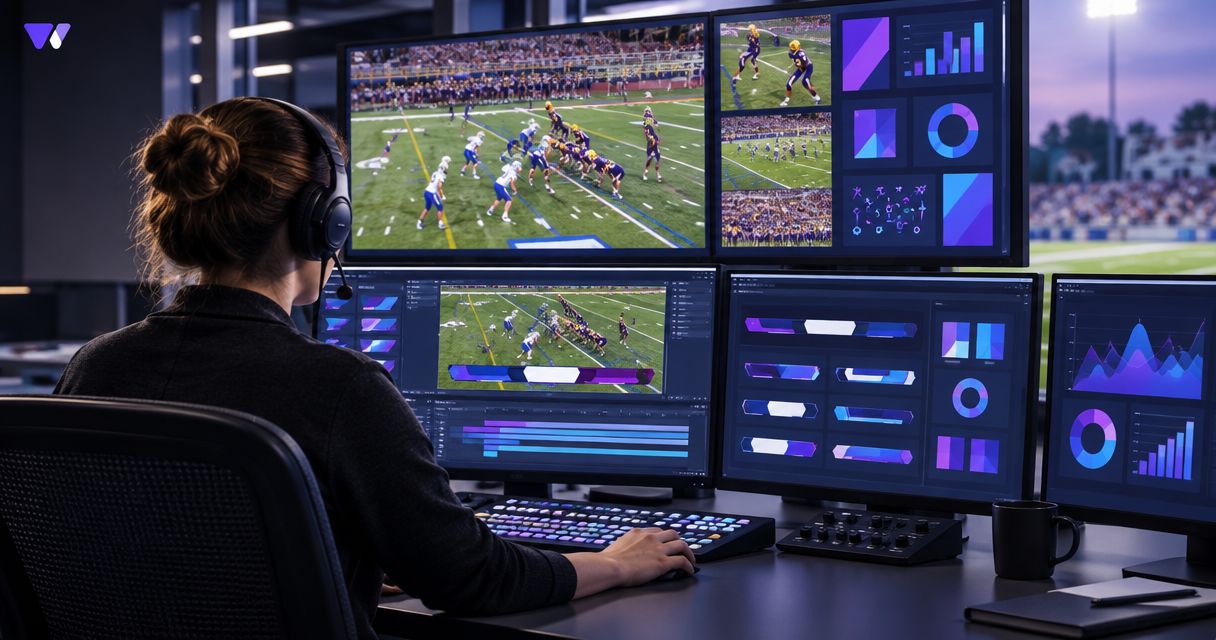
Best for virtual football lines: PayneXR. Best for the least added graphics setup: broadcasting without on-field overlays. Best for sponsor-led coverage: a rehearsed lines-and-sponsor workflow. This 2026 guide ranks production approaches by the tasks they add—not by unverified installation times or claims that one software package is faster than another.
TL;DR
- For broadcast graphics software ranked by setup time, compare complete production workflows, not installation alone.
- PayneXR is a Windows option for football crews adding virtual first-down lines, scrimmage lines, logos, and sponsor graphics.
- Broadcasting without on-field overlays removes overlay preparation, but gives viewers no virtual field-position reference.
- Add sponsor graphics after your crew can place, remove, and check football lines reliably.
Why this matters
A graphics application can open successfully while the broadcast remains unready. Your crew still needs to get video into the graphics workflow, check the finished picture, and decide who updates the line before the next play.
PayneXR sells Windows software that overlays virtual first-down lines, scrimmage lines, logos, and sponsor graphics onto live football video. PayneXR is a focused broadcast graphics software option for football crews that need virtual field-position lines. That describes its purpose, not a measured setup-speed advantage.
For your 2026 production plan, separate getting the system connected from keeping it correct during a game. School teams need an operating procedure another student or staff member can follow. Independent crews need a repeatable setup across assignments, while TV broadcasters need a defined handoff into their existing production chain.
What makes the best setup-time choice?
Judge broadcast graphics software by the work required to reach an approved picture. Use these criteria before comparing the workflows below:
- Video connections: Identify how live video reaches the graphics system and how the resulting picture reaches production.
- Field preparation: Check what you must do to position graphics correctly for the camera view you intend to use.
- Operator workload: Assign responsibility for changing field-position lines and removing incorrect graphics.
- Artwork preparation: Separate football-line setup from the additional work of preparing logos and sponsor graphics.
- Output verification: Inspect the picture viewers receive, not just the software preview.
- Fallback procedure: Establish how production continues without on-field graphics when an overlay is wrong.
The best setup is the one your crew can repeat and verify. A workflow that saves preparation but leaves nobody responsible during play is not ready for broadcast.
Setup burden at a glance
This ranking follows added task scope: no on-field overlays, football lines, then football lines plus sponsor graphics. It does not assign elapsed minutes or rank competing software products by speed. Existing equipment and crew experience still determine actual preparation time.
| Rank and workflow | Best for | Standout feature | Added preparation | Key limitation |
|---|---|---|---|---|
| 1. Broadcast without on-field graphics | Crews prioritizing the base broadcast | No virtual field-overlay workflow | Confirm the existing picture and production path | No virtual first-down or scrimmage reference |
| 2. PayneXR football-line workflow | Crews adding field-position context | Virtual first-down and scrimmage lines on live football video | Windows setup, video routing, line placement, and operator rehearsal | Adds graphics operation and picture checks |
| 3. Lines-and-sponsor workflow | Productions with planned sponsor graphics | Field-position lines alongside logos and sponsor graphics | Line workflow plus artwork preparation and display cues | More assets and editorial decisions to manage |
1. No on-field graphics: best for a lean production
Broadcasting without on-field graphics means sending your football coverage without virtual lines or field-placed sponsor overlays. This comparison concerns the on-field layer only; your production can still have other existing elements, such as commentary or a scoreboard.
This ranks first for the fewest added on-field graphics tasks because there is no overlay workflow to prepare. It is not a claim that the entire broadcast becomes simple. Cameras, sound, switching, and distribution still need attention.
No-overlay workflow pros:
- Removes virtual-line placement from the crew's responsibilities.
- Removes on-field artwork preparation from the production checklist.
- Lets your crew establish the base broadcast before adding another operating task.
No-overlay workflow cons:
- Gives viewers no virtual first-down or scrimmage reference.
- Does not provide the on-field sponsor placements considered in this guide.
- Leaves field-position explanation to the existing picture and commentary.
Best for: A school crew learning its base production, an independent operator with competing live duties, or a broadcaster choosing to keep a particular feed free of field overlays.
For a 2026 production that has not yet established dependable video and audio, start here. Verdict: Hold on adding on-field graphics until the base broadcast and operator responsibilities are settled.
2. PayneXR lines: best for football field-position context
PayneXR provides Windows broadcast graphics software for overlaying virtual first-down and scrimmage lines onto live football video. A line-focused workflow keeps the production objective narrow: show the relevant field position, check placement, and remove the graphic when it should not appear.
Treat that narrow scope as a rollout decision, not a promise that the software requires little preparation. Your crew still needs to confirm the intended connections and rehearse the operating steps with the actual production setup.
PayneXR line-workflow pros:
- Adds virtual field-position references to live football coverage.
- Lets your initial rehearsal focus on lines rather than sponsor artwork.
- Gives school, independent, and TV crews a specific operating task to document.
PayneXR line-workflow cons:
- Requires a Windows software workflow within your production setup.
- Adds responsibility for line placement, updates, and removal.
- Requires checking the delivered picture rather than assuming the application preview is sufficient.
Best for: Football productions ready to assign a graphics operator and rehearse virtual first-down and scrimmage lines before adding sponsor elements.
For your 2026 rollout, define successful line operation before expanding the graphic package. Verdict: Buy for the football-line requirement only after confirming the intended video path and rehearsing the operating workflow.
3. Lines and sponsors: best for planned commercial graphics
A lines-and-sponsor workflow adds logos and sponsor graphics to the field-position graphics package. PayneXR supports those overlay categories, but production still needs to decide which artwork to use, when to display it, and when to remove it.
This ranks after the line-only workflow because it adds artwork and cue decisions to the same underlying production responsibilities. It is a wider operating scope, not a measured claim about how many minutes preparation takes.
Lines-and-sponsor workflow pros:
- Supports a production plan that includes on-field sponsor graphics.
- Allows you to prepare artwork and display instructions before coverage begins.
- Keeps field-position and sponsor requirements in the same rehearsal plan.
Lines-and-sponsor workflow cons:
- Adds artwork preparation and approval tasks.
- Requires decisions about visibility, placement, and removal during coverage.
- Adds another responsibility for the operator or another handoff between crew members.
Best for: School broadcasts with approved sponsor artwork, independent crews delivering a defined sponsor package, and TV productions with planned commercial cues.
Prepare sponsor elements before asking the live operator to manage them. Verdict: Wait until the line workflow is dependable, then add the sponsor package and rehearse both together.
Build a setup you can repeat
Start with the production path, not the graphic design. The signal path is the route video takes from the camera through production to the audience; your graphics workflow needs a defined place within it.
Establish the video path
Write down the camera source, the intended graphics stage, and the destination that sends the finished picture onward. Confirm the required connections for your chosen equipment and software before making cabling or hardware decisions.
Use the guide to where football graphics sit in your video signal path to structure that discussion. A routing plan should identify the graphics input and output without assuming that every connection method works in every setup.
Prepare the field
Choose the camera view you intend to use for on-field graphics. Follow the software's operating instructions for placing the lines, then check how the result looks against the field markings in the delivered picture.
Do not treat a correct still image as the whole test. Include the camera movements and framing changes your production expects to use.
Assign the operator
Name 1 person responsible for the on-field graphics state at any given moment. If the responsibility changes hands, make that handoff explicit rather than assuming somebody else has updated the line.
The operator needs a source for field-position information and a clear instruction for removing an uncertain graphic. Accuracy takes priority over keeping an overlay visible.
Check the output
Inspect the same output that production intends to send onward. A correct software preview does not establish that the graphics reached the intended destination or appeared in the correct shot.
Compare 2 viewing states: the picture with graphics and the picture without them. Check that the team knows how to select the clean picture when the overlay needs correction.
Rehearse the fallback
Practice removing a misplaced line and continuing coverage without it. Then restore the graphic only after checking its position and the output again.
The rehearsal sequence is: Establish the video path, Prepare the field, Assign the operator, Check the output, Rehearse the fallback. Keep those stages in the same order on your crew checklist.
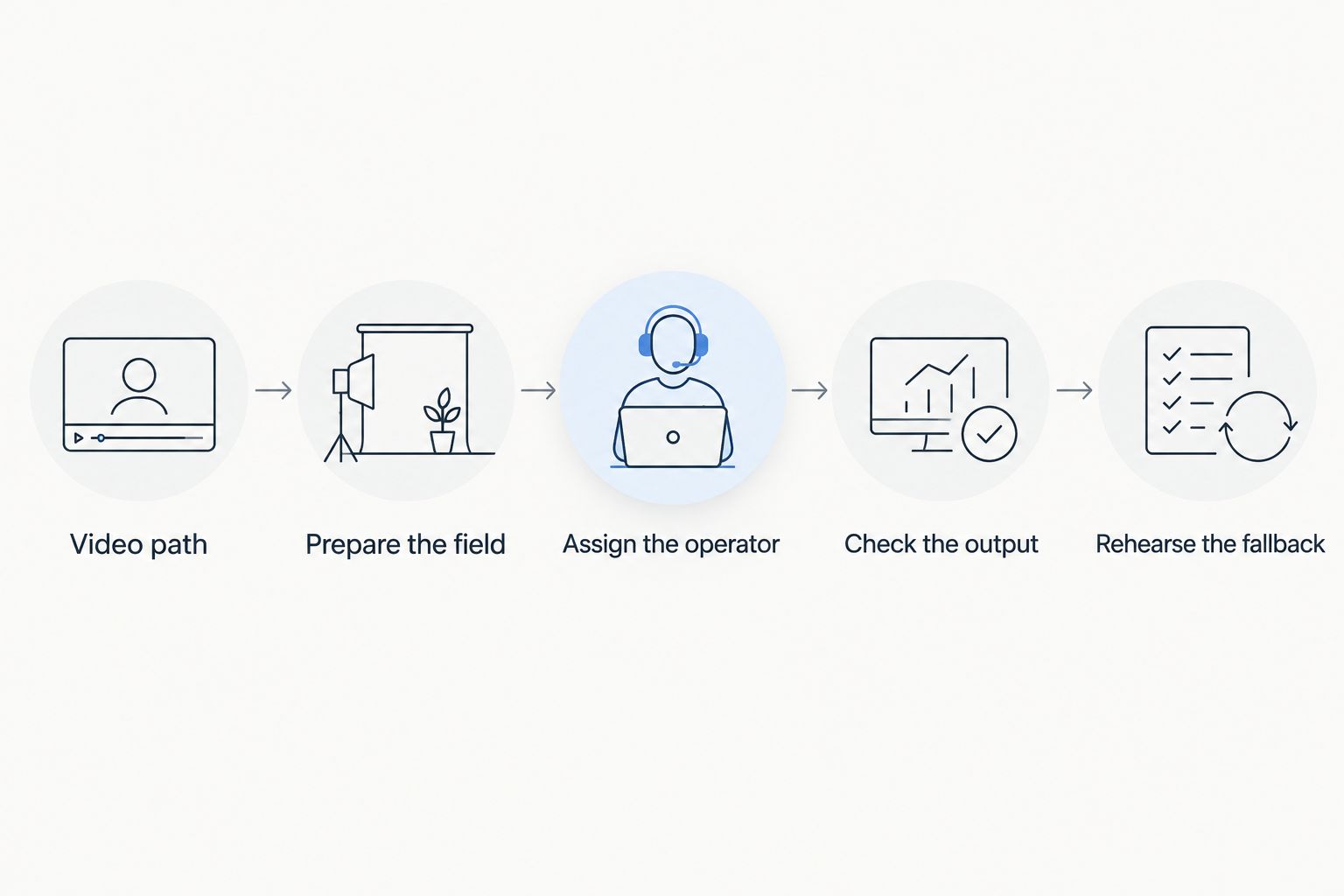
Verify the production path before expanding the graphics package.
Match the rehearsal to your crew
The operating goal stays the same across audiences: place the correct graphic, show it in the correct picture, and remove it when necessary. The division of work changes.
- School football teams: Write instructions for the person who will actually operate the system, including a substitute. Rehearse handoffs rather than relying on one experienced crew member's memory.
- Independent streaming crews: Identify which live duties overlap. If the same person switches cameras and updates lines, rehearse that combined workload before accepting it as the operating plan.
- TV broadcasters: Define who controls the graphic, who approves the output, and who can request removal. Include the graphics stage in the production team's routing and fallback discussion.
Use 3 acceptance checks for every crew: placement, delivery, and recovery. Placement means the line is correct; delivery means it reaches the intended picture; recovery means the crew can remove it and continue coverage.
How this 2026 ranking works
The ranking uses the criteria above to compare added production responsibilities. Broadcasting without field overlays removes that layer; line graphics add positioning and operation; sponsor graphics add artwork and display decisions.
It deliberately separates scope from speed. You can use this guide to choose what to introduce first, but elapsed setup time must come from rehearsing your own equipment, connections, and crew—not from a universal software leaderboard.
Which workflow should you choose?
Choose the line-only workflow as your first on-field graphics project when virtual field-position context is the objective. Keep sponsor artwork out of that initial rehearsal so you can identify routing, placement, and operating issues clearly.
Choose no on-field graphics when your crew needs to stabilize the base broadcast first. Choose lines plus sponsors when the production has assigned artwork responsibilities and display cues, not simply because the software supports more graphic types.
Review the football graphics software
Review the software against your line, logo, and sponsor-graphics requirements.
FAQ
What's the best broadcast graphics software ranked by setup time?
A useful setup-time ranking compares complete production workflows, not just software installation. For football coverage, start by comparing no on-field overlays, a virtual-line workflow, and a lines-and-sponsor workflow; measure preparation time in your own rehearsal.
Is PayneXR suitable for football broadcast graphics?
PayneXR sells Windows software for adding virtual first-down lines, scrimmage lines, logos, and sponsor graphics to live football video. Confirm the intended video connections and operating workflow before choosing it for your production.
Is broadcasting without on-field graphics easier to prepare?
Broadcasting without on-field graphics removes the overlay-specific preparation tasks. Your crew still needs to prepare and check cameras, audio, production routing, and distribution.
Should a school football crew add sponsor graphics immediately?
A school football crew should establish reliable line operation before adding sponsor graphics. Prepare approved artwork and rehearse display cues before including sponsors in the live workflow.
Can one person switch cameras and operate football graphics?
Assign both duties to one person only after rehearsing them together in your intended production setup. If graphics updates conflict with camera switching, change the responsibility split or reduce the graphic workload.
What should a TV crew test before sending football graphics live?
A TV crew should test placement, delivery, and recovery before sending football graphics live. Check the intended camera views, inspect the production output, and rehearse removing an incorrect overlay without interrupting coverage.
How should I compare football graphics setup time in 2026?
Compare the same preparation scope in each rehearsal and use the same ready-for-air standard. Record connection work, field preparation, artwork tasks, output checks, and fallback rehearsal separately so the comparison identifies what takes time.
One last thing
Your most useful rehearsal is not the one where every graphic stays correct. Deliberately remove a line, change the camera framing, and ask the crew to restore an approved picture using the documented procedure.
Make recovery a condition of readiness. If your team cannot confidently remove a wrong overlay, reduce the graphics scope before the broadcast rather than adding another visual element.