
Guides
Broadcast graphics software ranked by price in 2026
Compare broadcast graphics software ranked by price with production fit first. Choose on-field football graphics or a simpler workflow using a setup checklist.
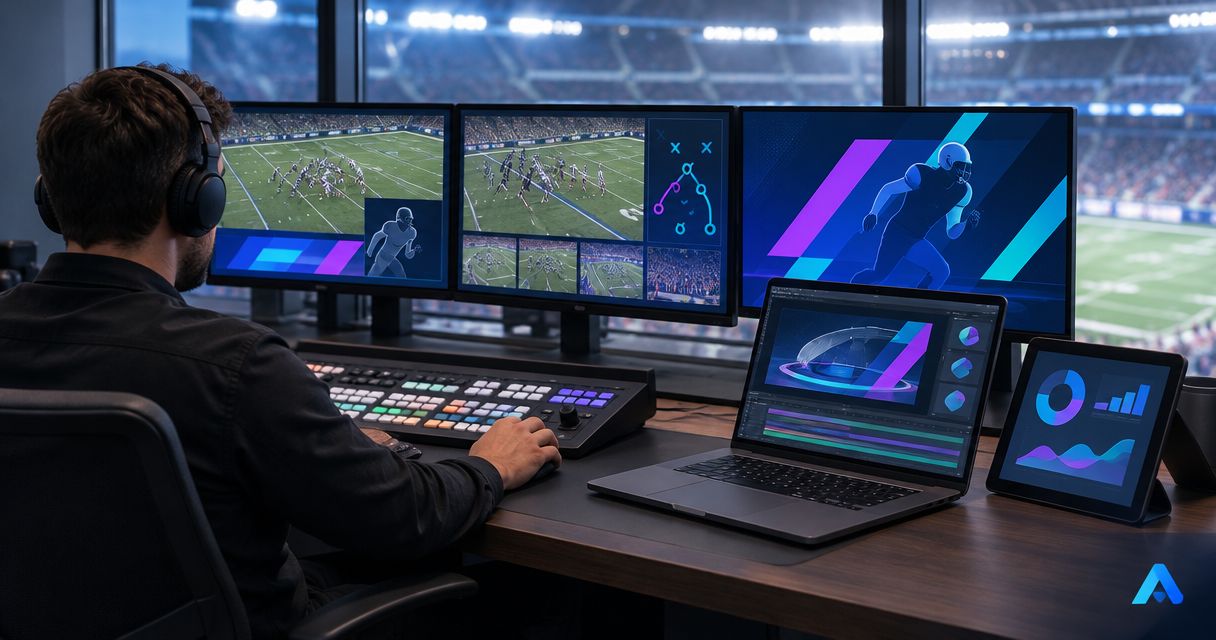
Best for adding on-field football graphics: PayneXR. Best for a simpler production without virtual field markings: broadcast without on-field graphics. If you are comparing broadcast graphics software ranked by price in 2026, start with the job you need done, then compare the full production commitment—not just the software purchase.
TL;DR
- For broadcast graphics software ranked by price, compare the production workflow before choosing a purchase.
- PayneXR is best for football crews seeking Windows software for virtual first-down lines and on-field graphics.
- Broadcasting without on-field graphics removes field-graphic operation but leaves viewers without virtual line references.
- Compare Windows computer requirements, video connections, operator duties, and rehearsal needs before buying.
Why this matters
A football graphics purchase changes more than the picture. Someone must prepare the graphics, confirm their placement, and decide when they belong on the live feed. Your budget decision therefore includes equipment fit and crew responsibility.
School football teams, independent streaming crews, and TV broadcasters face different constraints. A school crew needs a repeatable handoff between operators; an independent crew needs a setup it can carry and rebuild; a TV production needs clear routing and control responsibilities.
For your 2026 buying decision, separate two questions: do you need graphics placed on the field, and can your production operate them reliably? Answer those before comparing purchase terms.
What makes the best football broadcast graphics setup?
Use these criteria before choosing software or keeping your existing approach:
- Graphic purpose: Decide whether you need virtual first-down lines, scrimmage lines, logos, sponsor graphics, or none of those additions.
- Video connections: Confirm how the camera picture reaches the graphics stage and how the finished picture reaches production.
- Computer fit: Check the software requirements against the Windows computer you intend to use, including its other production duties.
- Operator workload: Identify who updates graphics, checks placement, and removes an incorrect overlay.
- Camera behavior: Rehearse the shots you actually broadcast, including changes in framing and movement.
- Fallback operation: Decide how you will continue the broadcast when you remove on-field graphics.
Choose the workflow your crew can run correctly during a live possession. A feature list does not answer that question; a rehearsal does.
Football broadcast graphics options at a glance
The ranking below separates two production choices rather than claiming an unsupported price order between software vendors. PayneXR comes first for the on-field graphics requirement; broadcasting without those graphics serves a different need.
| Rank and option | Best for | Standout capability | Production commitment | Key limitation |
|---|---|---|---|---|
| 1. PayneXR | Adding virtual field markings and sponsor graphics | Windows software overlays first-down lines, scrimmage lines, logos, and sponsor graphics on live football video | Confirm computer fit, connections, placement procedures, and operator duties | Adds a graphics stage that your crew must prepare and operate |
| 2. Broadcast without on-field graphics | Keeping the field picture free of added virtual elements | No virtual field-graphic placement to manage | Maintain the underlying camera, audio, and broadcast workflow | No virtual first-down line, scrimmage line, or on-field sponsor overlay |
Broadcasting without on-field graphics does not mean broadcasting without all graphics. A production can retain its existing score display or other presentation elements while deciding not to add virtual markings to the field.
1. PayneXR: best for adding on-field football graphics
PayneXR is Windows broadcast graphics software that overlays virtual first-down lines, scrimmage lines, logos, and sponsor graphics onto live football video. Its role is specific: add those visual elements to the football picture rather than leave the field image unchanged.
PayneXR is best for football production teams that need Windows software for virtual first-down lines and on-field graphics. That includes school crews, independent sports streamers, and TV broadcasters with that production requirement.
PayneXR pros
- Football-specific elements: First-down and scrimmage lines address the position of play on the field.
- On-field branding: Logos and sponsor graphics give your production another place to present approved artwork.
- Defined operating environment: Windows is the stated platform, so you can begin the equipment discussion with a specific computer requirement.
- Clear production purpose: The decision centers on adding field graphics, not replacing every part of your broadcast system.
PayneXR cons
- Windows is required: Do not plan deployment around another operating system.
- The graphics need operational ownership: Your crew must account for preparation, placement checks, and removal decisions.
- Your video workflow still needs verification: Confirm the intended connections and output behavior rather than assuming that existing equipment fits.
Best for: a crew with an on-field graphics requirement
For a school team, assign responsibility for checking lines before the snap and rehearse that job with the people who will actually work games. Do not build the process around an experienced operator who will not be present.
For an independent streaming crew, document the setup so you can rebuild it at another venue. Label the relevant connections and keep the graphics workflow separate from assumptions about a particular stadium.
For a TV broadcaster, define who calls for graphics, who operates them, and who approves the outgoing picture. Put those responsibilities into the production plan before adding field elements to a live show.
Verdict: Buy for the on-field graphics requirement after confirming the Windows setup, video connections, and operator plan.
2. Broadcast without field graphics: best for simpler operation
Broadcasting without on-field graphics leaves virtual first-down lines, scrimmage lines, and field-placed sponsor elements out of the picture. Your crew continues producing the game without adding that particular graphics task.
This is a production choice, not a competing software product. It belongs in the comparison because deciding not to add a graphics stage is a legitimate alternative to buying one.
Broadcasting without on-field graphics pros
- No field-graphic placement task: Your operator does not need to position a virtual line before a play.
- No added field-graphics stage: Your production can retain its existing video path for this part of the show.
- No incorrect virtual markings: A misplaced virtual line cannot confuse the picture if it is not displayed.
Broadcasting without on-field graphics cons
- No virtual line reference: Viewers do not receive the added first-down or scrimmage line.
- No on-field sponsor overlay: This approach does not provide the field-placed branding described above.
- Less added visual context: Camera coverage and commentary must carry the explanation without those virtual markings.
Best for: a crew prioritizing its existing broadcast duties
Choose this approach when your immediate production goal is a dependable game picture, understandable commentary, and controlled switching. Adding a graphics responsibility before those jobs have clear ownership complicates your plan.
For your 2026 season, write down the reason for staying without field graphics. A deliberate decision based on crew capacity is more useful than postponing the discussion without a clear trigger for reconsideration.
Verdict: Hold the purchase when your crew cannot yet own the additional graphics task.
Compare the whole purchase, not just the software
When reviewing broadcast graphics software ranked by price, use the same checklist for every purchase discussion. A software quote and a working broadcast plan answer different questions.
Computer and equipment
List the computer you intend to use, its current production jobs, and the video devices already attached. Then compare that list with the software's current requirements. Do not assume a computer that handles another broadcast task automatically suits this one.
Separate equipment you already own from equipment the proposed workflow requires. That keeps the purchase discussion tied to your actual setup rather than a generic equipment list.
Connections and output
Identify the incoming picture and the destination for the finished picture. Ask which connection method the proposed setup supports and what additional hardware, if any, that method requires.
A connector's presence does not establish the whole workflow. Confirm direction, video format, and the role of each device before treating a connection as solved.
People and preparation
Name the person responsible for graphics and the person who checks the outgoing picture. Those duties can belong to the same person, but your rehearsal should establish whether that arrangement works during active play.
For your 2026 budget review, keep software, equipment, and crew preparation as separate entries. That makes the decision easier to revise if one part of the plan changes.
Rehearse the signal path before game day
A signal path is the route video takes from its source to the viewer. A processed picture includes the graphics you have added; a clean picture leaves those additions out. Map both before deciding where your graphics stage belongs.
Use these labels in your production notes: Source video, Graphics stage, Production output, and Viewer check. This is a planning sequence, not a claim that every production uses the same hardware arrangement.
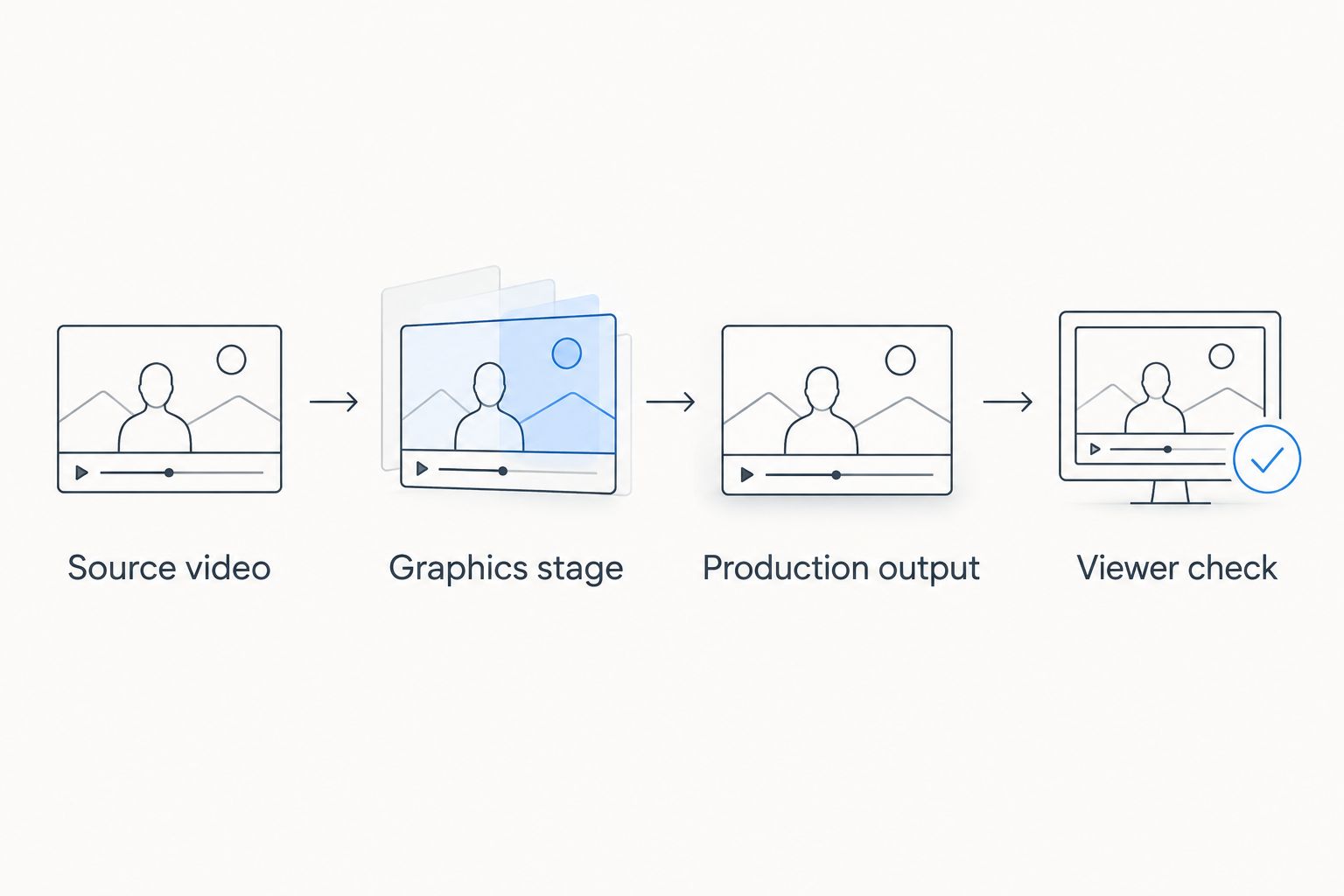
Check the finished picture at its destination, not only at the graphics workstation.
Source video
Identify which camera or production feed will receive graphics. Establish what happens when the shot changes, especially if your broadcast cuts between a wide field view and closer coverage.
Do not assume that a graphic appropriate for one shot belongs on every shot. Make the decision part of the operator's instructions.
Graphics stage
Confirm the incoming connection, the intended processing stage, and the outgoing connection using the current product documentation. Check the supported arrangement before wiring the live production around it.
For line operation, use the guide to placing scrimmage and first-down lines before a play as a focused preparation topic. Placement deserves its own rehearsal rather than a rushed check during kickoff preparations.
Production output
Determine how the graphics-treated picture reaches the program output—the finished feed selected for viewers. Keep a documented way to continue without field graphics if an overlay is wrong or the graphics stage needs attention.
Make that fallback action clear to both the graphics operator and the person controlling the outgoing show. A fallback nobody knows how to select is not a usable production procedure.
Viewer check
Record a 10-minute rehearsal as a practical review exercise, not as a performance benchmark. Include play preparation, camera movement, shot changes, and removal of an intentionally incorrect graphic.
Perform 2 output checks: inspect the production output, then inspect the viewing destination you intend to use. Look for misplaced elements, unexpected cropping, and graphics that remain visible when they should be removed.
Assign 1 named operator responsibility for calling attention to an incorrect field graphic. Other crew members can help, but ownership should not depend on everybody assuming somebody else saw it.
Review Your Football Graphics Option
Explore Windows software for virtual first-down lines, scrimmage lines, logos, and sponsor graphics.
How the options are ranked
This ranking uses graphic purpose, video connections, computer fit, operator workload, camera behavior, and fallback operation. It puts the on-field graphics option first for readers who need that capability and separates the no-field-graphics approach for readers prioritizing a simpler workflow.
Treat your 2026 shortlist as a production decision before treating it as a purchase order. The deciding evidence is whether the proposed setup meets your needs during rehearsal—not whether a feature sounds useful in isolation.
Which football graphics approach should you choose?
Choose PayneXR when virtual first-down lines, scrimmage lines, logos, or sponsor graphics are part of your football production plan. Confirm the Windows environment and video workflow, then assign the operating responsibilities.
Choose broadcasting without on-field graphics when your priority is running the existing show without another field-graphics task. Revisit that decision when your crew has a defined need and an owner for the work.
If you are undecided, rehearse the proposed operating procedure before committing. A clear result is either a workflow your crew can repeat or a specific problem to resolve.
FAQ
What's the best way to compare broadcast graphics software ranked by price?
Compare the complete production requirement before comparing purchase terms. Include computer fit, video connections, operator duties, and rehearsal needs so the decision reflects your actual football broadcast.
What does PayneXR do for a football broadcast?
PayneXR overlays virtual first-down lines, scrimmage lines, logos, and sponsor graphics onto live football video. It is Windows software for sports production teams and broadcasters.
Should a school football crew add virtual first-down lines?
Add virtual first-down lines when the school crew needs that visual reference and can assign someone to operate and check it. Rehearse placement, shot changes, and removal before using the graphics live.
Is broadcasting without on-field graphics a reasonable choice?
Yes, broadcasting without on-field graphics is a reasonable choice when your crew prioritizes its existing production duties. You give up virtual field markings and on-field sponsor overlays, but you avoid adding their operation to the show.
Can an independent streaming crew use the same planning checklist as a TV broadcaster?
Yes, both should confirm computer requirements, video connections, operator responsibility, and fallback operation. An independent crew should also document how to rebuild its setup, while a TV production should define graphics cues and output approval.
Does the graphics computer replace the rest of the broadcast setup?
Do not treat a graphics computer as a replacement for the whole production system. Map the source video, graphics stage, production output, and viewing destination, then verify the proposed arrangement against current requirements.
What should I test before using football graphics live?
Test line placement, camera movement, shot changes, graphic removal, and the finished viewer picture. Also rehearse continuing the broadcast without field graphics so the crew knows what to do when an overlay needs attention.
One last thing
Practice removing an incorrect graphic, not just displaying a correct one. During a 2026 rehearsal, deliberately leave a field element on a shot where it does not belong, then have the crew identify and remove it. That exercise tests responsibility and communication as well as the picture.