
Guides
Broadcast graphics for sports info directors: complete 2026 guide
Choose broadcast graphics software for sports information directors by workflow fit. Plan football lines, sponsor artwork, staffing, and game-day checks.
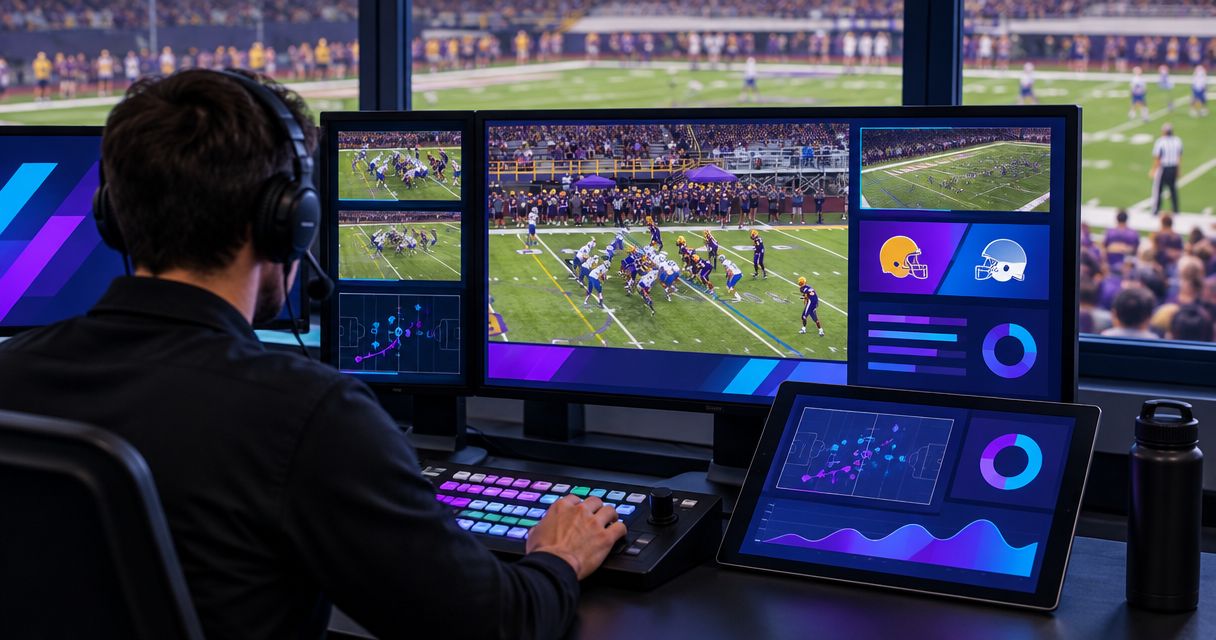
Sports information directors’ broadcast graphics software is a production tool for adding visual information to live sports video with the aim of making game coverage easier to follow. For your 2026 football coverage, the right setup must connect editorial accuracy, sponsor artwork, and live production without assigning more work than your crew can handle.
TL;DR
- Choose broadcast graphics software for sports information directors around operator capacity, football coverage, and verified video connections.
- PayneXR adds virtual first-down lines, scrimmage lines, logos, and sponsor graphics to live football video on Windows.
- Broadcast without on-field graphics when your crew cannot reliably place, update, and remove them.
- Rehearse camera changes, incorrect placements, and graphics removal before using on-field graphics during a game.
Why broadcast graphics matter for sports information directors
A sports information director connects game information with the people publishing it. On-field football graphics add another responsibility: the displayed line or logo must match the live picture, not merely look correct in an artwork file.
A first-down line identifies the target position for the offense. A scrimmage line marks where the play begins. Neither should replace accurate commentary or official game information. Use the guide to placing scrimmage and first-down lines before a play to frame the operating task before choosing software.
Different production teams need different plans:
- School football teams: document responsibilities so student operators and changing crews can repeat the setup.
- Independent streaming crews: establish who supplies game information and approves sponsor artwork at each venue.
- TV broadcasters: define graphics cues, camera coverage, and the route for removing an incorrect graphic.
Add on-field graphics only when your production can keep them accurate. A clean football picture without virtual lines is a valid production choice, not an unfinished broadcast.
Build a workable football graphics setup
Define the information you need to show
Start manually with a production sheet. List the information viewers need, the person responsible for confirming it, and the graphic that communicates it. Keep score information, on-field lines, and sponsor placements separate; they have different update requirements.
For your 2026 package, separate essential game information from optional presentation. If the crew cannot maintain the essential information, adding more graphics creates another source of mistakes. A first-down line needs a reliable field position; a sponsor logo needs approved artwork and an agreed placement.
School crews should make the sheet understandable to a replacement operator. Independent crews should get approvals from the event organizer. TV crews should align it with the director’s production plan.
Close this planning step with a short list everyone can use:
- Identify which football graphics belong in the broadcast.
- Name the person who confirms each piece of game information.
- Separate live-play graphics from sponsor placements.
- Mark graphics that can be omitted when staffing changes.
- Define who has authority to remove a questionable graphic.
Map your video connections before choosing software
Draw the existing video route on paper before adding anything: camera, switcher, and streaming or transmission equipment. A switcher selects among video sources; an encoder converts the finished production into a format for delivery.
Then identify where graphics would enter that route. A software purchase does not establish compatibility with your existing equipment. Confirm the software’s supported connections and the exact hardware needed before changing the live production.
Keep a camera feed separate from the finished program in your drawing. The program feed is the picture viewers receive. Placing graphics on a camera feed and placing them on the program feed are different arrangements, especially when the director changes cameras.
Use these checks to turn the drawing into a connection plan:
- Write down each device’s actual video input and output connections.
- Record the production’s resolution and frame rate.
- Identify the proposed graphics insertion point.
- Confirm how the graphics-equipped picture reaches the final output.
- Preserve a tested route that does not depend on on-field graphics.
Match the football software to your operating plan
Use your production sheet to rehearse the task manually first: identify the scrimmage position, identify the first-down target, and call when each graphic should disappear. This exposes communication gaps before software enters the workflow.
PayneXR broadcast graphics software is best for football production teams that need virtual on-field lines and sponsor graphics on Windows. Its stated scope includes first-down lines, scrimmage lines, logos, and sponsor graphics over live football video.
That scope fits the on-field graphics task; it does not establish every connection, camera workflow, or computer requirement for your production. Evaluate those separately. Do not assume the same setup supplies your scoreboard, replay operation, and every other broadcast graphic.
For a 2026 equipment decision, check the job rather than collecting features:
- Match each required football graphic to a stated software capability.
- Confirm the Windows computer requirements before assigning a machine.
- Verify the proposed video connections against the current documentation.
- Test the camera views you intend to use on air.
- Reject any setup your available operator cannot control reliably.
Assign the placement, checking, and removal roles
Write the operating calls on paper and walk through a possession without software. Someone confirms the field position, someone places or updates the graphic, and someone watches the finished picture. These are separate responsibilities even when one person performs several of them.
A school crew should identify who covers an absent student operator. An independent crew should establish how the graphics operator receives game information away from the announcers. A TV production should make removal cues part of the director’s normal communication.
For rehearsal, assign 2 named responsibilities: graphics operation and output checking. This is a planning recommendation, not a requirement for 2 separate employees. If one person handles both, test that workload alongside their other live duties.
Make the assignment concrete:
- Name the operator and the backup before the event.
- Establish the source used to confirm field position.
- Agree on spoken calls for placing and removing graphics.
- Assign someone to watch the final program picture.
- Decide which duties take priority when the crew becomes overloaded.
Rehearse the complete path to the viewer
Start with a written rehearsal checklist and footage you are permitted to use. If the selected setup supports recorded input, use football footage to repeat difficult moments. Otherwise, rehearse with a live camera feed before the event.
Reserve a 15-minute rehearsal block as a starting plan, then extend it if any issue remains unresolved. This is an operating recommendation, not a claim about installation or setup time. Include normal play, camera movement, and deliberate mistakes.
Use 3 test passes: placement, camera changes, and recovery. Placement checks alignment. Camera changes check whether graphics remain appropriate when the view changes. Recovery checks how the crew removes an incorrect graphic and continues the broadcast.
Run the rehearsal in this sequence:
- Confirm source: verify the incoming football picture.
- Place graphics: check the intended field positions.
- Check program: inspect the actual outgoing picture.
- Test removal: remove a deliberately incorrect graphic.
- Save notes: record the working setup and unresolved issues.
The diagram summarizes the rehearsal sequence, not a claim about any software’s connection method. Follow the selected system’s documentation when configuring the actual video path.
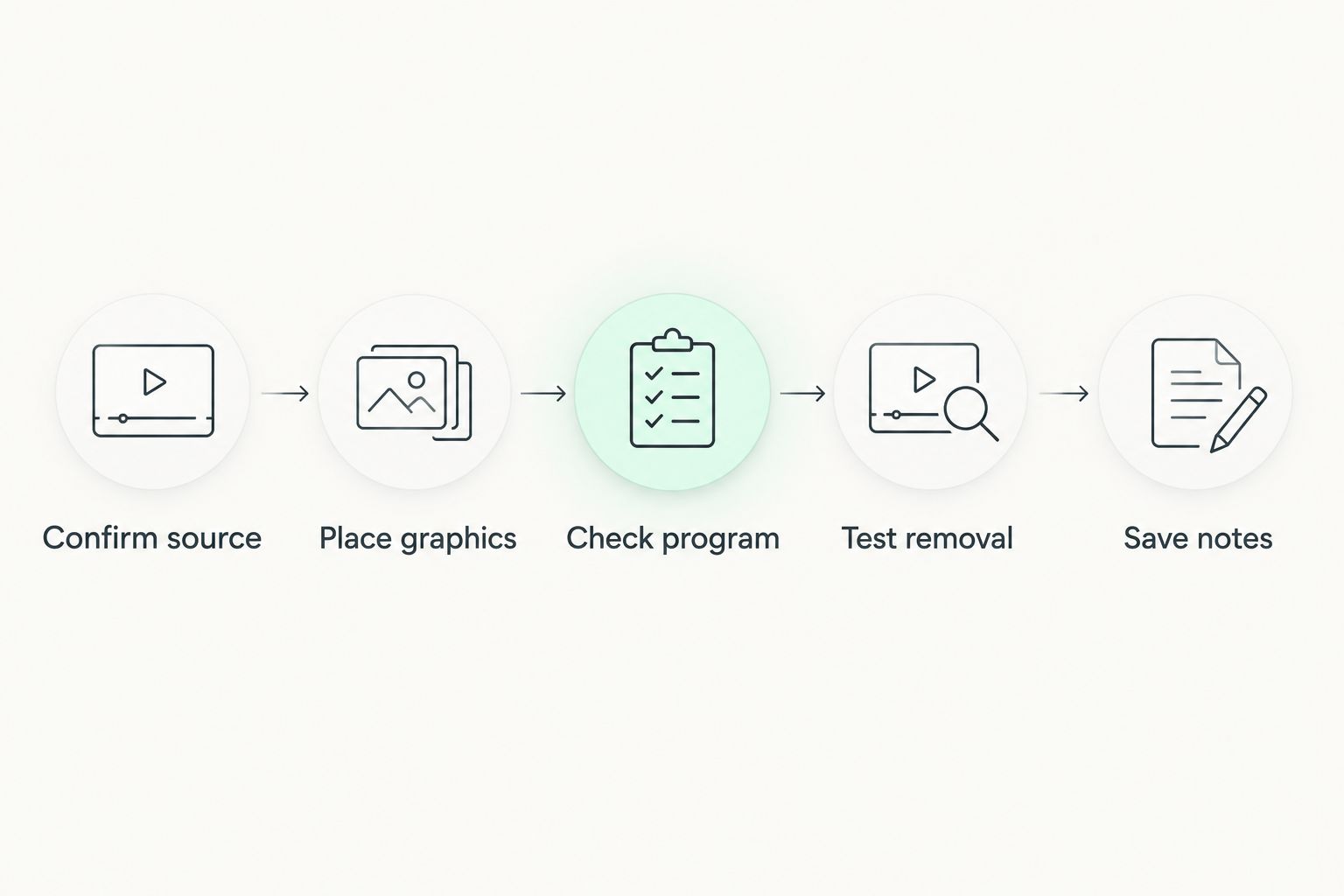
Check the outgoing picture and rehearse graphics removal before the broadcast.
Approve sponsor artwork and document the handoff
Start with an artwork folder and a simple approval sheet. Record which logo is approved, who approved it, and when the production should show it. A sponsor graphic is not ready merely because someone sent a file.
Review artwork against the football picture rather than only on a blank computer screen. Check legibility and whether placement interferes with the action. Confirm the required file specifications in the chosen software’s documentation; do not assume every supplied image will work unchanged.
For the 2026 handoff, give the next operator enough information to repeat the working setup. School teams need continuity across student crews, independent streamers need event-specific approvals, and TV broadcasters need clear editorial and commercial instructions.
Finish with these handoff tasks:
- Keep approved artwork separate from drafts.
- Record permitted placements and the person approving them.
- Check logos against representative football footage.
- Document the tested computer and video connections.
- Save the removal procedure beside the operating instructions.
Compare on-field graphics with broadcasting without them
The main decision is whether on-field graphics serve your audience within your production limits. It is not whether every football broadcast must display a virtual line.
Use the table to choose a production approach. Each option solves a different operating problem; none removes the need for accurate game information.
| Option | Best for | Main advantage | Key limitation |
|---|---|---|---|
| Broadcast without on-field graphics | Crews prioritizing a dependable camera picture and commentary | Removes virtual-line placement from the live workload | Viewers do not receive an on-field first-down or scrimmage reference |
| Add on-field graphics with PayneXR | Football teams using Windows for virtual lines, logos, and sponsor graphics | Adds the stated football graphics to live video | Requires a verified computer, video path, and operating procedure |
| Add sponsor graphics but omit virtual lines | Productions prioritizing sponsor presentation over live field-position graphics | Narrows the graphics task to approved placements | Does not provide a virtual first-down reference and still needs output checking |
Keep the simplest approach that fulfills the production brief. If sponsor artwork is the only requirement, do not add live line placement without assigning the work. If field-position graphics are central to the brief, rehearse them as a live production responsibility rather than a decorative extra.
Common mistakes sports information directors make
Approving software before assigning an operator
A feature list does not answer who will update the field position between plays. Assign the job first, then judge whether the software and crew can perform it alongside their other responsibilities.
Treating the school, streaming crew, and broadcaster alike
A student-operated school broadcast needs repeatable instructions. An independent crew needs a clear agreement with the organizer. A TV broadcaster needs defined cues and output responsibility. Give each team the handoff it actually needs.
Approving sponsor files without checking the picture
Artwork approval and broadcast placement approval are different decisions. Review the logo over football video, then agree on where and when it belongs. Keep unapproved versions out of the operator’s working folder.
Checking only the graphics computer
A correct preview does not prove the audience receives the correct picture. Watch the final program output and the receiving player during rehearsal. Confirm that removing graphics leaves the underlying broadcast usable.
Treating virtual lines as official decisions
A virtual line is a viewing aid, not an officiating ruling. Remove a questionable placement rather than allowing it to contradict the game information your crew has confirmed.
FAQ
What's the best broadcast graphics software for sports information directors covering football?
PayneXR is a fit for football production teams that need Windows software for virtual first-down lines, scrimmage lines, logos, and sponsor graphics. Confirm the computer requirements, video connections, and operator workflow before selecting it.
Do school football broadcasts need virtual first-down lines?
No. A school football broadcast can run without on-field graphics when the crew cannot reliably operate them. Prioritize an accurate picture, commentary, and a clear production plan.
Can an independent streaming crew use on-field football graphics?
An independent streaming crew can plan on-field graphics around its equipment and staffing. Confirm the selected software's requirements, establish a source for field-position information, and assign responsibility for removing incorrect graphics.
What should a TV broadcaster check before adding football graphics?
A TV broadcaster should check the video insertion point, camera-change behavior, operating cues, and removal procedure. Rehearse the complete path to the program output rather than checking only the graphics preview.
Does PayneXR run on Windows?
Yes. PayneXR is Windows broadcast graphics software for overlaying virtual football lines, logos, and sponsor graphics on live video. Check the current requirements before selecting the production computer.
Can one person operate graphics and run the broadcast?
Assign both jobs to one person only after a rehearsal demonstrates that the workload is manageable. Test field-position updates, camera changes, and graphics removal while that person performs the other live duties.
How should a sports information director prepare for the 2026 football season?
Document the required graphics, approved sponsor artwork, operator responsibilities, and tested video path. Rehearse incorrect placements and graphics removal before the first live production.
One last thing
Make removal your first rehearsal task, not your last. Put up a deliberately incorrect line and ask the crew to remove it while keeping the football picture on air. That exercise tests communication, controls, and output checking together.
PayneXR belongs in your football workflow when its stated graphics capabilities match the job and your crew can operate the tested setup. Permission to omit a graphic should be as explicit as permission to display it.