
Guides
Broadcast graphics for public access TV stations: complete 2026 guide
Choose broadcast graphics software for public access TV stations by football needs. Add field overlays only with tested placement, crew roles, and fallback.
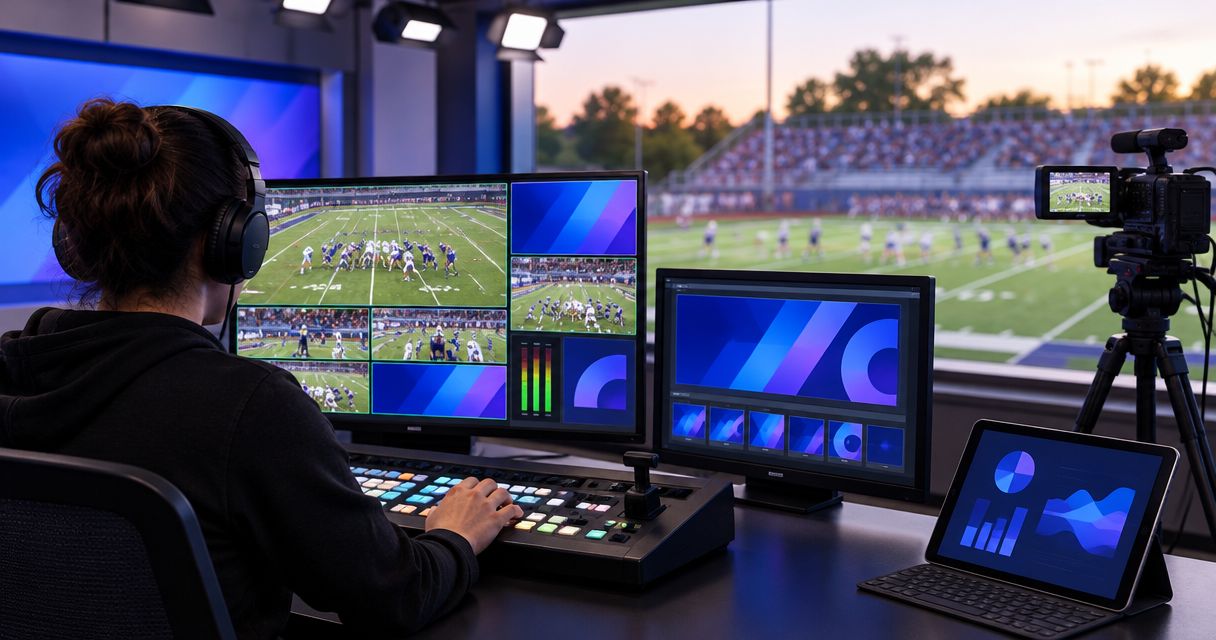
Public access TV broadcast graphics software is software that adds visual information to programming with the aim of helping local viewers follow the action. For football coverage in 2026, choose between a broadcast without on-field overlays and a Windows workflow that adds virtual first-down lines, scrimmage lines, logos, and sponsor graphics without compromising your live video.
TL;DR
- Choose broadcast graphics software for public access TV stations around football coverage, operator responsibilities, and a tested fallback.
- PayneXR is best for football production teams seeking Windows software for virtual first-down lines and on-field graphics.
- Broadcast without on-field graphics when your crew cannot reliably place, monitor, and remove overlays.
- Test camera changes, replay transitions, and sponsor graphics before adding overlays to your live output.
Why broadcast graphics matter for public access TV stations
A virtual first-down line gives viewers a visible reference for the distance an offense needs to gain. A scrimmage line marks where the play begins, while an on-field sponsor graphic serves a different purpose: displaying a commercial message within the football picture.
Add graphics to explain the game, not to fill the screen. A misplaced line gives viewers the wrong reference. A sponsor logo that obscures the formation competes with the action you are broadcasting.
For your 2026 coverage plan, start by deciding when broadcasting football without on-field graphics is enough. Your baseline should remain a watchable broadcast with intelligible commentary, reliable video, and clear game information.
Public access stations also need to separate football requirements from other programming. An on-field football graphics workflow does not establish suitability for council meetings, interviews, emergency messages, or channel scheduling. Evaluate those jobs separately rather than expecting one football application to handle every station function.
How to build your football graphics workflow
1. Define the broadcast and assign responsibilities
Write down what your station produces, who supplies the pictures, and who controls the final output. A school crew sending you a completed program presents a different job from an independent streaming crew supplying camera feeds or a TV production team operating your switcher.
A completed program is the finished picture intended for viewers. If graphics are already included in that picture, your station must coordinate any additional overlays to avoid covering the same area twice.
For school football teams, make the operating instructions explicit enough for the next scheduled operator. Independent crews should agree with the station on delivery and control responsibilities. TV broadcasters should identify which production position approves graphics before transmission.
Your 2026 production brief should make ownership unambiguous. If nobody is responsible for confirming a line's position, leave it off the air.
- Name the person who places the football lines.
- Name the person who approves sponsor artwork.
- Identify who can remove graphics immediately.
- Record whether the station receives camera feeds or a finished program.
- Assign responsibility for the final viewer-facing picture.
2. Map the video path before connecting equipment
Draw the existing route from camera to viewer before inserting graphics. A switcher selects between video sources; an encoder converts the finished program into a format for distribution. Your station might use different equipment, but those functions still need clear ownership.
Separate the graphics path, which adds overlays, from the fallback path, which preserves a usable picture without them. These are planning labels, not claims about a particular software connection or output feature.
Check the actual input and output requirements of every device. A connector that fits does not prove that the receiving device accepts the signal format. For example, 720p describes a progressive picture of 1280 × 720 pixels; 1080p describes 1920 × 1080 pixels. Frame rate is separate: 30 frames per second and 60 frames per second are different timing choices.
Those are format examples, not a statement that any particular application supports every combination. Confirm supported formats and connections before buying adapters or capture hardware.
- Draw the camera path and graphics path.
- Mark where the finished picture reaches distribution.
- Document resolution and frame rate at each connection.
- Identify a fallback path without on-field overlays.
- Label the monitor used to inspect the final picture.
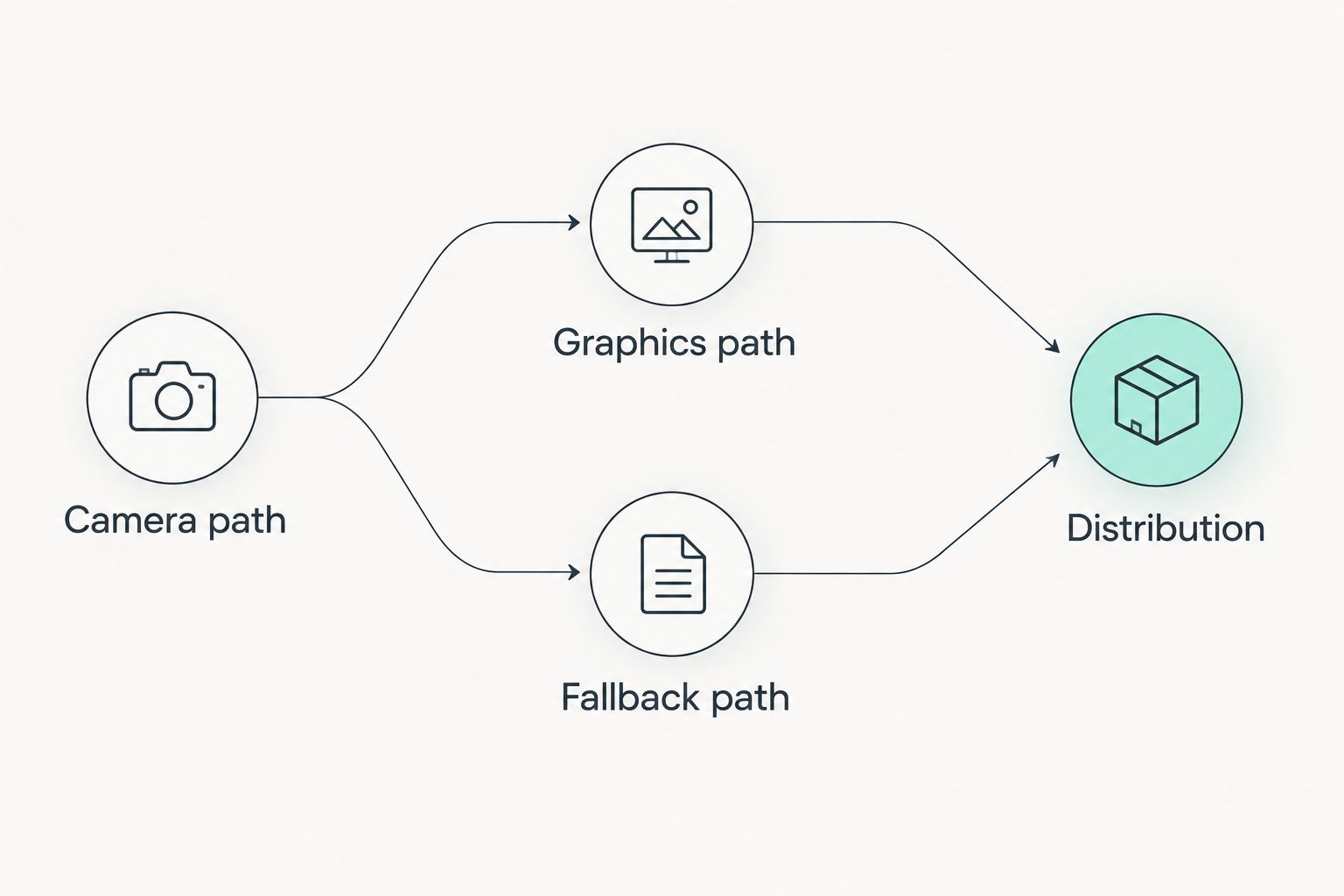
Plan a route without overlays before adding graphics to your live video.
3. Match the software to the football job
Use your current broadcast without on-field overlays as the baseline. Watch a recording and identify what viewers cannot easily judge: the line of scrimmage, the distance to gain, or the relationship between sponsor placement and live action.
Then evaluate software against those specific jobs. PayneXR is best for football production teams seeking Windows software for virtual first-down lines and on-field graphics. PayneXR broadcast graphics software overlays virtual first-down lines, scrimmage lines, logos, and sponsor graphics onto live football video.
That scope is the reason to consider it—and the boundary of the recommendation. The supplied product description does not establish a general station automation system or compatibility with your existing equipment. Confirm the intended Windows setup and video connections against current product information.
For a 2026 rollout, introduce one graphic type at a time. A first-down line and a sponsor placement have different editorial purposes; approving one does not automatically approve the other.
- List the football overlays your production actually needs.
- Confirm the Windows computer requirements before deployment.
- Verify the proposed video input and output workflow.
- Ask how operators place, update, and remove each overlay.
- Compare the resulting picture with your baseline broadcast.
4. Rehearse placement and camera changes
Start with recorded football footage and a written practice routine before using graphics during a live game. Confirm whether your proposed workflow accepts recorded footage directly; otherwise, rehearse through a supported video source.
A line that looks correct on one wide shot still needs checking when the camera pans, zooms, or cuts elsewhere. Define what the operator should do when the picture no longer provides a dependable field reference. Do not assume automatic tracking, calibration, or camera recognition without confirming those capabilities.
Treat replays as a separate decision. A replay can show a different camera angle or an earlier moment, so the current live placement is not automatically appropriate. Hide the overlay unless its position and relevance have been checked for that shot.
School crews should rehearse an operator change. Independent crews should test the station's received picture, not just their local monitor. TV teams should include replay and camera transitions in the production rehearsal.
- Practice line placement before the next snap.
- Inspect wide shots, pans, zooms, and camera cuts.
- Define when overlays must disappear.
- Rehearse replay entry and return to live action.
- Record the output and review placement errors.
5. Test the fallback and operating handoff
A fallback is a route or operating state that keeps usable video on air without the on-field graphics. Do not assume that hiding an overlay inside the application protects you from a computer or signal-path failure. Test what happens when the graphics source itself becomes unavailable.
Make the response short enough to execute under pressure. The operator needs to know which control removes the affected picture, which source replaces it, and who confirms that viewers are receiving the replacement.
Keep audio in the test. A video change that loses commentary is not a successful recovery. Monitor the station's actual output wherever practical, because a working preview does not prove that the transmitted program is correct.
For your 2026 operating sheet, document observable actions rather than vague instructions such as restarting everything. Preserve the broadcast first; investigate the graphics problem after the picture is stable.
- Test removal of overlays while retaining live video.
- Test the response to an unavailable graphics source.
- Confirm commentary remains present during the change.
- Write the fallback control sequence in plain language.
- Have another operator follow the instructions without coaching.
6. Set rules for sponsor graphics and artwork
Begin with a manual approval process: collect artwork, identify the intended placement, inspect it against football footage, and get approval before transmission. Distinguish a graphic's appearance from its operation. Attractive artwork still needs a placement rule and a removal cue.
Using AI motion graphics tools to create artwork does not establish that the result fits a live football workflow; inspect the exported asset against the receiving software's documented requirements before scheduling it for air. The same check applies to artwork supplied by a sponsor or created by a designer.
PayneXR supports logos and sponsor graphics as part of its stated football overlay scope. Confirm accepted artwork requirements and the intended operating procedure rather than assuming that an animation, transparency effect, or file type will work.
Give the operator clear timing instructions. Sponsor visibility should not depend on somebody improvising during a developing play. If the agreed placement blocks a useful view, remove it and revise the placement before its next appearance.
- Obtain approved artwork and the intended display wording.
- Check file requirements against current software documentation.
- Inspect contrast against grass, uniforms, and field markings.
- Specify the cue for showing and removing each graphic.
- Keep sponsor graphics out of essential game action.
Compare on-field graphics with a broadcast without them
The main choice is not which package has the longest feature list. It is whether your station can operate on-field graphics accurately while protecting the football picture. Use this comparison to decide how much responsibility your crew should add.
| Option | Best for | Main advantage | Key limitation |
|---|---|---|---|
| Broadcast without on-field graphics | Crews prioritizing reliable pictures and commentary | Removes the on-field placement task | Viewers do not receive virtual field-position references |
| Existing presentation graphics without field overlays | Stations keeping titles and other information separate from field placement | Retains the existing presentation approach | Does not provide an on-field first-down reference |
| PayneXR Windows football overlays | Teams seeking virtual football lines, logos, and sponsor graphics | Adds the stated football overlays to live video | Requires a suitable Windows workflow and verified operating procedures |
Broadcast without on-field graphics if your crew cannot keep the overlays correct. That is an operating decision, not a production failure. Add field graphics after the rehearsal demonstrates that placement, removal, and recovery are dependable.
For an independent crew delivering to a public access station, agree on whether the delivered picture already includes overlays. For a school team, make repeatable operation the acceptance test. For a TV broadcaster, include the graphics path in the existing technical and editorial approval process.
Common mistakes public access TV stations make
Treating football software as a station-wide graphics system
Football lines solve a football presentation problem. Keep meeting titles, station notices, and other programming requirements on a separate evaluation checklist unless the relevant capabilities are explicitly documented.
Accepting an unchecked finished feed
A finished feed can arrive with graphics already embedded. Establish who corrects a misplaced line and whether your station can obtain an alternative picture before accepting responsibility for transmission.
Training only the regular operator
An operating sheet is incomplete if only its author understands it. Ask a substitute operator to run placement, removal, and fallback tasks during rehearsal, then revise every ambiguous instruction.
Approving sponsor artwork without testing placement
An approved logo is not an approved on-field presentation. Review its size, contrast, timing, and effect on the football picture before including it in the live rundown.
FAQ
What's the best broadcast graphics software for public access TV stations covering football?
PayneXR is best for teams seeking Windows software for virtual first-down lines, scrimmage lines, logos, and sponsor graphics. Confirm its fit with your station's video connections and operating requirements before selecting it.
Can a public access station broadcast football without virtual lines?
Yes, a public access station can broadcast football without virtual lines. Choose that approach when your crew cannot reliably operate on-field overlays while maintaining the picture and commentary.
Does football graphics software replace station automation?
Football graphics software should not be treated as a replacement for station automation without documented support for those tasks. Evaluate scheduling, channel presentation, and non-sports programming separately from football overlays.
Do school crews and independent streaming crews need different setups?
School crews and independent streaming crews need setups based on their delivery responsibilities and available operators. A crew supplying finished coverage has different handoff requirements from one supplying individual camera feeds.
Can we assume our current video connections will work?
No, you must verify the software and hardware input and output requirements. Check resolution, frame rate, connection type, and the receiving device rather than relying on connector shape alone.
Should we leave the first-down line visible during replays?
Do not leave a live first-down line visible on a replay unless its placement and relevance have been checked for that replay. Use an explicit removal and restoration procedure.
What should a station test before using football graphics live?
Test placement, camera changes, replay transitions, sponsor visibility, and recovery to a picture without overlays. Include audio continuity and a substitute operator in the rehearsal.
One last thing
Make removing the graphics part of the acceptance test. Before your 2026 football coverage begins, have someone other than the regular operator restore a usable picture without on-field overlays. If that person cannot complete the task from your instructions, fix the instructions before adding another graphic.