
Guides
Broadcast graphics for booster club volunteers: complete 2026 guide
broadcast graphics software for booster club volunteers. Add on-field lines after rehearsing placement and removal. Get a practical setup checklist.
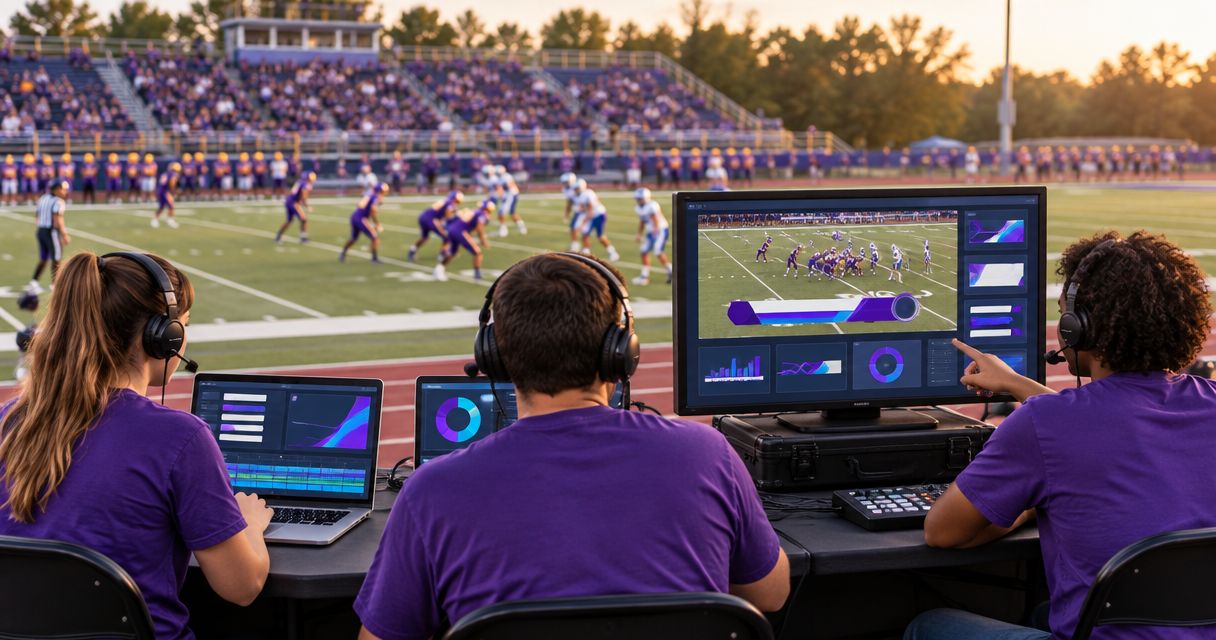
Booster club volunteers’ broadcast graphics software is a tool for adding visual information to live football video with the aim of helping viewers follow play and recognize sponsors. PayneXR provides Windows software for virtual first-down lines, scrimmage lines, logos, and sponsor graphics; this guide explains how a volunteer crew can prepare those additions without sacrificing control of the broadcast.
TL;DR
- Choose broadcast graphics software for booster club volunteers around operator capacity, not the longest feature list.
- PayneXR fits football crews seeking Windows software for on-field lines and sponsor graphics.
- Broadcast without on-field graphics when nobody can verify placement and remove mistakes promptly.
- Rehearse the video signal path, camera movement, and operator handoff before game day.
Why broadcast graphics matters for booster club volunteers
On-field graphics place useful information directly over the action. A virtual first-down line shows the target on the field, while sponsor artwork gives a sponsor a visible presence within the football picture. Both additions create another responsibility: someone must keep the graphics appropriate to the current shot and play.
For your 2026 football broadcasts, the deciding question is whether the crew can operate graphics reliably while protecting the live picture. A volunteer handling camera selection, audio, and streaming already has competing tasks. Adding lines without assigning ownership leaves their accuracy dependent on spare attention.
School football teams need a repeatable handoff when volunteers change. Independent streaming crews need a setup they can document and reproduce at different venues. TV broadcasters need graphics procedures that fit their existing production and editorial checks. A booster club working with an outside crew should agree on those responsibilities rather than assume the contractor owns every graphic.
The useful comparison is not elaborate graphics versus an amateur-looking stream. It is a controlled broadcast with on-field graphics versus a controlled broadcast without them. Choose the first only when you can maintain the control that makes the second dependable.
How to build a manageable football graphics workflow
Define the job before choosing software
Start with a written list of what viewers need to see. Separate on-field lines from sponsor recognition, then decide which additions belong in your first broadcast. A paper rundown—a list of production actions in order—is enough to begin.
Assign 3 production roles: picture control, graphics operation, and field-information confirmation. These are responsibilities, not a requirement for 3 separate people. If one volunteer combines roles, rehearse that combination under realistic conditions rather than assuming quiet setup time reflects game-time workload.
For a 2026 volunteer handoff, write down the task, the information source, and who can tell the operator to remove a graphic. Keep that document short enough to use beside the controls.
- List the graphics you intend to show.
- Assign an owner to every live graphics task.
- Identify who confirms the ball position and first-down target.
- Decide who approves sponsor artwork.
- Give one person authority to call for a clean picture.
Map the video connections before adding graphics
Draw your current setup on paper before changing a cable. A signal path is the route video takes from the camera to the audience. Identify where the camera picture enters production, where graphics join it, and where the finished broadcast leaves for streaming or transmission.
Use football graphics signal-path guidance to organize those questions. Confirm the connections supported by the actual software, capture hardware, and production equipment; a connector fitting physically does not establish that the entire workflow works.
Write down 2 picture versions: a clean picture without on-field graphics and a picture with graphics. Treat these as production requirements, not a claim that your equipment automatically supplies separate outputs. Establish how your setup returns to the clean version before taking graphics live.
- Label the camera source and its destination.
- Record the video format used by each connected device.
- Mark where graphics enter the picture.
- Identify the final broadcast output.
- Test a documented route back to a clean picture.
The working sequence is Camera source, Graphics stage, Production output, and Viewer check. Viewer check means watching the delivered broadcast, not just the monitor beside the graphics operator. That final check catches differences between the local picture and what the audience receives.
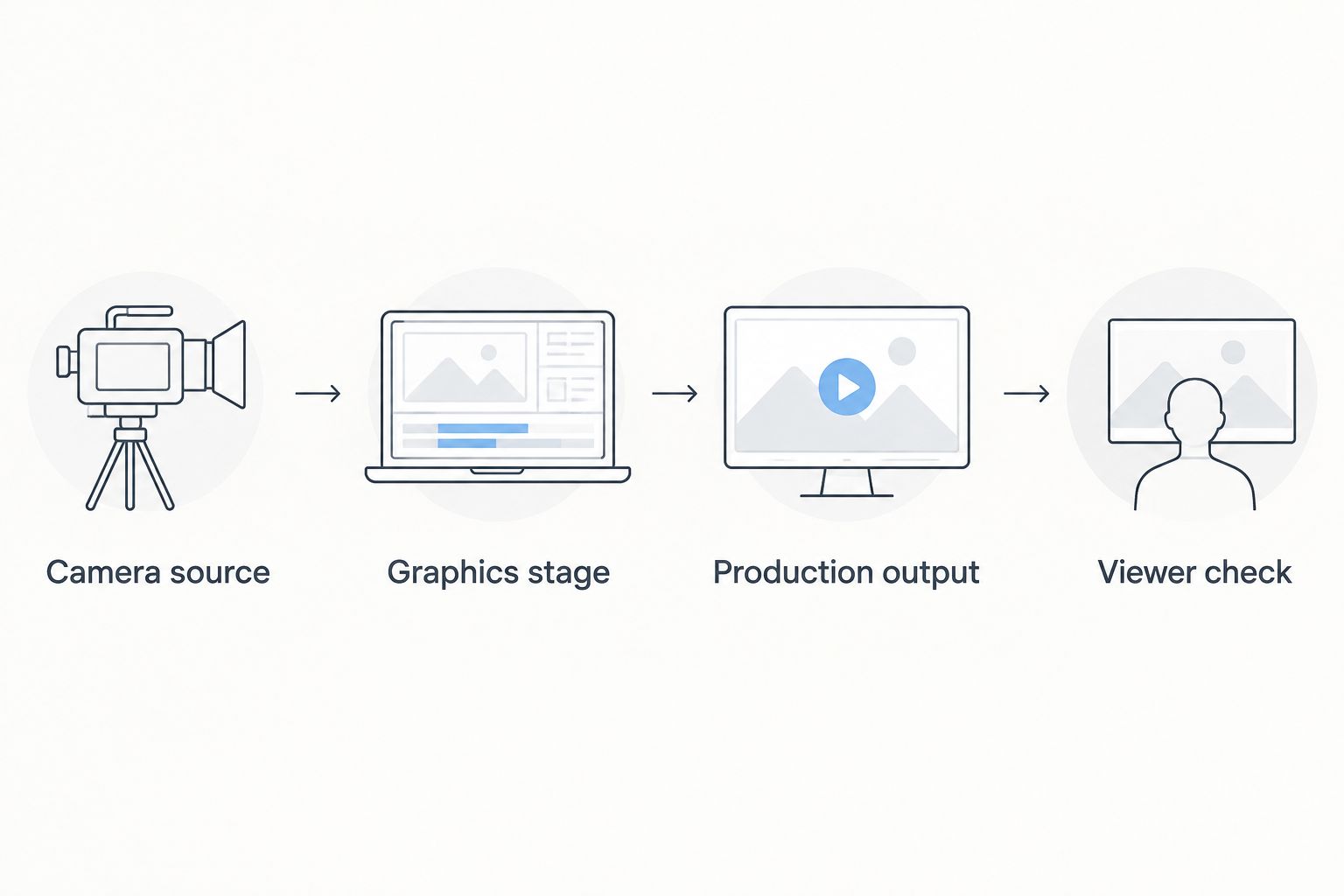
Check the delivered broadcast as well as the graphics operator’s local picture.
Select graphics around the crew’s actual capacity
Begin without on-field graphics and confirm that your basic broadcast works. Then add one graphic category at a time. This makes it easier to identify whether a problem starts with the original production setup or the additional graphics workflow.
PayneXR is best for football production teams seeking Windows software for virtual field lines and sponsor graphics. Its stated scope matches that task; it does not remove the need to verify your computer, connections, and operating procedure. Do not assume compatibility with a particular switcher or streaming setup without checking it.
A school crew should prioritize instructions another volunteer can repeat. An independent crew should document venue-dependent connections. A TV crew should agree on how graphics are approved and removed within the existing production process. Use those requirements to judge your 2026 setup rather than choosing by the number of available graphic types.
- Confirm that a Windows-based workflow fits your equipment.
- Choose the first graphic category to introduce.
- Verify the complete connection path before committing to it.
- Test with the person who will operate during the game.
- Leave optional graphics out until the core workflow is repeatable.
Rehearse line placement and removal together
Use recorded football footage you have permission to use, or arrange a camera rehearsal at the field. Practice identifying the line of scrimmage and first-down target, placing the graphic, checking its position, and removing it. Placement alone is not a complete rehearsal.
The guide to placing scrimmage and first-down lines before a play addresses the central operating task. Your local procedure must also cover what happens when the ball moves, the camera reframes, or the operator cannot confirm the correct position.
Complete at least 1 full rehearsal before using field lines during a live broadcast. This is a minimum planning recommendation, not a performance guarantee. Include camera movement and unexpected corrections; a stationary practice shot does not test the same conditions as live play.
- Confirm the field position before displaying a line.
- Check placement during pans and zooms.
- Practice correcting a mistaken placement.
- Remove graphics when their position is uncertain.
- Repeat the sequence with the backup operator.
Prepare sponsor artwork and a display plan
Start with a shared folder and a written sponsor list. Collect approved artwork from the person responsible for the sponsorship agreement, then check the requirements of the graphics workflow you intend to use. Do not assume an image that looks good in a document will remain readable over moving turf.
PayneXR supports logos and sponsor graphics over live football video. The benefit is an on-field sponsor presentation; the limitation is that artwork preparation, approval, and display timing still need an owner. Software does not establish what the club promised a sponsor.
For the 2026 season, separate artwork approval from live operation. Give the operator a final approved set rather than asking that person to resolve logo versions while also following play. If a sponsor request conflicts with a clear view of the action, settle the display plan before kickoff.
- Collect approved artwork and confirm the intended sponsor name.
- Check the file requirements for your chosen workflow.
- Preview artwork over representative football footage.
- Record when each graphic should appear and disappear.
- Remove outdated or unapproved files from the operating folder.
Test the broadcast and document the handoff
Run the whole production chain, not just the graphics application. Check the camera picture, audio, graphics, streaming or transmission output, and the audience-facing result. A successful local preview does not prove that the final output contains the intended picture.
Give another volunteer the written procedure and watch them follow it. Every question reveals a missing instruction. For an independent crew or TV partner, make the same handoff explicit: identify who supplies field information, who operates graphics, and who controls the final output.
Keep a short event log during your 2026 broadcasts. Record the problem, the condition that triggered it, and the action that restored a usable picture. Review repeated problems before adding more graphics to the next game.
- Start from the documented startup procedure.
- Inspect the delivered broadcast on a separate viewing device.
- Verify that graphics removal works during active production.
- Rehearse an operator handoff without stopping the picture.
- Save the working configuration and update the written instructions.
Compare broadcasting with and without on-field graphics
Best for dependable simplicity: broadcast without on-field graphics when operator attention is already committed elsewhere. You retain the football picture without adding line-placement or field-artwork duties. The trade-off is that viewers do not receive those visual references over the field.
Adding graphics is appropriate when the crew can verify them and remove mistakes promptly. Choose the scope that your rehearsal supports, not the scope you hope volunteers will manage after kickoff.
| Option | Best for | Main benefit | Key limitation |
|---|---|---|---|
| Broadcast without on-field graphics | Crews protecting a dependable basic production | Avoids on-field placement and removal tasks | Does not show virtual field lines or on-field sponsor artwork |
| Add on-field graphics with PayneXR | Football crews seeking Windows-based field lines and sponsor graphics | Adds first-down lines, scrimmage lines, logos, and sponsor graphics | Requires a verified Windows workflow and assigned operating responsibility |
| Introduce graphics in stages | Volunteer crews learning the workflow | Lets the crew rehearse each added task separately | Delays use of the full intended graphics package |
Staging the introduction is a production approach, not a separate software feature. Start with the category your crew can operate confidently, then expand only after the handoff and recovery procedures work.
Common mistakes booster club volunteers make
Assigning graphics to whoever is least busy
That person can become busy as soon as play resumes. Assign a primary operator and a backup before the broadcast, and decide which task takes priority when one person handles multiple jobs.
Accepting sponsor artwork at the operating position
An unreviewed file creates an approval task during live production. Set an artwork handoff point before the game and keep only approved files in the operator’s working folder.
Treating line placement as an official ruling
A broadcast overlay is a visual aid, not the officiating decision. Confirm the information behind the graphic, and remove the line when the crew cannot verify its position.
Testing only the wide, stationary shot
A line that looks correct in one view has not passed a full camera rehearsal. Check pans, zooms, and shot changes before deciding when graphics can remain visible.
Leaving recovery instructions with one experienced volunteer
A setup is not repeatable if only its builder knows how to restore it. Put the clean-picture procedure and connection map where the replacement operator can find them.
FAQ
What’s the best broadcast graphics software for booster club volunteers?
PayneXR fits booster club crews seeking Windows software for virtual first-down lines, scrimmage lines, logos, and sponsor graphics. The right choice still depends on verifying the video connections and assigning someone to operate graphics during play.
Can a booster club broadcast football without on-field graphics?
Yes, a booster club can broadcast football without on-field graphics. Choose that approach when the crew cannot reliably confirm placement or remove incorrect graphics while maintaining the broadcast.
Can one volunteer run the broadcast and the graphics?
Combine those responsibilities only after a full rehearsal shows the volunteer can manage both. If camera selection, audio, or streaming tasks interrupt graphics checks, reduce the graphics workload or assign another operator.
Do virtual first-down lines replace the officials’ decision?
No, virtual first-down lines are broadcast visual aids, not official rulings. Confirm the field information and remove a graphic when its position is uncertain.
What computer does a volunteer football graphics operator need?
The computer must meet the chosen software’s current requirements and support the intended video workflow. For Windows graphics software, check the operating system, hardware requirements, and input and output connections before committing equipment.
How should volunteers prepare sponsor logos for football broadcasts?
Collect approved artwork, check the graphics workflow’s file requirements, and preview each logo over football footage. Give the operator a final approved folder and a written display plan before kickoff.
What should the crew do when a field graphic looks wrong?
Remove the uncertain graphic and keep the clean football picture on air. Restore the graphic only after its information and placement have been checked.
One last thing
Rehearse taking graphics off before rehearsing a more elaborate presentation. Ask a replacement volunteer to restore the clean football picture using only the written instructions. If that person needs the setup expert standing nearby, simplify the recovery procedure before the next broadcast.