
Guides
Broadcast graphics for athletic directors: complete 2026 guide
Broadcast graphics software for athletic directors: add field lines only when your crew can operate them. Plan Windows routing, staffing, and tests.
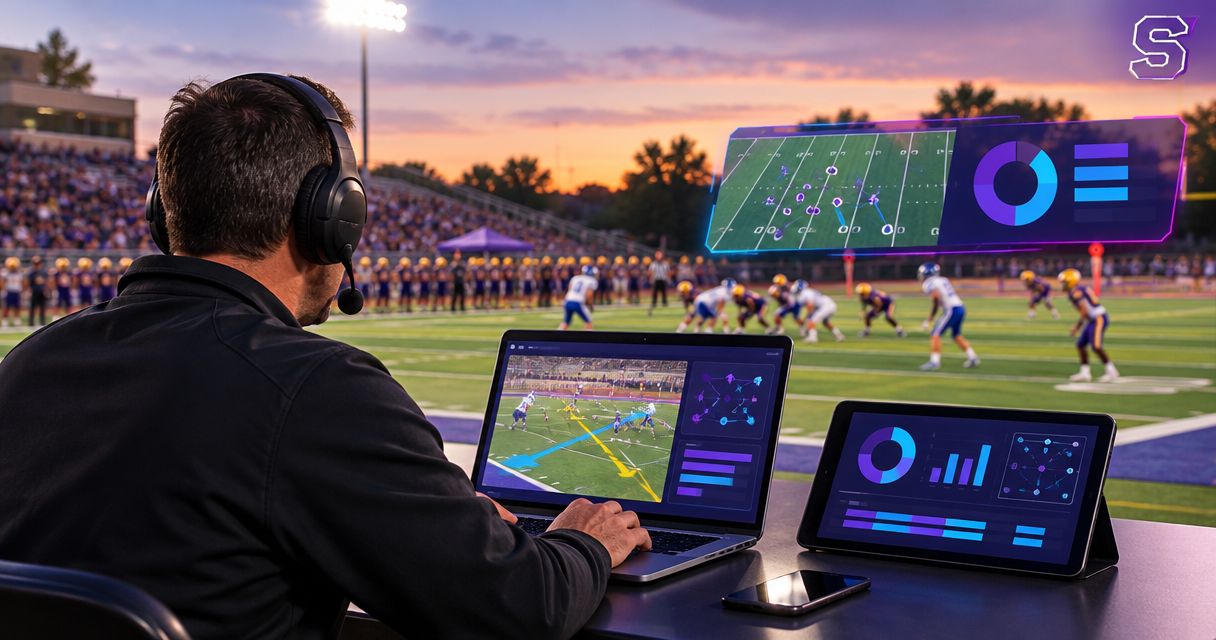
Athletic directors’ broadcast graphics software is software that adds visual information to sports video with the aim of making school broadcasts easier to follow and supporting sponsor presentation. Choosing broadcast graphics software for athletic directors means planning around student operators, outside production partners, and game-day responsibilities—not just selecting graphics that look good.
TL;DR
- PayneXR suits Windows football crews that need virtual field lines, logos, and sponsor graphics.
- Choose broadcast graphics software for athletic directors around operator readiness and a tested video signal path.
- Broadcasting without on-field graphics is the better choice when nobody can reliably update or remove them.
- Rehearse first-down lines, camera changes, and graphics removal before adding sponsor artwork.
Why broadcast graphics matter for athletic directors
A football graphics purchase is an operating decision, not just a visual upgrade. A first-down line gives viewers a reference for the distance needed; a misplaced line gives them the wrong reference. Your production plan must cover both placement and removal.
PayneXR provides Windows broadcast graphics software for virtual first-down lines, scrimmage lines, logos, and sponsor graphics on live football video. PayneXR is best for football production teams that need Windows software for on-field graphics. That scope does not establish compatibility with your existing equipment; confirm the actual connections before committing.
For your 2026 plan, separate responsibilities across the people involved:
- Athletic directors: Approve the presentation, sponsor artwork, operator assignment, and fallback plan.
- School football crews: Need instructions that student or rotating operators can follow.
- Independent streaming crews: Need a setup they can document, transport, and test at each venue.
- TV broadcasters: Need graphics behavior coordinated with camera cuts, replays, and the director’s instructions.
All three production groups need clear ownership. The athletic director should not discover during a drive that the streaming contractor expected a school employee to operate field graphics.
How to plan football broadcast graphics
1. Define what the broadcast needs to explain
Start manually: watch a previous game and record moments when viewers lack useful context. Separate difficulty finding the first-down position from unrelated problems such as unclear commentary or an obstructed camera view. On-field graphics address the former, not the latter.
Write a 1-page production brief before evaluating software. Make the requested graphics specific enough that a school crew, independent producer, or TV director can use the same document without interpreting your intentions.
For a 2026 football package, begin with the information you can keep accurate. Sponsor presentation belongs in the plan, but it should not displace essential play information.
- Identify whether you need a scrimmage line, first-down line, logos, sponsor graphics, or a combination.
- Name the video destinations: livestream, broadcast output, stadium display, or separate feeds.
- Specify who approves school and sponsor artwork.
- Identify camera views where field graphics should be absent.
- Write the circumstances that require immediate graphics removal.
2. Assign the operator before choosing the workflow
Start with a paper responsibility sheet. Assign someone to confirm the ball position, someone to update graphics, and someone with authority to remove them. One person can hold several responsibilities, but each responsibility still needs an owner.
School productions should account for operator changes between games. Independent crews should agree with the athletic department about who supplies game information. TV broadcasters should place graphics instructions within the director’s existing communication process rather than adding an unrelated conversation.
A software tool does not remove these duties. If the proposed operator already handles camera switching, audio, and streaming, rehearse the combined workload before adding field graphics.
- Name the primary graphics operator and a backup.
- Choose the source used to confirm scrimmage and first-down positions.
- Define a short spoken instruction for removing all field graphics.
- Assign responsibility for hiding graphics during unsuitable views.
- Give the backup operator the same written instructions as the primary operator.
3. Map the video path before connecting equipment
Draw the workflow on paper first. A video signal path is the route the picture takes from the camera to the viewer. Label where graphics enter that route and how the final picture reaches the streaming or broadcast system.
PayneXR broadcast graphics software adds the requested field elements, but you still need to confirm its supported inputs and outputs against your equipment. Do not infer a connection method from the presence of an HDMI socket or a network port on a computer.
Use the football graphics signal-path guide to structure that discussion. Your diagram should distinguish the clean feed, meaning video without the added graphics, from the program feed, meaning the finished picture intended for viewers.
- Label the camera source and graphics stage.
- Label the program feed and its destination.
- Identify where a clean feed remains accessible.
- Record the confirmed connection method at each handoff.
- Document how to bypass the graphics stage if necessary.
A useful diagram shows the route and the fallback separately. It should describe your intended production design, not imply that a particular software product supports unverified connections.
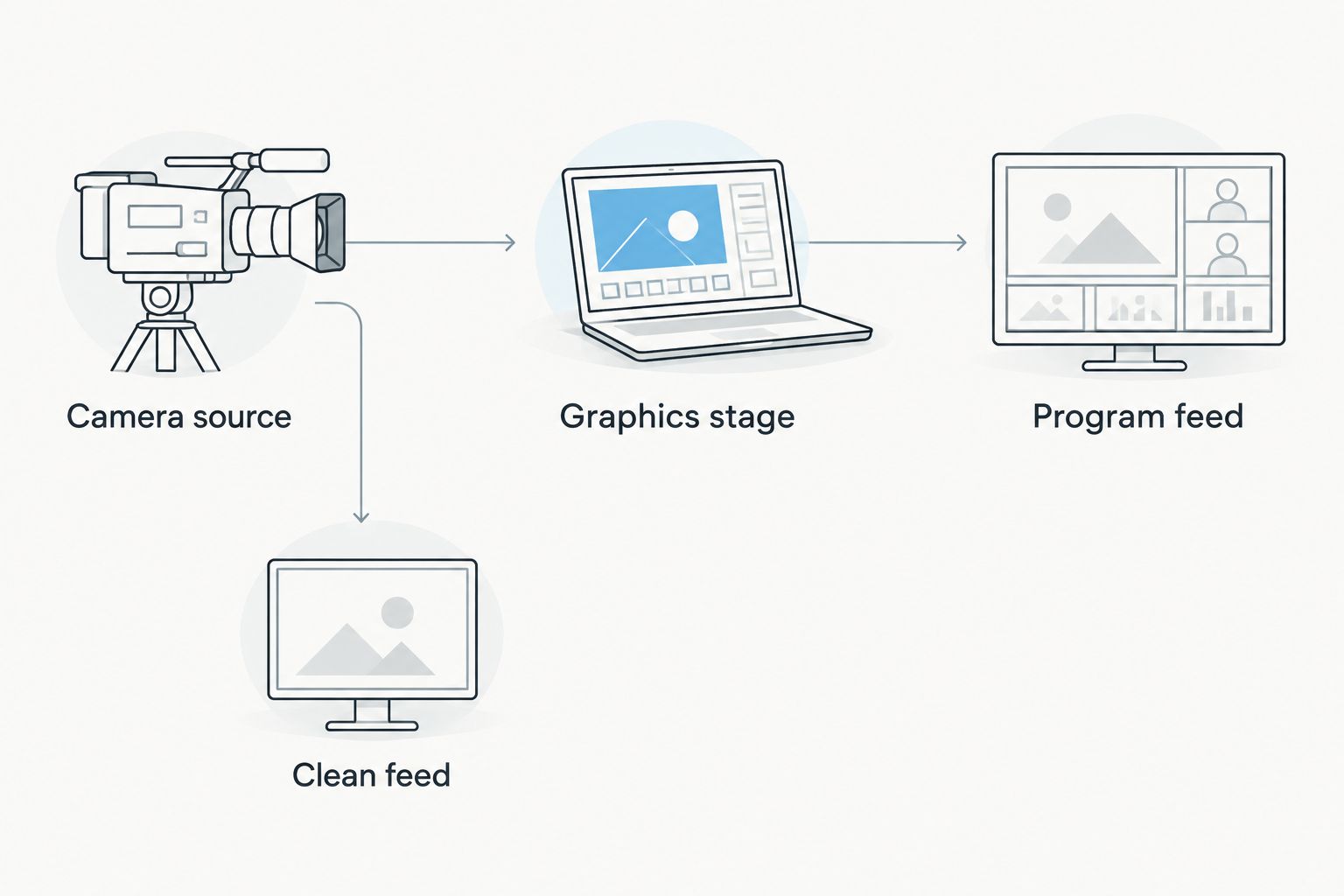
Keep the clean-feed route visible in the production plan.
4. Confirm the Windows computer and connection requirements
Inventory your existing equipment manually before discussing an upgrade. Record the Windows computer, camera output, production system, display arrangement, and any capture or output hardware. Then ask for confirmation of the complete proposed configuration—not a general assurance that the software runs on Windows.
PayneXR supplies Windows software for football overlays. That fact alone does not establish a processor requirement, graphics-card specification, supported connector, or ability to share a computer with your other production applications.
For 2026 equipment approval, distinguish a demonstrated configuration from an untested proposal. A successful rehearsal with your actual production chain is more useful than comparing isolated component names.
- Record the exact computer and Windows configuration.
- Confirm the software’s current hardware and connection requirements.
- Check the intended camera video format against every stage of the route.
- Test any applications expected to run alongside graphics.
- Verify that the operator can see both controls and the outgoing picture.
5. Rehearse field placement and removal
Begin with a written rehearsal script and existing footage where your confirmed workflow supports it. Otherwise, use a live camera rehearsal. The objective is to test operator actions and the resulting picture, not just prove that an application opens.
Schedule a 10-minute rehearsal as an initial planning exercise, then extend it whenever a test remains unresolved. This is a suggested practice block, not a software setup-time claim.
Include 3 rehearsal sequences: setting graphics before a snap, handling a camera change, and removing graphics after a deliberately incorrect placement. Test camera pans and zooms as well as a stationary wide view. Do not assume field graphics remain suitable for every shot.
- Confirm the intended scrimmage and first-down positions before showing lines.
- Inspect placement on the outgoing picture, not only the control screen.
- Practice removing graphics when the view changes.
- Check transitions into replay and back to live action.
- Rehearse correcting an error without leaving misleading graphics visible.
6. Prepare sponsor graphics after the football workflow works
Start with a simple artwork folder and an approval sheet. Record which logo belongs to which sponsor, who approved it, and when the operator should show it. Keep superseded artwork out of the active game folder.
Sponsor graphics add a separate editorial task: deciding when a commercial element belongs on the picture. A logo that is acceptable during a break can interfere with the view during a play. Inspect artwork against actual field video rather than approving it only on a blank background.
PayneXR includes logo and sponsor overlays within its stated football graphics scope. Confirm the artwork requirements and operating procedure before promising a particular presentation to a sponsor.
- Collect approved artwork from the school or sponsor.
- Confirm supported artwork requirements before preparing files.
- Use filenames that distinguish sponsor and approved version.
- Check visibility against field markings and uniforms.
- Assign an operator instruction for showing and removing each graphic.
7. Approve a fallback and review the finished broadcast
Write the fallback procedure manually and keep it beside the operating position. The fallback should preserve the broadcast, not preserve the graphics. If field overlays become inaccurate or obstructive, the crew needs permission to remove them immediately.
Before approving the 2026 workflow, ask the backup operator to follow the instructions without coaching. Then review a recording of the outgoing picture. A control screen showing a correctly placed line is not proof that viewers received the intended output.
Use the review to change specific operating instructions. Avoid adding graphics simply because the software can display them; every additional element creates another item to approve and manage.
- Identify who can order graphics removal.
- Demonstrate the clean-feed or bypass procedure.
- Confirm that the fallback preserves the intended audio route.
- Review placement, camera changes, replay transitions, and sponsor timing.
- Update the operating sheet after each unresolved rehearsal issue.
Compare adding on-field graphics with broadcasting without them
The central decision is whether your crew can maintain accurate field information while delivering the rest of the production. Neither approach excuses weak camera work or unclear game coverage.
| Option | Best for | Main advantage | Key limitation |
|---|---|---|---|
| Broadcast without on-field graphics | Crews prioritizing camera coverage, audio, and dependable delivery | Removes field-placement and overlay-operation tasks | Gives viewers no added on-field reference for scrimmage or the first-down target |
| Add PayneXR on-field graphics | Windows football crews with an assigned operator and tested workflow | Adds virtual first-down lines, scrimmage lines, logos, and sponsor graphics | Requires equipment confirmation, placement checks, and an operating plan |
Choose on-field graphics when you can maintain them accurately; choose a clean broadcast when you cannot. For an athletic director, the approval question is whether the production team can demonstrate the complete workflow, including removal—not whether a sample graphic looks attractive.
A school crew can make that demonstration with its student operators. An independent crew should demonstrate the venue handoffs. A TV broadcaster should demonstrate how graphics behave within the directed show.
Common mistakes athletic directors make
Approving the picture without approving the staffing
A demonstration shows what a graphic looks like, not who will operate it during a game. Require a named operator, backup, and information source before approving regular use.
Assuming the outside crew owns every graphics task
Independent producers and TV crews need an explicit division of responsibility. State who provides artwork, confirms field positions, operates overlays, and approves sponsor presentation before game day.
Treating the livestream and stadium display as identical
A stadium display and a remote broadcast are different destinations. Specify which feed receives field graphics, and test each intended destination rather than assuming one successful output covers both.
Scheduling sponsor presentation before testing field graphics
Sponsor commitments should follow a demonstrated operating workflow. Approve artwork and intended use only after the crew can show, update, and remove the underlying football graphics reliably.
Leaving inaccurate graphics visible to avoid an empty picture
A clean field view is preferable to a misleading line. Give the operator clear authority to remove questionable graphics immediately, then restore them after confirming placement.
FAQ
What is broadcast graphics software for athletic directors?
Broadcast graphics software for athletic directors adds visual information to sports video under the athletic department’s production plan. For football, that can include virtual scrimmage lines, first-down lines, logos, and sponsor graphics.
Is PayneXR a fit for school football broadcasts?
PayneXR fits school football productions seeking Windows software for virtual field lines, logos, and sponsor graphics. Confirm your equipment connections and assign an operator before adopting the workflow.
Should an independent streaming crew operate the field graphics?
An independent streaming crew should operate field graphics when that responsibility is explicitly assigned and rehearsed. The athletic department and producer must also agree on who supplies field-position information and approved artwork.
Can a TV broadcaster use the same graphics plan as a school crew?
A TV broadcaster can use the same planning principles, but the operating instructions must fit its directed production. Camera cuts, replays, graphics removal, and communication responsibilities need their own rehearsal.
Do athletic directors need a separate computer for football graphics?
A separate computer is not a requirement you should assume without checking the proposed configuration. Confirm the software requirements and test the intended workload, including any production applications sharing the Windows computer.
Are on-field graphics better than broadcasting without them?
On-field graphics are the better choice when the crew can keep them accurate and remove them promptly. Broadcasting without them is the better choice when graphics operation would compromise the core production.
What should an athletic director test before the first game?
Test the complete route from camera source to viewer-facing output, including graphics placement and removal. Include camera changes, sponsor artwork, backup operation, and the clean-feed fallback.
One last thing
Make graphics removal an acceptance test for your 2026 broadcast plan. Ask the backup operator to remove every field overlay while the production continues; if that action requires explanation, revise the instructions before approving game-day use.
The most useful demonstration is not a perfect first-down line. It is a crew that knows when the line should disappear.