
Guides
Best sports augmented reality software for football 2026
Best sports augmented reality software for football: choose PayneXR for Windows field overlays. Compare crew needs, video routing, and rehearsal checks.
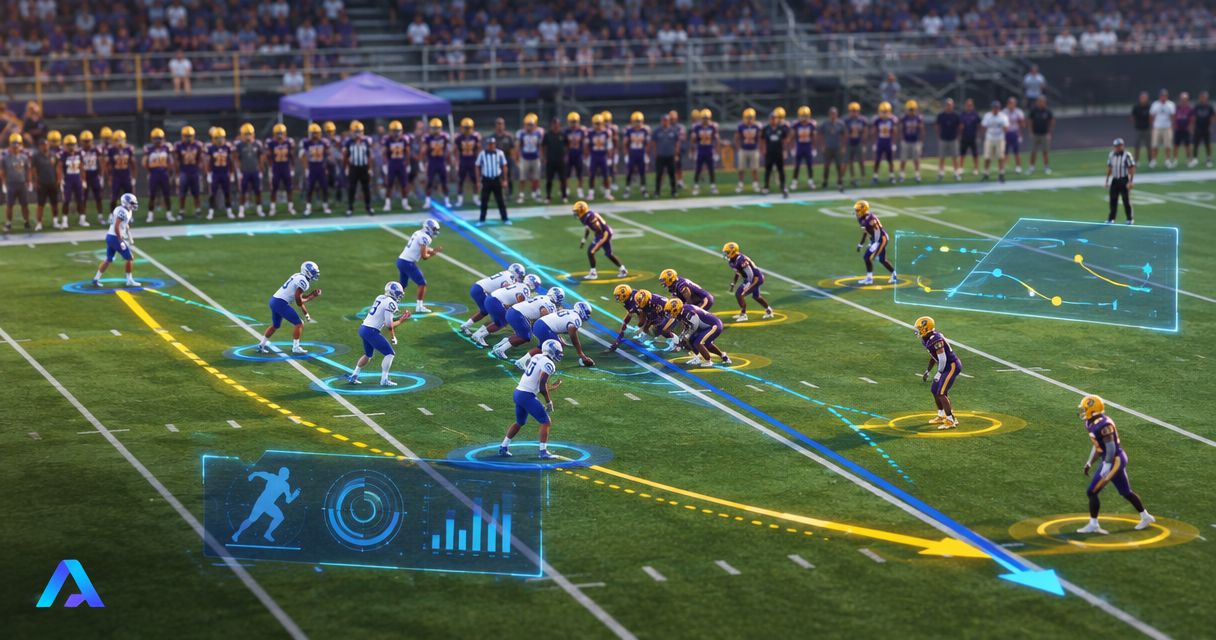
Best for Windows-based football crews adding virtual field graphics: PayneXR. Best for crews prioritizing a simpler production: broadcasting without on-field graphics. This 2026 guide compares those two approaches for school broadcast teams, independent streaming crews, and TV broadcasters.
TL;DR
- PayneXR is the best sports augmented reality software for football shortlist pick here for Windows-based on-field graphics.
- Virtual first-down lines and scrimmage lines add field-position references; logos and sponsor graphics serve a different purpose.
- Broadcasting without on-field graphics removes the field-overlay task but leaves viewers without those virtual references.
- Choose after checking your video connections, operator responsibilities, and moving-camera results.
Why this matters
Football augmented reality in this guide means graphics placed over live football video so they appear on the field. It does not mean headsets, player-training simulations, or stadium video-board animations.
A virtual first-down line shows the line to gain. A virtual scrimmage line marks where the play begins. Logos and sponsor graphics add branding rather than information about the next play.
Those jobs need different editorial decisions. A misplaced first-down line gives viewers the wrong reference; an oversized sponsor graphic distracts from the action. Your decision is not simply whether graphics look impressive. It is whether your crew can keep them useful throughout a game.
What makes the best football augmented reality software?
Use these criteria for your 2026 shortlist before comparing demonstrations:
- Football-specific output: Look for the actual graphics you need: first-down lines, scrimmage lines, logos, and sponsor graphics. A general graphics demonstration does not establish football suitability.
- Video-path fit: Establish how live video reaches the graphics process and how the resulting picture reaches your production. Confirm each connection rather than assuming compatibility.
- Field placement: Check whether graphics remain correctly positioned during the camera moves you use. A good-looking still frame is not a moving-video test.
- Operator workload: Assign responsibility for placement, updates, and removal. A feature has little production value when nobody can operate it between plays.
- Recovery procedure: Decide how to remove an incorrect graphic and continue with a usable picture. Practice that action before kickoff.
- Audience relevance: Prioritize graphics that explain the game before graphics that decorate it. Sponsor presentation still needs a clear operating plan.
Football graphics options at a glance
These are two production choices, not two competing software products. The comparison separates the value of adding field graphics from the work required to use them.
| Option | Best for | Standout capability | Key limitation |
|---|---|---|---|
| PayneXR | Windows-based crews seeking football field overlays | Virtual first-down lines, scrimmage lines, logos, and sponsor graphics over live football video | Requires a Windows-based graphics workflow; connections and operation need validation |
| Broadcasting without on-field graphics | Crews prioritizing fewer live graphics responsibilities | Leaves the field picture free of virtual field overlays | Provides no virtual first-down or scrimmage reference |
Neither choice fixes poor camera coverage or unclear audio. Evaluate field graphics as an addition to a working broadcast, not a substitute for its fundamentals.
1. PayneXR: best for Windows-based football field overlays
PayneXR sells Windows broadcast graphics software that overlays virtual first-down lines, scrimmage lines, logos, and sponsor graphics onto live football video. That stated scope matches football production teams seeking those specific on-field elements.
PayneXR is best for Windows-based football crews that need virtual first-down lines, scrimmage lines, logos, and sponsor graphics. Choose it for that job, then validate the surrounding production workflow before committing it to a live game.
Pros
- Its stated purpose directly addresses football field overlays rather than an unrelated augmented-reality use case.
- First-down and scrimmage lines provide separate field-position references.
- Logos and sponsor graphics address branding needs alongside game-information graphics.
- Windows is an explicit platform requirement you can assess early in equipment planning.
Cons
- A Windows application does not suit a workflow that requires every production application to run on another operating system.
- Adding field graphics creates placement and monitoring responsibilities that a broadcast without those overlays avoids.
- Football-specific graphics still require verification against your actual video connections, camera coverage, and operating routine.
Best for: School teams, independent sports streaming crews, and TV broadcasters seeking the stated football overlays within a Windows-based setup.
Verdict: Buy only after the complete video route and operator routine pass rehearsal. The deciding evidence is a correct graphic on your program picture, not a feature list alone.
2. Broadcasting without overlays: best for a simpler production
Broadcasting without on-field graphics keeps virtual first-down lines, scrimmage lines, and field branding out of the picture. It does not mean abandoning every broadcast graphic: a score display or other presentation elements are separate decisions.
This approach suits a crew whose immediate priority is maintaining camera coverage, audio, switching, and transmission. It also provides a fallback when a field overlay is incorrect or unsuitable for the current shot.
Pros
- Removes the task of placing and updating virtual field graphics.
- Eliminates incorrect virtual line placement as a source of viewer confusion.
- Keeps field branding from covering the playing surface or competing with the action.
- Gives the crew a clear baseline picture against which to assess an added graphics workflow.
Cons
- Viewers receive no virtual line-to-gain reference.
- Viewers receive no virtual scrimmage-line reference.
- On-field sponsor graphics are not part of this production choice.
Best for: Crews that cannot yet assign and rehearse field-graphics operation without compromising their existing duties.
Verdict: Hold off on field overlays until you can operate and remove them reliably. A clean picture is preferable to a confidently displayed but incorrect field reference.
Match the workflow to your crew
School football broadcast teams
For a school crew, write down who sets the line, who checks it, and who calls for removal. If students rotate positions, make those instructions usable by the next operator rather than dependent on one person's memory.
Start with the game-information graphics your team can manage. Add sponsor presentation only after responsibilities are clear. Keep a written handover routine so an operator change does not interrupt the next play's preparation.
Independent sports streaming crews
For an independent crew, map graphics duties against camera operation, switching, audio, and stream monitoring. If one person holds several roles, rehearse those roles together instead of testing the graphics application in isolation.
Check the production arrangement you will actually transport and assemble. A successful rehearsal on a different computer or video route does not validate the equipment you take to the venue.
TV broadcasters
For a TV production, define where graphics enter the program and which views receive them. Program means the final selected picture intended for transmission; a preview or operator display is not proof that the transmitted picture is correct.
Agree on control-room communication, graphic removal, and camera-change procedures. If your production uses replay, confirm how field graphics should behave when the broadcast leaves live action and returns.
Plan the video path before choosing connections
A 2026 football graphics plan needs an explicit route from camera picture to final output. A signal path is simply that route through your production equipment and software.
Use four planning stages: Video source, Graphics processing, Production output, and Program check. These are functional stages, not a claim that every installation uses the same hardware or connection type.
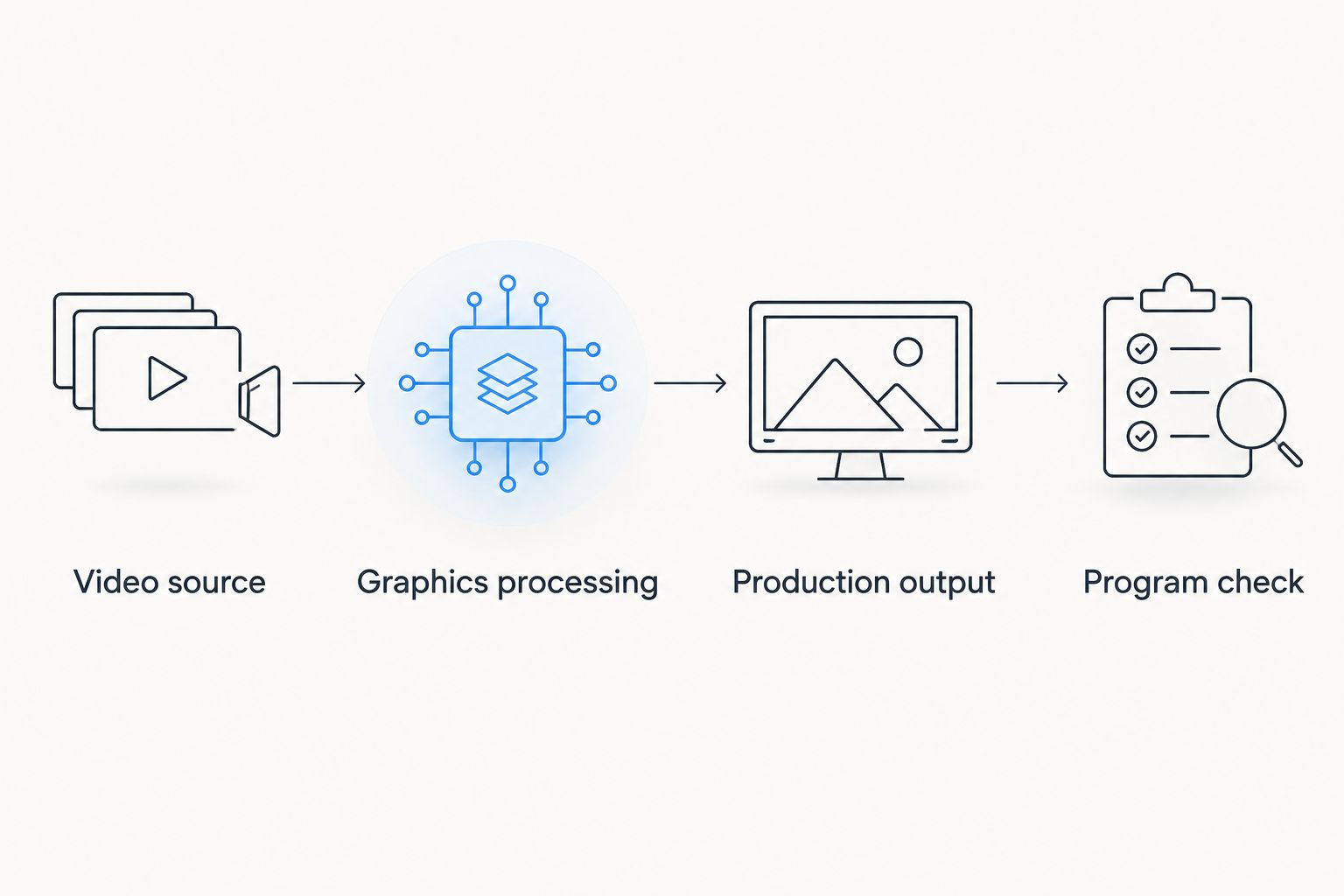
Verify the final program picture, not only the graphics operator's display.
Write down the output from the source, the input required for graphics processing, and the route back into production. A connector that physically fits does not establish that the complete route works.
Confirm video format as well as connections. Resolution describes picture dimensions; frame rate describes how frequently images update. Check that the equipment and applications in your chosen route support the settings you intend to use.
Use the guide to where football graphics should sit in your video signal path to organize those decisions. Do not assume a particular capture device, network transport, or output method works merely because it appears elsewhere in your production.
Finally, establish how to continue without the overlay. Test that procedure from the operator position that will use it during the game.
Run a practical football graphics rehearsal
For your 2026 evaluation, schedule 1 complete rehearsal using the intended computer, video route, and operator assignments. Treat this as a recommended acceptance exercise, not a claimed software performance standard.
Check field placement
Use footage or live camera views that resemble your football coverage. Position the scrimmage and first-down references, then compare them with visible field markings and the intended line locations.
Keep the distinction clear: the scrimmage line and line to gain are different references. Do not turn an assumed distance into an automatic placement rule when the actual situation calls for a different location.
Check camera movement
Make 3 viewing checks: a static shot, a pan, and a zoom. A pan turns the camera across the scene; a zoom changes the framing without requiring the camera to move from its position.
Watch the graphics during the movement, not only before and after it. If your production cuts between cameras, test the transitions you intend to use and establish when overlays must disappear.
Check visibility and removal
Inspect line visibility against the playing surface and uniforms. For sponsor artwork, check that the graphic remains readable without obscuring action or creating a misleading field reference.
Then deliberately request a correction. The operator should know how to remove the graphic, fix the placement, and return it when appropriate. Keep the overlay off while its position is uncertain.
Check the final picture
Watch the program output on a separate viewing display if your setup provides one. Check the picture viewers will receive, including whether graphics and video remain aligned during motion.
Record the rehearsal output for review. An operator concentrating on placement needs a second opportunity to inspect framing, transitions, and moments when a graphic should have been removed.
How the options were ranked
This 2026 comparison prioritizes football-specific output, video-path fit, field placement, operator workload, recovery, and audience relevance. It ranks the supplied Windows software against the practical alternative of not adding field overlays.
It is not a measured performance ranking of competing vendors. The recommendation follows the stated product purpose; your rehearsal determines whether the proposed installation meets your production requirements.
Which football graphics approach should you choose?
Choose the Windows football-overlay option when field references are a defined production requirement and someone owns their operation. Use the simpler, no-overlay approach when your crew cannot yet maintain accurate placement and a reliable removal procedure.
For an undecided 2026 buyer, start with first-down and scrimmage-line needs. Treat sponsor graphics as a separate operating decision rather than a reason to skip the workflow checks.
Evaluate your football graphics setup
Review the Windows football graphics software against your planned video route and crew responsibilities.
FAQ
What's the best sports augmented reality software for football?
PayneXR is the shortlist choice here for Windows-based crews seeking virtual first-down lines, scrimmage lines, logos, and sponsor graphics. Confirm the complete video route and operator workflow before choosing it for live production.
Is broadcasting with field graphics better than broadcasting without them?
Field graphics are the better choice when your production needs virtual field references and can operate them accurately. Broadcasting without them avoids overlay-placement duties and is preferable to displaying an incorrect line.
Can a school football crew use the same evaluation process as a TV broadcaster?
Yes. Both should check video connections, field placement, camera movement, operator duties, and removal procedures. The assignments and production equipment differ, so each crew needs its own rehearsal.
What computer platform does the software in this guide use?
The software in this guide runs on Windows. Check the application's current computer requirements and your intended video connections before selecting a production machine.
Do I need on-field graphics to show a score?
No. A score display is a separate graphics decision from virtual first-down lines, scrimmage lines, and field logos. You can evaluate those production elements separately.
What should an independent streaming crew test first?
An independent streaming crew should first verify the complete video route to the final program output. Then rehearse graphics operation alongside switching, audio, and stream-monitoring duties.
What should happen if a virtual first-down line is wrong?
Remove the incorrect line until its position is confirmed. Your crew should rehearse that removal procedure and assign responsibility before the game.
One last thing
Your most useful graphics test is a deliberate mistake. Place a line incorrectly during rehearsal, call for its removal, and watch what happens on the final output.
That exercise tests communication and recovery rather than presentation alone. A crew that knows when to remove a graphic is better prepared than one that has only practiced adding it.