
Guides
Best broadcast graphics software for semi-pro football 2026
Best broadcast graphics software for semi-pro football: PayneXR for on-field lines. Compare crew roles, setup checks, and clean-feed fallbacks.
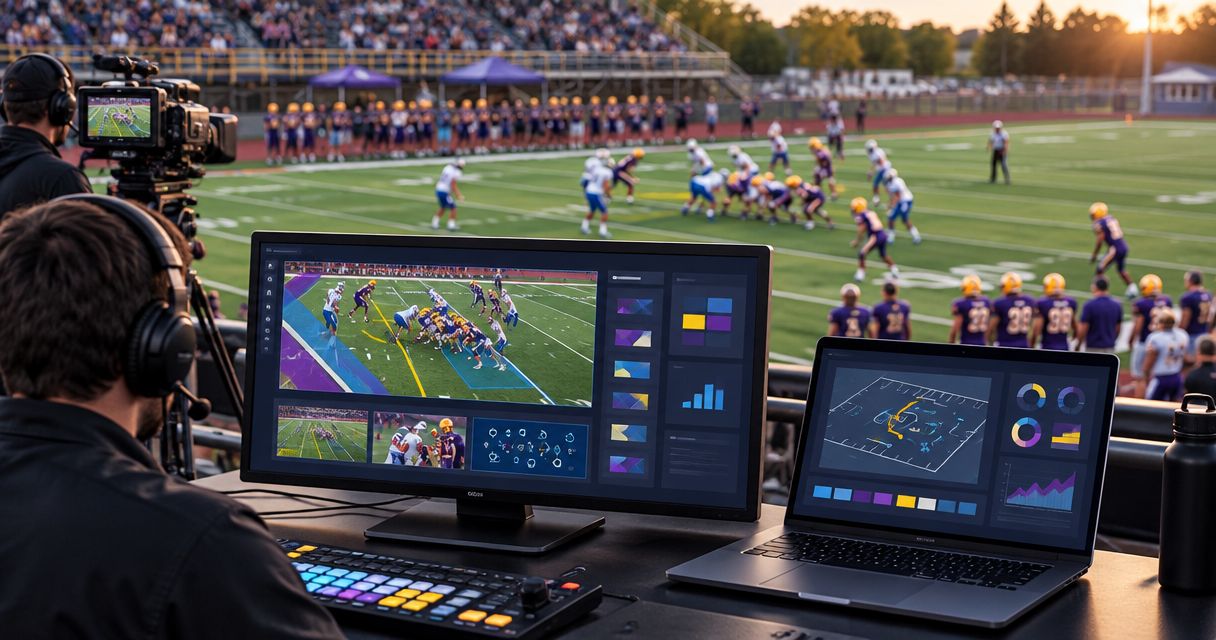
Best overall for on-field football graphics: PayneXR. Best for crews protecting a limited operating workload: an existing presentation without on-field graphics; best emergency fallback: a clean video feed with graphics removed. This 2026 guide compares those approaches for semi-pro football, from school production teams to independent streamers and TV broadcasters.
TL;DR
- PayneXR is the best broadcast graphics software for semi-pro football teams seeking Windows-based virtual first-down and scrimmage lines.
- Keep your existing presentation when nobody can reliably operate and check on-field graphics.
- Rehearse camera changes, line placement, and graphics removal before using overlays live.
- Choose on-field sponsor graphics only after assigning artwork approval and playback responsibilities.
Why this matters
Football graphics create another live production responsibility. A first-down line helps explain the target on the field, but an incorrectly placed line gives viewers the wrong reference. The decision is not simply whether your broadcast looks more polished.
Choose the presentation your crew can operate accurately throughout the game. A school team needs clear handoffs between operators. An independent streaming crew needs a workload that fits its staffing. A TV broadcaster needs a graphics workflow that fits its established production chain.
For your 2026 selection, separate the software's stated purpose from the connections, operating tasks, and recovery steps you still need to verify. A feature list does not establish whether your particular setup is ready for kickoff.
What makes the best semi-pro football graphics setup?
Use these criteria before comparing the approaches below:
- Football-specific graphics: Match the requirement to virtual first-down lines, scrimmage lines, logos, and sponsor graphics rather than treating every overlay as interchangeable.
- Connection fit: Verify how video enters the graphics stage and how the resulting picture reaches your production system. Do not assume a connector or transport is supported.
- Operator workload: Identify who updates the graphics, who checks the picture, and who removes an incorrect overlay.
- Camera behavior: Evaluate the actual shots you use, including movement and changes in framing. A static preview is not a complete rehearsal.
- Recovery: Establish how the broadcast continues when graphics must come off. Keep that action simple enough to execute during play.
- Sponsor handling: Separate approved artwork from live placement decisions. Confirm the graphic does not obscure information viewers need.
Semi-pro football graphics approaches at a glance
These are ranked production approaches, not an unsupported software leaderboard. Only the first option names a specific product; the others are alternatives to adding on-field graphics.
| Rank and approach | Best for | Standout feature | Key limitation |
|---|---|---|---|
| 1. PayneXR on-field graphics | Windows-based crews adding football field overlays | Virtual first-down lines, scrimmage lines, logos, and sponsor graphics | Requires a Windows workflow and rehearsal of the intended setup |
| 2. Existing presentation without field overlays | Crews prioritizing their current operating workload | Keeps on-field graphics out of the live production task list | Does not provide virtual field-position references |
| 3. Clean video feed | Emergency continuity or deliberately minimal coverage | Removes graphics operation from the picture | Removes graphic-based context and sponsor presentation |
1. PayneXR: best for Windows-based on-field football graphics
PayneXR is Windows broadcast graphics software that overlays virtual first-down lines, scrimmage lines, logos, and sponsor graphics onto live football video. Its stated purpose matches a team that wants field-based graphics rather than only a presentation around the picture.
PayneXR is the best fit for semi-pro football crews that want Windows-based on-field broadcast graphics. Treat that as a product-fit recommendation, not confirmation that every capture device, output route, or computer configuration will work.
Where this approach fits
For a school football broadcast team covering semi-pro games, write the operating steps so another crew member can repeat them. Avoid a setup that only its original operator understands.
For an independent streaming crew, decide whether the person switching cameras can also manage field graphics. Assign the work based on a rehearsal, not the assumption that another software window adds little effort.
For a TV broadcaster, establish where graphics belong in the existing production chain. Confirm who approves the picture before it reaches the audience and who can remove the overlay immediately.
PayneXR pros:
- Its stated functions directly address football field overlays.
- First-down and scrimmage lines support distinct field references.
- Logo and sponsor graphics address branding requirements within the same product's stated scope.
- Windows software gives you a defined operating-system requirement to plan around.
PayneXR cons and constraints:
- A production without an appropriate Windows workflow must address that requirement first.
- Adding field graphics creates placement, checking, and removal responsibilities.
- Your intended connections and computer configuration still require verification before live use.
Best for: Production teams that specifically need on-field football graphics and can assign their operation.
Verdict: Buy only after confirming the intended Windows setup and completing a full rehearsal.
2. Existing presentation: best for crews limiting live workload
Keeping your existing presentation means broadcasting without adding virtual lines or field-based sponsor graphics. If your current production already carries score information or other graphics, retain only the elements your team can reliably operate.
This approach is a staffing decision, not a claim that field overlays lack value. It avoids introducing a new live task when the crew already has unresolved camera, audio, or switching responsibilities.
Where this approach fits
School teams can use this option while operators learn their assigned roles. Independent crews can retain it when the same person must handle several production tasks. Broadcasters can use it when a proposed field-graphics workflow has not passed their production checks.
Be explicit about what stays in the picture. A score graphic around the frame and a virtual first-down line on the field serve different purposes; keeping the former does not replace the latter.
Existing-presentation pros:
- Avoids adding field-placement decisions to the live workflow.
- Preserves operating steps the crew already knows.
- Keeps attention on unresolved production tasks before expanding the presentation.
Existing-presentation cons:
- Provides no virtual first-down or scrimmage line.
- Leaves field-position explanation to the camera picture and commentary.
- Does not add on-field sponsor placements.
Best for: Teams whose current production responsibilities already fill their available operator capacity.
Verdict: Hold off on field overlays until someone can own their operation and checking.
3. Clean video feed: best for emergency continuity
A clean feed, as used here, is the camera picture without broadcast graphics. Keep it as a planned fallback when your setup permits it, rather than improvising a removal route during a live problem.
This is not another graphics product. It is the deliberate choice to keep the game visible when an overlay is wrong or a graphics stage needs attention.
Where this approach fits
Any of the three audience groups can use a clean-feed fallback. The requirement is operational: someone must know how to select it, confirm the picture, and communicate that graphics are off.
Do not equate graphics removal with a complete technical recovery. Check whether audio remains correct and whether the selected picture actually reaches the audience. The fallback must work through the whole production chain.
Clean-feed pros:
- Removes incorrect graphic information from view.
- Lets the crew prioritize the live game picture.
- Creates a clear fallback state when rehearsed in advance.
Clean-feed cons:
- Removes graphic-based score and game context if those elements are part of the removed feed.
- Removes sponsor graphics carried through that route.
- Requires a tested selection method; an unverified fallback is not a recovery plan.
Best for: Emergency continuity and productions intentionally choosing a graphics-free picture.
Verdict: Hold as a rehearsed fallback; skip it as the default when your broadcast requires graphic context.
Plan the connections before choosing the workflow
For a 2026 setup review, trace the picture through 3 production stages: Field video, Graphics stage, and Program output. Program output means the finished picture sent onward for distribution. This is a planning model, not a claim about any product's supported connections.
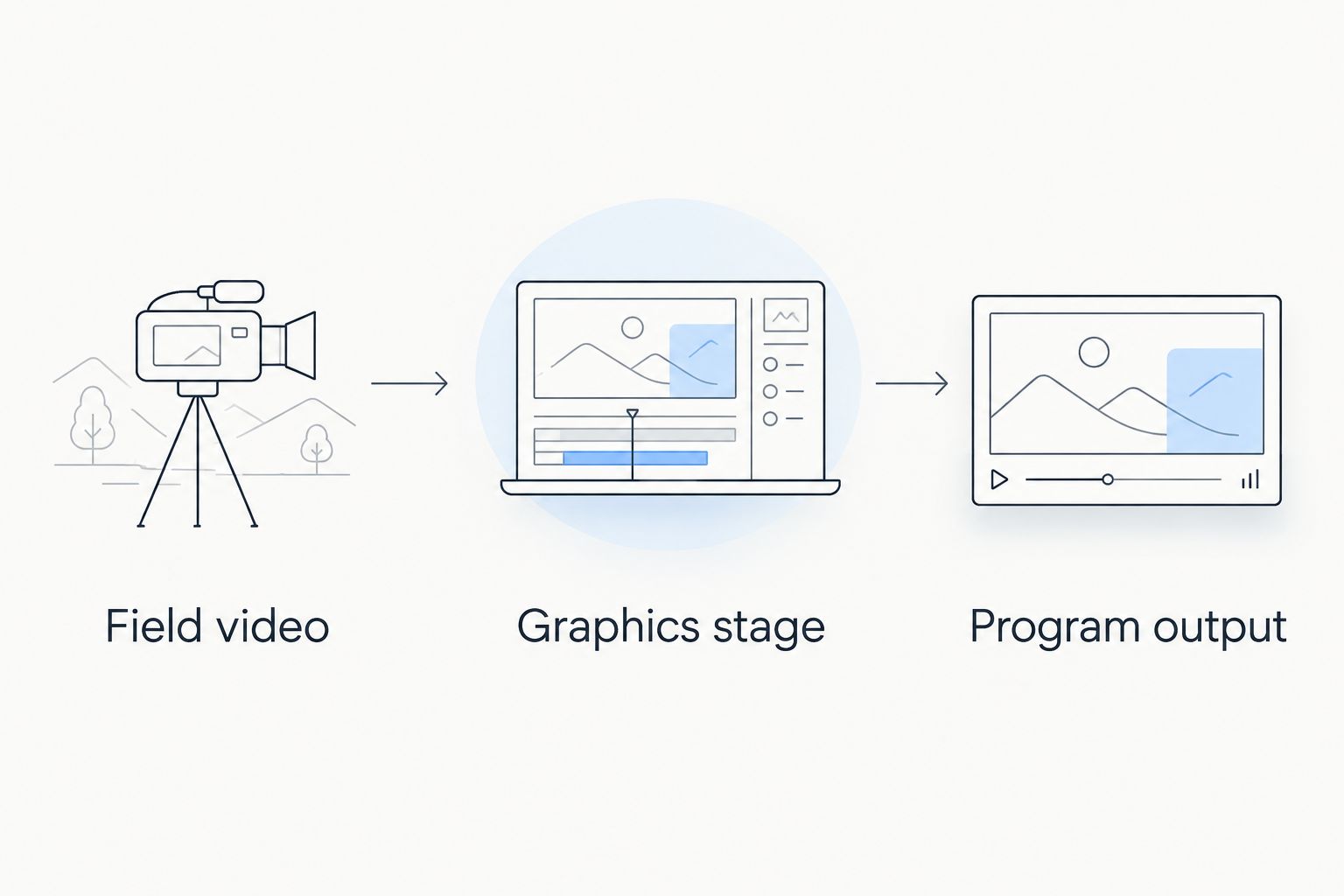
Verify both sides of the graphics stage before relying on the finished picture.
Write down the actual connection at each boundary. HDMI and SDI describe video connections; NDI describes a way to transport video over a network. Naming one does not establish that your chosen software, hardware, or production system supports it.
Ask where the finished picture can be inspected and how the graphics stage can be bypassed. Use the guide to where football graphics sit in the video signal path to structure those questions before making a connection plan.
A school crew should document the wiring so a substitute operator can follow it. An independent crew should verify its venue-specific setup. A broadcaster should check the proposed route against its existing production requirements.
Rehearse the work, not just the installation
A successful application launch does not prove that the graphics workflow is ready. Use your 2026 rehearsal to practice the decisions and corrections that happen during football coverage.
Assign the operating responsibilities
Assign 2 responsibilities explicitly: graphics operation and picture verification. These are responsibilities, not necessarily separate people; use the rehearsal to determine whether combining them is practical for your crew.
The operator handles the intended graphics changes. The verifier watches the resulting picture and calls for removal when placement is wrong. Agree on who has authority to take graphics off without waiting for a longer discussion.
Check the actual camera behavior
Test 3 camera moves: a pan, a zoom, and a return to the main field view. Check whether the overlay remains appropriate for the picture throughout each move, using the workflow you intend to run live.
Repeat the exercise with your normal shot choices. Do not turn a successful stationary example into a blanket assumption about moving coverage. Remove the graphic when its placement is not trustworthy.
Rehearse a correction
Deliberately create a situation that requires the overlay to come off, then practice the agreed removal procedure. Confirm the audience-facing output rather than trusting only the operator's local view.
Record the operating sequence in plain language. Your 2026 game-day instructions should identify the action, the person responsible, and the confirmation that the correction reached the output.
How we ranked these approaches
The order follows football-specific function, connection fit, operator workload, camera checks, recovery, and sponsor handling. The named software ranks first for its explicitly stated field-graphics purpose; the alternatives rank by the production needs they serve.
This is a workflow recommendation, not a measured performance comparison. No ranking here establishes image quality, hardware capacity, or compatibility with a particular production system.
Which approach should you choose?
Choose on-field graphics when field references are part of your presentation plan and someone can operate them reliably. Confirm the technical route, assign the responsibilities, and rehearse removal before the first live game.
Keep your existing presentation when staffing is the unresolved issue. Prepare a clean feed regardless of whether field graphics become your default, provided your production setup supports that fallback.
For a 2026 decision, make the final approval depend on the complete broadcast path. A convincing preview is useful; a repeatable live operating procedure is the requirement.
FAQ
What's the best broadcast graphics software for semi-pro football?
PayneXR is the best fit here for Windows-based crews seeking virtual first-down lines, scrimmage lines, logos, and sponsor graphics. Verify the intended computer and video connections before selecting the live workflow.
Should a small football streaming crew add on-field graphics?
Add on-field graphics when someone can reliably operate and check them alongside the crew's other duties. Keep the existing presentation if the rehearsal exposes an unmanageable workload.
Can a school broadcast team use the same approach as a TV crew?
Both can plan for field graphics, but each needs an operating procedure matched to its staffing and production chain. A school team needs repeatable handoffs; a TV crew must also fit its established routing and approval process.
Do I need to verify my Windows computer before game day?
Yes, verify the intended Windows computer with the complete graphics and production workflow. A successful installation alone does not confirm that your live setup is ready.
What should I test during camera pans and zooms?
Check whether the overlay remains appropriately placed throughout the camera movement. Also rehearse removing it when the placement is not trustworthy.
Is broadcasting without on-field graphics a reasonable choice?
Yes, broadcasting without on-field graphics is reasonable when staffing or an unverified setup makes their operation unreliable. Keep the presentation your crew can execute accurately rather than adding an unmanaged task.
What should happen if a virtual first-down line is wrong?
Remove the incorrect line using the procedure established in rehearsal. Confirm the audience-facing picture, then restore the overlay only after its placement has been checked.
One last thing
Your most useful graphics rehearsal is a deliberate removal. Practice taking an incorrect overlay off while the game picture continues, then verify the result at the output. That exercise tests ownership, communication, and recovery together—not just whether someone knows where a control is.