
Guides
Best broadcast graphics software for remote production trucks 2026
Best broadcast graphics software for remote production trucks: choose Windows football overlays or a clean feed using routing and rehearsal checks.
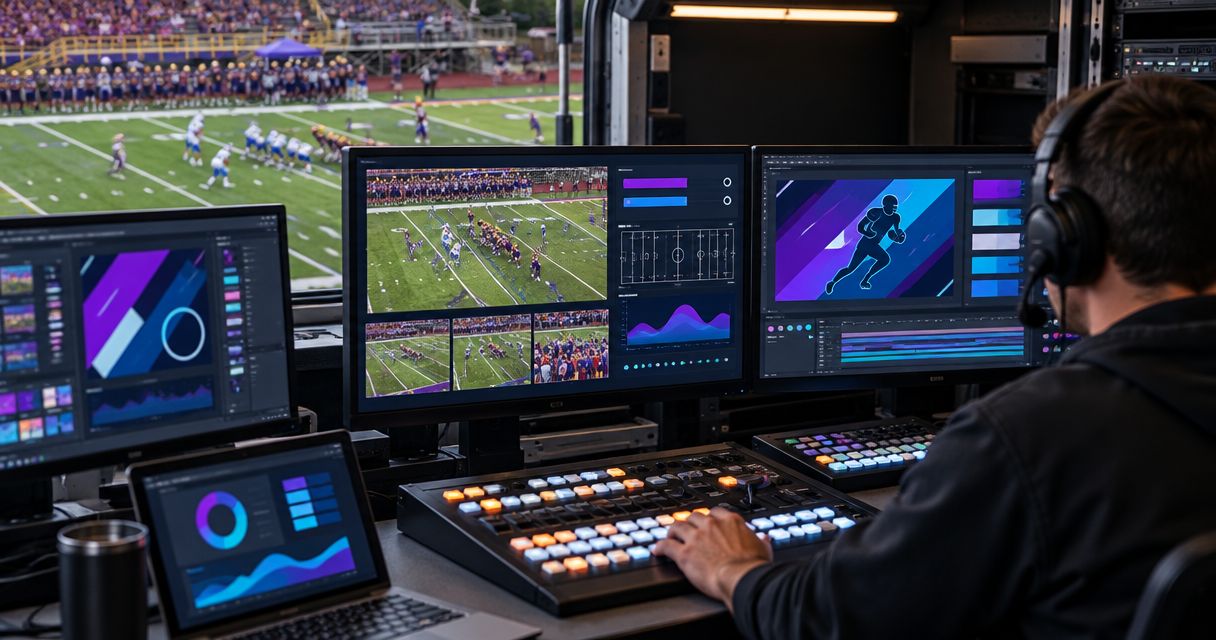
Best for Windows-based football field overlays: PayneXR. Best for score-led coverage: your existing graphics workflow without field overlays. Best for a downstream production handoff: a clean camera feed. This 2026 guide compares those approaches so you can choose broadcast graphics software for a remote production truck without adding an unmanageable live task.
TL;DR
- PayneXR is the best fit here for Windows-based football productions that need virtual first-down lines and on-field sponsor graphics.
- Choose the best broadcast graphics software for remote production trucks by signal routing, operator workload, and rehearsal results.
- Broadcasting without on-field graphics remains a valid choice when your crew cannot reliably place and clear them.
- Keep a clean-feed fallback and verify the complete video path before committing field graphics to air.
Why this matters
A remote production truck needs a dependable show path, not another isolated software feature. Field graphics add a placement task, a video-processing stage, and an editorial decision about when the graphic belongs on air.
For your 2026 football production, the decision is whether those additions serve the broadcast and fit the crew. A school team, an independent streaming crew, and a TV broadcaster can need the same virtual first-down line while having very different staffing and routing constraints.
PayneXR is the best fit here for Windows-based football broadcasts that need virtual first-down lines and on-field sponsor graphics. That is a football-specific recommendation, not a claim that one application replaces every graphics system in a truck.
What makes the best truck graphics setup
Judge the complete workflow against these criteria before selecting software:
- Football coverage: Identify whether you need first-down lines, scrimmage lines, logos, sponsor graphics, or only existing score information.
- Signal routing: Establish where live video enters the graphics stage and how the result reaches the production switcher, which selects the source viewers see.
- Operator ownership: Assign who places, verifies, displays, and clears each field graphic.
- Camera behavior: Check the intended shots during pans, zooms, reframing, and camera changes.
- Fallback access: Give the director a verified route to video without the field overlay.
- Truck integration: Confirm computer requirements, connections, output behavior, and recovery procedures for the actual equipment you will use.
Treat unresolved connections as a stop condition. A feature list does not establish compatibility with your truck.
At a glance: field overlays versus broadcasting without them
The ranking below compares production approaches rather than inventing a software leaderboard. Only the named football application has product capabilities established here; the other entries describe ways to produce the show without adding on-field graphics.
| Rank and approach | Best for | Standout capability | Key limitation |
|---|---|---|---|
| 1. PayneXR field overlays | Windows-based football productions needing on-field context | Virtual first-down lines, scrimmage lines, logos, and sponsor graphics | Windows software; truck connections and operating workflow need verification |
| 2. Existing score graphics without field overlays | Crews prioritizing their established score-led broadcast | Keeps field-overlay placement out of the live workload | Does not visually mark the line to gain on the turf |
| 3. Clean feed without truck-added graphics | Production handoffs where another team owns graphics | Leaves graphics decisions to the receiving production | The truck output carries no added score or field context |
1. PayneXR: best for Windows football field overlays
PayneXR sells Windows broadcast graphics software that overlays virtual first-down lines, scrimmage lines, logos, and sponsor graphics onto live football video. Choose this approach when showing information on the field is part of your production brief, rather than simply displaying a score elsewhere in the picture.
Best for: School football broadcast teams, independent sports streaming crews, and TV broadcasters that need on-field football graphics and can assign responsibility for them.
What the operator must own
A virtual first-down line represents the current line to gain. Although a standard first-down distance is 10 yards, you must use the actual game situation rather than assume every target sits that distance beyond the ball.
The scrimmage line and the first-down line communicate different information. Your operator needs a reliable source for each position and a clear instruction for hiding an incorrect or uncertain graphic.
Sponsor graphics need their own editorial rules. Decide when they appear, which views are suitable, and who has authority to remove them during play.
PayneXR pros:
- Covers the stated football-overlay tasks in one Windows software category.
- Adds field-position context directly to live football video.
- Supports logos and sponsor graphics as well as football lines.
PayneXR cons:
- Requires a Windows-based software workflow.
- Adds a live placement and verification responsibility.
- Requires confirmation of the truck's actual input, output, and recovery arrangements before use.
For a 2026 equipment decision, ask for a demonstration using your intended signal path and representative football shots. Do not treat a demonstration on unrelated equipment as acceptance of your truck setup.
Verdict: Buy for the stated football-overlay use case only after your production path and operator procedure pass rehearsal.
2. Existing score graphics: best for score-led coverage
Keep your established score graphics and broadcast without virtual field lines when those additions would exceed the crew's operating capacity. This approach preserves the information your current workflow already provides without adding field-overlay placement.
It is not a substitute for an on-field line. It is a deliberate decision to prioritize the existing show.
Best for: School crews with rotating operators and independent streaming teams whose current assignments already fill the available positions.
Existing score graphics pros:
- Avoids adding a separate field-placement task.
- Keeps the production centered on an established workflow.
- Leaves the field image free of added lines and sponsor overlays.
Existing score graphics cons:
- Does not show the line to gain directly on the field.
- Does not provide the on-field sponsor placements discussed here.
- Still requires someone to keep existing game information accurate.
For school broadcasts, document responsibilities rather than assuming a student will absorb another job. For independent crews, check the busiest sequence: the same person should not be expected to select cameras, update game information, and verify field placement simultaneously without a successful rehearsal.
Verdict: Hold your current workflow when field graphics do not yet have a reliable operator and fallback procedure.
3. Clean feed: best for downstream graphics ownership
A clean feed is video without the graphics specified in your handoff agreement. Define that agreement precisely: the receiving team needs to know whether score graphics, sponsor elements, and other overlays are absent.
Choose this approach when the truck supplies pictures and another production team adds the finished graphics. It is a handoff model, not a finished graphics package.
Best for: TV broadcasters and remote production arrangements where the receiving production owns the final graphics presentation.
Clean-feed pros:
- Keeps downstream graphics decisions with the receiving team.
- Avoids embedding truck-added field graphics into the delivered picture.
- Separates picture acquisition from the agreed graphics responsibilities.
Clean-feed cons:
- Provides no truck-added visual explanation of field position.
- Requires an explicit agreement about which elements remain in the feed.
- Is not a finished viewer-facing presentation when graphics are expected downstream.
If the receiver wants both clean and graphics versions, plan 2 feeds and label their destinations clearly. Verify the routes independently; a clean output is useful only if the receiving team can identify it and the director can select the intended version.
Verdict: Skip truck-added overlays when the receiving production owns them; deliver the agreed clean feed instead.
Route the graphics before you rehearse the show
For a 2026 truck setup, draw the signal path before discussing where equipment fits in the rack. Mark the source, graphics stage, production selection, and destination; then draw the clean alternative separately.
Use these labels in your routing plan:
- Camera feed: The incoming football picture selected for graphics processing.
- Graphics stage: The point where field lines or other overlays enter the picture.
- Production switcher: The device or software that selects the on-air picture.
- Program output: The finished video sent toward the stream or broadcaster.
- Clean fallback: A verified route without the field overlay.
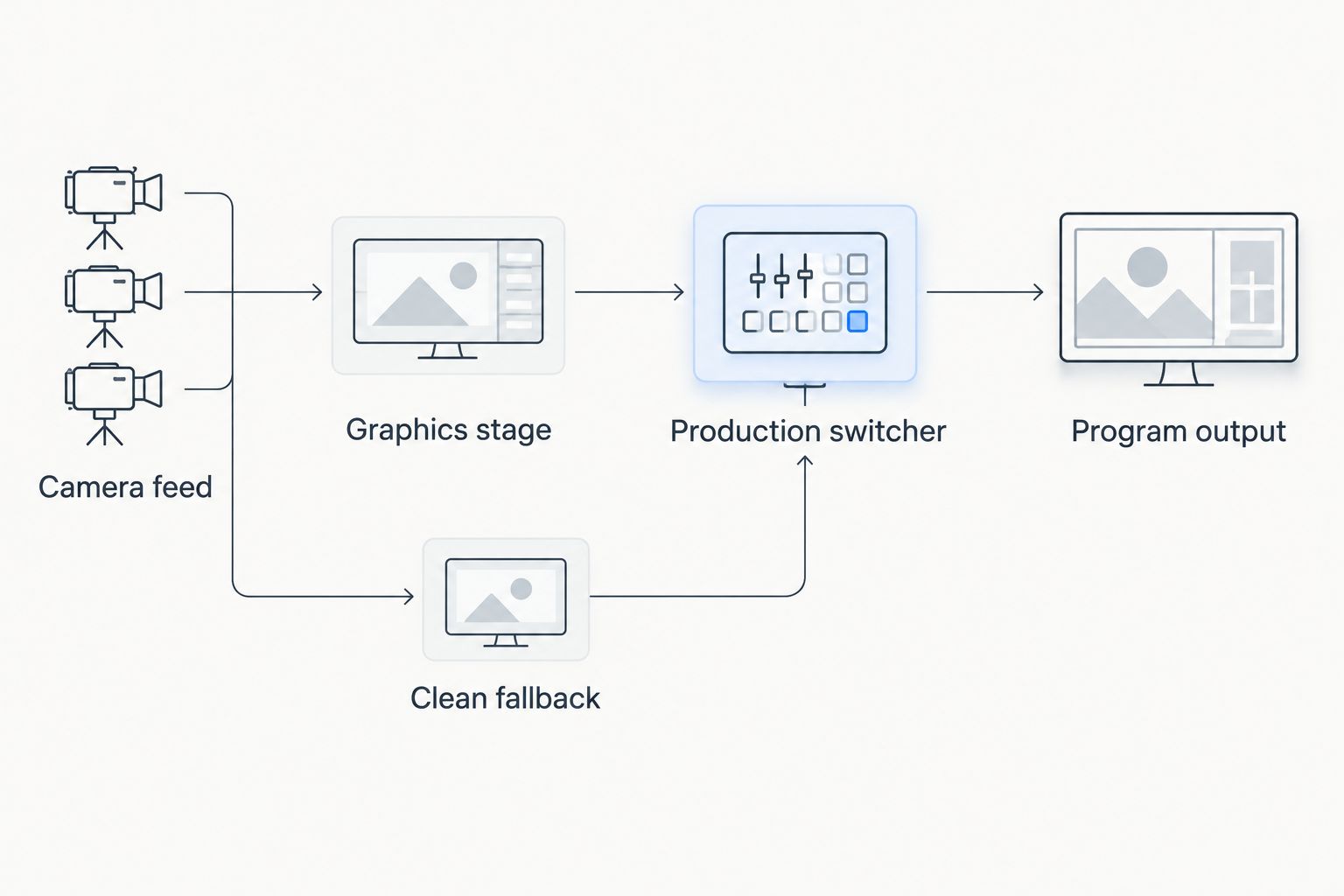
Verify the graphics route and the clean alternative before the live rehearsal.
This is a planning diagram, not a claim about a particular connector or application output. Confirm the actual connections and whether the application supplies a finished picture, a separate graphic layer, or another supported arrangement.
Read where football graphics should sit in your video signal path before finalizing the routing drawing. Keep the answer specific to your switcher, computer, and delivery chain.
Check the connection at each boundary
At the camera input, verify that the intended picture reaches the graphics workflow. At the graphics output, confirm that the next device accepts the delivered signal and that the picture remains correctly framed.
If your workflow uses a key, define it for the crew: a key tells a compositor which parts of a graphic should be visible over video. Do not assume a separate key output exists without confirming the application's supported output method.
Finally, inspect the delivered program, not just the graphics computer's screen. The audience sees the end of the chain.
Rehearse the football decisions, not just the connection
A successful cable check proves that a picture arrives. A football rehearsal proves that the crew can keep the information correct during the situations the show will encounter.
For your 2026 rehearsal, work through this sequence:
- Assign ownership. Name 1 operator responsible for field-graphic accuracy, even if other people contribute game information.
- Confirm placement. Identify the actual ball position and line to gain before displaying the corresponding lines.
- Exercise camera movement. Rehearse the pans, zooms, and reframing used in your planned coverage.
- Change the situation. Practice a new series, a penalty, a possession change, and a disputed spot.
- Remove the graphic. Have the director request a clean picture and verify the audience output.
- Restore deliberately. Recheck placement before returning the overlay to air.
Set acceptance criteria in observable terms: the intended line appears at the agreed location, the crew can remove it on command, and the fallback reaches program. Do not replace those checks with an unsupported performance target.
School teams should rehearse role handoffs. Independent crews should rehearse overlapping duties. TV crews should rehearse the truck-to-control-room instructions and confirm who makes the final display decision.
How the ranking works
This ranking prioritizes the stated football graphics requirement, Windows fit, operator ownership, signal routing, and fallback access. It does not claim comparative testing against unnamed software or rank products by unverified specifications.
Field overlays rank first when your brief requires on-field information. Existing score graphics rank first for a crew that cannot yet manage that added task. A clean feed ranks first when downstream production owns graphics.
Which approach should you choose?
Choose PayneXR for a Windows-based football production that needs first-down lines, scrimmage lines, logos, or sponsor graphics, subject to a successful truck-specific rehearsal. Keep the existing score-led workflow when the extra operating task has no clear owner.
Choose a clean feed when the receiving broadcaster controls graphics. For your 2026 show plan, write the ownership decision beside the routing diagram so the technical and editorial plans agree.
FAQ
What's the best broadcast graphics software for remote production trucks covering football?
PayneXR is the best fit here for Windows-based football productions needing virtual first-down lines, scrimmage lines, logos, and sponsor graphics. Confirm the actual truck connections and operator workflow before committing it to the show.
Is adding field graphics better than broadcasting without them?
Add field graphics when your production needs on-field context and your crew can keep the information correct. Broadcasting without them is the better operational choice when placement and removal do not have a reliable owner.
Can a school football team use the same approach as a TV truck?
School football teams and TV trucks can both plan for field overlays, but they need staffing and routing plans suited to their own productions. School crews should emphasize operator handoffs, while TV crews should confirm responsibility across production locations.
Does every football first-down line sit 10 yards from scrimmage?
No, the displayed first-down line must follow the actual line to gain. Penalties and other game situations make a fixed-distance assumption unreliable.
Where should football graphics go in the truck's video chain?
Place football graphics at a verified point between the intended video source and the final production output. The exact arrangement depends on the application's supported connections and the truck's switching workflow.
Can one person operate field graphics and select cameras?
Assign both tasks to one person only after rehearsing the combined workload successfully. If field placement becomes uncertain during camera selection, separate the responsibilities or leave the field overlay off air.
What should happen when an on-field graphic is wrong?
Remove the incorrect graphic and use the verified clean route. Restore the overlay only after the operator confirms the current game situation and placement.
One last thing
The most useful control in a field-graphics workflow is a rehearsed way to remove the graphic. Write the removal instruction into the show plan and practice it from the director's position, not just the graphics workstation.
An attractive line does not compensate for an incorrect line. Make accuracy and removal the acceptance test.