
Guides
Best broadcast graphics software for multi-camera productions 2026
Choose the best broadcast graphics software for multi-camera productions: PayneXR for football overlays, with routing, staffing, and rehearsal advice.
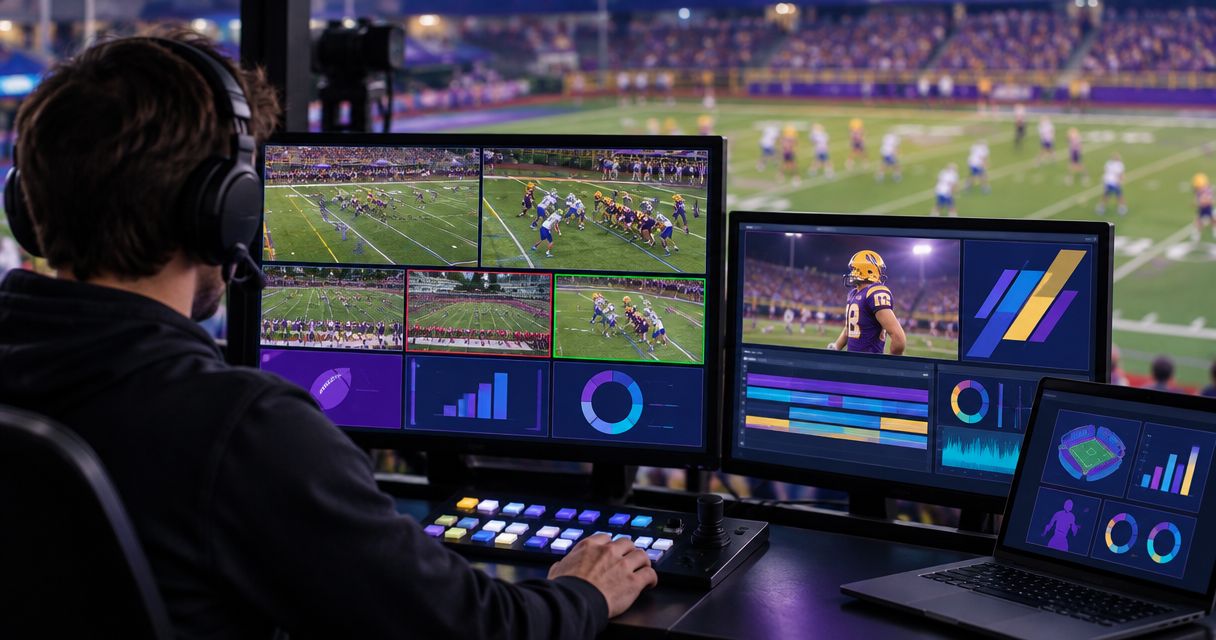
Best for live football field overlays: PayneXR. Best for crews without a graphics operator: a broadcast without on-field overlays. Best for edited highlights: post-production graphics. This 2026 guide compares those approaches to the best broadcast graphics software for multi-camera productions, with a specific focus on football rather than an unsupported ranking across every broadcast category.
TL;DR
- For football, the best broadcast graphics software for multi-camera productions must fit your camera switching and operator workflow.
- PayneXR suits football teams seeking Windows software for virtual first-down lines, scrimmage lines, logos, and sponsor graphics.
- Broadcast without on-field overlays when your crew cannot reliably place, check, and remove them during play.
- Use post-production graphics for edited highlights, not as a substitute for live first-down information.
Why this matters
A multi-camera football production changes viewpoints throughout a game. A field graphic that looks correct on the main camera still needs an explicit keep-or-remove decision when the director cuts elsewhere.
Choose the graphics workflow around your switching decisions, not just the appearance of a line. School teams need procedures that new operators can repeat; independent crews need manageable workloads; TV broadcasters need clear routing and production responsibilities. Each audience needs a dependable way to keep incorrect graphics off air.
What makes the best multi-camera graphics workflow
Use these criteria for your 2026 shortlist before comparing features:
- Football relevance: Confirm whether you need field-position graphics, sponsor artwork, general titles, or a combination. They serve different purposes.
- Camera handling: Establish which views will carry field graphics and what happens during every camera change.
- Signal routing: Identify where video enters the graphics stage and where the finished picture goes next.
- Operator workload: Assign placement, verification, removal, and communication duties before adding another live task.
- Recovery: Require a clear procedure for showing clean video when a graphic is wrong or unnecessary.
- Delivery timing: Separate graphics needed during live play from graphics that can be added to an edited recording.
A program feed is the picture selected for viewers. Preview is the picture checked before it goes live. Those distinctions matter: checking a graphic on an operator screen does not replace checking the actual outgoing picture.
Multi-camera graphics options at a glance
These are ranked production approaches, not claims that interchangeable software products perform identically. Only the first entry is a named software recommendation.
| Rank and option | Best for | Standout capability | Key limitation |
|---|---|---|---|
| 1. PayneXR | Live football field overlays | Windows software for virtual first-down lines, scrimmage lines, logos, and sponsor graphics | Its stated football scope does not establish suitability for every sport or production system |
| 2. Broadcast without on-field overlays | Crews prioritizing a simpler live workflow | Removes field-overlay placement and checking from the live workload | Viewers do not receive virtual field-position references |
| 3. Post-production graphics | Edited highlights and analysis | Graphics can be placed and reviewed before publishing | Cannot supply information to viewers watching the original live broadcast |
1. PayneXR: best for live football field overlays
PayneXR is Windows broadcast graphics software that overlays virtual first-down lines, scrimmage lines, logos, and sponsor graphics onto live football video. It is the strongest fit in this comparison when those on-field elements are the requirement, rather than a general-purpose graphics package for unrelated programming.
PayneXR is best for football production teams that need Windows software for live on-field graphics. Multi-camera suitability still requires a workflow check: confirm how your intended inputs, outputs, camera changes, and operator controls work before committing the system to air.
PayneXR pros
- Its stated feature set directly addresses football field-position graphics.
- First-down and scrimmage lines serve different information needs within the same football production.
- Logo and sponsor graphics support additional on-field presentation requirements.
- Its Windows platform gives you a defined starting point for checking computer requirements.
PayneXR cons
- It requires Windows; it is not a platform-neutral choice.
- Its stated football features do not establish coverage for other sports.
- Automatic camera tracking, particular video connections, and integration with your switcher must be confirmed rather than assumed.
Best for: School football broadcast teams, independent sports streaming crews, and TV broadcasters adding live field graphics.
Before choosing, describe your production in practical terms: the camera views you intend to use, where switching happens, who controls the overlays, and where the finished feed must arrive. Ask for confirmation against that exact workflow, not a generic feature checklist.
Verdict: Buy for a confirmed football workflow; hold until routing and camera handling are verified.
2. Broadcasting without on-field overlays: best for lean live crews
A broadcast without on-field overlays leaves virtual field-position lines and field-placed sponsor artwork out of the live picture. You can still plan other presentation elements separately; this choice concerns graphics placed onto the playing field, not every graphic in the production.
This approach fits a crew whose immediate priority is keeping cameras, audio, switching, and delivery under control. It is a production decision, not a claim that graphics lack value.
Broadcasting without on-field overlays pros
- Removes the live task of placing and checking field graphics.
- Avoids carrying an incorrect virtual line through a camera change.
- Lets the director focus on established production responsibilities.
Broadcasting without on-field overlays cons
- Viewers lose the added visual reference of a virtual first-down line.
- On-field sponsor graphics are absent from that workflow.
- Commentary and camera framing must carry more of the explanation of field position.
Best for: Crews without an assigned graphics operator or a rehearsed removal procedure.
For a school team with rotating student roles, this can be a sensible starting point. For an independent crew, it keeps another live responsibility off an already busy operator. For a TV production, clean video should also remain an intentional fallback when field graphics are not appropriate.
Verdict: Hold on adding on-field graphics until someone owns the task.
3. Post-production graphics: best for edited football highlights
Post-production graphics are added to recorded footage during editing rather than during the live broadcast. They suit play explanations, highlight packages, and sponsor elements that do not need to reach viewers in real time.
The distinction is timing. An editor can inspect a finished sequence before publication; a live operator must make decisions while the game continues.
Post-production graphics pros
- Allows placement to be reviewed against the selected footage.
- Separates graphics work from the live switching workload.
- Supports explanation of a play after its outcome is known.
Post-production graphics cons
- Does not improve the original live viewing experience.
- Adds an editing task before the finished package is published.
- Requires separate treatment when the edit changes camera angle or framing.
Best for: Teams producing edited highlights, recaps, and play analysis.
Choose this approach when your deliverable is a finished video rather than immediate game coverage. Do not treat it as an alternative way to provide a live first-down line: the audience receives the information at a different time.
Verdict: Buy into an editing workflow for recorded packages; skip it as a replacement for live overlays.
Plan the signal path before choosing connections
For a 2026 production plan, draw the signal path before naming cables or capture devices. A signal path is the route video takes from the cameras through production equipment to the audience.
Start with these stages:
- Camera feeds: Identify the views that enter your production.
- Graphics stage: Identify where on-field elements are added.
- Program check: Inspect the picture intended for viewers.
- Live delivery: Send the approved picture to the broadcast or stream.
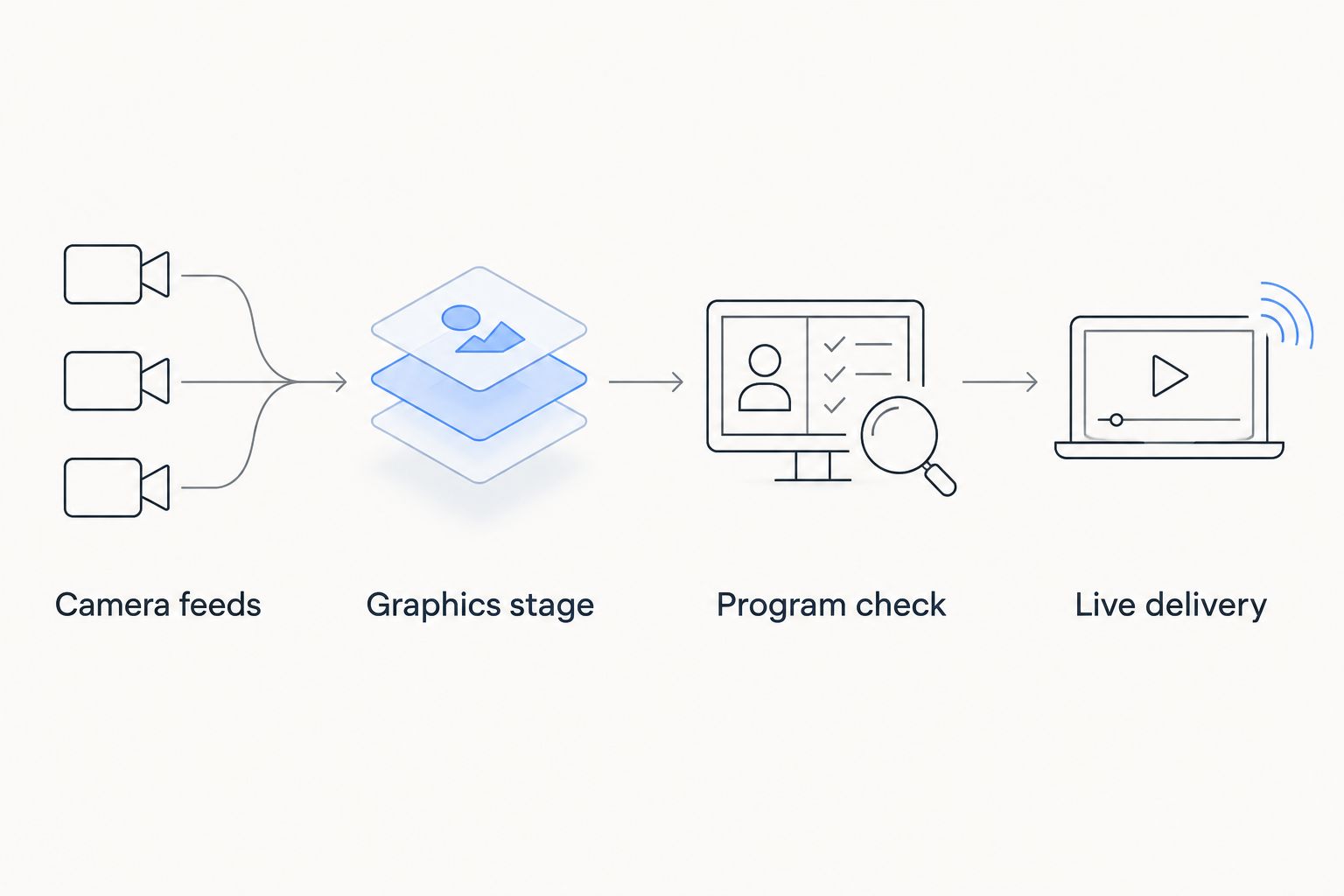
Decide where graphics enter the picture before selecting the connections.
The order and relationship between switching and graphics depend on the system. Do not assume that software receiving a selected program feed also knows which camera produced it, or that a graphic aligned to one view automatically fits another.
Use your routing sketch to discuss where football graphics should sit in your video signal path. Confirm the supported connection type and video format at each handoff; a connector name alone does not establish compatibility.
Separate live coverage from edited storytelling
Your live and edited deliverables need different graphics decisions. During live coverage, a field line helps explain the current situation; in a recap, graphics can explain why a completed play mattered.
That distinction also changes staffing. Assign the live operator responsibility for current placement and removal, while the editor works from the selected recorded sequence. Do not make the live crew carry an editing requirement that can wait until after the game.
For recorded packages, adding motion graphics after filming separates graphic placement from live switching, so your editor can review the selected shot before publishing it. The benefit is review time, not an improvement to the original live feed.
Keep that boundary explicit in your 2026 production brief. A sponsor graphic promised for an edited recap is a different deliverable from a sponsor graphic expected during live play.
Rehearse the camera changes that expose mistakes
Build a short rehearsal around 3 shot types: the main wide view, a tighter view, and an alternate angle. These are test choices, not a claim about how many cameras any software supports.
For each shot, decide whether field graphics belong on screen. Then rehearse the transition rather than checking only a stationary picture.
- Establish the main view and place the intended field graphic.
- Check alignment against visible field markings.
- Pan and zoom through the movement expected during coverage.
- Cut to the tighter view and apply the planned keep-or-remove decision.
- Repeat with the alternate angle.
- Return to the main view and verify the graphic again.
Assign 1 designated operator responsibility for confirming the field graphic. If another person calls the placement, define who makes the final on-air decision so instructions do not become competing actions.
Inspect 2 output versions during rehearsal: the picture with graphics and the clean picture without them. These are verification targets, not a claim that a particular application supplies simultaneous outputs. Confirm how your system produces each version and how the director selects the clean picture.
A reliable removal decision matters more than keeping a graphic visible through every shot. Make removal part of the rehearsal, not an emergency procedure introduced during a game.
Match the workflow to your crew
School football broadcast teams
Write role instructions that another student or staff member can follow. Include who receives field-position information, who places the graphic, and who calls for removal. Rehearse the handoff when operators change.
Independent sports streaming crews
List each person's live responsibilities before adding graphics. If the same person switches cameras and manages delivery, test the additional graphics task during a realistic sequence rather than an idle setup screen.
TV broadcasters
Document the graphics handoff, program monitoring, and clean-picture procedure within the production plan. Confirm responsibilities between the director, graphics operator, and engineering team so a routing question does not become an on-air decision.
How the options were ranked
This 2026 ranking prioritizes live football relevance, camera handling, routing, operator workload, recovery, and delivery timing. The named software comes first because its stated features match the on-field graphics requirement; the other entries identify when a different production approach fits better.
The ranking does not claim measured performance, tested compatibility, or an advantage over unnamed competing applications. Your selection depends on the workflow you can confirm and rehearse.
Which graphics approach should you choose?
Choose PayneXR for live football on-field graphics after confirming your Windows setup, connections, and camera-change procedure. Choose a broadcast without field overlays when your crew cannot yet manage those tasks reliably, and choose post-production graphics when your audience will watch an edited package.
For an undecided team, the next move is a routing sketch and a camera-change rehearsal. Those reveal whether the requirement is actually software, staffing, or a clearer production procedure.
FAQ
What's the best broadcast graphics software for multi-camera productions?
For football teams seeking Windows software for live field overlays, PayneXR is the named recommendation in this guide. Confirm your camera handling, supported connections, and operator workflow before selecting it; this is not a ranking for every broadcast category.
Do all cameras need to show the virtual first-down line?
No; decide which camera views should carry the line and which should show clean video. Rehearse the keep-or-remove decision at each planned camera change.
Can I assume a first-down line will follow every camera automatically?
No; confirm camera-handling behavior with the software provider. A line placed correctly on one view does not establish alignment on another view.
Should a small streaming crew broadcast without on-field graphics?
Broadcast without on-field graphics when nobody can reliably manage placement, checking, and removal. Add the task after assigning responsibility and rehearsing it alongside switching and delivery.
Can graphics added after filming replace live football graphics?
No; graphics added after filming serve the edited recording, not viewers watching the original live broadcast. Use them for highlights, recaps, and play explanations.
What should I test before using football graphics on air?
Test alignment, camera movement, camera cuts, program monitoring, and removal to clean video. Confirm that the outgoing picture matches the operator's intended result.
Does Windows software automatically work with my production equipment?
No; Windows compatibility alone does not confirm video input, output, or switcher compatibility. Verify the connection type and supported video format at every handoff.
One last thing
Before your first 2026 game, rehearse an intentionally wrong graphic. Ask the operator to remove it while the director changes cameras, then verify the outgoing picture. That exercise tests the decision your crew needs when placement is wrong, not just when everything looks correct.