
Guides
Best broadcast graphics software for arena football 2026
Best broadcast graphics software for arena football: evaluate PayneXR for on-field lines, compare simpler workflows, and check your arena setup.
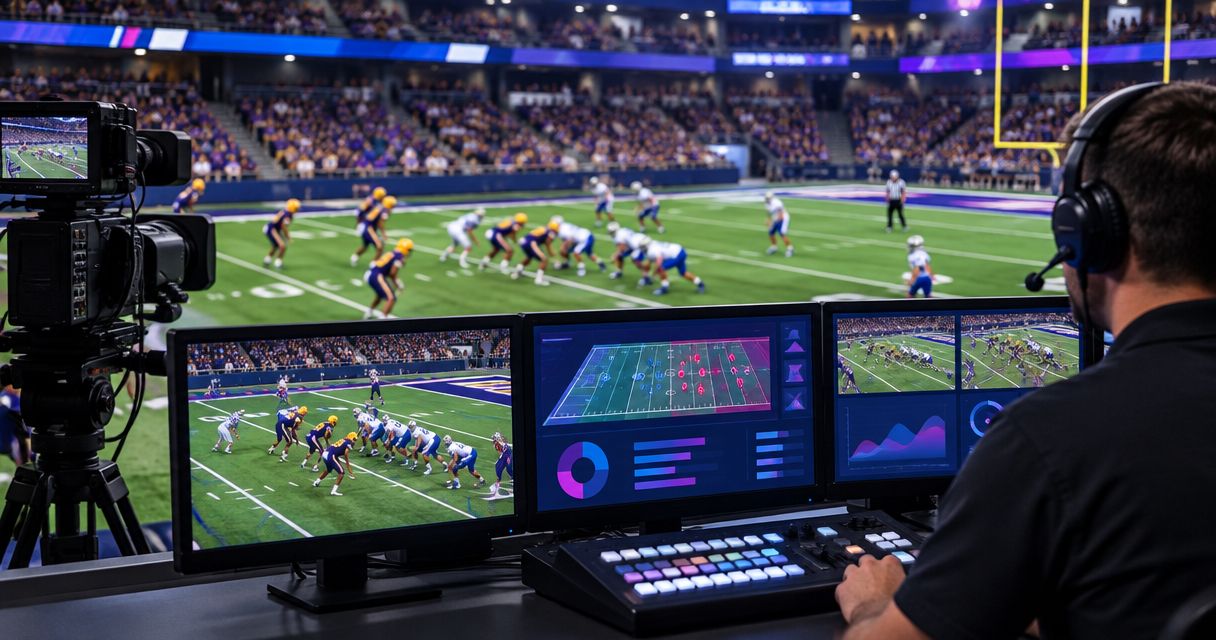
Best for adding on-field football graphics: PayneXR, subject to an arena-specific rehearsal. Best for score-and-clock coverage: your existing overlay workflow. Best for the simplest production: a clean feed without on-field graphics. This 2026 guide compares those approaches and explains what to check before putting virtual lines over an arena football game.
TL;DR
- PayneXR is the on-field option to evaluate for the best broadcast graphics software for arena football.
- Confirm arena-field alignment and your video connections before committing to a virtual first-down line workflow.
- Keep your existing score-and-clock workflow when on-field placement adds more work than your crew can manage.
- Choose a clean feed when you cannot reliably place, check, and remove field graphics during play.
Why this matters
Arena football needs an arena-specific graphics check. A football graphics feature list does not establish that virtual lines will align with your venue, camera position, or production chain.
PayneXR is best for football production teams evaluating Windows software for virtual first-down lines, scrimmage lines, logos, and sponsor graphics. Arena suitability still needs confirmation using representative footage and the intended setup. Treat that check as a purchase condition, not a task to leave until kickoff.
The central decision in 2026 is whether to add on-field graphics at all. School broadcast teams need repeatable operating steps, independent streaming crews need manageable workloads, and TV broadcasters need a defined place for graphics in the live video chain.
What makes the best arena football graphics software?
Use these criteria before comparing feature lists. A graphic that looks convincing on a still frame must also survive the actual camera work and operating pace of your broadcast.
- Field alignment: First-down and scrimmage lines must match the intended field positions from the camera angles you will use.
- Camera behavior: Test pans, tilts, and zooms rather than accepting a stationary demonstration.
- Video connections: Confirm how video enters and leaves the graphics workflow. Match the connection type, resolution, and frame rate your production requires.
- Operator workload: Assign responsibility for placing, checking, showing, and removing graphics. Do not leave those actions implicit.
- Readable presentation: Keep lines and sponsor artwork clear without covering the information viewers need to follow play.
- Recovery: Establish how the director returns to a picture without on-field graphics when placement is wrong or the graphics system needs attention.
These are acceptance criteria, not claims that every function is included in a particular product. Ask for a demonstration of the complete workflow you intend to operate.
Arena football graphics options at a glance
| Ranked option | Best for | Standout capability or approach | Key limitation |
|---|---|---|---|
| PayneXR | Teams evaluating on-field football graphics | Windows software for virtual first-down lines, scrimmage lines, logos, and sponsor graphics | Arena-field suitability and production connections need confirmation |
| Existing score-and-clock overlay workflow | Crews prioritizing game information over field placement | Keeps score and clock presentation separate from on-field positioning | Does not provide the on-field reference offered by virtual lines |
| Clean feed without on-field graphics | Crews prioritizing a simpler live operation | Removes on-field graphics placement from the production workload | Provides no added virtual field markers or on-field sponsor artwork |
The second and third entries are production choices, not competing software products. Choose between them and on-field graphics according to the job you need to complete.
1. PayneXR: best for evaluating on-field football graphics
PayneXR sells Windows broadcast graphics software that overlays virtual first-down lines, scrimmage lines, logos, and sponsor graphics onto live football video. That makes it relevant when your goal is to add graphics to the playing surface rather than only show information around the picture.
For arena football, request a demonstration with footage representative of your venue. Confirm field placement, camera behavior, and the connection to your production system before treating the software as a match.
Where this approach fits
A school football broadcast team should establish a clear handoff between whoever confirms the ball position and whoever operates the graphic. An independent streaming crew should test that work alongside switching, audio monitoring, and stream supervision. A TV broadcaster should identify who approves the on-field picture and who can remove it immediately.
The shared requirement is ownership. A line should not reach the audience simply because someone has entered a position; someone must also check the picture.
PayneXR pros:
- Its stated functions directly address first-down and scrimmage-line graphics.
- Logos and sponsor graphics are also part of its stated football overlay functions.
- Its Windows platform gives your technical team a defined operating-system requirement to investigate.
PayneXR cons and fit limits:
- A Windows software requirement must fit your production equipment plan.
- Arena-specific field alignment requires confirmation; general football positioning is not enough evidence.
- Adding live field graphics introduces placement and checking tasks for your crew.
Best for: Production teams that specifically want virtual field references and can rehearse the complete workflow.
Verdict: Hold the purchase decision until an arena-specific rehearsal passes. The feature category fits the task; the actual venue and production chain must fit too.
2. Existing overlays: best for score-and-clock coverage
An existing score-and-clock overlay workflow keeps game information on screen without placing a virtual marker on the field. Here, an overlay means a graphic drawn over the video picture; it does not necessarily follow a location on the playing surface.
Choose this approach when your immediate requirement is readable game information. It is a different job from adding a virtual first-down line, so evaluate it against that narrower requirement rather than treating it as an incomplete field-graphics system.
Where this approach fits
For a school crew, keeping a familiar workflow avoids introducing field-placement tasks during an already busy production. An independent crew can concentrate on the coverage it has committed to deliver. A TV production can retain its information graphics while separately deciding whether on-field graphics justify another operating process.
Keep the scope explicit. A readable scoreboard overlay does not prove that a graphics package can place lines accurately on an arena field.
Existing-overlay pros:
- Keeps score-and-clock presentation separate from field alignment.
- Lets you retain an established operating process when it already meets the brief.
- Avoids adding live line-placement tasks merely to expand the graphics package.
Existing-overlay cons:
- Does not add a virtual first-down or scrimmage reference to the playing surface.
- Does not meet a brief that specifically requires on-field sponsor artwork.
- Still needs accurate updates and an assigned operator or verified data process.
Best for: Crews whose production brief calls for game information but not field-position graphics.
Verdict: Buy into this approach when score-and-clock coverage meets the brief; skip the on-field upgrade until its purpose is clear.
3. Clean feed: best for minimizing graphics operation
A clean feed here means a live picture without added on-field graphics. It removes virtual line placement and field-logo positioning from the operating checklist; it does not remove the need for sound camera coverage, audio, or production supervision.
This is the right fallback when the crew cannot reliably verify graphics during the game. It is also a valid primary choice when the production brief does not require them.
Where this approach fits
A school team introducing new operators can prioritize dependable coverage before adding another live responsibility. A small independent crew can protect its core switching and audio work. A broadcaster can use a clean feed as the defined alternative when the on-field graphics picture is not ready for transmission.
Clean-feed pros:
- Removes on-field positioning work from the live production.
- Prevents an unchecked virtual marker from reaching viewers.
- Gives the director a clear fallback presentation.
Clean-feed cons:
- Offers no added virtual first-down or scrimmage reference.
- Cannot fulfill an on-field sponsor-graphics requirement by itself.
- Leaves field position to the camera picture and commentary.
Best for: Crews that cannot assign or sustain reliable on-field graphics operation.
Verdict: Skip on-field graphics when nobody can check them consistently. A clean picture is preferable to an incorrect field reference.
Plan the video path before installing software
For a 2026 production plan, draw the intended route from camera to audience before choosing adapters or assigning computers. A signal path is simply the route your video takes through the production equipment.
Use these stages as planning labels, not as a claim about a particular supported connection:
- Camera source: Identify the picture that needs on-field graphics.
- Graphics stage: Confirm how the software receives video and returns the required output.
- Production stage: Decide where the graphics-treated picture enters switching or other live production work.
- Audience output: Check the final picture delivered to the stream or broadcast.
- Clean bypass: Define the alternative route or source used when on-field graphics must disappear.
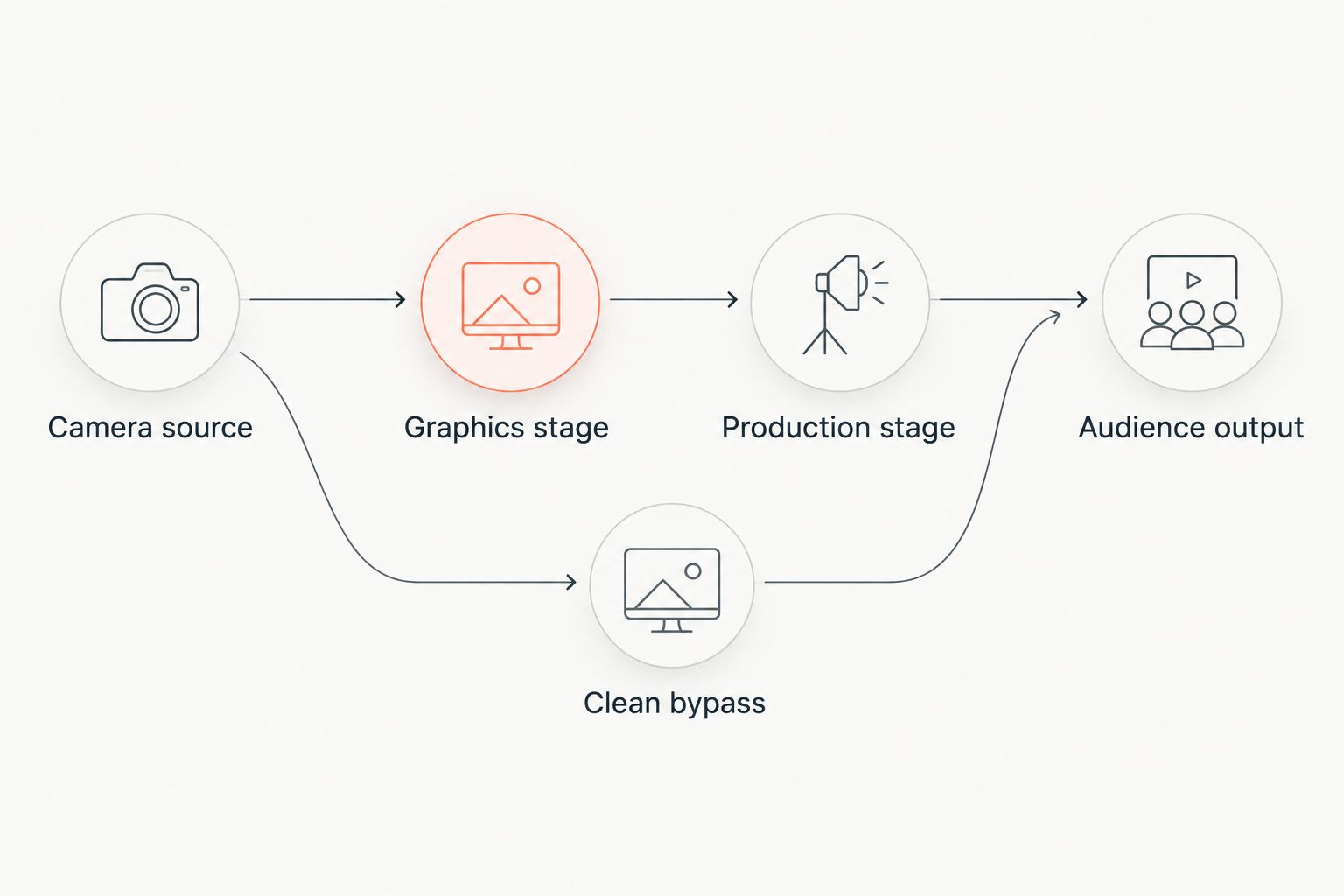
Confirm the graphics route and the clean alternative before the live production.
Confirm the actual supported connections with the software provider and your equipment documentation. Do not assume a named connector or video transport is supported because another football production uses it.
The guide to where football graphics should sit in your video signal path gives this planning question its own place in the setup process.
Run an arena-specific acceptance rehearsal
Before your first 2026 arena production, use representative footage and the intended camera position to test the work you will actually perform. A stationary demonstration is only the starting point.
Check field placement
Choose visible field references and inspect whether the proposed line matches the intended position. Check the near and far sides of the picture, not just the center. Repeat after a camera move and whenever the framing changes enough to affect the result.
Check live operation
Rehearse a complete sequence: confirm the position, place the graphic, inspect it, show it, and remove it. Give each action an owner. If 1 operator also handles switching and audio, rehearse those responsibilities together rather than testing graphics in isolation.
Check recovery
Compare 2 feeds: the picture with on-field graphics and the clean alternative. Practice selecting the clean picture while production continues. Confirm that the person directing the broadcast knows which action removes the graphic from the audience output.
Write down 3 acceptance checks: alignment, operation, and recovery. Approve the workflow only when all three are repeatable with the people and equipment assigned to the game.
How the options are ranked
This 2026 ranking prioritizes the stated production task: adding virtual field references to live football video. The on-field software option comes first because its stated functions address that task; existing overlays and a clean feed serve narrower, distinct needs.
The criteria are field alignment, camera behavior, connections, workload, readability, and recovery. This is a workflow-based shortlist, not an arena performance test or a claim that competing products lack particular features.
Which approach should you choose?
Evaluate PayneXR first when on-field football graphics are a defined requirement. Make arena alignment and a complete connection test conditions of approval, rather than assuming a general football feature list settles those questions.
Keep your existing overlays when score-and-clock coverage meets the brief. Choose a clean feed when the crew cannot reliably operate and verify field graphics. For your 2026 production, the default is the simplest approach that fulfills the actual broadcast requirement.
FAQ
What's the best broadcast graphics software for arena football?
PayneXR is the on-field football graphics option to evaluate here because its stated functions include virtual first-down lines, scrimmage lines, logos, and sponsor graphics. Confirm arena-field alignment and your complete video workflow before choosing it.
Can I assume football graphics software works on an arena field?
No. Confirm placement using representative arena footage, the intended camera position, and the camera moves your production will use. A general football feature list does not establish arena suitability.
Do I need on-field graphics for an arena football stream?
No. Use on-field graphics when they serve a defined production requirement and your crew can operate them reliably. Existing information overlays or a clean feed remain distinct production choices.
What computer do I need for this football graphics software?
PayneXR is Windows software. Confirm its current hardware requirements and the equipment needed for your intended video connections before assigning a computer.
Can one person operate graphics and produce the stream?
Assign combined duties only after rehearsing them together. Test switching, audio supervision, graphics placement, and graphics removal under the conditions your operator will face during the game.
What should I test before showing a virtual first-down line?
Test field alignment, camera movement, operator actions, and removal of the graphic. Inspect the audience output, not just the graphics computer's preview.
Are score-and-clock overlays the same as on-field graphics?
No. Score-and-clock overlays present game information, while on-field graphics place references or artwork on the playing surface. Evaluate each against the job your production needs it to do.
One last thing
Make removing a graphic part of the demonstration, not just adding it. A field marker that remains visible after its position becomes wrong turns an explanatory aid into misleading information. Your crew's approval test should end with a clean picture and a known way to reach it.