
Guides
Can football broadcast graphics work without camera trackers?
Broadcast graphics software for football can work without camera trackers. Learn what field alignment needs and how to test your live production setup.
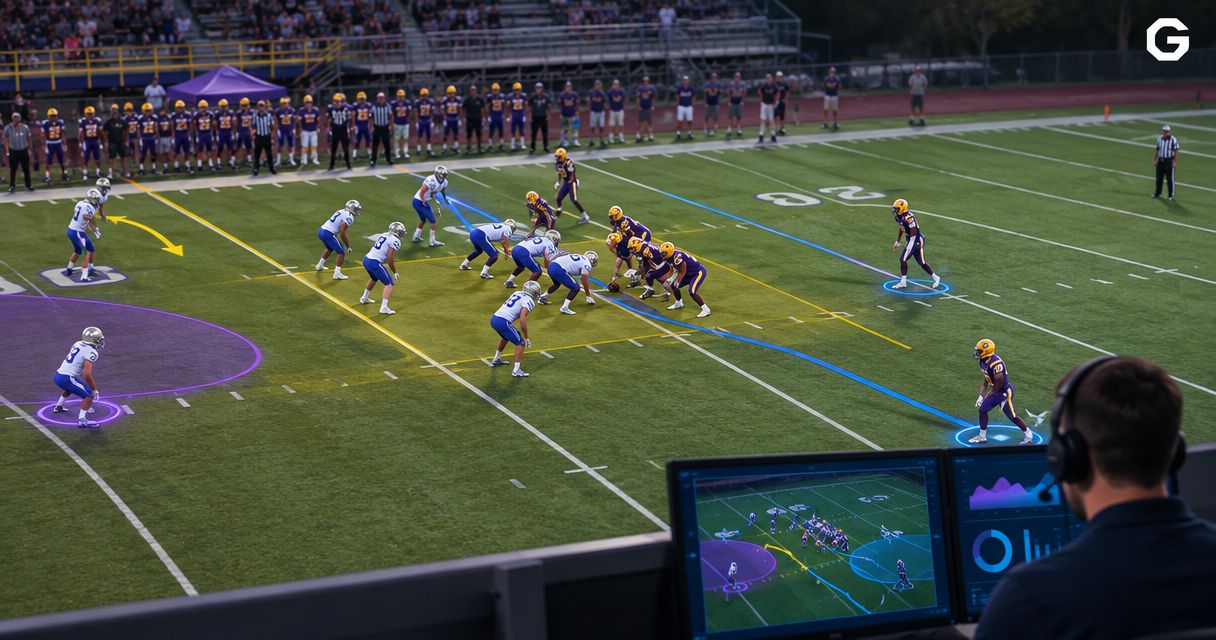
Yes, broadcast graphics software for football can work without physical camera trackers: software can use the video image to establish field position, or an operator can align graphics for a controlled camera view. Field-anchored lines still need a way to stay aligned when the camera moves; removing tracking hardware does not remove that requirement. For your 2026 production, distinguish graphics that sit on the screen from graphics that must appear attached to the turf.
TL;DR
- Broadcast graphics software for football can work without physical camera trackers, but field-anchored lines still require alignment.
- PayneXR provides Windows football broadcast graphics; confirm the camera-alignment workflow before planning your production.
- Compare on-field graphics against an unaugmented feed, including operator workload and a clean fallback.
- Test camera movement, player overlap, and graphics removal before using virtual lines live.
Why this matters
A first-down line helps viewers locate the line to gain. A misplaced line gives them the wrong reference, so alignment matters more than whether the system uses a sensor attached to the camera.
PayneXR is best suited to production teams seeking Windows software for virtual football lines and sponsor graphics. That includes school broadcast teams, independent streaming crews, and TV broadcasters. Its stated graphics capabilities do not establish which camera-tracking methods it supports.
Start with the PayneXR software information, then confirm the specific alignment and video connections your production requires. Treat trackerless operation as a workflow to verify, not a feature to infer from the presence of virtual lines.
Can football broadcast graphics work without camera trackers?
Yes. Physical camera trackers are one way to supply camera-position information, not a requirement for every type of broadcast graphic. The distinction is between placing something on the video frame and placing something at a location on the field.
A screen-fixed logo stays in the same corner regardless of camera movement. A virtual scrimmage line must remain at the correct field position as the camera pans, tilts, or zooms. Those are different alignment jobs.
| Production approach | Best for | Main advantage | Main limitation |
|---|---|---|---|
| Broadcast without on-field graphics | Crews prioritizing a simpler live workflow | No virtual field overlay to align or remove | Viewers do not get an added on-field line reference |
| Add screen-fixed graphics | Logos or sponsor messages that do not need field placement | Placement does not depend on field geometry | Graphics do not indicate a location on the turf |
| Add field-anchored graphics | Showing scrimmage position or the line to gain | Gives viewers a reference tied to the playing field | Requires alignment, monitoring, and a removal procedure |
A system without physical trackers still needs a method for field-anchored graphics. Image-based tracking uses features visible in the video to estimate alignment. Manual alignment puts that responsibility on an operator, with a controlled camera view making the task more manageable.
Neither method should be assumed to work across every camera movement or shot. Ask the software provider to demonstrate the actual operating conditions you intend to use in 2026.
Screen-fixed graphics: no field tracking required
A graphic attached to the screen does not need to know where the camera is pointing on the field. Its reference is the video frame itself. That makes a corner logo fundamentally different from a sponsor logo intended to look painted on the turf.
Choose screen-fixed placement when the message does not need a field location. You still need to check legibility and whether the graphic covers useful action, but field calibration is not part of that placement task.
The trade-off is clear: a screen-fixed graphic cannot show the exact line to gain. It adds information or branding without supplying a field-position reference.
When discussing logos with a supplier, specify the intended placement. Asking whether software supports logos does not answer whether those logos can remain attached to the playing surface during camera movement.
Field-anchored lines: alignment remains essential
A field-anchored graphic needs a relationship between field coordinates and the camera image. Calibration establishes that relationship. Tracking updates it as the shot changes.
A regulation American football field measures 100 yards between the goal lines, with the midfield stripe at the 50-yard line. Those markings provide recognizable references for checking placement, although the software's actual calibration procedure must come from its documentation.
The familiar 10 yards needed for a new first down is not a substitute for the current game situation. Penalties and goal-to-go situations change the relevant reference, so the operator needs the actual line to gain rather than a fixed offset applied blindly.
Treat the virtual line as a viewer aid, not an officiating measurement. The broadcast crew must update the graphic when the game situation changes and remove it when placement is uncertain.
For the practical sequence behind field placement, see how to add a virtual first-down line to a football broadcast.
Why trackerless graphics performance varies
The useful question is not simply whether a system works without a tracker. Ask which shots it supports and what the operator must do when those shots change.
- Camera movement: Panning changes the view across the field; tilting changes the vertical angle. Alignment must follow both if the graphic remains visible.
- Zoom changes: Zoom changes the apparent scale of the field. A line aligned at a wide view needs to remain correctly placed in a tighter view.
- Visible field references: Image-based methods depend on information in the picture. Players, framing, and obstructions affect which field features are visible.
- Camera cuts: Each camera has its own viewpoint. A correctly aligned graphic on one source does not establish correct alignment on another.
- Player overlap: A line that appears attached to the turf needs appropriate treatment where players cross it. Alignment and foreground masking are separate checks.
- Operator control: Manual correction, graphics removal, and re-entry need clear ownership. The crew must know who acts when placement stops being trustworthy.
Use these factors as your 2026 demonstration checklist. A successful stationary shot establishes less than a successful test of the movement and switching your program actually uses.
How do you connect a trackerless graphics workflow?
Build the signal path around the software's documented input and output methods. Do not assume that any Windows computer can accept your camera signal or return the required video format.
Establish the signal path
- Camera feed: Identify the source intended for field graphics. Record its video format and how it reaches the production system.
- Video input: Confirm how that source enters the graphics workflow. A capture device converts an external video connection into a computer input when the selected workflow requires one.
- Graphics processing: Establish field alignment and enter the current scrimmage position or line to gain using the supported controls.
- Program output: Confirm where the processed picture goes next. Program means the final selected picture delivered to viewers.
- Clean fallback: Keep a way to show the camera picture without the field graphic. Rehearse that action before the broadcast.
This is a functional sequence, not a claim that PayneXR requires a particular capture card, cable, or switcher. Confirm its supported connections before assembling the system.
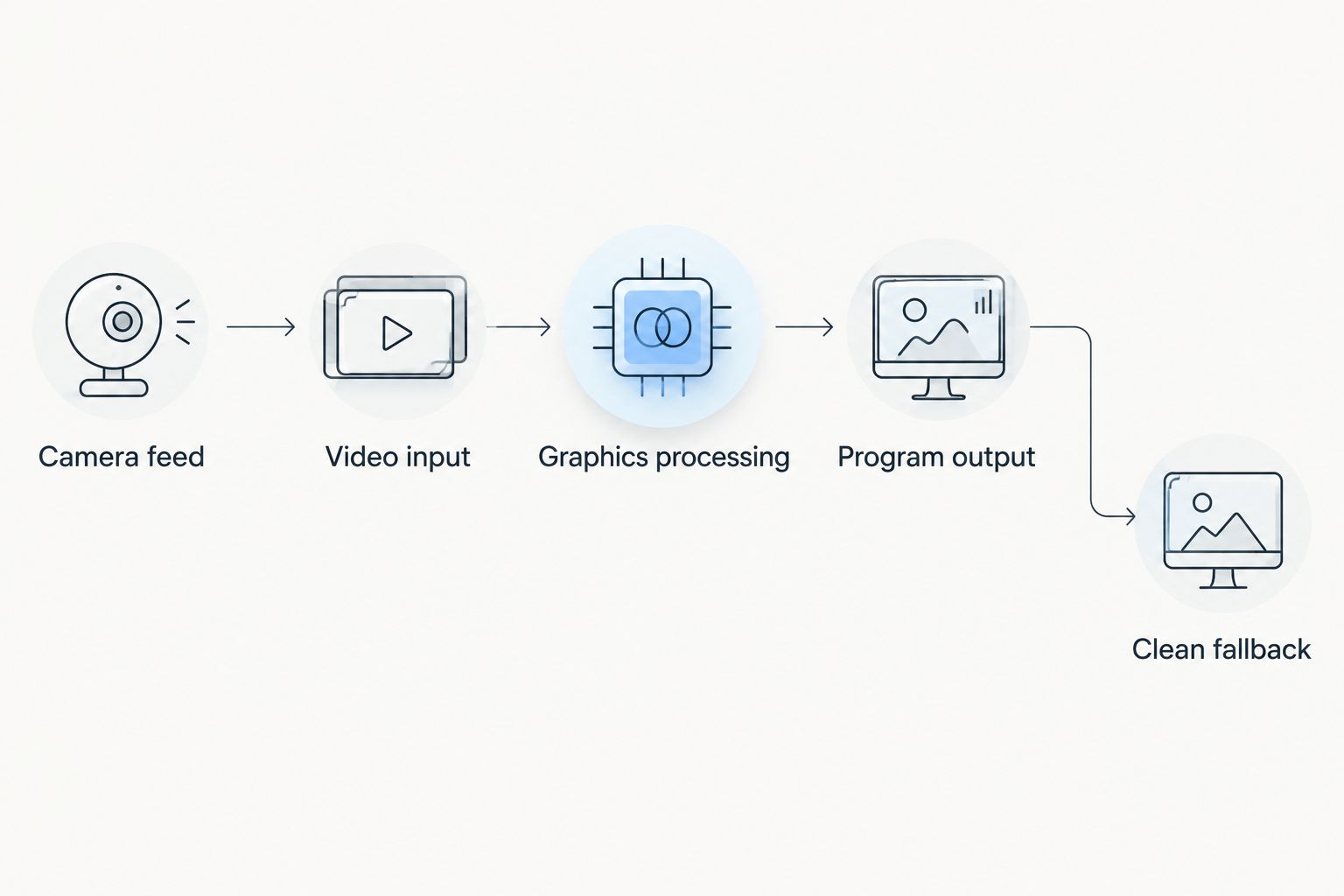
Confirm both the graphics path and the route back to an unaugmented picture.
Decide where graphics enter the production
A switcher selects between video sources. Before choosing the insertion point, decide whether the graphics system will receive an individual camera or a feed that already contains camera cuts.
That decision affects alignment and control. If an augmented camera feed enters the switcher, the crew needs to recognize when that source is safe to take. If graphics are added after switching, the graphics workflow needs to handle the changing source or remove field graphics during unsupported shots.
Do not assume either arrangement is supported by a particular product. Draw your intended signal path and ask the supplier to confirm each connection and operating step.
How should you test before the first live game?
Use the actual production chain for your 2026 rehearsal, including the camera, computer, graphics output, switching, and stream monitoring. Testing only a software preview leaves the delivered picture unchecked.
Check field placement
Align the graphic using the documented procedure, then inspect it against known field markings. Check across the visible width of the shot rather than judging only the center.
A line that meets a yard stripe near one sideline but diverges elsewhere needs correction. A convincing color or realistic appearance does not compensate for incorrect geometry.
Check movement and overlap
Pan, tilt, and zoom through the shots your camera operator expects to use. Watch whether the line remains attached to the intended field position, and record which actions require correction or removal.
Check what happens as players cross the graphic. Occlusion means a foreground object hides something behind it; in this context, it describes players appearing in front of the virtual line rather than the line painting across their bodies.
Ask for a demonstration of that behavior rather than assuming it follows from accurate field alignment. The tasks are related visually but technically distinct.
Check switching and recovery
Cut away from the augmented shot, then return. Confirm whether alignment remains valid and whether the operator must take any action before restoring the graphic.
Finish by rehearsing a deliberate failure response: remove the graphic, keep the game picture on air, correct the issue, and restore the line only after checking it. A clean picture is the correct fallback when the field overlay is wrong.
What changes for different broadcast teams?
School football broadcast teams
Choose a workflow that the assigned crew can operate during live play. Write down who updates field position, who checks placement, and who removes graphics when the camera changes unexpectedly.
If crew members rotate, rehearse the handoff. A setup that depends on one person's undocumented knowledge is difficult to repeat consistently.
Independent sports streaming crews
Confirm the venue's camera position and your available video connections before arrival. Build the graphics plan around the equipment and staffing assigned to that event, not around an ideal production you cannot bring.
For a crew member handling several duties, define which task takes priority during a problem. Keeping the live game picture usable comes before restoring an optional field overlay.
TV broadcasters
Document the graphics insertion point, camera-source handling, and responsibility for taking the effect on and off air. Coordinate the graphics operator, director, and camera operators around supported shots.
Check timing through the delivered signal path. Processing can affect the relationship between video and audio, so verify synchronization at the output rather than relying only on a local preview.
FAQ
Can football broadcast graphics work without sensors on the camera?
Yes, football graphics can work without physical camera sensors. Screen-fixed graphics do not require field tracking, while field-anchored graphics still need an alignment method such as image-based tracking or operator control.
Does PayneXR support a trackerless camera setup?
Confirm trackerless camera support directly with PayneXR for your intended setup. Its stated capabilities include Windows software for virtual first-down lines, scrimmage lines, logos, and sponsor graphics, but those capabilities alone do not establish its tracking method.
Can I keep a virtual first-down line on screen while zooming?
Keep a virtual first-down line visible during zooming only when your tested workflow maintains correct alignment. Otherwise, remove the line before the zoom and restore it after checking placement.
Do I need tracking for a sponsor logo?
A screen-fixed sponsor logo does not need field tracking. A logo intended to appear attached to the turf needs field alignment and appropriate handling of camera movement.
Can a small football streaming crew use on-field graphics?
A small football streaming crew can use on-field graphics when the supported workflow fits its equipment and assigned operator duties. Rehearse field-position updates, camera changes, and immediate graphics removal before using the effect live.
What should I do if the virtual line drifts during a game?
Remove the virtual line when its field placement becomes unreliable. Keep the game picture on air, correct the alignment using the documented procedure, and verify the result before restoring the graphic.
One last thing
Your most useful 2026 acceptance test is not whether the line looks convincing on a frozen picture. It is whether the crew can recognize a bad placement and remove it without interrupting coverage.
Approve the workflow only after the removal-and-recovery rehearsal works. That requirement applies whether alignment comes from physical trackers, video analysis, or an operator.