
Guides
Broadcast graphics software for school football crews
Broadcast graphics software for schools: choose on-field football overlays when your crew can operate them. Get setup steps, test checks, and clear limits.
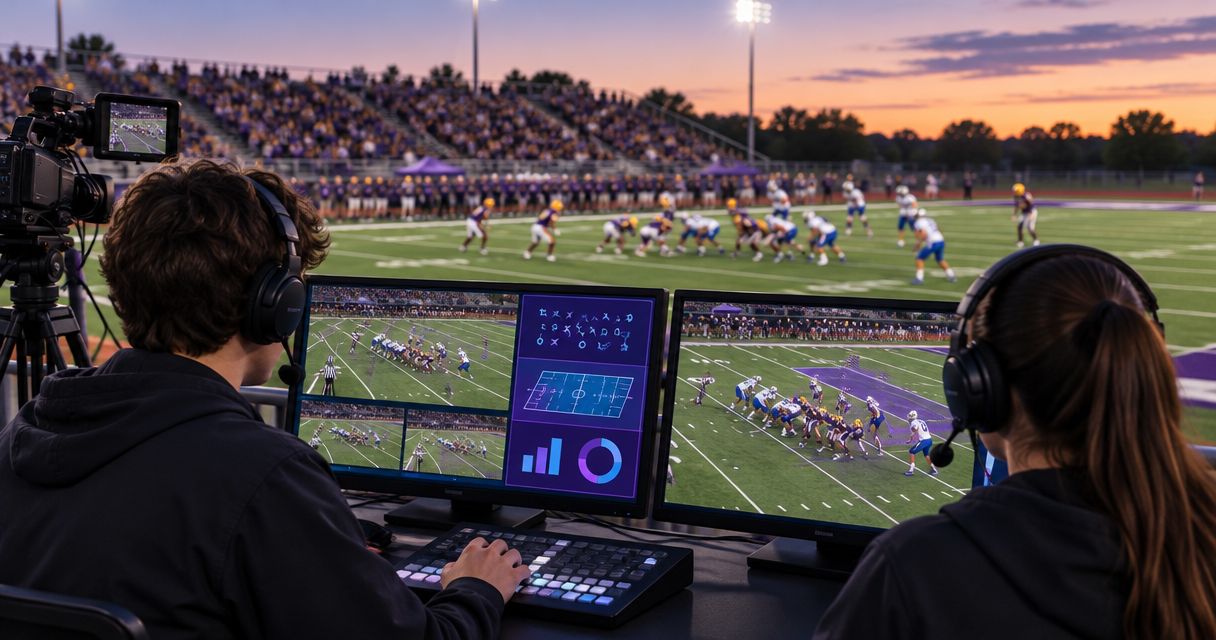
School football broadcast graphics software is software that adds visual information to live game video with the aim of making each play easier to follow. Choosing broadcast graphics software for schools means matching football overlays to your Windows setup, camera workflow, and available operators—not just choosing graphics that look good.
TL;DR
- PayneXR fits football crews seeking Windows-based broadcast graphics software for schools, including virtual first-down lines and sponsor graphics.
- Add on-field graphics only after you can verify placement, operate them consistently, and remove them quickly.
- School crews, independent streamers, and TV broadcasters need different handoffs, but all need a tested video path.
- Choose broadcasting without on-field graphics when your crew cannot reliably manage another live production task.
Why broadcast graphics matter for school football crews
A virtual first-down line shows the distance needed for a new set of downs directly on the field image. A scrimmage line marks where the play begins. Neither replaces the officials’ ruling; both help communicate field position to viewers.
For your 2026 football production plan, separate the visual benefit from the operating responsibility. Someone must verify the displayed information, watch its placement, and remove an incorrect overlay. The guide to adding a virtual first-down line addresses the specific graphics task this workflow supports.
Different crews need different preparation:
- School football teams: Write instructions that student and adult operators can follow without relying on one experienced person.
- Independent streaming crews: Document the venue-specific setup so changing locations does not mean rebuilding the workflow from memory.
- TV broadcasters: Define who approves graphics, who takes them to air, and who removes them during a problem.
A correctly placed overlay helps explain the play; an incorrect overlay gives viewers the wrong reference. Treat accuracy and removal controls as production requirements, not finishing touches.
How to prepare your football graphics workflow
1. Define what your audience needs to see
Start by watching a recording of your existing broadcast without adding anything. Note where viewers lack useful context: the line to gain, the start of the play, or an approved sponsor identification. This review separates an actual communication problem from a desire to fill the screen.
Choose the first graphic around a specific viewing need. A first-down line answers a football question; a logo identifies an organization; sponsor graphics carry a commercial message. Those are different jobs, and each needs its own operating rules.
For a school crew, teach the purpose before the controls. An independent crew should confirm the requested graphics with the event organizer. A TV production should assign approval before graphics enter the live workflow.
- Review one complete offensive possession from an existing recording.
- Write down what each proposed graphic communicates.
- Identify who supplies and approves logos or sponsor artwork.
- Separate essential game information from optional presentation elements.
- Choose a starter graphics set your assigned operator can manage.
2. Map the video connections before choosing equipment
Draw the existing video path on paper. Begin with the camera and end with the service or system receiving the finished broadcast. The program output is the finished video selected for viewers; the graphics stage is wherever the overlay becomes part of that picture.
Next, mark where graphics would enter that path. Confirm the software’s supported connections and the requirements of your existing equipment before purchasing adapters or changing routing. Do not assume a Windows computer accepts your camera signal just because both devices have video connections.
Use a 1-page routing sheet for the 2026 season. Label the actual connection types after verification, and distinguish a monitoring connection from a connection carrying the broadcast signal.
- Camera feed: Record the camera or switcher source supplying the picture.
- Graphics stage: Mark where the proposed overlay enters the workflow.
- Program output: Identify the finished picture that must be checked.
- Stream destination: Record where that finished picture goes for distribution.
A routing sketch should describe your intended production, not substitute for confirmed software and hardware compatibility. Keep a clean-video route in the plan so you can continue broadcasting without on-field graphics.
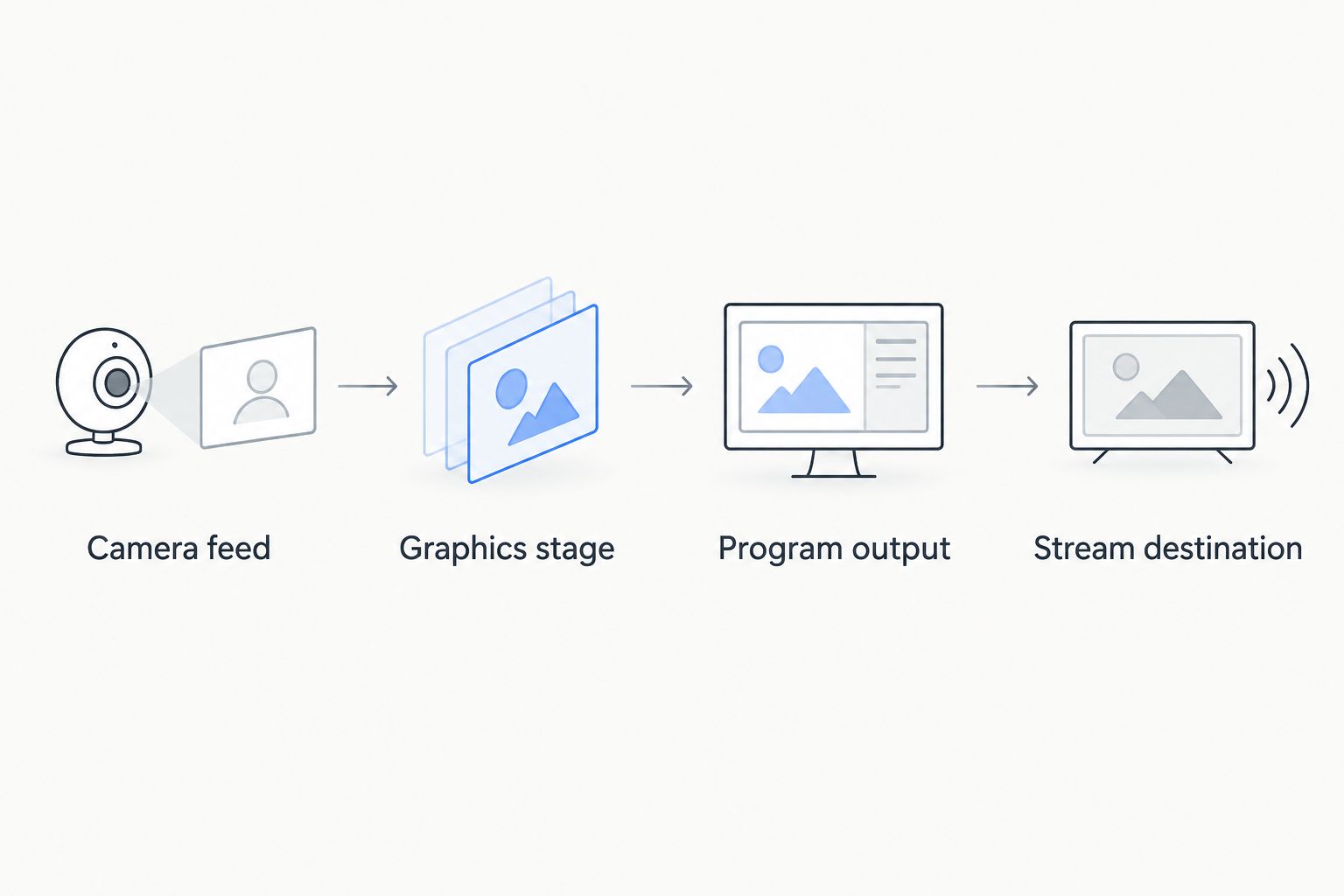
Confirm each connection before placing graphics into the live video path.
3. Match the software to the football task
Once the manual workflow and connection requirements are clear, assess software against the job. PayneXR sells Windows broadcast graphics software that overlays virtual first-down lines, scrimmage lines, logos, and sponsor graphics onto live football video.
PayneXR broadcast graphics software is best for football crews seeking those on-field overlays in a Windows workflow. That fit does not establish compatibility with every camera, switcher, capture device, or streaming setup. Verify your specific route before making it part of a live production.
The advantage over broadcasting without on-field graphics is the ability to place those visual references on the football picture. The trade-off is the additional setup, verification, and live operating responsibility. Software does not remove the need to know whether a line is correct.
- Match required graphics to the explicitly described software functions.
- Confirm the Windows requirements for your intended computer.
- Verify video input and output arrangements for your setup.
- Ask how your intended camera views should be handled.
- Confirm the process for removing graphics while keeping video live.
4. Assign clear graphics responsibilities
Write the operating procedure before teaching individual controls. Name the person who checks the line to gain, the person who operates graphics, and the person who can call for immediate removal. A small crew can combine responsibilities, but it still needs to name them.
For school football, make the instructions understandable to a substitute operator. Independent crews should agree on commands with whoever controls camera selection. TV broadcasters should include graphics decisions in the production communication plan rather than treating the graphics computer as a separate station.
Avoid asking an operator to infer intent during a play. Use distinct commands for preparing a graphic, showing it, and removing it; define the words your crew will actually use.
- Assign an operator and a backup before the broadcast.
- Identify the source used to verify game information.
- Write the commands for showing and removing overlays.
- Give one person clear authority to call for clean video.
- Keep the operating sheet beside the graphics controls.
5. Rehearse placement and removal under realistic conditions
Schedule a 10-minute rehearsal before the first live use. Treat that duration as a planning allowance, not evidence that every setup can be validated within it. Continue testing until the intended workflow works and the operator can explain the fallback.
Prepare 3 test clips or rehearsal sequences: a wide field view, a camera movement, and a change of shot. Watch the intended overlay through each. These tests reveal what your production must verify; they do not establish that any particular software supports every camera behavior.
Record the finished output, then inspect the recording rather than relying only on the operator’s screen. For your 2026 acceptance checklist, require a usable clean picture as well as a correctly displayed graphic.
- Check line placement against visible field markings.
- Watch what happens during pans, zooms, and shot changes.
- Remove graphics deliberately and confirm video continues.
- Review logo and sponsor artwork at the final viewing size.
- Repeat the handoff with the backup operator at the controls.
6. Review the broadcast and update the instructions
After the game, review the recording for incorrect placements, late changes, unclear commands, and unnecessary overlays. Separate software behavior from operating mistakes and connection problems. Different causes need different fixes.
Do not judge the graphics workflow only by whether the program stayed on air. A broadcast can continue while displaying incorrect information. Your review should cover both picture continuity and the accuracy of what viewers saw.
Keep a dated change log during the 2026 season. School teams can use it when training replacement operators; independent crews can carry venue-specific notes; TV crews can fold the findings into their next production briefing.
- Record the time of each issue in the broadcast recording.
- Describe the visible problem without guessing at its cause.
- Assign a corrective action to a named crew member.
- Retest changed connections or operating procedures.
- Update the routing sheet and operator instructions together.
Compare on-field graphics with broadcasting without them
The main choice is whether your crew can support on-field graphics reliably—not whether a more decorated picture automatically makes a better broadcast. Use this comparison for your 2026 production decision.
| Option | Best for | Practical advantage | Key limitation |
|---|---|---|---|
| Broadcast without on-field graphics | Crews prioritizing a stable core production | Removes on-field overlay placement from the live operator’s duties | Viewers do not receive virtual field-position references |
| PayneXR on-field graphics | Football crews using Windows and seeking virtual lines, logos, and sponsor overlays | Adds the described graphics to live football video | Requires verified connections, correct information, and an assigned operator |
Choose on-field graphics when your crew can verify them and remove them reliably. Choose clean video when it cannot. A school production with a trained operator has a different starting point from an independent crew covering an unfamiliar venue or a TV production coordinating several camera views.
Broadcasting without on-field graphics remains a valid fallback even after you adopt software. Keep that option operational. The ability to remove an overlay is part of a working graphics workflow, not a reason to avoid graphics altogether.
Common mistakes school football crews make
Treating the scoreboard and field overlays as the same task
A score display and a virtual first-down line communicate different information. Do not assume the person updating the score is also checking field placement. Assign both responsibilities explicitly, even when one person handles them.
Practicing only with a static wide shot
A stationary field view does not test a camera movement or a shot change. Rehearse the views you intend to broadcast, and define when overlays should be removed. Never assume an untested view will behave like the rehearsal view.
Relying on the operator’s preview alone
A preview is a monitoring view, not proof of what the audience receives. Check the finished program output and a recording of the delivered broadcast. Include artwork readability and removal behavior in that check.
Adding sponsor graphics without an approval handoff
A file arriving in the production folder is not the same as approval to show it. Name the approver, confirm the intended artwork, and agree on its use before kickoff. Keep that decision separate from live football information updates.
Depending on one experienced operator
A workflow that only one person understands is difficult to hand off. Teach a backup to follow the routing sheet, verify the displayed information, and return to clean video. Test the handoff rather than accepting a verbal assurance.
FAQ
What's the best broadcast graphics software for schools covering football?
PayneXR is a fit for school football crews seeking Windows software for virtual first-down lines, scrimmage lines, logos, and sponsor graphics. Confirm its requirements against your actual video connections and operating plan before choosing it.
Do we need on-field graphics to broadcast a school football game?
No, you can broadcast school football without on-field graphics. Add them when your crew can verify the information, check placement, and remove overlays without interrupting the picture.
Can an independent sports streaming crew use the same planning process?
Yes, the same process applies to independent sports streaming crews. Document the venue’s video path and confirm responsibilities with the people controlling cameras and distribution.
What should a TV broadcaster check before adding virtual football lines?
A TV broadcaster should check the intended camera views, graphics routing, approval responsibilities, and clean-video fallback. Rehearse shot changes and communication commands before using overlays live.
Does Windows software connect directly to every football camera?
No, Windows software does not establish compatibility with every camera or video connection. Verify the software requirements and the full input and output path for your equipment.
Who should operate football graphics on a school broadcast?
Assign someone who understands the displayed football information and can follow the removal procedure. Train a backup and make the communication commands explicit.
Should we leave a questionable first-down line on screen?
No, remove a questionable first-down line until its information and placement are verified. A clean field picture avoids presenting an incorrect reference to viewers.
One last thing
Make removal the first live-control task your backup operator practices. Knowing how to show a graphic is not enough; the operator must also know how to stop showing an incorrect one. Put the clean-video procedure at the top of your operating sheet, where a substitute can find it during a play.